Dynamic Map Of Italy On A PCB

While most PCBs stick to tried-and-true methods of passing electrons through their layers of carefully-etched copper, modern construction methods allow for a large degree of customization of most aspects of these boards. From solder mask to number of layers, and even the shape of the board itself, everything is open for artistic license and experimentation now. [Luca] shows off some of these features with his PCB which acts as a live map of Italy.

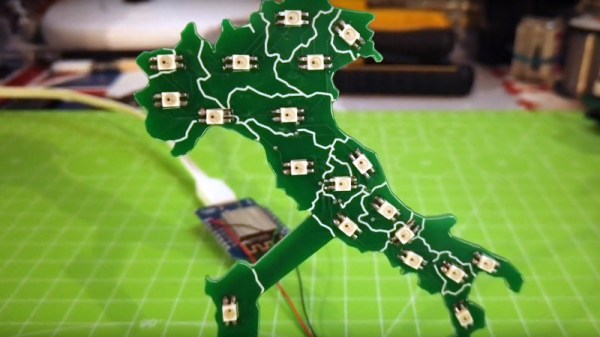
The PCB is cut out in the shape of the famous boot, with an LED strategically placed in each of 20 regions in the country. This turns the PCB into a map with the RGB LEDs having the ability to be programmed to show any data that one might want. It’s powered by a Wemos D1 Mini (based on an ESP8266) which makes programming it straightforward. [Luca] has some sample programs which fetch live data from various sources, with it currently gathering daily COVID infection rates reported for each of the 20 regions.

The ability to turn a seemingly boring way to easily attach electronic parts together into a work of art without needing too much specialized equipment is a fantastic development in PCBs. We’ve seen them turned into full-color art installations with all the mask colors available, too, so the possibilities for interesting-looking (as well as interesting-behaving) circuits are really opening up.

Continue reading “Dynamic Map Of Italy On A PCB”

ESP32 Soil Monitors Tap Into Ultra-Low Power Mode

Soil moisture sensors are cheap and easy to interface with, to the point that combining one with an Arduino and blinking an LED when your potted plant is feeling a bit parched is a common beginners project. But what about on the long term? Outside of a simple proof of concept, what would it take to actually read the data from these sensors over the course of weeks or months?

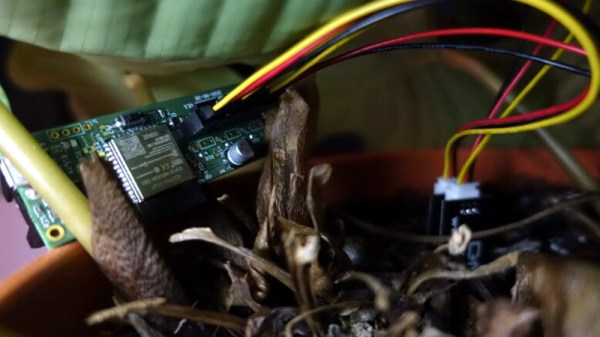
That’s precisely the question [derflob] recently had to answer. The goal was to build a device that could poll multiple soil sensors and push the data wirelessly into Home Assistant. But since it would be outside on the balcony, it needed to run exclusively on battery power. Luckily his chosen platform, the ESP32, has some phenomenal power saving features. You just need to know how to use them. Continue reading “ESP32 Soil Monitors Tap Into Ultra-Low Power Mode”

Remoticon Video: Pigweed Brings Embedded Unit Testing, Library Integration To Commandline

When it comes to embedded engineering, toolchains are the worst. Getting a new toolchain up and running correctly is often hard, and often prone to breaking when the IDE or other software is upgraded. A plethora of different toolchains for different hardware makes things even more murky, and if you want to get into time-saving tricks like automated testing, you’re in for a wild ride.

Those pain points led to the creation of the Pigweed project. As Keir Mierle demonstrates in this workshop from the 2020 Hackaday Remoticon, Pigweed is a set of libraries to make working with embedded development more hacker-friendly. The collection is accessed via commandline, and coordinates work with existing libraries to deliver unit testing, linting, static analysis, logging, and handling key-value stores, all alongside more commonly called-for tasks like compiling and flashing.

Demonstrated on a Teensy microcontroller and an STM32 Discovery board, the presentation drives home the utility of Pigweed, a Google project that was released as open source back in March of 2020. Graphical IDEs for these platforms are nowhere in sight, yet test firmware is built and flashed to these devices with relative ease. Unit testing, traditionally a sticky subject for on-chip applications, is demonstrated both emulated on the computer side, and running on the boards themselves. As the capabilities of microcontrollers have ballooned in recent years, writing tests for existing functions and confirming them during new development is becoming a must-have in your skillset.

There’s much more shown off here, so grab the workshop repository to follow along. It’s still considered experimental, and the irony of having to learn the intricacies of the Pigweed toolchain to ease the pain of other toolchains is not lost on us. However, most people reading will have their own affinity for the ability to use unified tools and commandline automation; this is a fascinating way to deliver a number of powerful software development techniques to low-level hardware projects.

Continue reading “Remoticon Video: Pigweed Brings Embedded Unit Testing, Library Integration To Commandline”

The Shell And The Microcontroller

One of the nicest amenities of interpreted programming languages is that you can test out the code that you’re developing in a shell, one line at a time, and see the results instantly. No matter how quickly your write-compile-flash cycle has gotten on the microcontroller of your choice, it’s still less fun than writing blink_led() and having it do so right then and there. Why don’t we have that experience yet?

If you’ve used any modern scripting language on your big computer, it comes with a shell, a read-eval-print loop (REPL) in which you can interactively try out your code just about as fast as you can type it. It’s great for interactive or exploratory programming, and it’s great for newbies who can test and learn things step by step. A good REPL lets you test out your ideas line by line, essentially running a little test of your code every time you hit enter.

This is your development environment

The obvious tradeoff for ease of development is speed. Compiled languages are almost always faster, and this is especially relevant in the constrained world of microcontrollers. Or maybe it used to be. I learned to program in an interpreted language — BASIC — on computers that were not much more powerful than a $5 microcontroller these days, and there’s a BASIC for most every micro out there. I write in Forth, which is faster and less resource intensive than BASIC, and has a very comprehensive REPL, but is admittedly an acquired taste. MicroPython has been ported over to a number of micros, and is probably a lot more familiar.

But still, developing MicroPython for your microcontroller isn’t developing on your microcontroller, and if you follow any of the guides out there, you’ll end up editing a file on your computer, uploading it to the microcontroller, and running it from within the REPL. This creates a flow that’s just about as awkward as the write-compile-flash cycle of C.

What’s missing? A good editor (or IDE?) running on the microcontroller that would let you do both your exploratory coding and record its history into a more permanent form. Imagine, for instance, a web-based MicroPython IDE served off of an ESP32, which provided both a shell for experiments and a way to copy the line you just typed into the shell into the file you’re working on. We’re very close to this being a viable idea, and it would reduce the introductory hurdles for newbies to almost nothing, while letting experienced programmers play.

Or has someone done this already? Why isn’t an interpreted introduction to microcontrollers the standard?

Bare-Metal STM32: Universal, Asynchronous Communication With UARTs

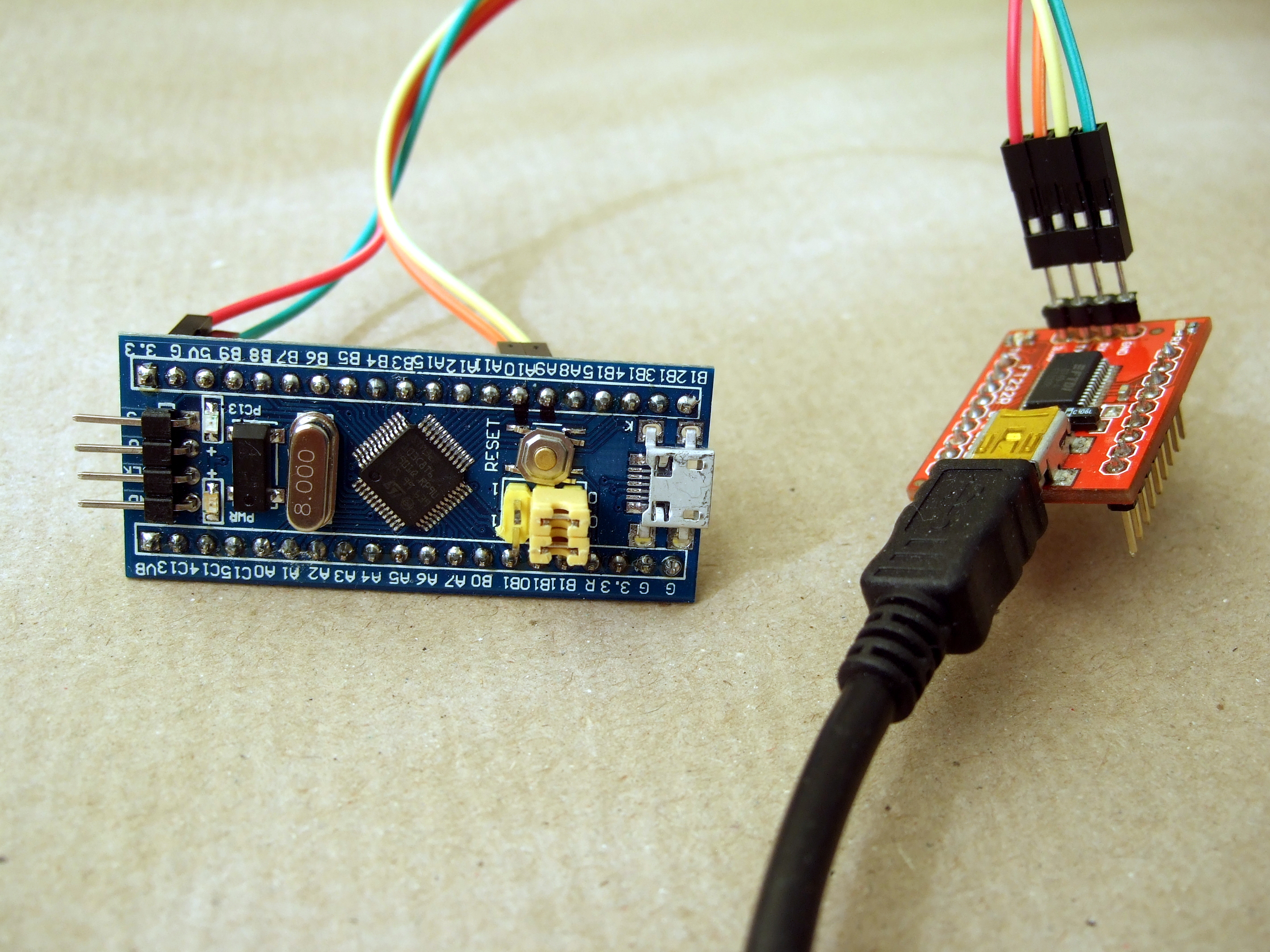
One of the most basic and also most versatile communication interfaces on an MCU is the UART, or Universal Asynchronous Receiver/Transmitter. Usually found in the form of either a UART or USART, the former allows for pure asynchronous serial communication, whereas the latter adds flow control. When working with MCUs, they’re also one of the most common ways to output debug information.

While somewhat trickier to set up and use than a GPIO peripheral, the U(S)ART of ST’s STM32 families is fairly uncomplicated to use, and immediately provides one with an easy way to communicate in a bi-directional fashion with a device. In this article we’ll see what it takes to get started with basic UART communication on STM32 microcontrollers.

Continue reading “Bare-Metal STM32: Universal, Asynchronous Communication With UARTs”

Custom Controller Makes Turbomolecular Pump Suck

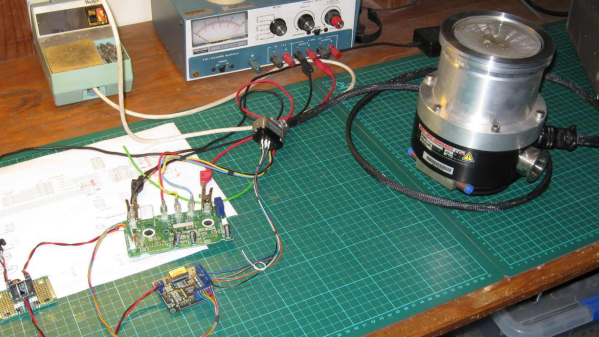
[Mark Aren] purchased a pair of Turbomolecular pumps (TMP) sans controllers, and then built an FPGA based BLDC controller for the Turbomolecular pumps. A TMP is similar to a jet turbine, consisting of several stages of alternating moving turbine blades and stationary stator blades, and having turbine rotation speeds ranging from 10,000 rpm to 90,000 rpm. TMP’s cannot exhaust directly to atmosphere, and must be combined with a backing (or roughing) pump to create a lower grade vacuum first. They find use in lots of applications such as electron microscopy, analytical sciences, semiconductors and lamp manufacturing. With the lamp industry rapidly embracing LEDs, many of the traditional lamp making lines are getting decommissioned, and if you are lucky, you can snag a TMP at a low cost – but it still will not be cheap by any means.

The two BOC-Edwards EXT255H Compound Molecular Pumps (PDF), that [Mark] bought did not have their accompanying EXC100E Turbomolecular Pump Controllers (PDF), and given pandemic related restrictions, he decided to build a controller of his own, using components and modules from his parts bin. The pump and controller user manuals offered only sketchy details about the sensored BLDC motor used in the pump. The low phase-to-phase resistance implied low drive voltage, and [Mark] decided to try running it at 24 V to start with. He already had experience using the Mitsubishi PS21245-E IGBT inverter bridge, and even though it was rated for much higher voltages, he knew that it would work just fine at 24 V too.

After figuring out a state machine for motor commutation that utilized PWM based adjustable current control, he implemented it on a 128 element FPGA board. Considering how expensive the TMP was, he wisely decided to first try out his driver on a smaller “expendable” BLDC motor. This whole process was non-trivial, since his available IGBT module was untested and undocumented, and required several tweaks before he could run it at the required 12 kHz PWM signals. His test motor was also undocumented, failing to run correctly when first hooked up. Fixing that issue meant having to disassemble the motor to check its internal wiring. Eventually, his efforts paid off, and he was able to safely run the TMP motor to confirm that his design worked.
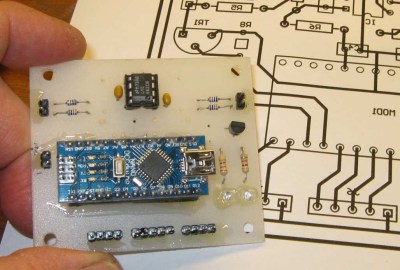
With FPGA code, IGBT wiring and power supply issues sorted, the next step was to add a supervisory micro-controller, using an Arduino Nano. Its functions included interfacing with a touch screen LCD as a user interface, communicating with the FPGA module, and controlling several relays to switch power to the motor power supply, the roughing pump, TMP cooling fan, and a solenoid for the vacuum vent. Spindle current is calculated by measuring voltage drop across shunt resistors on the low side of the IGBT. Motor speed is measured using one of the motor hall sensors, and a thermistor provides motor temperature sensing. [Mark]’s PCB fabrication technique seems a bit different too. Using an Excellon drill file, he drills holes in a piece of plastic using a laser cutter to create a bare board, and then solders copper tracks by hand.

His initial tests at atmospheric pressure (although not recommended unless you monitor pump temperature), resulted in 7300 rpm while consuming about 7 Amps before he had to shut it down. In further tests, after adding a roughing pump to the test setup, he was able to spin the TMP to 20,000 rpm while it consumed 0.6 A. Obviously, the pump is rated to operate at a higher voltage, possibly 48 V based on the values mentioned in the TMP controller manual. The project is still “work in progress” as [Mark] hopes to eventually drive the pump up to its specified 60,000 rpm operating speed. What is not clear is what he eventually intends to do with this piece of exotic machinery. All he mentions is that “he has recently taken an interest in high-vacuum systems and is interested in exploring the high-vacuum world of electron guns.”

Maybe [Mark] can compare notes with the Open Source Turbomolecular Pump Controller that we featured some time back. And if you’d like to be a little bit more adventurous and build you own TMP, we got you covered with this DIY Everyman’s Turbomolecular Pump.

Never Forget To Turn On The Cooker Hood Again

The cooker hood is a wonderful invention for removing excess fumes and steam from the kitchen. But like all electrically-powered devices, it only works when it is turned on. This was the problem facing [Peter], whose family are enthusiastic cooks who frequently forget to hit that switch. His solution? An automatic cooker hood switch that comes on when the cooker is in use, and stays on long enough afterwards to fully dissipate the fumes.

At its heart is a current transformer on the 3-phase stove power line, and we’re treated to a lesson in reading from these devices with an Arduino. They have a shunt resistor across which to produce a voltage, and their AC output is placed upon a reference DC voltage to supply the microcontroller pin. The impedance is quite high, so when the sensor had to be placed a distance from the microcontroller it necessitated an op-amp buffer. The readings then cause the Arduino to trigger a pair of relays to switch on or off the cooker hood. We can imagine that the family kitchen is thus a much pleasanter environment for it.

Cookers can also provide quite a hazard when they are left on. To that end, we’ve also featured a cooker alarm in the past.

Header image: Pbroks13, CC BY-SA 3.0.