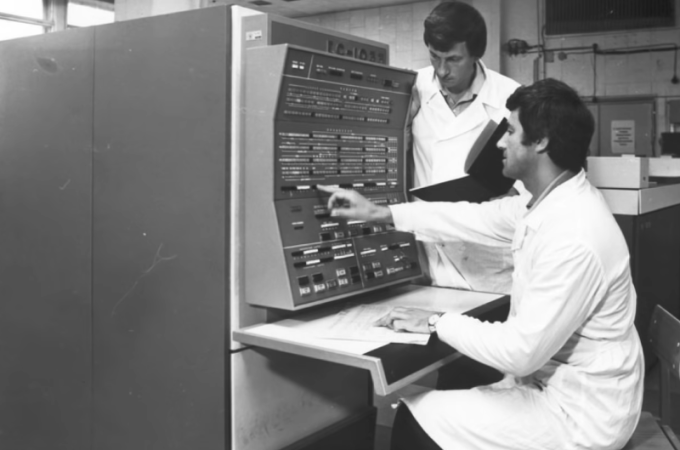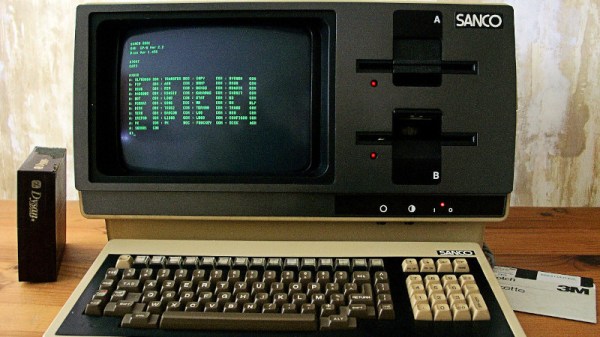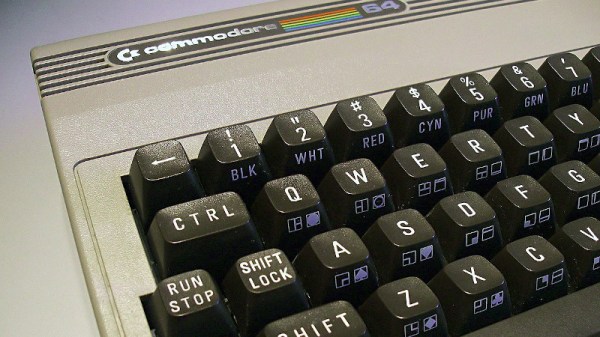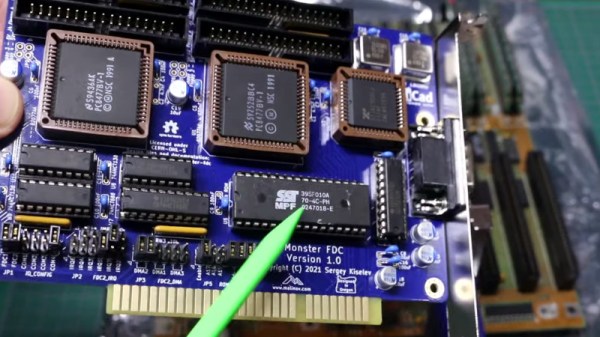
We should probably have a new metric for measuring mass storage performance: bytes per pound. An old IBM tape drive from the S/360 days, for example, could hold almost 6 megabytes of data. It also weighed more than a typical refrigerator. Today, a tiny postage-stamp-sized card can hold gigabytes of data and weighs — at most — a few ounces. Somewhere in the middle is the old 8 inch floppy drive. At its peak, you could cram about 1.2 megabytes on it, but even with the drive you could lift it all in one hand. These disks and their descendants ruled the computing world for a while. [Adrian asks the question: can you use an 8″ floppy drive on a PC? The answer is in the video below.
He didn’t do it on a lark. [Adrian] is getting ready to restore a TRS-80 Model II so he wanted to create some 8″test floppies. But how do you marry a 40-something-year-old drive to a modern computer? He had a few drives of unknown condition so there was nothing to do but try to get them working.
We’ve gotten used to the fact that the clocks on our internet-connected computers and smartphones are always telling the right time. Time servers, provided by a variety of government agencies as well as tech giants, provide them with the exact time and date thanks to accurate atomic clocks and the clever Network Time Protocol (NTP). But it wasn’t always like this: back in the 1990s when many computers didn’t have an internet connection, we had to adjust our computers’ clocks manually. Go back one more decade, and many PCs didn’t even have a battery-backed clock at all; you either set the proper date and time when the computer booted, or just lived with the fact that all new files were timestamped 01-01-1980.
[Michael Brutman] decided to mix today’s world of network time synchronization with the old world of batteryless PCs, and built an SNTP Time Server that runs on a DOS PC. He tried it with two different hardware setups: a 40 MHz 386 PC from 1993, and the (in)famous IBM PCjr from 1984. A standard GPS module serves as an accurate time reference; these units can often be directly connected to old hardware thanks to the eternal RS-232 standard.
We like retro-computing and we like open source standards that allow easy project sharing. Vintage DEC computer enthusiast [Jay Logue] combines both of these in his recent project on GitHub, where he shares several KiCad templates for making your own Flip-Chip modules. Although named after the semiconductor packaging technique we are familiar with today, DEC Flip-Chips were introduced in 1964 as a modular electronics packaging system. These were used in many of DEC’s Programmable Data Processor (PDP) computers, beginning with the PDP-8 in 1965. DEC also had a Digital Laboratory Module family, which was a roll-your-own custom electronic system. The 1968 Digital Logic Handbook shows the available modules, and has the look and feel of the TTL Cookbook book which would come along six years later.
Flip-Chips came in a variety of sizes over the years: single-, double-, and quad-, and hex-height boards having standard- and extended-length. The PCB’s have 18 gold-plated fingers on one edge, later extended to 36 fingers double-sided, which plug into a backplane. Interconnections were typically wire-wrapped. A single height board is 127 x 62 mm (5 x 2-7/16 inches) with a labeled extractor bracket on one end. [Jay]’s repository has templates for five of the most popular variations, and making other sizes should be straightforward using these templates as a starting point.
Wanna be hackers? Code crackers? Slackers. If the vintage computing community ever chooses an official anthem, count my vote for It’s All About The Pentiums by “Weird Al” Yankovic. More than twenty years after its release, this track and its music video (with Drew Carey!) are still just as enjoyable as they ever were, with the track’s stinging barbs and computing references somehow only improving over time.
In the track, Weird Al takes on the role of ‘king of the nerds’ with his rock star-esque portrayal of a nameless personal computing legend, someone who de-fragments their hard drive “for thrills” and upgrades their system “at least twice a day”. The lyrics are a real goldmine for anyone that is a fan of 1990s computing, but what stands out to me is the absurd hardware that Weird Al’s character claims to own.
Absurd by 1990s standards, maybe. Not so much anymore. Even with the ongoing chip shortage and other logistic shortfalls, everyone now has the opportunity to start cruising cyberspace like Weird Al and truly become the “king of the spreadsheets”. However, would it have even been possible to reach these lofty computing goals at the time of the parody’s release? Let’s check out both of these threads.
In prior centuries, it was common practice to tie the operation of a program to a computer’s clock speed. As computers got faster and faster, the programs tied to that slower clock speed sometimes had trouble running. To patch the issue temporarily, some computers in the early 90s included a “TURBO” button which actually slowed the computer’s clock speed down in order to help older software run without breaking in often unpredictable ways. [Ted Fried] decided that he would turn this idea on its head, though, by essentially building a TURBO button into the hardware of old computers which would greatly increase the execution speed of these computers without causing software mayhem.
To accomplish this, he is running CPU emulators on Teensys (Teensies?), but they are configured to be a drop-in replacement for the physical CPU of several retro computers such as the Apple II, VIC-20, and Commodore 64 rather than an emulator for an entire system. It can be configured to run either in cycle-accurate mode, making it essentially identical to the computer’s original hardware, or it can be placed into an accelerated mode to take advantage of the Teensy 4.1’s 800 MHz processor, which is orders of magnitude faster than the original hardware. This allows (most of) the original hardware to still be used while running programs at wildly faster speeds without needing to worry about any programming hiccups due to the increased clock speed.
The video below demonstrates [Ted]’s creation running in an Apple II but he has several other cores for other retro computers. It’s certainly a unique way to squeeze more computing power out of these antique machines. Some Apple II computers had a 4 MHz clock which seems incredibly slow by modern standards, so the 800 MHz Teensy would have been considered wizardry by the standards of the time, but believe it or not, it’s actually necessary to go the other direction for some applications and slow this computer down to a 1 MHz crawl.
[David Given] frequently dives into retrocomputing, and we don’t just mean he refurbishes old computers. We mean things like creating a simulator and assembler for the OBP spaceflight computer, which was used in the OAO-3 Copernicus space telescope, pictured above. Far from being a niche and forgotten piece of technology, the On-Board Processor (OBP) was used in several spacecraft and succeeded by the Advanced On-board Processor (AOP), which in turn led to the NASA Standard Spaceflight Computer (NSSC-1), used in the Hubble Space Telescope. The OBP was also created entirely from NOR gates, which is pretty neat.
One thing [David] learned in the process is that while this vintage piece of design has its idiosyncrasies, in general, the architecture has many useful features and is pleasant to work with. It is a bit slow, however. It runs at a mere 250 kHz and many instructions take several cycles to complete.
Sample of the natural-language-looking programming syntax for the assembler. (Example from page 68 of the instruction set manual for the OBP.)
One curious thing about the original assembler was documentation showing it was intended to be programmed in a natural-language-looking syntax, of which an example is shown here. To process this, the assembler simply mapped key phrases to specific assembly instructions. As [David] points out, this is an idea that seems to come and go (and indeed the OBP’s successor AOP makes no mention whatsoever of it, so clearly it “went”.) Since a programmer must adhere to a very rigid syntax and structure anyway to make anything work, one might as well just skip dealing with it and write assembly instructions directly, which at least have the benefit of being utterly unambiguous.
We’re not sure who’s up to this level of detail, but embedded below is a video of [David] coding the assembler and OBP emulator, just in case anyone has both an insatiable vintage thirst and a spare eight-and-a-half hours. If you’d prefer just the files, check out the project’s GitHub repository.
Even before the creation of these graphing calculators, the z80 processor behind them was first produced over four decades ago and was ubiquitous in the computer scene at the time, which also lends to its hackability. There’s plenty to catch up on here, too, from custom TI games that trick the two-tone display into grayscale to Game Boy emulators that can play Zelda since the TI and Game Boy share the same processors. There are also several methods of running native code or otherwise “jailbreaking” these devices to run arbitrary code.
It looks like the world of TI hacking is alive and well now, and with several decades of projects to browse there’s always something new to find. As it stands, there may be more decades of these types of projects to come, since neither TI nor the various testing standardization companies and government agencies show any signs of changing any time soon.