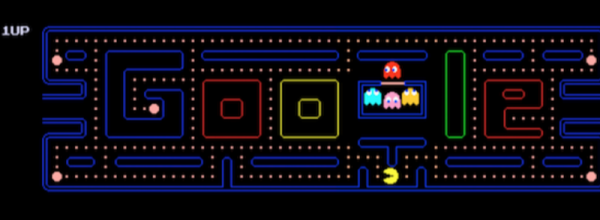
If you want to explore machine learning, you can now write applications that train and deploy TensorFlow in your browser using JavaScript. We know what you are thinking. That has to be slow. Surprisingly, it isn’t, since the libraries use Graphics Processing Unit (GPU) acceleration. Of course, that assumes your browser can use your GPU. There are several demos available, include one where you train a Pac Man game to respond to gestures in your webcam to control the game. If you try it and then disable accelerated graphics in your browser options, you’ll see just what a speed up you can gain from the GPU.
Deep Neural Networks can be pretty good at identifying images — almost as good as they are at attracting Silicon Valley venture capital. But they can also be fairly brittle, and a slew of research projects over the last few years have been working on making the networks’ image classification less likely to be deliberately fooled.
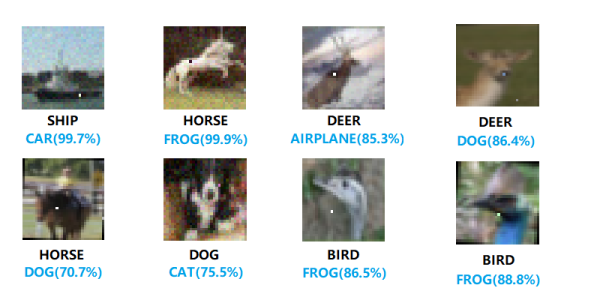
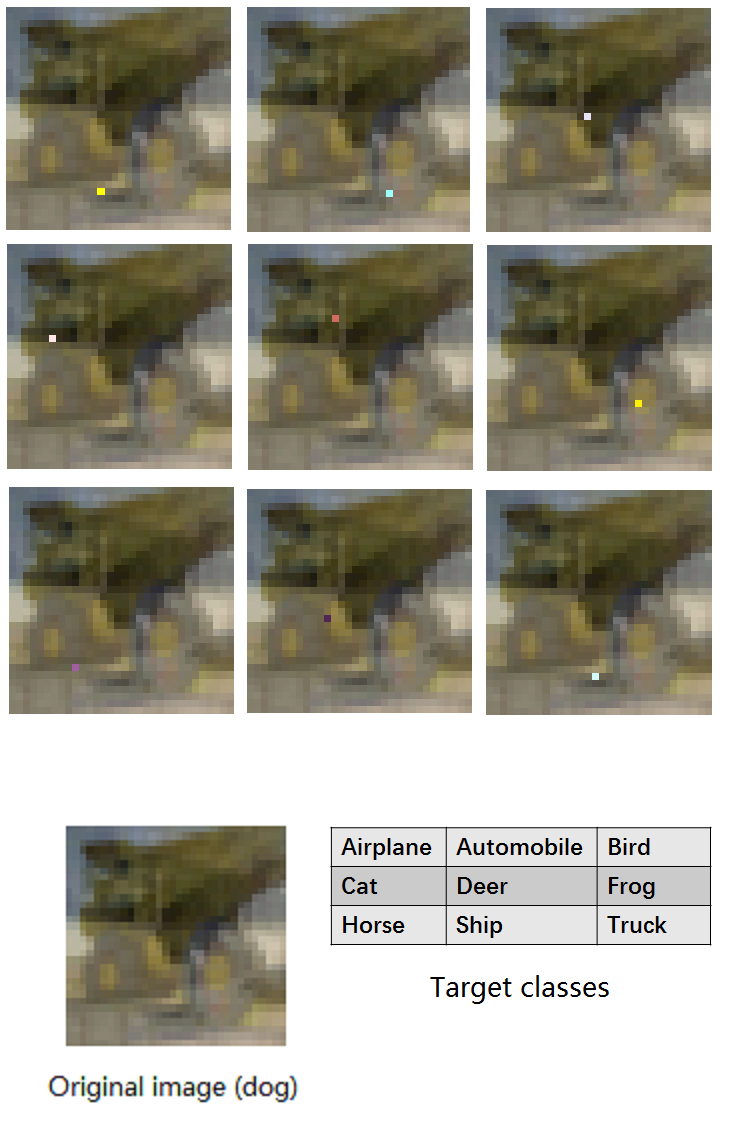
One particular line of attack involves adding particularly-crafted noise to an image that flips some bits in the deep dark heart of the network, and makes it see something else where no human would notice the difference. We got tipped with a YouTube video of a one-pixel attack, embedded below, where changing a single pixel in the image would fool the network. Take that robot overlords!
We can’t tell what these are either..
Or not so fast. Reading the fine-print in the cited paper paints a significantly less gloomy picture for Deep Neural Nets. First, the images in question were 32 pixels by 32 pixels to begin with, so each pixel matters, especially after it’s run through a convolution step with a few-pixel window. The networks they attacked weren’t the sharpest tools in the shed either, with somewhere around a 68% classification success rate. What this means is that the network was unsure to begin with for many of the test images — making it flip from its marginally best (correct) first choice to a second choice shouldn’t be all that hard.
This isn’t to say that this line of research, adversarial training of the networks, is bogus. The idea that making neural nets robust to small changes is important. You don’t want turtles to be misclassified as guns, for instance, or Hackaday’s own Steven Dufresne misclassified as a tobacconist. And you certainly don’t want speech recognition software to be fooled by carefully crafted background noise. But if a claim of “astonishing results” on YouTube seems too good to be true, well, maybe it is.
Fingerprinting text is really very nifty; the ability to encode hidden data within a string of characters opens up a large number of opportunities. For example, someone within your team is leaking confidential information but you don’t know who. Simply send each team member some classified text with their name encoded in it. Wait for it to be leaked, then extract the name from the text — the classic canary trap.
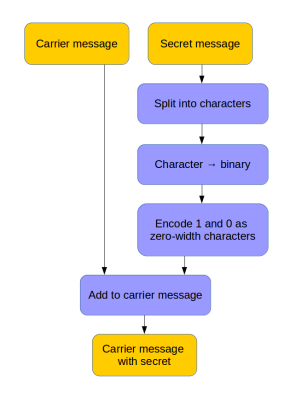
Here’s a method that hides data in text using zero-width characters. Unlike various other ways of text fingerprinting, zero width characters are not removed if the formatting is stripped, making them nearly impossible to get rid of without re-typing the text or using a special tool. In fact you’ll have a hard time detecting them at all – even terminals and code editors won’t display them.
To make the process easy to perform, [Vedhavyas] created a command line utility to embed and extract a payload using any text. Each letter in the secret message is converted to binary, then encoded in zero-width characters. A zero-width-non-joiner character is used for 0, and a zero-width-space character for 1.
[Vedhavyas’] tool was inspired by a post by [Tom], who uses a javascript example (with online demo) to explain what’s going on. This lets you test out the claim that you can paste the text without losing the hidden data. Try pasting it into a text editor. We were able to copy it again from there and retrieve the data, but it didn’t survive being saved and cat’d to the command line.
Of course, to get your encoding game really tight, you should be looking at getting yourself an enigma wristwatch…
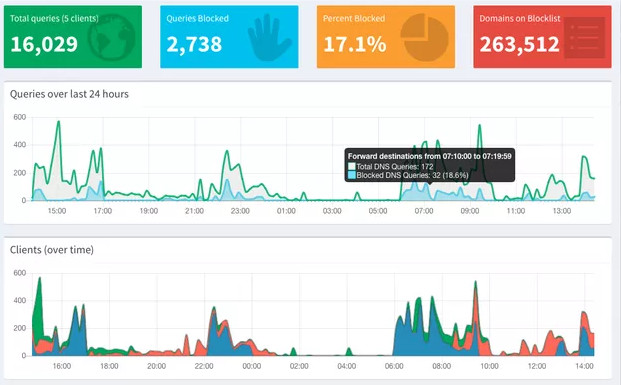
Pi-hole is an open source project to turn that Raspberry Pi collecting dust in your drawer into a whole-network ad blocking appliance. Not only does it stop ads from showing up on all your computers and mobile devices, it also keeps track of how many ads have been blocked and where they came from. Just in case you wanted to know how many thousands of ads you missed out on for a given time period.
While the graphs generated in the web interface of Pi-hole are slick and all, what if you just wanted a quick way of visualizing how effective your ad blocking system is? You’re not so much worried about the exact figures, you just want something to blink away on your desk and let you know all those ads are going to /dev/null. Enter the aptly named pi-hole-visualizer by [simianAstronaut].
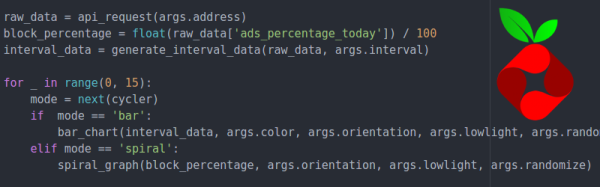
With the addition of a Sense HAT to the Pi running the ad blocking, this Python script will generate an animated visualization that can be easily interpreted even from a distance. The primary display is a bar graph of DNS traffic, where the height and color of each column indicate relative activity within a specific time interval. A second screen shows a spiral graph which gives you an idea of what percentage of ads were blocked before they hit your devices.
An array of options can be given to the script from the command line; controlling both physical aspects of the display like orientation and LED brightness, as well the configurable parameters for the different available visualizations. As an added bonus, there’s also support for using the Sense HAT joystick to switch between modes interactively.
What does it take to build a quantum computer? Lots of exotic supercooled hardware. However, creating a simulator isn’t nearly as hard and can give you a lot of insight into how this kind of computing works. A simulator doesn’t even have to be complicated. Here’s one that exists in about 150 lines of Python code.
You might wonder what the value is. After all, there are plenty of well-done simulators including Quirk that we have looked at in the past. What’s charming about this simulator is that with only 150 lines of code, you can reasonably read the whole thing in a sitting and gain an understanding of how the different operations really affect the state.
Neural networks have gone mainstream with a lot of heavy-duty — and heavy-weight — tools and libraries. What if you want to fit a network into a little computer? There’s tinn — the tiny neural network. If you can compile 200 lines of standard C code with a C or C++ compiler, you are in business. There are no dependencies on other code.
On the other hand, there’s not much documentation, either. However, between the header file and two examples, you should be able to figure it out. After all, it isn’t much code. The example in the repository directs you to download a handwriting number recognition dataset from the Internet. Once it trains that data, it shows you the expected output from the first item in the data set and then processes the first item and shows you the result.
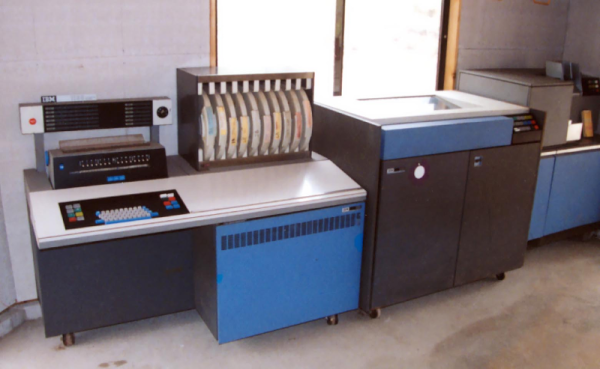
Some people love Forth and some people hate it. However, you usually think of Forth as something running on a little computer such as an 8-bit microcomputer. When [Chuck Moore] developed the system back in the 1960s though, it ran on an IBM 1130. [Carl Claunch] took a scanned listing of the original code and got it running once again.
There are actually a few blog posts with details. Luckily, Forth is pretty simple — especially the core parts. However, there are a lot of differences from a modern Forth. The most obvious is that the dot keyword starts a definition and does not print the top of stack. However, internal details are different too — the system, for example, stores characters in packed EBCDIC — an ASCII-like code used by IBM computers.