What’s Coming In KiCad Version 5

Way back in the day, at least five years ago, if you wanted to design a printed circuit board your best option was Eagle. Now, Eagle is an Autodesk property, the licensing model has changed (although there’s still a free version, people) and the Open Source EDA suite KiCad is getting better and better. New developers are contributing to the project, and by some measures, KiCad is now the most popular tool to develop Open Source hardware.

At FOSDEM last week, [Wayne Stambaugh], project lead of KiCad laid out what features are due in the upcoming release of version 5. KiCad just keeps improving, and these new features are really killer features that will make everyone (unjustly) annoyed with Eagle’s new licensing very happy.

Although recent versions of KiCad have made improvements to the way part and footprint libraries are handled, the big upcoming change is that footprint libraries will be installed locally. The Github plugin for library management — a good idea in theory — is no longer the default. Spice simulation is also coming to KiCad. The best demo of the upcoming Spice integration is this relatively old video demonstrating how KiCad turns a schematic into graphs of voltage and current.

The biggest news, however, is the new ability to import Eagle projects. [Wayne] demoed this live on stage, importing an Eagle board and schematic of an Arduino Mega and turning it into a KiCad board and schematic in a matter of seconds. It’s not quite perfect yet, but it’s close and very, very good.

There are, of course, other fancy features that make designing schematics and PCBs easier. Eeschema is getting a better configuration dialog, improved bus and wire dragging, and improved junction handling. Pcbnew is getting rounded rectangle and complex pad shape support, direct export to STEP files, and you’ll soon be able to update the board from the schematic without updating the netlist file. Read that last feature again, slowly. It’s the best news we’ve ever heard.

Additionally, this is one of the rare times you get to hear [Wayne] speak. This means the argument over the pronunciation of KiCad is over. It’s ‘Key-CAD‘ not ‘Kai-CAD‘. You can check out the entirety of [Wayne]’s State of the KiCad talk below.
Continue reading “What’s Coming In KiCad Version 5”

Custom Parts Feeder Aims To Keep Pace With Pick And Place

When your widgets have proven so successful that building them gets to be a grind, it might be time to consider a little mechanical help in the form of a pick and place machine (PnP). If you’re going to roll your own though, there’s a lot to think about, not the least of which is how to feed your beast with parts.

Managing the appetite of a PnP is the idea behind this custom modular parts feeder, but the interesting part of [Hans Jørgen Grimstad]’s work-in-progress project has more to do with the design process. The feeders are to support a custom PnP being built in parallel, and so the needs of one dictate the specs of the other. Chief among the specs are the usual big three: cheap, fast, and reliable. But size is an issue too insofar that the PnP could be working with dozens of component reels at once. Flexibility was another design criteria, so that reels of varied width can be accommodated.

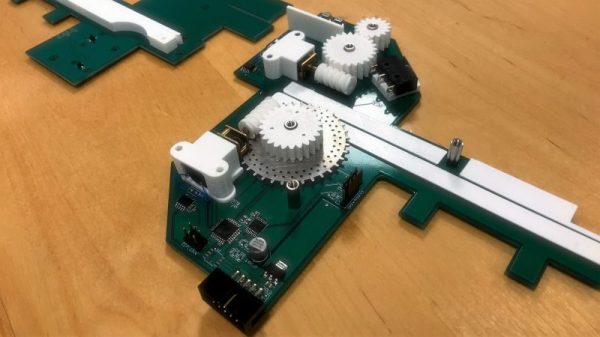
With all that in mind, [Hans] and company came up with a pretty slick design. The frame of the feeder is made out of the PCBs that house the motors for handling the tape, and the ATmega168 that controls everything. Tapes are driven by a laser-cut sprocket driven by 3D-printed worm gears. The boards have fingers that mate up to the aluminum extrusion that the PnP will be built from, and at only a few millimeters wider than the tape, lots of feeders can be nestled together. The video below shows the feeder undergoing some tests.

Alas, this build isn’t quite done, so you’ll have to check back for the final schematics and PCB files if you want to build one for yourself. While you’re waiting, you might want to build your own pick and place.

Continue reading “Custom Parts Feeder Aims To Keep Pace With Pick And Place”

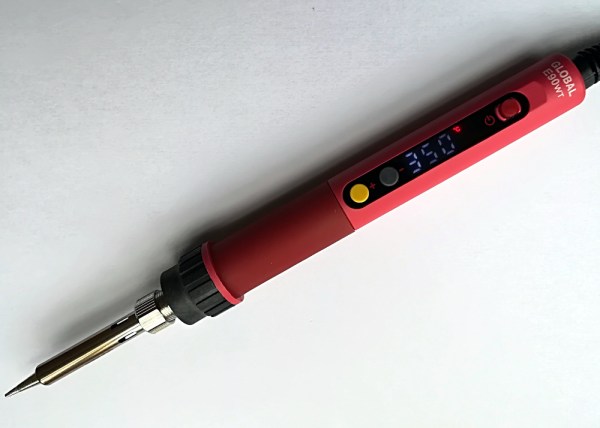
Review: CXG E90W Temperature-Controlled Soldering Iron

It’s an entertaining pastime when browsing the array of wonders available from the other side of the world at the click of the mouse, to scour the listings of the unusual, the interesting, or the inexpensive. Sometimes when you find something unexpected you are rewarded with a diamond in the rough, while at other moments your bargain basement purchase is revealed as a hilariously useless paperweight. This is a game in which the stake is relatively low and the reward can be significant, so rarely does an order for some parts or sundries go by without a speculative purchase.

The latest to arrive is a soldering iron. The CXG E90W is a 90W mains-powered temperature controlled iron with its control electronics built into its handle. Such irons are by no means unusual, what makes this one different is that it has a low price tag.

The Miniware TS100, an iron I quite like and the current darling of the pack, is priced at nearly £50 ($71). Just how can this iron priced at just under £15 ($21) be any good? I placed one on the order, and waited for delivery.

Continue reading “Review: CXG E90W Temperature-Controlled Soldering Iron”

Build A Tiny Hot Wire Foam Cutter

Let’s face it: cutting foam with a knife, even a serrated plastic knife meant for the job, is a messy pain in the ass.  This is as true for insulation board as it is for the ubiquitous expanded polystyrene kind of foam used for everything from coffee cups to packaging material.

Those stick-type hot wire cutters from the craft store that plug into the wall aren’t much better than a knife. The actual cleaving of foam is easier, but dragging a long, hot flexible wand through rigid foam just right, without making burn marks, is pretty frustrating. It’s not like you can hold the other end to keep it steady. A foam cutter built like a coping saw but held parallel to the wire would offer much better control.

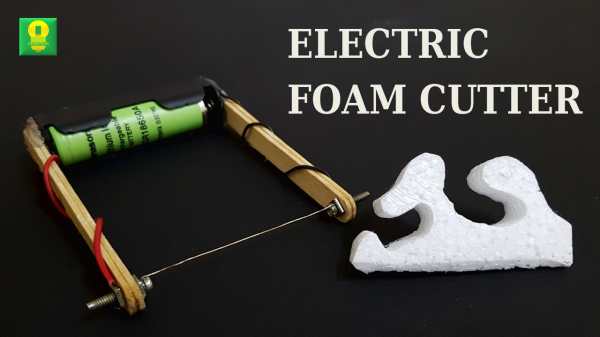
[Techgenie]’s handheld hot wire foam cutter is a simple build based on a single 18650 and a piece of nichrome wire. While this is probably not the most Earth-shattering hack you’ll see today, it’s a useful tool that can be made in minutes with items on hand. Laptop chargers are full of 18650s, and nichrome wire can be sourced from old toasters, hair dryers, or space heaters.

You shouldn’t use just any old wire for this, though, or the battery will get hot and potentially explode. Nichrome wire has a high resistance, and that’s exactly what you want in a tool that essentially shorts a battery to make heat. [Techgenie] used a momentary button instead of a switch, which is a good way to stay safe while using it. It wouldn’t hurt to add some protection circuitry and take the battery out when you’re done. Burn past the break to watch him build it and cut a few tight turns with ease.

If you have bigger, more complicated foam-cutting jobs in mind, why not build a CNC version out of e-waste?

Continue reading “Build A Tiny Hot Wire Foam Cutter”

Ball and socket helping hands

Printed It: Do More With Lockable Ball And Socket Helping Hands

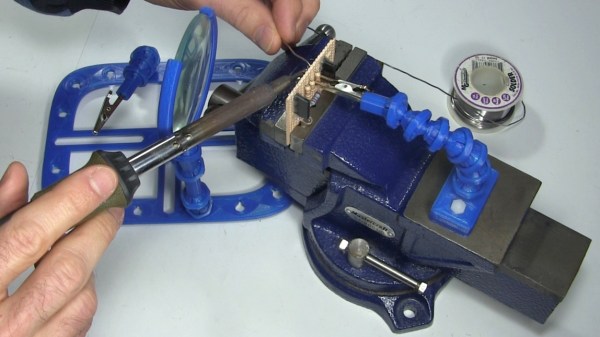
In one hand you hold the soldering iron, in the other the solder, and in two more hands the parts you’re trying to solder together. Clearly this is a case where helping hands could be useful.

Magnifying glass with helping hands

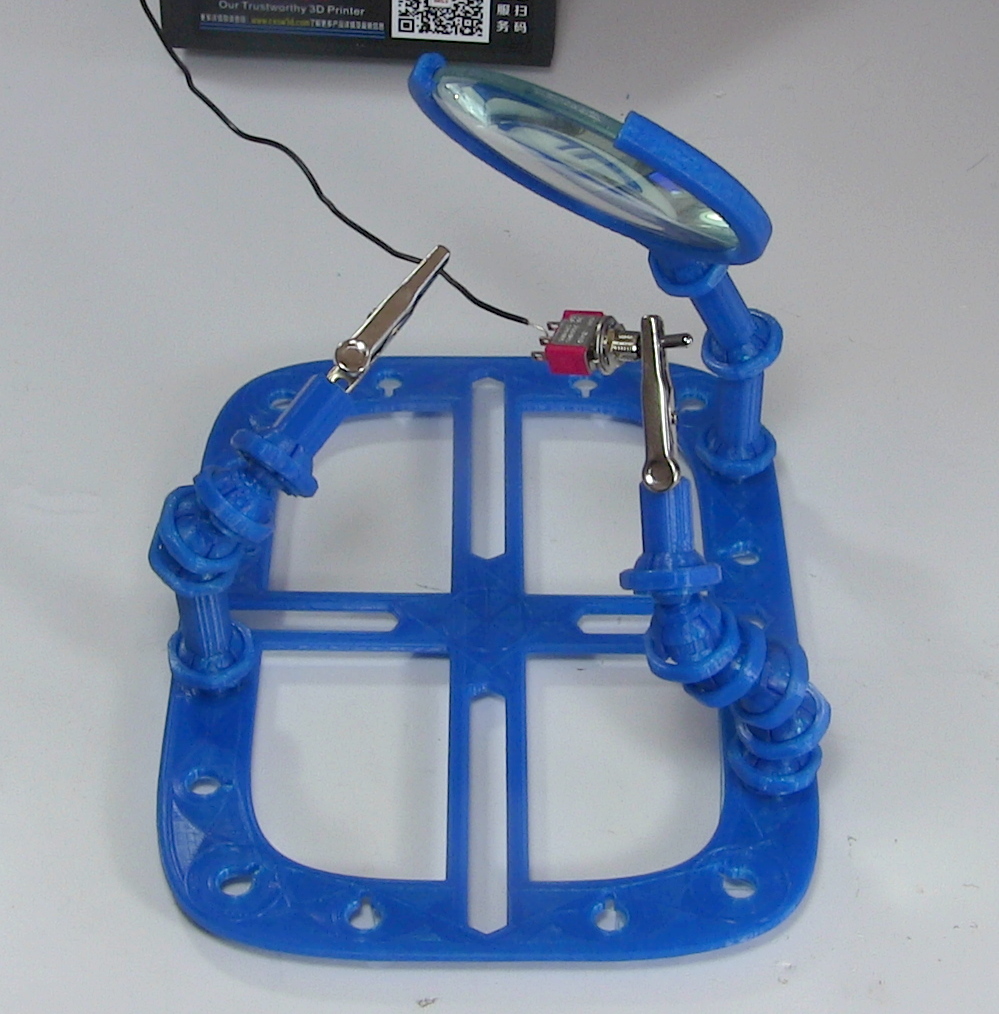
Luckily helping hands are easy to make, coolant hoses will do the job at under $10. Attach alligator clips to one end, mount them on some sort of base, and you’re done. Alternatively, you can steal the legs from an “octopus” tripod normally used for cell phones. So why would you 3D print them?

One reason is to take advantage of standardized, open source creativity. Anyone can share a model of their design for all to use as is, or to modify for their needs. A case in point is the ball and socket model which I downloaded for a helping hand. I then drew up and printed a magnifying glass holder with a matching socket, made a variation of the ball and socket joint, and came up with a magnetic holder with matching ball. Let’s takea  look at what worked well and what didn’t.

Continue reading “Printed It: Do More With Lockable Ball And Socket Helping Hands”

The Tachometer Inside Your Smartphone

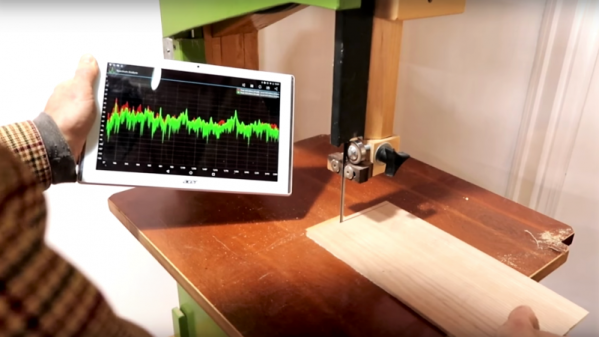
It’s the latest in instrumentation for the well-appointed shop — an acoustically coupled fast Fourier transform tachometer. Sounds expensive, but it’s really just using a smartphone spectrum analyzer app to indirectly measure tool speeds. And it looks like it could be incredibly handy.

Normally, non-contact tachometers are optically coupled, using photoreceptors to measure light flashing off of a shaft or a tool. But that requires a clear view of the machine, often putting hands far too close to the danger zone. [Matthias Wandel]’s method doesn’t require line of sight because it relies on a cheap spectrum analyzer app to listen to a machine’s sound. The software displays peaks at various frequencies, and with a little analysis and some simple math, the shaft speed of the machine can be determined. [Matthias] explains how to exclude harmonics, where to find power line hum, isolating commutator artifacts, and how to do all the calculations. You’ll need to know a little about your tooling to get the right RPM, and obviously you’ll be limited by the audio frequency response of your phone or tablet. But we think this is a great tip.

[Matthias] is no stranger to shop innovations and putting technology to work in simple but elegant ways. We wonder if spectrum analysis could be used to find harmonics and help with his vibration damping solution for a contractor table saw.

Continue reading “The Tachometer Inside Your Smartphone”

A Freeze Dryer You Can Build In Your Garage

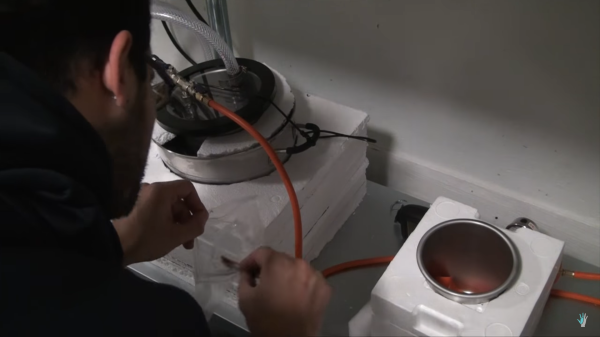
What do trail mix, astronaut ice-cream, and cryogel have in common? This may sound like the introduction to a corny riddle, but they are all things you can make in your garage with a homemade freeze dryer. [The Thought Emporium] built his own freeze dryer with minimum fuss and only a few exotic components like a vacuum pump and a high-quality pressure gauge. The video is also posted after the break which contains a list for the parts and where they can be purchased.

Freeze drying uses a process called cryodesiccation or lyophilization. Below a certain pressure, water skips the liquid phase and goes directly to a gas, so frozen items can transition from ice to dry without a soggy step. When you jump the liquid phase, objects hold their shape when they were frozen, and since no heat is used, you don’t carmelize your sugars.

A freeze-dryer like this has three parts. The first is the pump which doesn’t need any explanation. Next to the pump there must be a water trap. This chilly compartment recondenses the water vapor, so it doesn’t get inside the pump or saturate the things you’re trying to dry. Lastly, there is the drying chamber where your items are placed to have their moisture taken out.

Astronaut ice cream has been made on Hackaday before. [The Thought Emporium] has also been seen including a piece on making your own graphene.

Continue reading “A Freeze Dryer You Can Build In Your Garage”