Homebrew HVAC systems are one of those projects that take such a big investment of time, effort and money that you’ve got to be a really dedicated (ideally home-owning) hacker with a wide variety of multidisciplinary skills to pull off an implementation that can work in reality. One such HVAC hacker is [Vadim Tkachenko] with his multi-zone Home Climate Control (HCC) project that we covered first back in 2007. We now have rare opportunity to look at the improvements fifteen years of part-time development can produce, when a project is used all day, all year round in their own home. At the start, things were simple, just opening and closing ventilators with none of those modern MQTT-driven cloud computing stuff. Continue reading “Is This The Oldest Open Source HVAC Project In Existence?”→
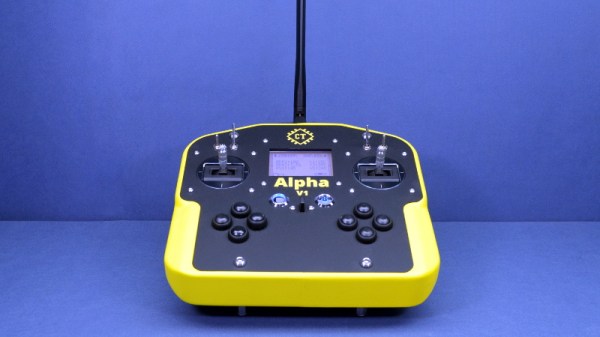
While we’ve come a long way in terms of opening up the world of radio control to open source software, a good deal of the hardware itself is still closed up. You can flash a cheap RC transmitter with a community developed firmware, in fact there’s a decent chance that’s what it ships with, but the hardware itself is still an immutable black box. That might be fine if you’re just flying an RC plane or quadcopter, but what if you’ve got something a bit more advanced in mind?
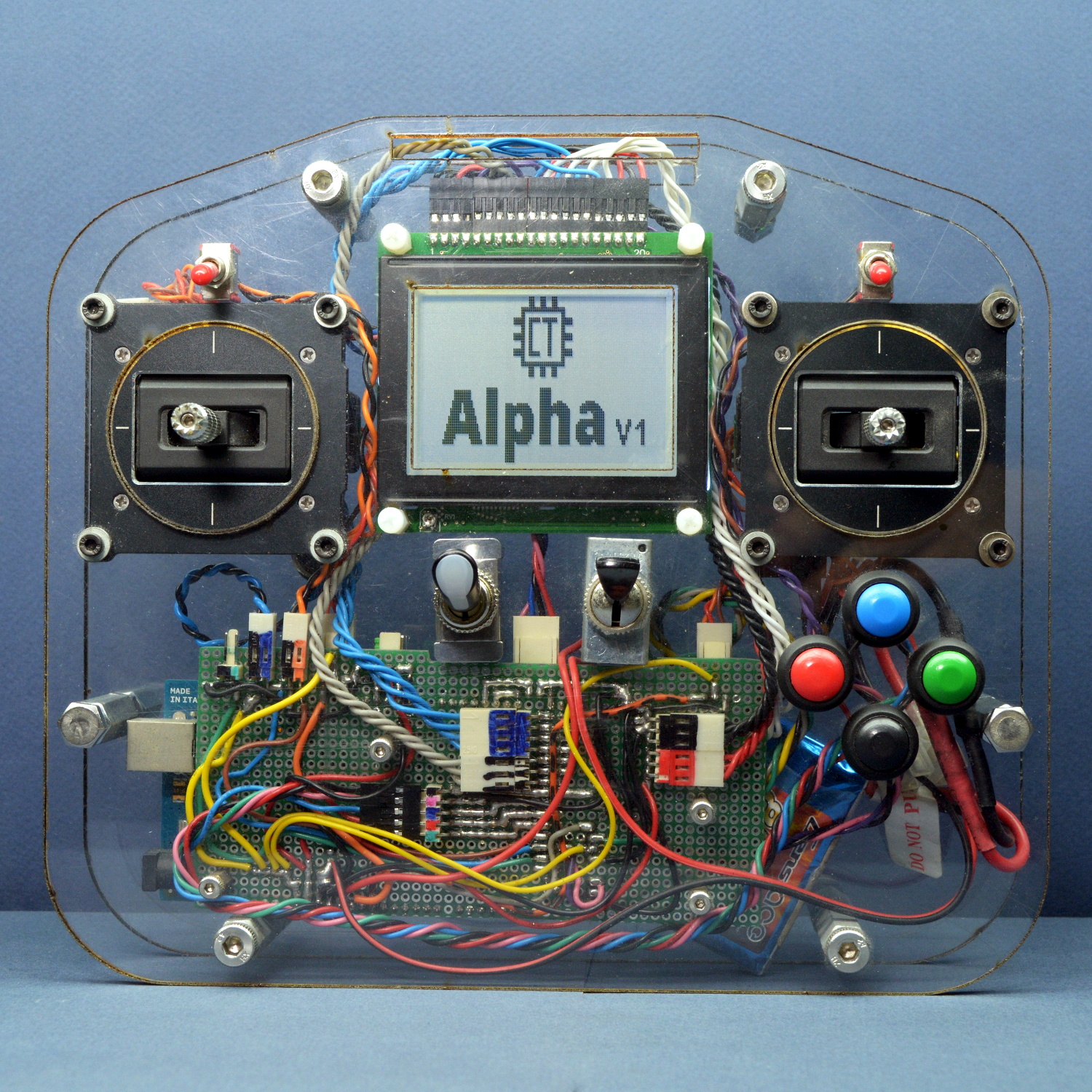
From his personal experience, [Alireza] found that traditional RC transmitters have their limits when you start using them for robotics. You’ll often want input schemes or devices which would never occur to the remote’s designers, and you’ll almost certainly want to have more channels and functions than the original hardware will allow. One of the big advantages with the Alpha V1 is that the front and back of the controller are simple acrylic panels, meaning you can easily cut openings or drill holes in them to add more hardware without having to deal with the (relatively) ergonomic shapes of a traditional transmitter.
Of course, that’s only one half of the equation. When you add new hardware, you’ll need to make the software aware of it. To that end, [Alireza] says he and his team have developed a library of adaptable firmware modules which should make it very easy to add in new components without having to get bogged down with software configuration. In fact, he says the goal is to allow the user to add new hardware to the Alpha V1 without requiring them to write a single line of code.
The Alpha V1 communicates at 2.4 GHz using either XBee or Murata DNT24 radios, and supports as many as 72 individual channels as well as two-way telemetry. If your requirements aren’t quite so high, we recently covered a significantly less intimidating attempt at building an open source RC transmitter that might suit your needs.
If adding a cell modem is dealing with a drama queen of a hardware component, then choosing from among the many types of modules available turns the designer into an electronics Goldilocks. There are endless options for packaging and features all designed to make your life easier (or not!) so you-the-designer needs to have a clear understanding of the forces at work to come to a reasonable decision. How else will Widget D’lux® finally ship? You are still working on Widget D’lux®, aren’t you?
OK, quick recap from last time. Cell modems can be used to add that great feature known as The Internet to your product, which is a necessary part of the Internet of Things, and thus Good. So you’re adding a cell modem! But “adding a cell modem” can mean almost anything. Are you aiming to be Qualcomm and sue Apple build modems from scratch? Probably not. What about sticking a Particle Electron inside to bolt something together quickly? Or talk to Telit and put a bare modem on a board? Unless you’re expecting to need extremely high volume and have a healthy appetite for certification glee, I bet you’ve chosen to get a modem with as many existing certifications as possible, which takes us to where we are today. Go read the previous post if you want a much more elaborate discussion of your modem-packaging options and some of the trade offs involved. Continue reading “Finding The Goldilocks Cell Module”→
So you went to a tradeshow and heard about this cool new idea called the Internet Of Things; now it’s time to build an IoT product of your own. You know that to be IoT, your Widget D’lux® has to have a network connection but which to choose?
You could use WiFi or Bluetooth but that would be gauche. Maybe LoRaWAN? All the cool kids are using LoRa for medium or long range wireless these days, but that still requires a base station and Widget D’lux® will be a worldwide phenomenon. Or at least a phenomenon past your bedroom walls. And you know how much user’s hate setting things up. So a cell modem it is! But what do you have to do to legally include one in your product? Well that’s a little complicated.
The GePS is a musical project that shows how important integration work is when it comes to gesture controls. Creators [Cedric Spindler] and [Frederic Robinson] demonstrate how the output of a hand-mounted IMU (Inertial Measurement Unit) and magnetometer can be used to turn motion, gestures, and quick snap movements into musical output. The GePS is designed to have enough repeatability and low enough latency that feedback is practically immediate. As a result, it can be used and played like any other musical instrument that creates sound from physical movements in a predictable way. It’s not unlike a Theremin in that way, but much more configurable.
To do this, [Cedric] and [Frederic] made GePS from a CurieNano board (based on Intel’s Curie, which also has the IMU on-board) and an XBee radio for a wireless connection to software running on a computer, from which the sounds are played. The device’s sensitivity and low lag means that even small movements can be reliably captured, meaning that the kind of fluid and complex movements that hands do every day can be used as the basis for playing sounds with immediate feedback. In a very real sense, the glove-based GePS is an experimental kind of new instrument, which makes it a fascinating contender for the Musical Instrument Challenge portion of the 2018 Hackaday Prize.
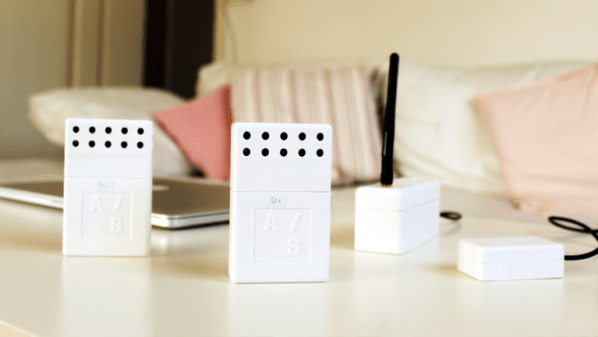
Sensor network projects often focus primarily on electronic design elements, such as architecture and wireless transmission methods for sensors and gateways. Equally important, however, are physical and practical design elements such as installation, usability, and maintainability. The SENSEation project by [Mario Frei] is a sensor network intended for use indoors in a variety of buildings, and it showcases the deep importance of physical design elements in order to create hardware that is easy to install, easy to maintain, and effective. The project logs have an excellent overview of past versions and an analysis of what worked well, and where they fell short.
One example is the power supply for the sensor nodes. Past designs used wall adapters to provide constant and reliable power, but there are practical considerations around doing so. Not only do power adapters mean each sensor requires some amount of cable management, but one never really knows what one will find when installing a node somewhere in a building; a power outlet may not be nearby, or it may not have any unoccupied sockets. [Mario] found that installations could take up to 45 minutes per node as a result of these issues. The solution was to move to battery power for the sensor nodes. With careful power management, a node can operate for almost a year before needing a recharge, and removing any cable management or power adapter meant that installation time dropped to an average of only seven minutes.
That’s just one example of the practical issues discovered in the deployment of a sensor network in a real-world situation, and the positive impact of some thoughtful design changes in response. The GitHub repository for SENSEation has all the details needed to reproduce the modular design, so check it out.
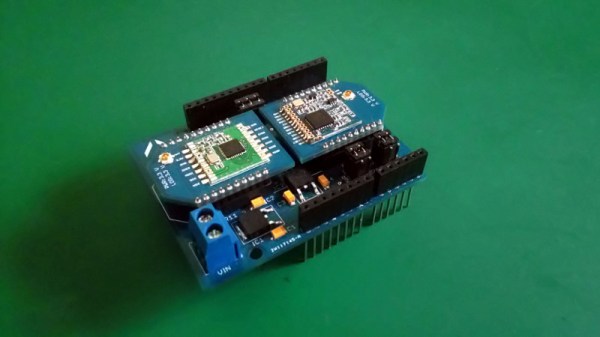
There are a multitude of radio shields for the Arduino and similar platforms, but they so often only support one protocol, manufacturer, or frequency band. [Jan Gromeš] was vexed by this in a project he saw, so decided to create a shield capable of supporting multiple different types. And because more is so often better, he also gave it space for not one, but two different radio modules. He calls the resulting Swiss Army Knife of Arduino radio shields the Kite, and he’s shared everything needed for one on a hackaday.io page and a GitHub repository.
Supported so far are ESP8266 modules, HC-05 Bluetooth modules, RFM69 FSK/OOK modules, SX127x series LoRa modules including SX1272, SX1276 and SX1278, XBee modules (S2B), and he claims that more are in development. Since some of those operate in very similar frequency bands it would be interesting to note whether any adverse effects come from their use in close proximity. We suspect there won’t be because the protocols involved are designed to be resilient, but there is nothing like a real-world example to prove it.