Saving Floor Space With A Scratch Built Bike Hoist

Vertical storage is often underused in the garage or workshop as it can be tricky to get bulky objects off the floor safely. So we stick a few shelves on the wall, put boxes of screws and components on them, and call it a day. Meanwhile, you end up playing a game of horizontal Tetris with all the big stuff on the ground.

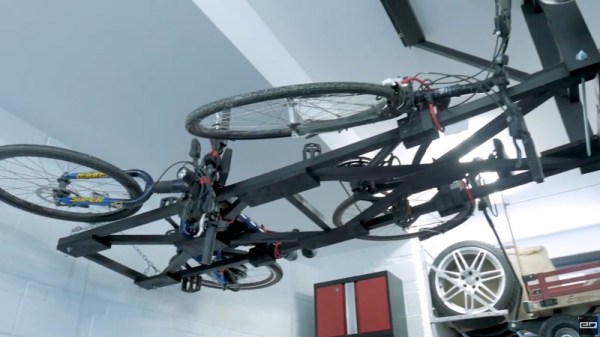
Looking to free up some floor space in his garage, [Chris Chimienti] recently decided to design and build his own hoist to lift his bicycles off the floor. While his design is obviously purpose built for bikes, the core concept could potentially be adapted to lift whatever it is you’ve been kicking across the garage floor as of late; assuming it doesn’t have any strong feelings on suddenly being tipped over on its side, anyway.
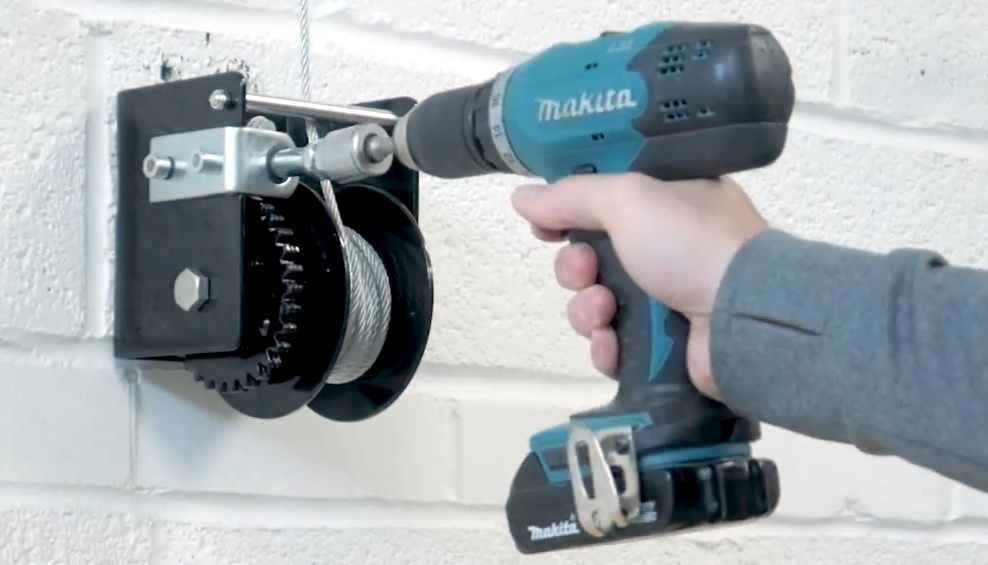
A simple modification allows for operation with a drill.

Before he started the actual build, [Chris] knocked together a rough facsimile of his garage in SolidWorks and started experimenting with the layout and mechanism that the hoist would ultimately use. While we’ve all felt the desire to run into a project full-speed, this more methodical approach can definitely save you time and money when working on a complex project. Redesigning a component in CAD to try it a different way will always be faster and easier than having to do it for real.

We’ve become accustomed to seeing projects include sensors, microcontrollers, and 3D printed components as a matter of course, but [Chris] kept this build relatively low-tech. Not that we blame him when heavy overhead loads are involved. Even still, he did have to make a few tweaks in the name of safety: his original ratcheting winch could freewheel under load, so he swapped it out for a worm gear version that he operates with an electric drill.

If you like the idea of having an overhead storage area but don’t necessarily want to look at it, you could always cover it up with a rock climbing wall.

Continue reading “Saving Floor Space With A Scratch Built Bike Hoist”
Handheld Pong On A 6502

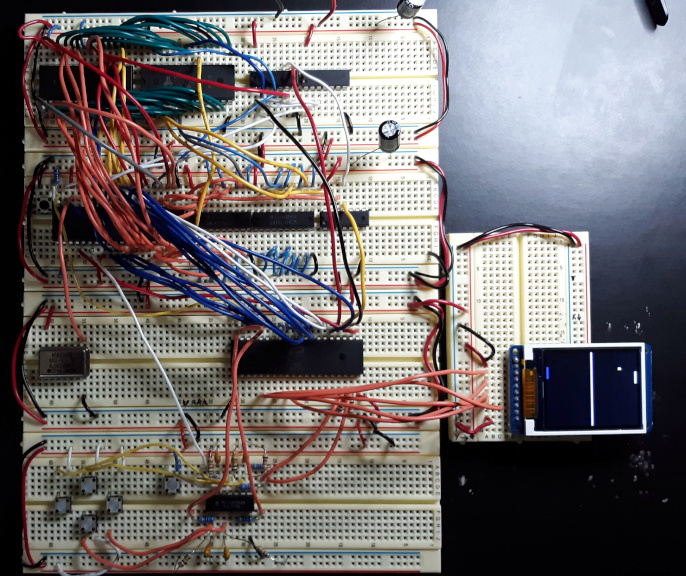
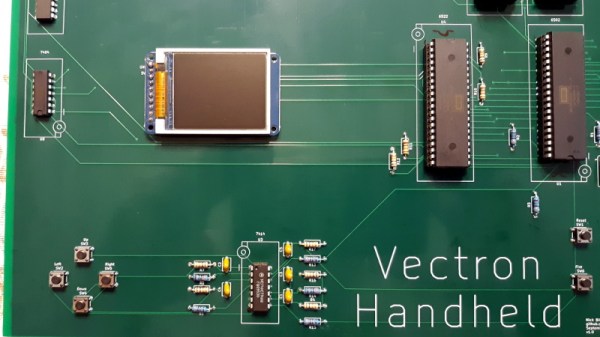
Recreating the arcade smash hit Pong in a device small enough to plug into a home television was a considerable technical challenge back in 1975. Of course, a big part of that was the fact that it needed to be cheap enough that consumers would actually buy it. But had money been no object, the Vectron Handheld by [Nick Bild] shows what a dedicated Pong board based on the 6502 CPU and 7400-series logic could have looked like.

Prototyping the Vectron Handheld

Well, aside from the display anyway. While [Nick] made sure to use components that were contemporaries of the 6502 wherever possible, he did drop in a modern SPI LCD panel. After all, it’s supposed to be a portable game system.

Though as you can see in the video after the break, the massive 273 mm x 221 mm PCB only just meets that description. Incidentally, there’s no technical reason for the board to be this big; [Nick] was just playing it safe as he’s still learning KiCad.

Those with a keen eye towards 6502 projects likely saw the breadboard version of the Vectron that [Nick] put together last year. Compared to the original, the circuit for the handheld has been considerably simplified as it wasn’t designed to be a general purpose 6502 computer. Whether or not you think being able to play Pong on it makes up for those shortcomings is a matter of personal preference.

Continue reading “Handheld Pong On A 6502″

Rolling Your Own TiVo WiFi Adapter

The only thing more surprising than finding out TiVo actually put out a new 4K set-top box recently is learning that somehow they didn’t bother to build WiFi into the thing. You’re forced to buy a special wireless adapter to the tune of $60 USD to add the feature. We’d make a joke about the company living in the past, but frankly, it would be too easy.

Having to buy just one of these expensive dongles in 2020 would be insulting enough, but TiVo superfan [xxbiohazrdxx] needed four of them. Rather than hand nearly $250 to the antennae-headed overlords, they decided to reverse engineer the adapter and produce their own low-cost version. While the final result might not be as slim and svelte as the original, it does come in at less than 1/4 the price.

Operating under the assumption that the TiVo would only talk to a WiFi adapter based on the same Broadcom BCM43569 chipset used in the official one, [xxbiohazrdxx] started by trying to find a standard USB dongle that might be a drop-in replacement. Unfortunately, it looks like this particular chip was almost exclusively used in proprietary applications, most commonly as a WiFi board inside of smart TVs. But as it turns out, that wasn’t necessarily a deal breaker.

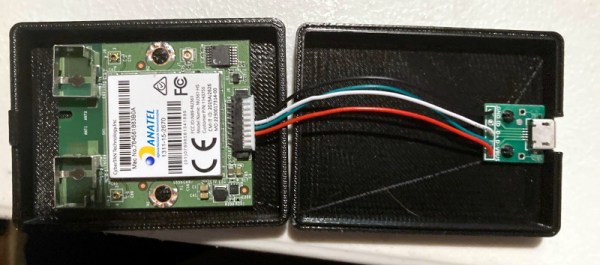
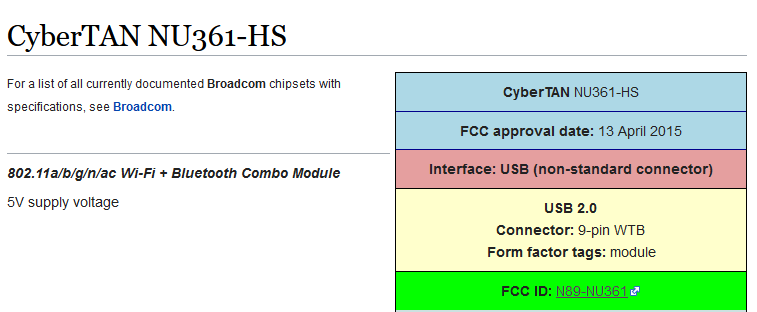
After some searching, [xxbiohazrdxx] eventually found the promising CyberTAN NU361-HS board. Not only was it based on the right chipset and ran from 5 volts, but its FCC ID entry had a complete pinout for the connector. This particular WiFi module is used in a number of budget TVs and is widely available as a spare part for less than $10. By combing the board and a USB breakout PCB inside of a 3D printed case, you’ve got a plug-and-play WiFi adapter that the TiVo thinks is the real deal.

There was a time when Hackaday was flooded with TiVo hacks, but it’s now been more than a decade since cheap carrier-provided DVRs ate the company’s lunch. Realistically, there’s an excellent chance that this post will be the only time a mention of the once-mighty DVR graces the front page in 2020. While the reign of the TiVo might be at its end, the impact it had as one of the first Linux-powered consumer devices will be etched in hacker history forever.

Designing And Building A Custom Optical Fuel Sensor

At some time or another, we’ve all had an idea we thought was so clever that we jumped on the Internet to see if somebody else had already come up with it. Most of the time, they have. But on the off chance that you can’t find any signs of it online, you’re left with basically two possible conclusions. Either you’re about to enter uncharted territory, or your idea is so bad that everyone has collectively dismissed it already.

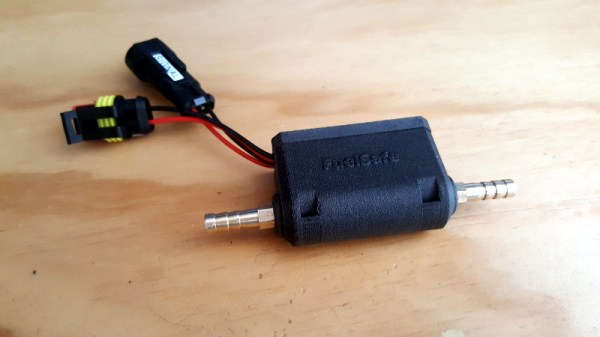
Which is precisely where [James Stanley] recently found himself. He had an idea for an non-contact optical sensor which would detect when his racing mower was about to run out of gas by analyzing light passed through a clear section of fuel hose. He couldn’t find any previous DIY examples of such a device, nor did there appear to be a commercial version. But did that mean it wouldn’t work, or that nobody had ever tried before?

Continue reading “Designing And Building A Custom Optical Fuel Sensor”

An Open Source IR Gateway Based On The ESP8266

The market is absolutely inundated with smart gadgets, with everything from coffee makers to TVs advertising that they support the latest and greatest in home automation platforms. Don’t worry about how many of those platforms and services will still up up and running in the next few years, the thing will probably stop working before then anyway. No sense worrying about the details in a disposable world.

Of course, not all of us are so quick to dump working hardware in the name of the latest consumer trend. Which is why [Viktor] has developed an open source infrared gateway that can connect your “dumb” devices to the latest flash in the pan backend service with nothing more than a software update. Though even modern smart TVs still include IR remotes, so there’s nothing stopping you from using it with newer gear if you don’t trust like the built-in implementation.

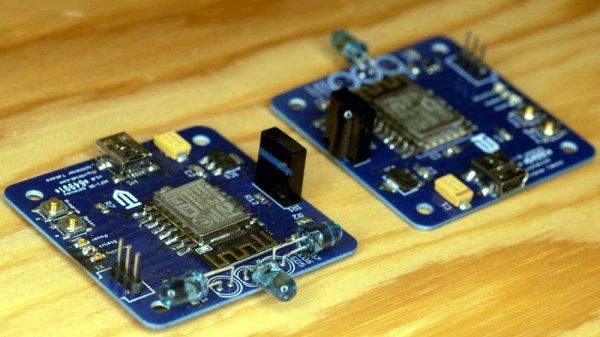
The hardware here is really quite simple, essentially boiling down to a few IR LEDs and an IR receiver hanging off the GPIO ports of an ESP8266. While the receiver isn’t strictly necessary, it does allow [Viktor] to rapidly implement new IR codes. He just points the existing remote at the board, hits a button, and the decoded command gets sent out over MQTT where he can easily snap it up.

[Viktor] has done the hard work of creating the PCB design and testing out different IR LEDs to find the ones with the best performance. But if you wanted to just throw something together in a weekend, you should be able to get his firmware running with little more than a bare ESP and a random IR LED salvaged from an old remote. But don’t be surprised if you get hooked on the concept and end up rolling your own home automation system.

Firmware Hints That Tesla’s Driver Camera Is Watching

Currently, if you want to use the Autopilot or Self-Driving modes on a Tesla vehicle you need to keep your hands on the wheel at all times. That’s because, ultimately, the human driver is still the responsible party. Tesla is adamant about the fact that functions which allow the car to steer itself within a lane, avoid obstacles, and intelligently adjust its speed to match traffic all constitute a driver assistance system. If somebody figures out how to fool the wheel sensor and take a nap while their shiny new electric car is hurtling down the freeway, they want no part of it.

So it makes sense that the company’s official line regarding the driver-facing camera in the Model 3 and Model Y is that it’s there to record what the driver was doing in the seconds leading up to an impact. As explained in the release notes of the June 2020 firmware update, Tesla owners can opt-in to providing this data:

Help Tesla continue to develop safer vehicles by sharing camera data from your vehicle. This update will allow you to enable the built-in cabin camera above the rearview mirror. If enabled, Tesla will automatically capture images and a short video clip just prior to a collision or safety event to help engineers develop safety features and enhancements in the future.

But [green], who’s spent the last several years poking and prodding at the Tesla’s firmware and self-driving capabilities, recently found some compelling hints that there’s more to the story. As part of the vehicle’s image recognition system, which usually is tasked with picking up other vehicles or pedestrians, they found several interesting classes that don’t seem necessary given the official explanation of what the cabin camera is doing.

If all Tesla wanted was a few seconds of video uploaded to their offices each time one of their vehicles got into an accident, they wouldn’t need to be running image recognition configured to detect distracted drivers against it in real-time. While you could make the argument that this data would be useful to them, there would still be no reason to do it in the vehicle when it could be analyzed as part of the crash investigation. It seems far more likely that Tesla is laying the groundwork for a system that could give the vehicle another way of determining if the driver is paying attention.

Continue reading “Firmware Hints That Tesla’s Driver Camera Is Watching”

HALWOP Recreates Retro Style With The Raspberry Pi

Modern computers are incredible feats of engineering, but there are many that still yearn for the simpler times. When keyboards clacked and a desktop computer quite literally dominated the top of your desk. There’s a whole community of folks who scratch that itch by restoring vintage computers, but not everyone has the time, money, or skill for such pursuits. Plus, even the most lovingly cared for Apple II isn’t going to help you watch YouTube.

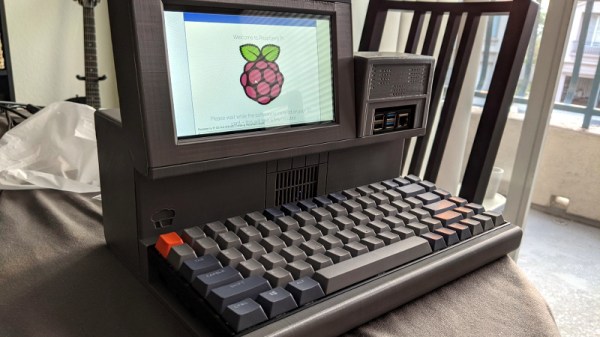
Those who wish to recreate the look and feel of a vintage computer with modern internals will certainly be interested in the HALWOP by [Maz_Baz]. While its 3D printed case isn’t a replica of any one computer, it does draw inspiration from iconic machines like the Apple Lisa and IBM XT. It’s an amalgamation of design ideas that seemed like a good idea circa 1982 or so, with plenty of 90° angles and air vents to go around.

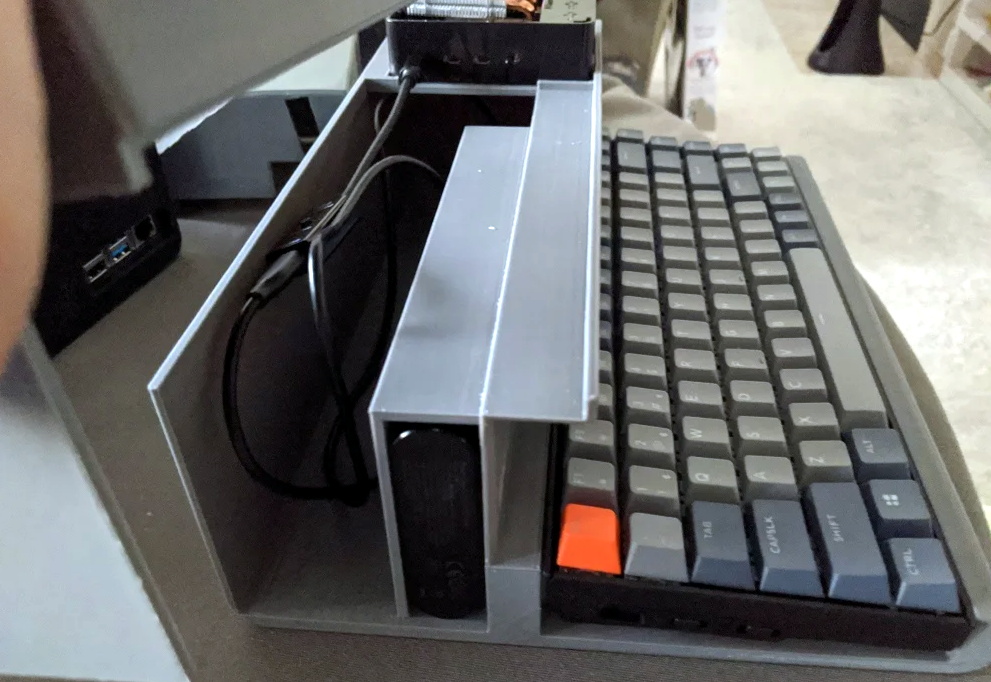
Considering the size of the Raspberry Pi 4 that powers the HALWOP, most of the case is just hollow plastic. But of course, the whole idea depends on it being almost comically large. On the plus side, [Maz_Baz] says you can use one of those empty compartments to hold a Anker PowerCore 26800 battery pack. At least in theory that makes it a “luggable” computer, though good luck trying to move it around.

In addition to the Pi 4 and battery pack, the HALWOP also uses a seven-inch touch LCD and Keychron K2 Bluetooth mechanical keyboard. Since everything is so modular, assembly is about as simple as it gets. Outside of the USB cables that power everything, you just need a long enough ribbon cable to connect the LCD to the Pi.

We know the purists don’t like the idea of a “retro” computer based on the Raspberry Pi, but of course, such projects aren’t about maintaining historical accuracy. They are a way to bridge the gap between modern technology and the unique aesthetics of a bygone era. Designs like the HALWOP allow a new generation to experience a taste of what computing was like in the early days, without giving up the ground that’s been gained in the intervening years.