An Epic Quest To Build The Perfect Retro Handheld

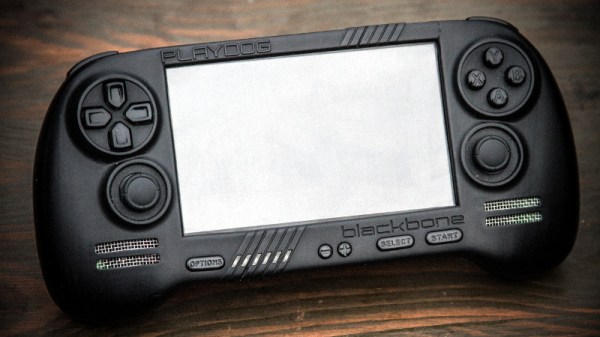
It’s a good time to be a fan of classic video games. Most of us carry around a smartphone that’s more than capable of emulating pretty much everything from the 32-bit era on down, and if you want something a little more official, the big players like Sony and Nintendo have started putting out “retro” versions of their consoles. But even still, [Mangy_Dog] wasn’t satisfied. To get the portable emulation system of his dreams, he realized he’d have to design and build it himself.

The resulting system, which he calls the “Playdog Blackbone”, is without a doubt one of the most impressive DIY builds we’ve ever seen. While there are still some issues that he’s planning on addressing in a later version of the hardware, it wouldn’t be an exaggeration to say that there’s commercially available game systems that didn’t have half as much thought put into them as the Blackbone.
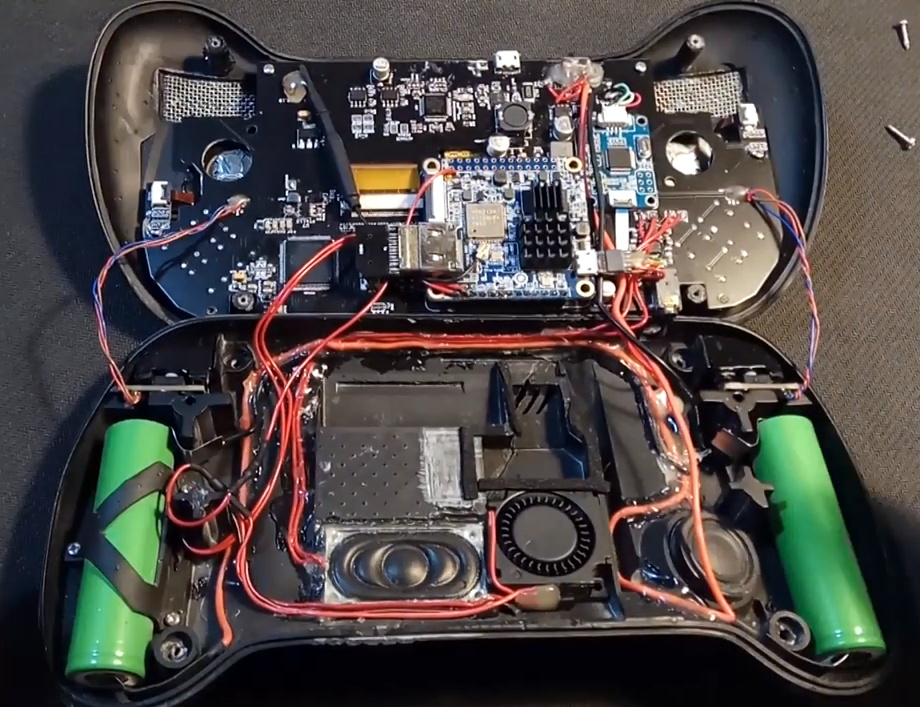
Which is, incidentally, how this whole thing got started. The original plan was to buy one of those cheap emulation handhelds, which invariably seem to come in the form of a PSP clone, and fit it with a Raspberry Pi. But [Mangy_Dog] quickly realized that not only were they too small to get everything he wanted inside, but they also felt terrible in the hand. Since he wanted the final product to be comfortable to play, his first step was to design the case and get feedback on it from other retro game enthusiasts.

After a few iterations, he arrived at the design we see today. Once he printed the case out on his SLA printer, he could move on with fitting all of his electronics inside. This takes the form of a custom PCB “motherboard” which an Orange Pi Zero Plus2 (sorry Raspberry fans) connects to. There’s actually a surprising amount of room inside the case, enough for niceties like dual speakers and a fan complete with ducting to keep the board cool.

Unsurprisingly, [Mangy_Dog] says a lot of people have been asking him if they can buy their own version of the Blackbone, and have suggested he do a crowdfunding campaign to kick off mass production. While he’s looking at the possibility of resin or injection molding the case so he can produce a few more copies, on the whole, his attention has moved on to new projects. Which frankly, we can’t wait to see.

If you’re interested in slightly more modern games, we’ve seen a number of handhelds based on “trimmed” Nintendo Wii’s which you might be interested in. While they might not have the sleek external lines of the Blackbone, the work that goes into the electronics is nothing short of inspirational.

Continue reading “An Epic Quest To Build The Perfect Retro Handheld”
Patrol The Sprawl With This Battle Ready Cyberdeck

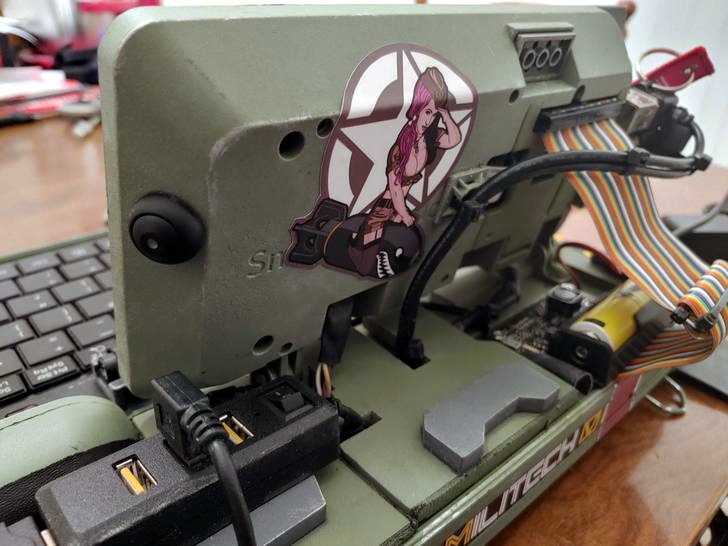
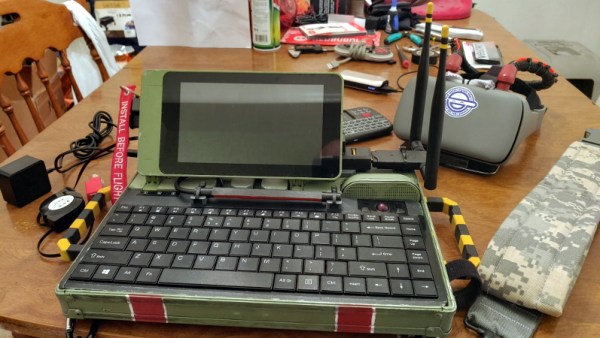
The recent crop of cyberdeck builds are inspired, at least tangentially, by William Gibson’s novel Neuromancer and its subsequent sequels. In the novels, the decks are used as mobile terminals to access the virtual reality of cyberspace. In our world, they’re usually just quasi-retro boxes with Raspberry Pis in them. Artistic license and all that. But the “XMT-19 Cutlass”, a deck built by [CaptNumbNutz], attempts to hew more closely to the source material than most builds we’ve seen.

Of course it won’t be transporting you into the matrix, and ultimately it’s still just a casemod for the Raspberry Pi. But at least it does a fantastic job of fitting the Neuromancer motif. The design is supposed to look like the XMT-19 was a piece of high-tech military hardware that was later co-opted by a cyberspace cowboy operating in the urban megatropolis that Gibson called the Sprawl, with exposed wiring and a visual mish-mash of components.

If you can believe it, the build started out as a locking clipboard of all things. From there, [CaptNumbNutz] started layering on the hand-cut foam greebles and spraying on the WWII inspired color scheme. We especially like the yellow tips on the antennas that invoke the propellers of vintage airplanes, and the serial number stenciled onto the bottom. In a departure from basically every other cyberdeck we’ve seen to date, there appear to be no 3D printed elements on the XMT-19; all the parts are hand made with nothing more than an a sharp knife and a heap of patience.

In terms of the electronics, the whole build has been greatly simplified by the use of a SmartiPi Touch case, which integrates the Pi and touch screen into a single hinged unit that just needed to get bolted to the top of the deck. Plus it gave him an excuse to put a big rainbow ribbon cable on the back of it to reach the Pi’s GPIO ports, which as you know, instantly makes everything look more retro-futuristic.

It might not be packing the raw power of the Intel NUC cyberdeck we covered last year, or have the convincingly vintage look of the VirtuScope, but we’d take the XMT-19 Cutlass into the matrix any day.

Keeping Time With Blinkenlights

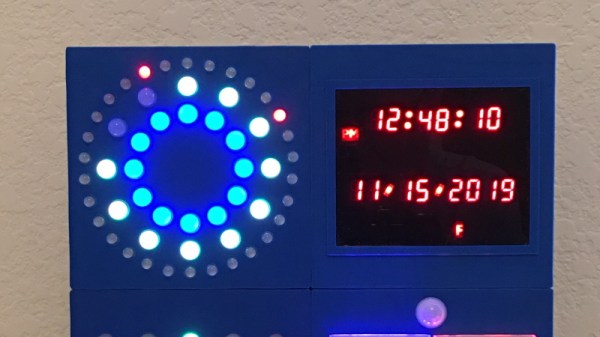
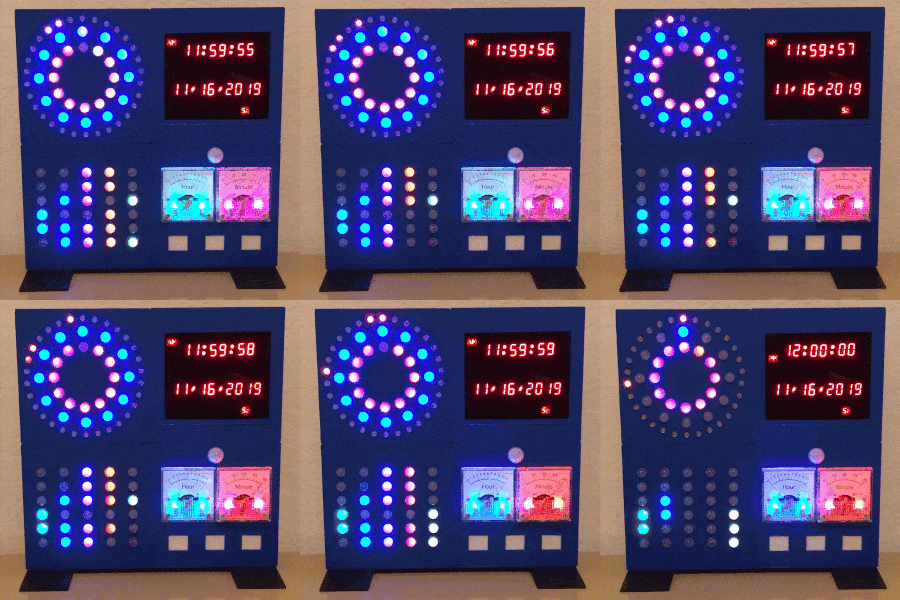
If we’ve learned anything over the years, it’s that hackers like weird clocks, and they love packing as many multicolored LEDs into a device as is humanly possible. Combine both of those concepts into one project, and you’ve got a perfect storm. So as far as unnecessarily complex timepieces go, we’d say the “Crazy Clock 4” built by [Fearless Night] ranks up there among the all-time greats.

This Arduino Pro Mini powered clock syncs the current time via GPS, with a temperature compensated DS3231 RTC to keep it on the straight and narrow between satellite downlinks. Once the clock has the correct time, how do you read it? Well, at the top you’ve got a basic numerical readout for the normies, and next to that there’s a circular LED display that looks like it could double as a sci-fi movie prop. On the lower level there’s a binary clock for the real show-offs, and as if that wasn’t enough, there’s even dual color-coded analog meters to show the hours and minutes.

[Fearless Night] has provided everything you need to follow along at home, from the Arduino source code to the 3D models of the case and Gerber files for the custom PCB. Personally we think just the top half of the clock would be more than sufficient for our timekeeping needs. If nothing else it should help save some energy, as the clock currently pulls an incredible 20 watts with all those LEDs firing off.

Should you decide to take a walk down memory lane and check out some of the other interesting LED clocks we’ve featured in the past, you’d be busy for quite awhile. But for our money, it’s still hard to beat the impossibly obtuse single-LED clock.

A 3D Printer Scratch Built For Your Viewing Pleasure

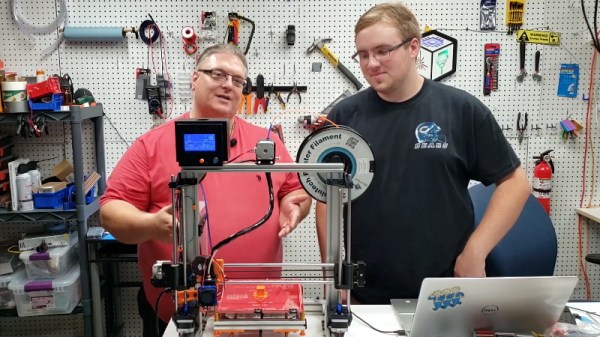
Today it’s almost always cheaper to buy an imported 3D printer kit than it is to source your own parts and build one yourself. But that doesn’t stop people from doing it anyway. Whether they’re looking for something a bit more solid, or just want to do things their own way, there are still valid reasons to design and build your own machine. Luckily for us in the audience, [Rob Mech] decided to document the build of his custom “LayerFused C201” printer on his YouTube Channel.

If you’ve ever dreamed of taking the plunge and building a 3D printer exactly the way you want, but were never able to manage the time, this seven video series might be the next best thing. Each video takes you through a different step of the construction, from building the frame out of aluminum extrusion all the way to wiring up the endstop switches and the 32-bit SKR v1.3 controller. There’s even a video that introduces the viewer to the concept of a “Frankenstein” printer that uses cobbled together parts just long enough to produce its own final components.

All told, [Rob] says the Bill of Materials for the LayerFused C201 comes to at least $200, but that’s going to take shopping around for the lowest possible prices and potentially even salvaging some components from other machines and projects. Like we said, building a cheap printer is absolutely not the goal here; it’s all about building a printer you want to use. Continue reading “A 3D Printer Scratch Built For Your Viewing Pleasure”

East Coast RepRap Festival Comes Alive In Second Year

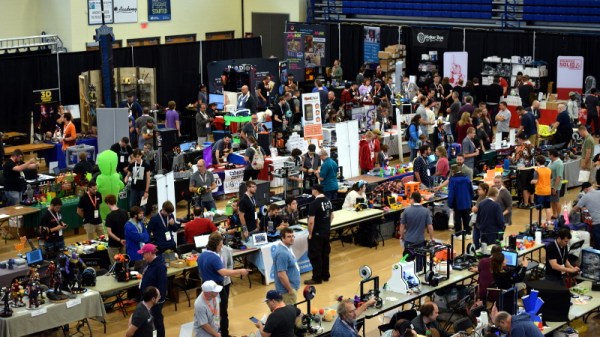
By pretty much any metric you care to use, the inaugural East Coast RepRap Festival (ERRF) in 2018 was an incredible success. There was plenty to see, the venue was accommodating, and the ticket prices were exceptionally reasonable. But being a first-time event, there was an understandable amount of trepidation from both exhibitors and the attendees. Convincing people to travel hundreds of miles to an event with no track record can be a difficult thing, and if there was a phrase that would best describe the feel of that first ERRF, it would probably have been “cautious optimism”.

But this year, now that they had some idea of what to expect, the 3D printing community descended on Bel Air, Maryland with a vengeance. In 2019, everything at ERRF was bigger and better. There were more people, more printers, and of course, more incredible prints. Activities like the 3D Printed Derby returned, and were joined by new attractions including full-body 3D scanning and a shooting gallery where attendees could try out the latest in printable NERF weaponry.

The official tally shows that attendance nearly doubled over last year, and with growth like that, we wouldn’t be surprised if the ERRF organizers consider relocating to a larger venue for 2020 or 2021. As far as problems go, growth so explosive that it requires you to rethink where you hold the event isn’t a bad one to have. The Midwest RepRap Festival, which served as the inspiration for ERRF, found they too needed to move into more spacious digs after a few years. Something to keep in mind the next time somebody tells you the bubble has burst on desktop 3D printing.

Trying to distill an event as large and vibrant as ERRF 2019 into a few articles is always difficult. Even after spending hours walking around the show floor, you would still stumble upon something you hadn’t seen previously. As such, this article is merely a taste of what was on hand. The East Coast RepRap Festival 2020 should absolutely be marked on your calendar for next year, but until then let’s take a look at just some of what made this year’s event such a smash.

Continue reading “East Coast RepRap Festival Comes Alive In Second Year”

Building A Front Panel For The RC2014 Computer

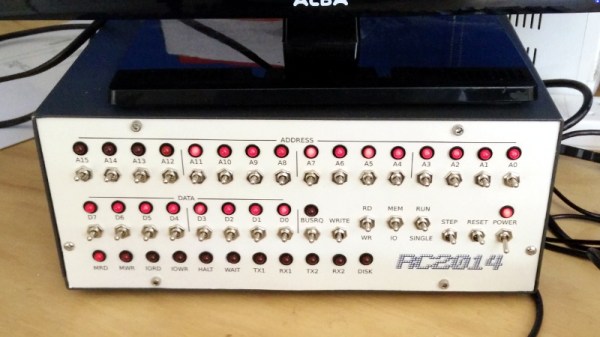
The RC2014 is a slick Z80 computer kit that’s graced these pages a number of times in the past. It allows anyone with a soldering iron and a USB-to-serial adapter to experience the thrill of early 1980s desktop computing. But what if you’re looking for an even more vintage experience? In that case, this custom RC2014 front panel from [James Stanley] might be just the thing to scratch that Altair itch.

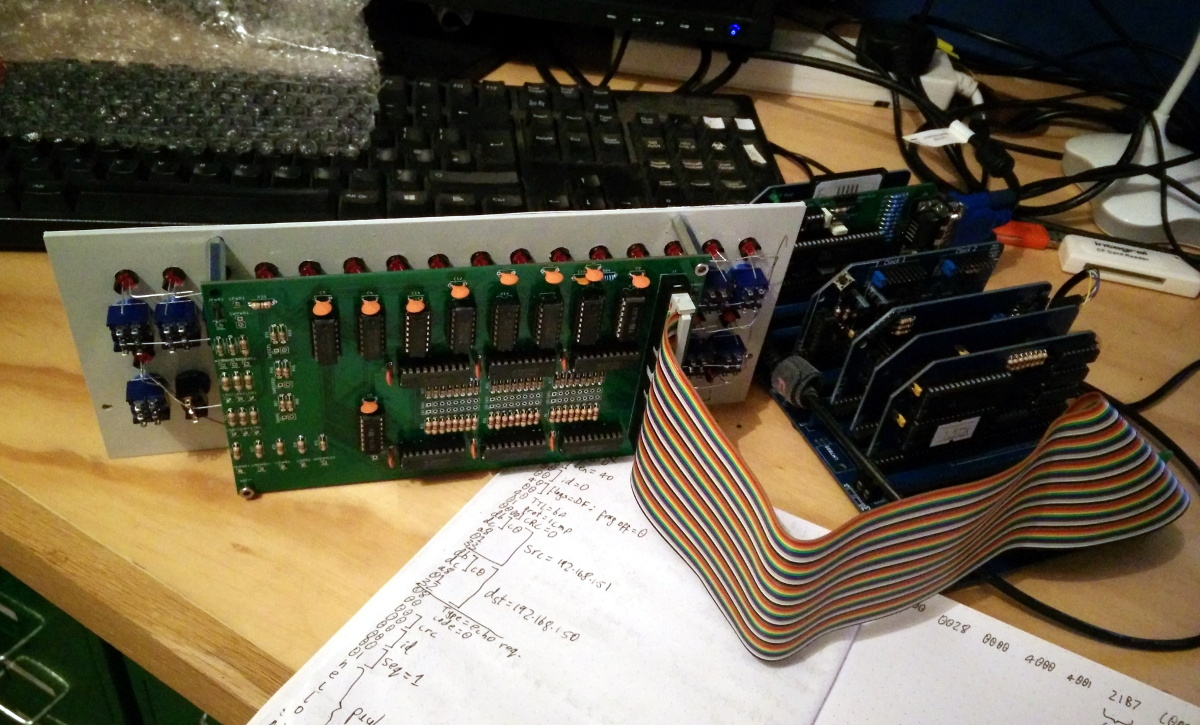
The front panel allows you to view and alter the contents of memory with nothing more complex than toggle switches and LEDs, just like on the early microcomputers of the 1970s. If you’ve ever wanted to learn how a computer works on the most basic level, single-stepping through instructions and reading them out in binary is a great way to do it.

[James] says he was inspired to take on this project after reading a 1978 issue of Kilobaud Magazine (as one does), and seeing an article about building a homebrew Z80 machine with a front panel. Obviously he had to modify the approach a bit to mate up with this relatively modern variation on the venerable CPU, but the idea was essentially the same.

His documentation for the project is sure to be fascinating for anyone enamored with those iconic computers of yesteryear, but even readers with more modern sensibilities will likely find some interesting details. The way [James] coaxes the data and various status states out of the kit computer takes up the bulk of the write-up, but afterwards he talks about how he designed the PCB and wraps up with his tips for creating a professional looking front panel.

This isn’t the first time we’ve seen a modern Z80 computer kitted out with blinkenlights, but it’s certainly one of the most professional looking. If you combine the RC2014 kits available on Tindie with the details provided by [James], you’ll soon be learning the fine art of programming a computer with toggle switches.

Continue reading “Building A Front Panel For The RC2014 Computer”

Gaze Deeply Into These Infinity Mirror Coasters

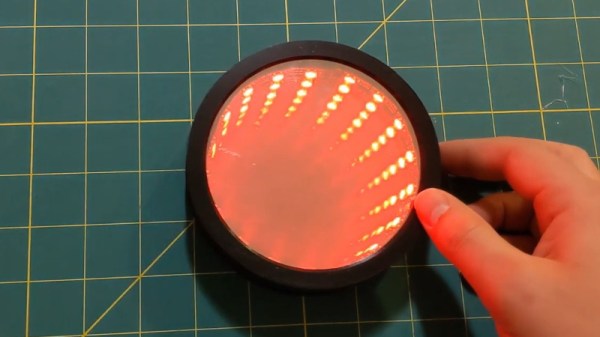
Infinity mirrors have been gaining in popularity recently, thanks in no small part to the availability of low-cost RGB LED strips to line them with. Generally such pieces are limited to wall art, or the occasional table build, which is what makes these infinity mirror drink coasters from [MnMakerMan] so unique.

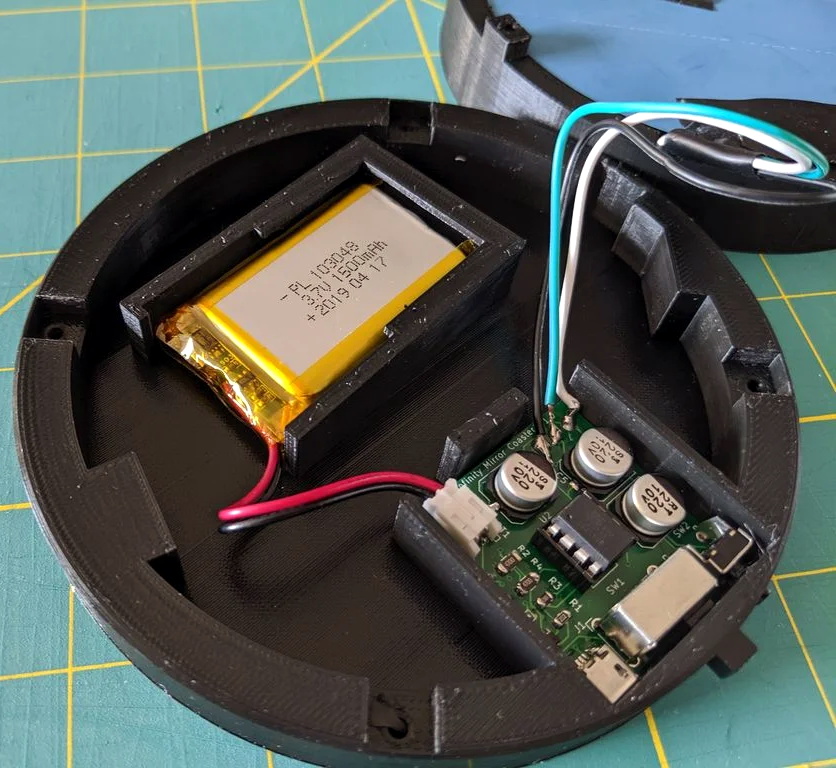
Built from an ATtiny85 and a WS2812B LED strip nestled into a 3D printed enclosure, these coasters are relatively cheap and easy to assemble should you want to run a few off before the holiday party season. [MnMakerMan] mentions the LEDs can consume a decent amount of energy, so he’s included a module to allow recharging of the internal 3.7 V 1500 mAh battery over USB.

Of course, a couple of PLA pieces and a custom PCB doesn’t make an infinity mirror. To achieve the desired effect, he’s created a stack consisting of a 4″ glass mirror, a 1/8″ thick plexiglass disc, and one-way mirror tint film. The WS2812B strip mounted along the circumference lights up the void between the two surfaces, and produces a respectable sense of depth that can be seen in the video after the break.

This isn’t the first high-tech piece of surface protection we’ve seen around these parts, as some very nice wirelessly charged supercapacitor coasters were entered into the 2019 Hackaday Prize. Of course, if you’re of the opinion that coasters should remain as cheap as possible, we’ve seen a number of automated attempts to add some flair to the classic paperboard discs.

Continue reading “Gaze Deeply Into These Infinity Mirror Coasters”