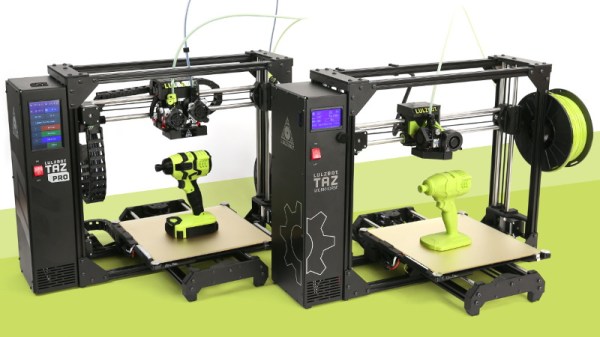
The Past, Present, And Uncertain Future Of LulzBot

Considering that it’s only existed for around a decade, the commercial desktop 3D printing market has seen an exceptional amount of turnover. But then, who could resist investing in an industry that just might change the world? It certainly didn’t hurt that the MakerBot Cupcake, arguably the first “mass market” desktop 3D printer, was released the same month that Kickstarter went live. We’ve long since lost count of the failed 3D printer companies that have popped up in the intervening years. This is an industry with only a handful of remaining veterans.

One of the few that have been with us since those heady early days is LulzBot, founded in 2011 by parent company Aleph Objects. Their fully open source workhorses are renowned for their robust design and reliability, though their high prices have largely kept them off the individual hacker’s bench. LulzBot was never interested in the race to the bottom that gave birth to the current generation of sub-$200 printers. Their hardware was always positioned as a competitor to the likes of Ultimaker and MakerBot, products where quality and support are paramount above all else.
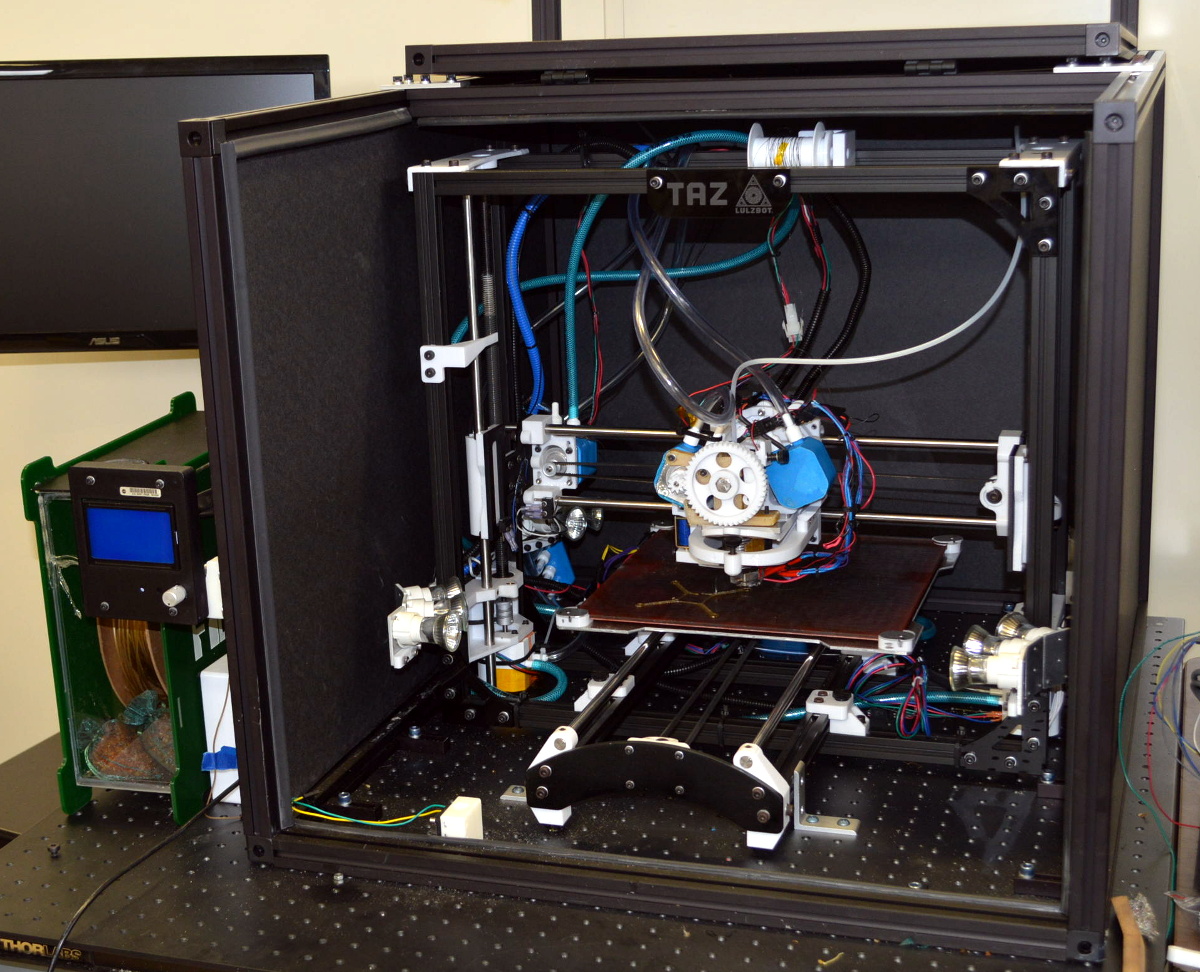
NASA’s modified LulzBot

While LulzBot printers never made an impact on the entry-level market, there are institutions willing to purchase a highly dependable American-made 3D printer regardless of cost. The United States Marines used LulzBot printers to produce replacement Humvee door handles in the field, and some of the modifications that were necessary to meet their stringent requirements eventually resulted in updates to the consumer version of the printer. NASA used a highly modified LulzBot TAZ 4 to print PEI at temperatures as high as 500°C, producing parts far stronger than anything that had previously been made on a desktop 3D printer.

Yet despite such auspicious customers, LulzBot has fallen on difficult times. Consumers have made it abundantly clear they aren’t willing to pay more than $1,000 for a desktop printer, and competition above that price point is particularly fierce. Last month we started hearing rumblings in the Tip Line that the vast majority of LulzBot staff were slated to be let go, and we soon got confirmation and hard numbers from local media. Of the company’s 113 employees, only 22 would remain onboard to maintain day-to-day operations. Production on their flagship models would continue, albeit at a reduced pace, and all existing warranties would be honored. But the reduction in staff and limited cash flow meant that the development of future products, such as the LulzBot Bio tissue printer, would be put on hold.

LulzBot wasn’t quite dead, but it was hard to see this as anything but a step on the road to insolvency. A number of insiders we spoke to said they had heard a buyout was expected, and today we can report that the sale of Aleph Objects to Fargo Additive Manufacturing Equipment 3D (FAME 3D) is official. Production of the current LulzBot models is expected to continue, and some of the 91 laid off employees are likely to be hired back, but continuing Aleph Objects CEO Grant Flaharty says the details are still being finalized.

This new financial backing, provided by a venture capitalist, is certainly good news. But it would be naive to think this is the end of LulzBot’s troubles. The market has spoken, and unless the company is willing to introduce a vastly cheaper version of their printer to entice the entry-level customer as Prusa Research has recently done, it’s unclear how an infusion of cash will do anything but delay the inevitable.

For what it’s worth, we hope LulzBot finds some way to thrive. The ideal of building fully open source printers is something near and dear to the heart of Hackaday, but after the loss of PrintrBot, we’re all keenly aware of how difficult it is for small American companies to compete in the modern 3D printing market.
A Mobile Terminal For The End Of The World

If civilization goes sideways and you need to survive, what are the bare essentials that should go in your bunker? Food and fresh water, sure. Maybe something to barter with in case things go full on The Postman. That’s all sensible enough, but how’s that stuff going to help you get a LAN party going? If you’re anything like [Jay Doscher], you’ll make sure there’s a ruggedized Raspberry Pi system with a self-contained network with you when the bombs drop.

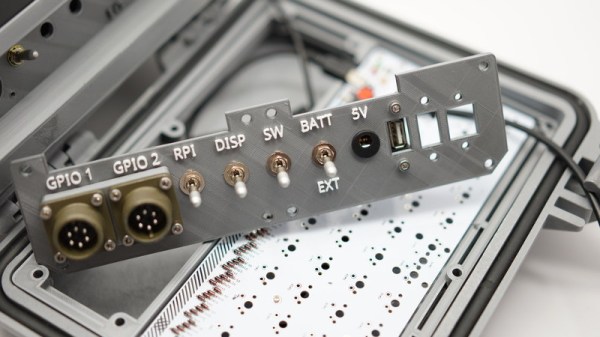
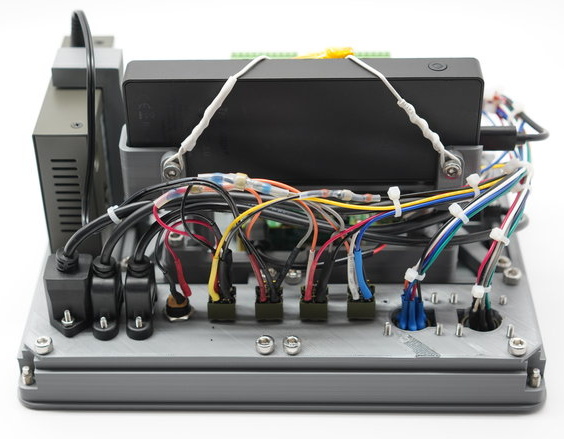
Or at least, it certainly looks the part. He’s managed to design the entire project so it doesn’t require drilling holes through the Pelican case that serves as the enclosure, meaning it’s about as well sealed up as a piece of electronics can possibly be. The whole system could be fully submerged in water and come out bone dry on the inside, and with no internal moving parts, it should be largely immune to drops and shocks.

But we imagine [Jay] won’t actually need to wait for nuclear winter before he gets some use out of this gorgeous mobile setup. With the Pi’s GPIO broken out to dual military-style panel mount connectors on the front, a real mechanical keyboard, and an integrated five port Ethernet switch, you won’t have any trouble getting legitimate work done with this machine; even if the closest you ever get to a post-apocalyptic hellscape is the garage with the heat off. We especially like the 3D printed front panel with integrated labels, which is a great tip that frankly we don’t see nearly enough of.

This is actually an evolved version of the Raspberry Pi Field Unit (RPFU) that [Jay] built back in 2015. He tells us that he wanted to update the design to demonstrate his personal growth as a hacker and maker over the last few years, and judging by the final product, we think it’s safe to say he’s on the right path.

Why Buy Toys When You Can Build Them Instead?

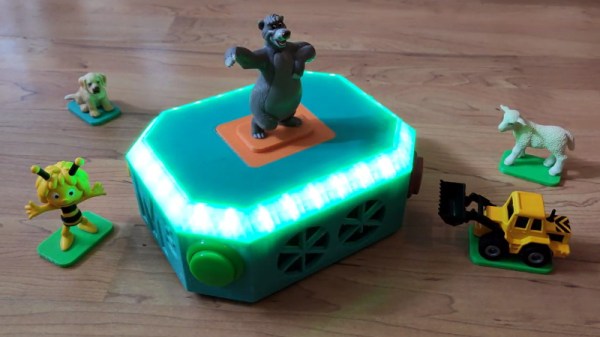
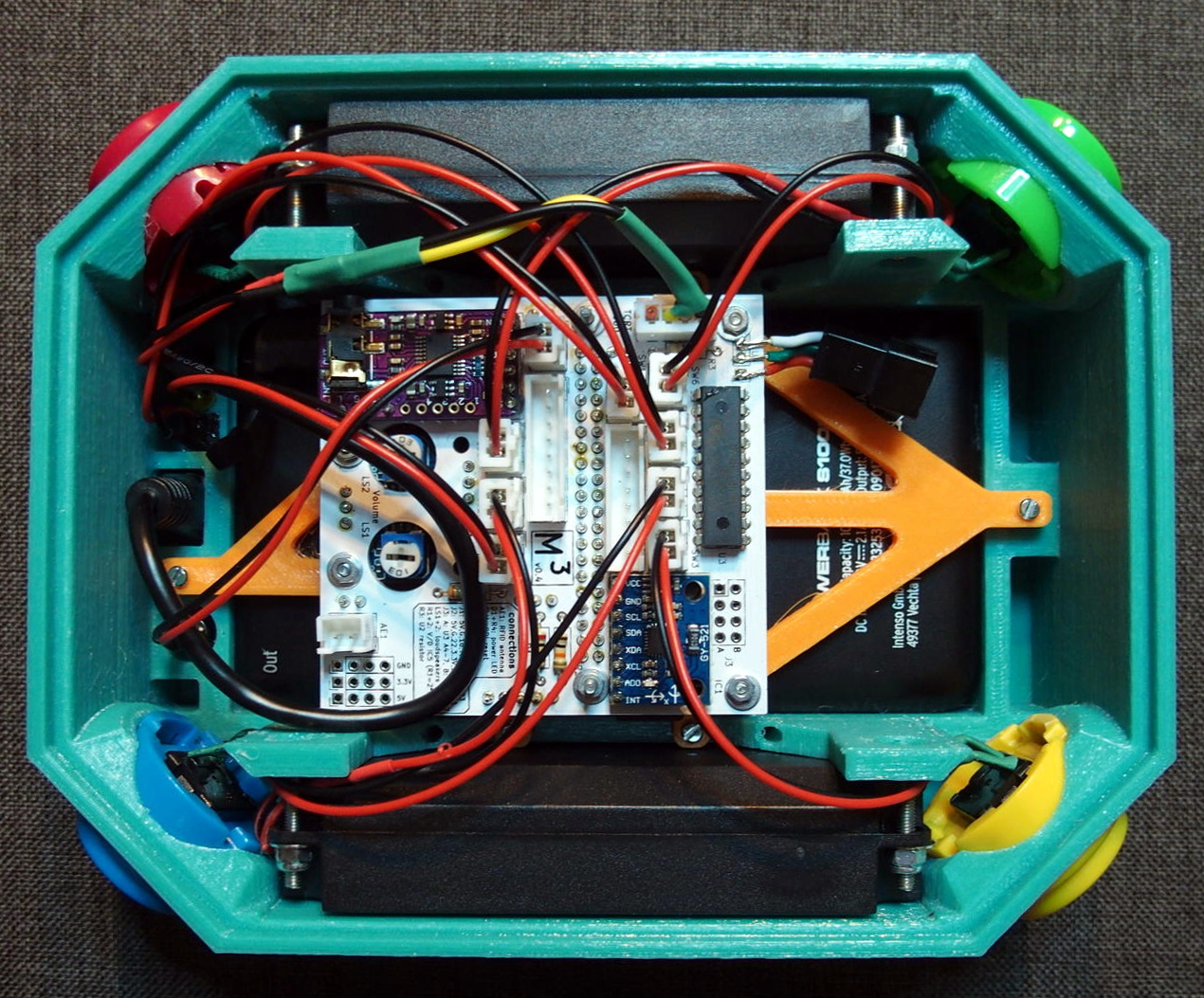
Like many creative individuals who suddenly find themselves parents, [Marta] wanted to make something special for his children to play with. Anybody can just purchase an off-the-shelf electronic toy, but if you’ve got the ability to design one on your own terms, why not do it? But even compared to the fairly high standards set by hacker parents, we have to admit that the amount of time, thought, and effort that was put into the “Marta Musik Maschine” is absolutely phenomenal.

[Marta] was inspired by the various commercial offerings which use RFID and other technologies to identify which characters the child is playing with and respond accordingly. But since he didn’t want to get locked into one particular company’s ecosystem and tinkering with the toys seemed frowned upon by their creators, he decided to just come up with his own version.

Over the course of many posts on the Musik Maschine’s dedicated website, [Marta] explains his thought process for every design consideration of the toy in absolutely exquisite detail. Each of the writeups, which have helpfully been broken down for each sub-system of the final toy, are arguably detailed and complete enough to stand as their own individual projects. Even if you’re not looking to get into the world of DIY electronic toys, there’s almost certainly an individual post here which you’ll find fascinating. From the finer points of interfacing your Python code with arcade buttons to tips for designing 3D printed enclosures, there’s really something for everyone here.

The children of hackers are often the envy of the neighborhood thanks to the one-of-a-kind playthings provided by their parents, and considering the level of commitment [Marta] has put into a toddler toy, we can’t wait to see what he comes up with next.

Continue reading “Why Buy Toys When You Can Build Them Instead?”

Found Footage: Elliot Williams Talks Nexus Technologies

Back at the 2017 Superconference, Hackaday Managing Editor Elliot Williams started his talk about the so-called “Internet of Things” by explaining the only part he doesn’t like about the idea is the Internet… and the things. It’s a statement that most of us would still agree with today. If anything, the situation has gotten worse in the intervening years. Commercial smart gadgets are now cheaper and more plentiful than they’ve ever been, but it seems like precious little has been done to improve their inherent privacy and security issues.

But his talk doesn’t serve to bash the companies producing these devices or even the services that ultimately folded and left their customers with neigh useless gadgets. That’s not his style. The central theme of Nexus Technologies: Or How I Learned to Love WiFi” is that a smart home can be wonderful thing, assuming it works the way you want it to. Elliot argues that between low-cost modular hardware and open source software, the average hacker has everything they need to build their own self-contained home automation ecosystem. One that’s not only cheaper than what they’re selling at the Big Box electronics store, but also doesn’t invite any of the corporate giants to the party.

Of course, it wasn’t always so. A decade ago it would have been all but impossible, and five years ago it would have been too expensive to be practical. As Elliot details his journey towards a truly personal smart home, he explains the advances in hardware and software that have made it not just possible on the DIY level, but approachable. The real takeaway is that once more people realize how cheap and easy it is to roll your own smart home gadgets, they may end up more than willing to kick Big Brother to the curb and do IoT on their own terms.

This previously unpublished recording somehow slipped between the cracks of the editing room floor but upon recent discovery, it’s still just as relevant today. Take a look at Elliot’s view on Nexus Technologies, then join us after the break for a deeper dive. Make sure to subscribe to Hackaday’s YouTube channel to get in on the 2019 Hackaday Superconference live stream starting Saturday, November 16th.

Continue reading “Found Footage: Elliot Williams Talks Nexus Technologies”

An Open Hardware Laser Engraver For Everyone

Right now, you can get a diode laser engraver on eBay for around $100 USD. That sounds like a deal, but it’ll probably use some arcane proprietary software, won’t be terribly accurate, and the laser itself will almost certainly be fully exposed. Of course there’s no shortage of DIY builds which improve upon this situation greatly, but unfortunately the documentation and instructions to replicate them yourself often leave a lot to be desired.

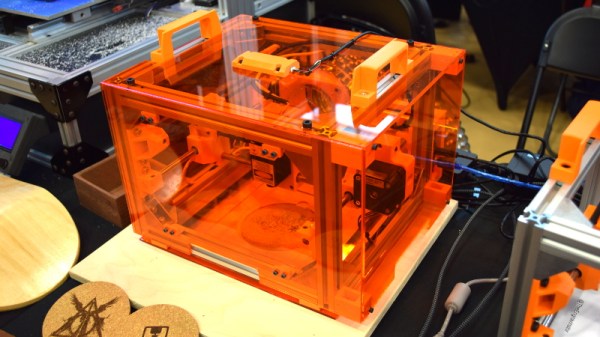
To get a safe and accurate laser platform into the hands of hackers everywhere, we need more well documented open source designs that are actually built with community in mind. Projects like the Engravinator from [Adam Haile]. This isn’t a one-off design with documentation thrown together after the fact, it’s a fully open hardware engraver with a concise assembly guide that’s built from 3D printed parts and readily available components. You’re free to source and print the parts yourself or, eventually, purchase everything as a kit.

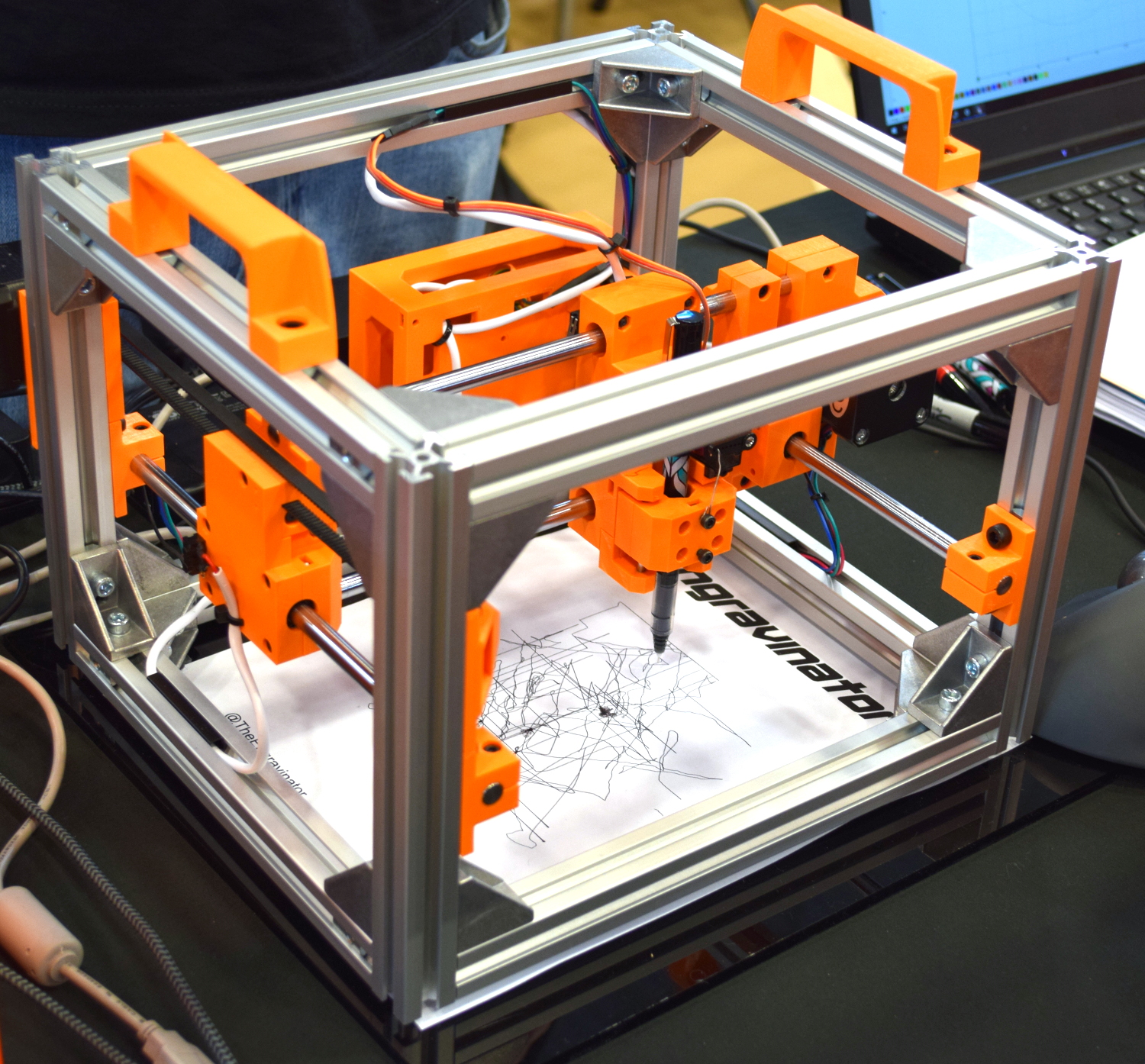
Pen-equipped Engravinator

The microwave-sized Engravinator is built from standard 2020 aluminum extrusion, and offers a workable area of 130mm x 130mm. There’s a hatch on the front of the enclosure for objects that are small enough to fit inside the machine, but the open bottom and handles on the top also allow the user to place the Engravinator directly onto the work surface. [Adam] says this feature can be especially useful if you’re looking to burn a design into a tabletop or other large object.

Outside of the aluminum extrusion and miscellaneous hardware that make up the frame, most of the other parts are 3D printed. Released under the CERN Open Hardware License v1.2 and distributed as both STL and STEP files, the printable parts for the Engravinator are ripe for modification should you be so inclined. The same goes for the DXF files for the enclosure panels, which will need to be cut out of orange acrylic with a CNC or (ironically) a laser.

Continue reading “An Open Hardware Laser Engraver For Everyone”

Projector And NES Mini Hide Out Inside The Real Thing

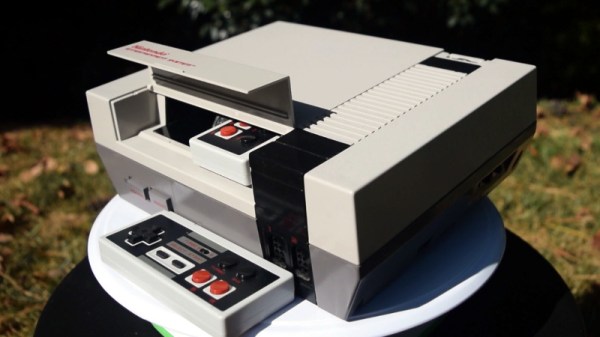
Taking a page out of the Xzibit Engineering Handbook, [Geeksmithing] recently decided that the gutted carcass of an original Nintendo Entertainment System would make a perfect home for…a smaller NES. Well, that and two wireless controllers. Plus a projector. Oh, and batteries so it can be used on the go. Because really, at that point, why not?

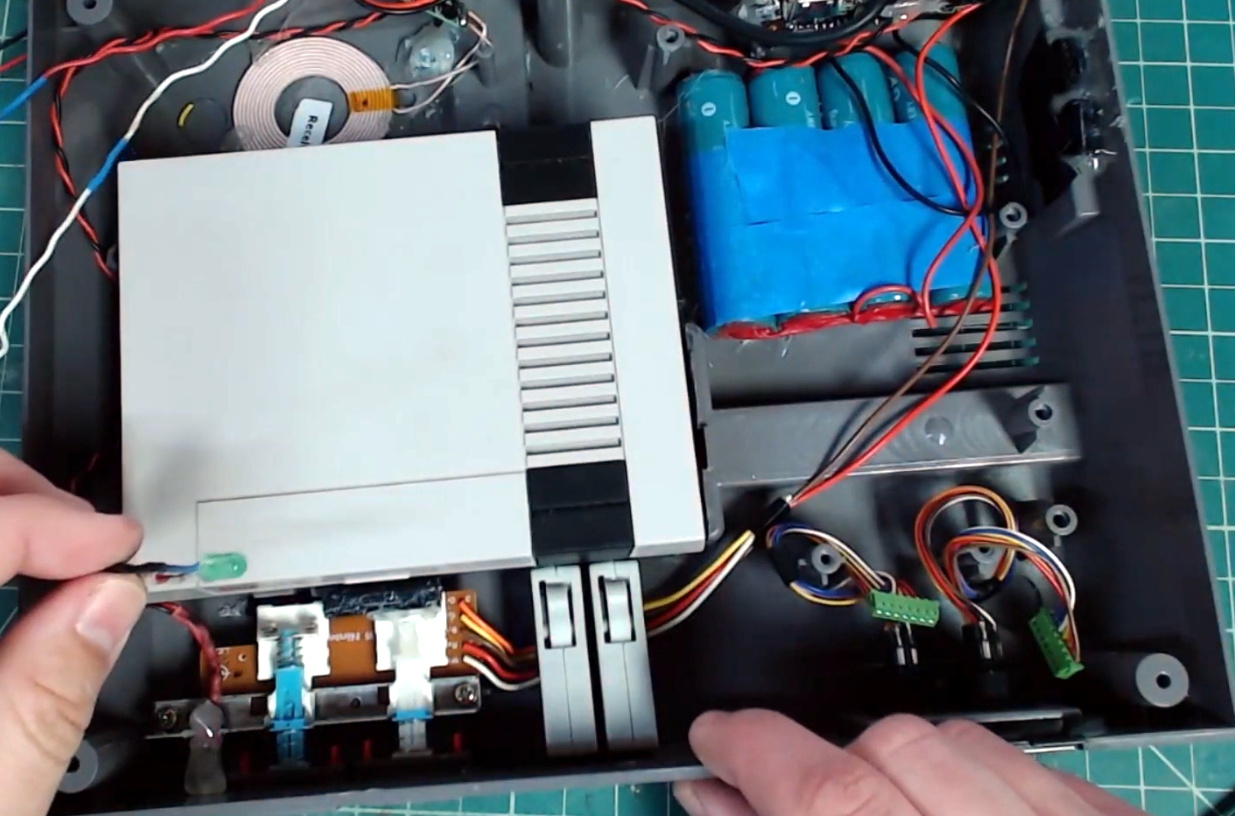
The video after the break starts with a cleverly edited version of a legitimate NES commercial from the gaming glory days of the 1980s, and segues into an rundown of all the modern hardware [Geeksmithing] crammed into the case of this legendary console. It helps that the official NES Classic used for the project is so much smaller than its more than thirty year old predecessor, leaving plenty of room inside to get creative. We particularly like the dual wireless controllers which are conveniently hiding inside the original cartridge slot.

Frankly, that alone would have made this project worthwhile in our book, but [Geeksmithing] didn’t stop there. He also added in a pico projector that’s normally covered up by the black facia on the rear of the console, complete with a “kickstand” to tip the system up to the appropriate angle. Continuing with the theme of enabling ad-hoc NES play sessions, he also packed in enough batteries to keep the system running for a respectable amount of time. There’s even put an inductive charging coil in the bottom of the system so he can top off the batteries just by dropping the system on a modified SNES mousepad.

Last time [Geeksmithing] checked in, he was embedding a Raspberry Pi into a Super Mario Thwomp that was made from real concrete. We can’t wait to see what he comes up with next.

Continue reading “Projector And NES Mini Hide Out Inside The Real Thing”

A USB-C Bench Power Supply

A bench power supply is one of those things that every hacker needs, and as the name implies, it’s intended to occupy a place of honor on your workbench. But with the addition of USB-C support to his DPH5005 bench supply, [Dennis Schneider] is ready to take his on the road should the need ever arise.

The build started with one of the common DPH5005 bench power supply kits, which [Dennis] says he was fairly happy with aside from a few issues which he details in the post on his blog. Even if you aren’t looking to modify your own kit with the latest and greatest in the world of Universal Serial Bus technology, it’s interesting to read his thoughts on the power supply kit if you’ve been considering picking one up yourself.

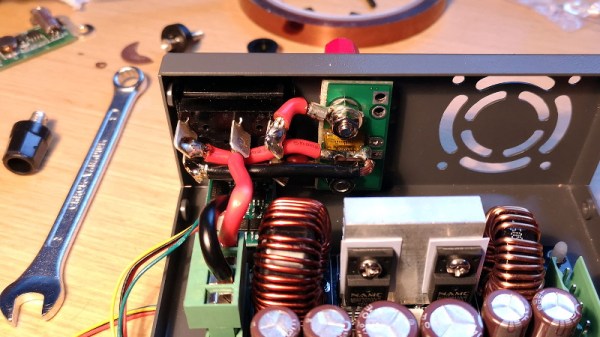
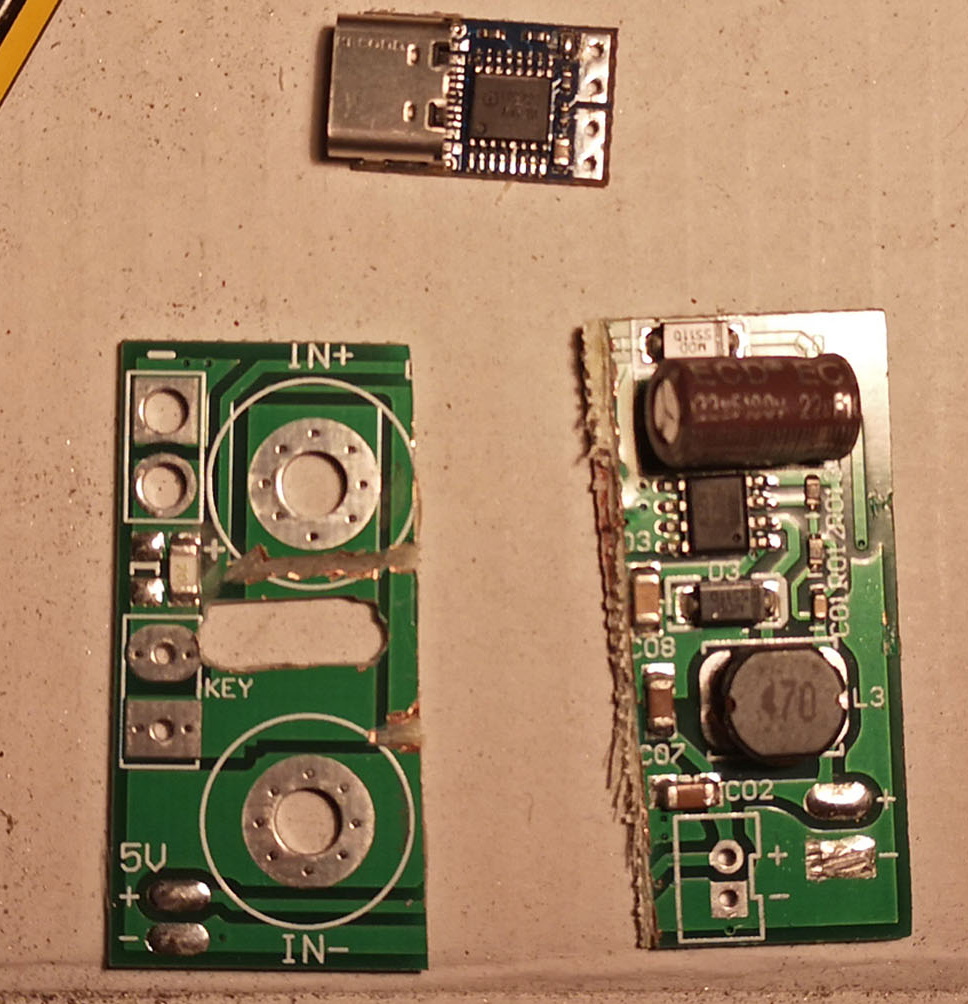
Under normal circumstances you are supposed to give the DPH5005 DC power via the terminals on the back panel of the supply, which in turn is regulated and adjusted via the front panel controls. To add support for USB-C, all [Dennis] had to do was install a USB-PD trigger module configured to negotiate 20 VDC in the back of the case and connect it to the DC input. To hold it in place while isolating it from the metal case, he used a piece of scrap PCB carefully cut and wrapped in Kapton tape.

This actually isn’t the first portable bench power supply we’ve seen. Last year we saw one that got its input power from Makita portable tool batteries, but we think all things considered, the USB-C option is probably a bit more convenient.