Steel Battalion Controller Grows Up And Gets A Job

We’re going to go out on a limb here and say that the controller for Steel Battalion on the original Xbox is the most impressive video game peripheral ever made. Designed to make players feel like they were really in the cockpit of a “Vertical Tank”, the controller features dual control sticks, three pedals, a gear selector, and dozens of buttons, switches, and knobs. Unfortunately, outside of playing Steel Battalion and its sequel, there’s not a whole lot you can do with the monstrous control deck.
HID Report Descriptor

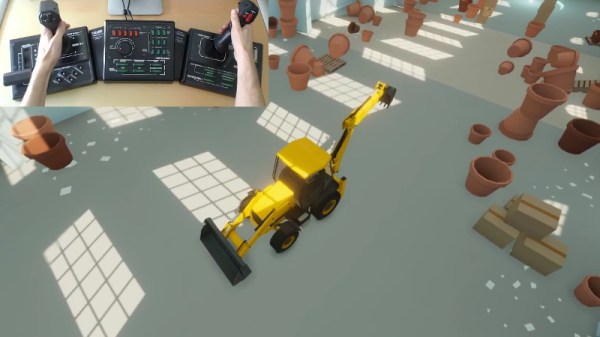
But now, nearly 20 years after the game released, [Oscar Sebio Cajaraville] has not only developed an open source driver that will allow you to use the infamous mech controller on a modern Windows machine, but he’s part of the team developing a new game that can actually be played with it. Though gamers who are imagining piloting a futuristic combat robot in glorious 4K might be somewhat disappointed to find that this time around, the Steel Battalion controller is being used to operate a piece of construction equipment.

In his blog post, [Oscar] focuses on what it took to develop a modern Windows driver for a decades old controller. It helps that the original Xbox used what was essentially just a rewiring of USB 1.0 for its controllers, so connecting it up didn’t require any special hardware. Unfortunately, while the controller used USB to communicate with the console, it was not USB-HID compliant.

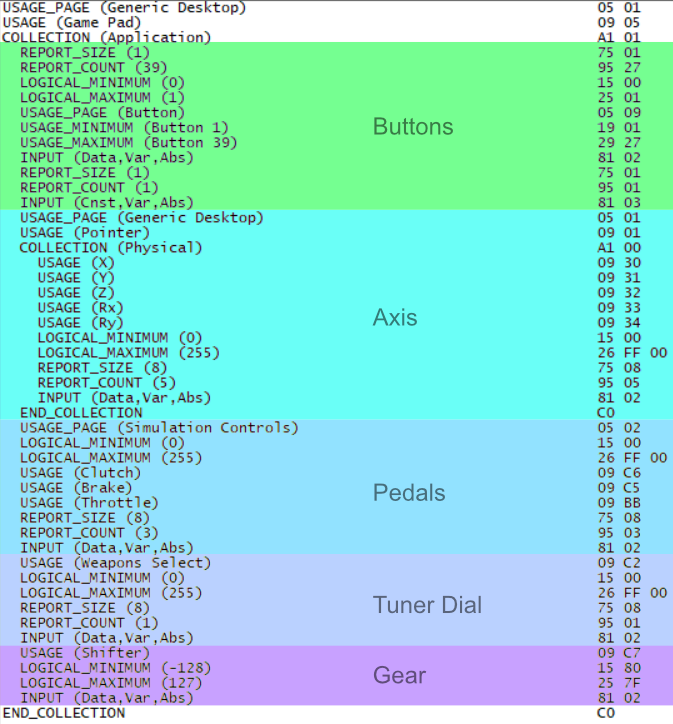
As it turns out, Microsoft actually provides an open source example driver that’s specifically designed to adapt non-HID USB devices into a proper game controller the system will recognize. This gave [Oscar] a perfect starting point, but he still needed to explore the controller’s endpoints and decode the data it was sending over the wire. This involved creating a HID Report Descriptor for the controller, a neat trick to file away mentally if you’ve ever got to talk to an oddball USB device.

In the end, [Oscar] created a driver that allows players to use the Steel Battalion controller in his game, BH Trials. Unfortunately there’s something of a catch, as drivers need to be signed by a trusted certification authority before Windows 10 will install them. As he can’t quite justify the expense of this step, he’s written a second post that details what’s required to turn driver signing off so you can get the device working.

Earlier this year we saw an incredible simulator built around the Steel Battalion controller, were an external “coach” could watch you play and give you tips on surviving the virtual battlefield. But even that project still used the original game; hopefully an open source driver that will get this peripheral working on Microsoft’s latest OS will help spur the development of even more impressive hacks.

Continue reading “Steel Battalion Controller Grows Up And Gets A Job”
Particle Mesh Powers The Internet Of Fans

With the winter months not far off, [Ben Brooks] was looking for a way to help circulate the heat from his wood-burning fireplace throughout his home. Rather than go with a commercial solution, he decided to come up with his own automated air circulation system powered by the mesh networking capabilities of one of his favorite pieces of tech, the Particle Photon.

Particle Xeon remote sensor

The idea here is pretty simple: use a remote temperature sensor to tell a fan located behind the fireplace when it’s time to kick on and start sharing some of that warmth with the rest of the house. But as usual, it ended up being a bit trickier than anticipated. For one, when [Ben] took a close look at the Vornado 660 fan he planned on using, he realized that its speed controller was “smart” enough that simply putting a relay on the AC line wouldn’t allow him to turn it on and off.

So he had to do some reverse engineering to figure out how the Sonix SN8P2501B microcontroller on the board was controlling the fan, and then wire the Photon directly to the pins on the chip that corresponded with the various physical controls. This allows the Photon to not only “push” the buttons to trigger the different speeds, but also read the controls to see if a human is trying to override the current setting.

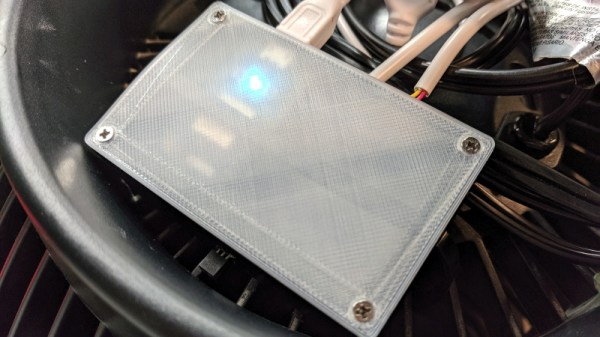
For the remote side [Ben] is using a Particle Xenon, which is specifically designed for Internet of Things endpoints and sensor applications. Combined with a TMP36 temperature sensor and 3.7 V 500 mAh battery, this allowed him to easily put together a wireless remote thermometer that will publish the current temperature to the Photon’s mesh network at regular intervals.

This isn’t the first time we’ve seen the Particle Photon used to augment an unassuming piece of hardware. We’ve previously seen one get grafted into a coffee maker, and if you can believe it, somebody even stuck one inside an umbrella to create a mobile weather station.

Watching The Watchers: The State Of Space Surveillance

By now you’ve almost certainly heard about the recent release of a high-resolution satellite image showing the aftermath of Iran’s failed attempt to launch their Safir liquid fuel rocket. The geopolitical ramifications of Iran developing this type of ballistic missile technology is certainly a newsworthy story in its own right, but in this case, there’s been far more interest in how the picture was taken. Given known variables such as the time and date of the incident and the location of the launch pad, analysts have determined it was likely taken by a classified American KH-11 satellite.

The image is certainly striking, showing a level of detail that far exceeds what’s available through any of the space observation services we as civilians have access to. Estimated to have been taken from a distance of approximately 382 km, the image appears to have a resolution of at least ten centimeters per pixel. Given that the orbit of the satellite in question dips as low as 270 km on its closest approach to the Earth’s surface, it’s likely that the maximum resolution is even higher.

Of course, there are many aspects of the KH-11 satellites that remain highly classified, especially in regards to the latest hardware revisions. But their existence and general design has been common knowledge for decades. Images taken from earlier generation KH-11 satellites were leaked or otherwise released in the 1980s and 1990s, and while the Iranian image is certainly of a higher fidelity, this is not wholly surprising given the intervening decades.

What we know far less about are the orbital surveillance assets that supersede the KH-11. The satellite that took this image, known by its designation USA 224, has been in orbit since 2011. The National Reconnaissance Office (NRO) has launched a number of newer spacecraft since then, with several more slated to be lifted into orbit between now and 2021.

So let’s take a closer look at the KH-11 series of reconnaissance satellites, and compare that to what we can piece together about the next generation or orbital espionage technology that’s already circling overhead might be capable of.

Continue reading “Watching The Watchers: The State Of Space Surveillance”

Dissecting The TL-WR841N For Fun And Profit

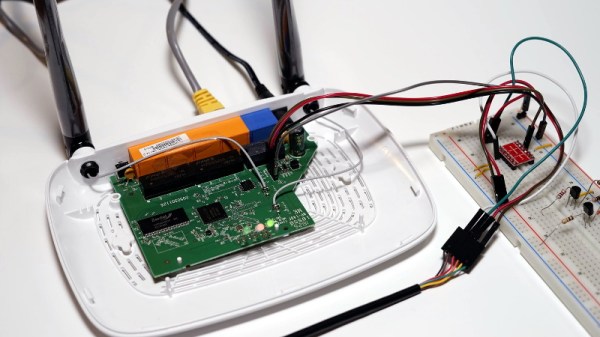
The TP-Link TL-WR841N isn’t a particularly impressive piece of hardware, but since it works decently well and sells for under $20 USD, it’s one of the most popular consumer routers on Amazon. Now, thanks to [TrendyTofu] of the Zero Day Initiative, we now have a concise step-by-step guide on how to hack your way into the newer versions of the hardware and take full control over this bargain WiFi device. This work was initially done to help test out reported vulnerabilities in the router’s firmware, but we’re sure the readers of Hackaday can come up with all sorts of potential uses for this information.

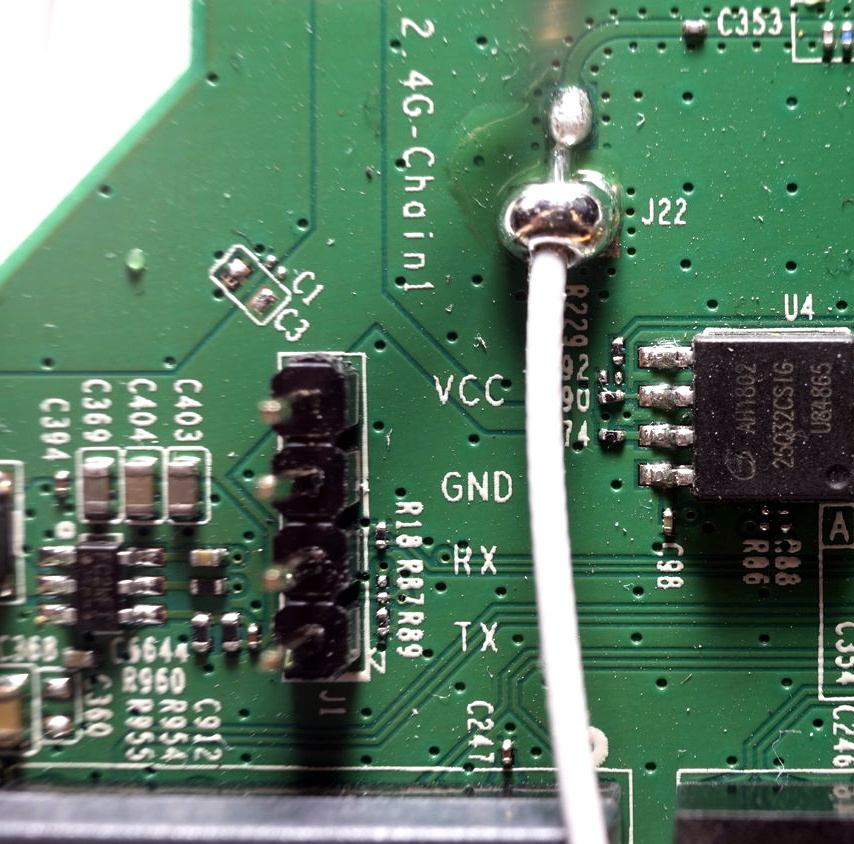
TP-Link helpfully labeled the UART pins

The story starts, as so many before it have, with a serial port. Finding the UART pads on the PCB and wiring up a level shifter was no problem, but [TrendyTofu] found it was only working one-way. Some troubleshooting and an oscilloscope later, the culprit was found to be a 1kΩ pull down resistor connected to the RX line that was keeping the voltage from peaking high enough to be recognized.

Once two-way communication was established, proper poking around inside the router’s Linux operating system could begin. It wasn’t a huge surprise to find the kernel was ancient (version 2.6.36, from 2010) and that the system utilities had been stripped to the absolute bare minimum to save space. Replacing the firmware entirely would of course be ideal, but unfortunately OpenWRT has dropped support for the newer hardware revisions of the TL-WR841N.

To teach this barebones build of Linux some new tricks, [TrendyTofu] used the mount command to find a partition on the system that actually had write-access, and used that to stash a pre-compiled build of BusyBox for MIPS. With a more complete set of tools, the real fun could begin: using GDB to debug TP-Link’s binaries and look for chinks in the armor. But feel free to insert your own brand of mayhem here.

You might think that in the era of the Raspberry Pi, abusing cheap routers to turn them into general purpose Linux boxes would be somewhat out of style. Frankly, you’d be right. But while the days of strapping Linksys WRT54Gs to remote controlled cars might be long be gone, there are still some routers out there interesting enough to make it worth dusting off this time-honored hardware hacker tradition.

Smoothieboard Gets An Ambitious Update For V2

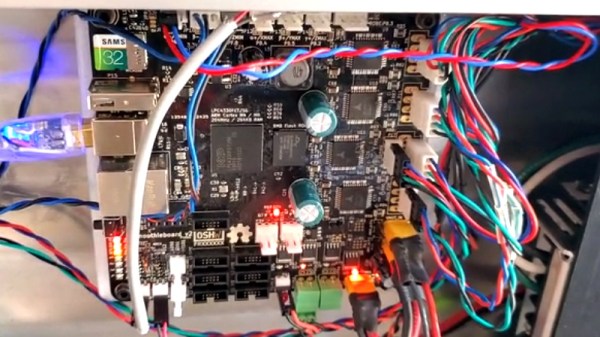
If you’ve been reading Hackaday for awhile, there’s an excellent chance you’ve seen a project or two powered by the Smoothieboard. The open source controller took Kickstarter by storm in 2013, promising to be the last word in CNC thanks to its powerful 32-bit ARM processor. Since then we’ve seen it put to use in not only the obvious applications like 3D printers and laser cutters, but also for robotic arms and pick-and-place machines. If it moves, there’s a good chance you can control it with the Smoothieboard.

But after six years on the market, the team behind this motion control powerhouse has decided it’s time to freshen things up. The Kickstarter for the Smoothieboard v2 has recently gone live and, perhaps unsurprisingly, already blown past its funding goal. Rather than simply delivering an upgraded Smoothieboard, the team has also put together a couple “spin-offs” targeting different use cases. If Smoothie v1 was King of CNC boards, then v2 is aiming to be the Royal Family.

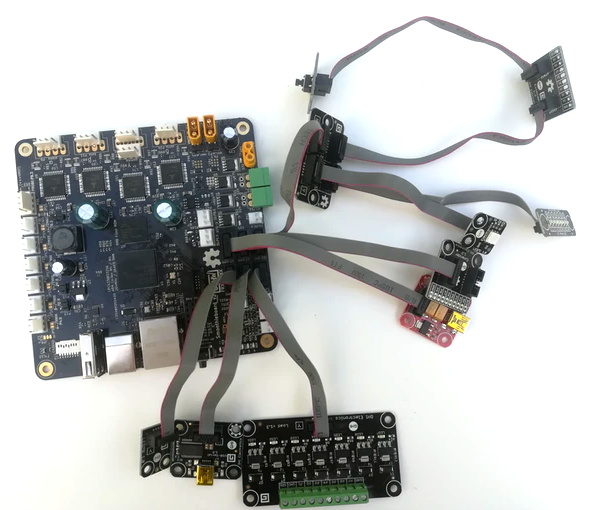
Smoothieboard v2-Prime with breakouts

The direct successor to the original board is called v2-Prime, and it’s everything you’d expect in an update like this. Faster processor, more RAM, more flash, and improved stepper drivers. There’s also available GPIO expansion ports to connect various breakout boards, and even a header for you to plug in a Raspberry Pi. If you’re looking to upgrade your existing Smoothieboard machines to the latest and greatest, the Prime is probably what you’re after.

Then there’s the v2-Mini, designed to be as inexpensive as possible while still delivering on the Smoothieboard experience. The Mini has the same basic hardware specs as the Prime, but uses lower-end stepper drivers and deletes some of the protection features found on the more expensive model. For a basic 3D printer or laser cutter, the Mini and its projected $80 price point will be a very compelling option.

In the other extreme we have the v2-Pro, which is intended to be an experimenter’s dream come true. It features more stepper drivers, expansion ports, and even an integrated FPGA. Realistically, this board probably won’t be nearly as popular as the other two versions, but the fact that they’ve even produced it shows how committed the team is to pushing the envelope of open source motion control.

Our coverage of the original Smoothieboard campaign back in 2013 saw some very strong community response, with comments ranging from excited to dismissive. Six years later, we think the team behind the Smoothieboard has earned a position of respect among hackers, and we’re very excited to see where this next generation of hardware leads.

Continue reading “Smoothieboard Gets An Ambitious Update For V2”

Handheld LoRa Joystick For Long-Range Bots

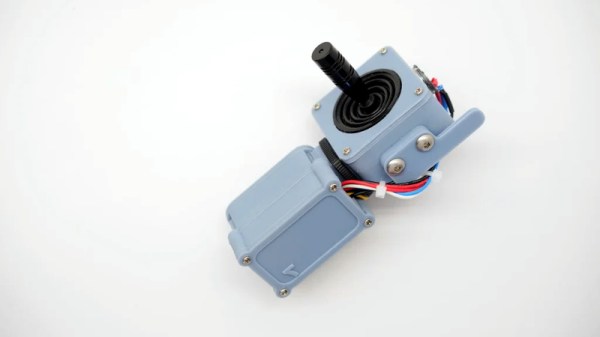
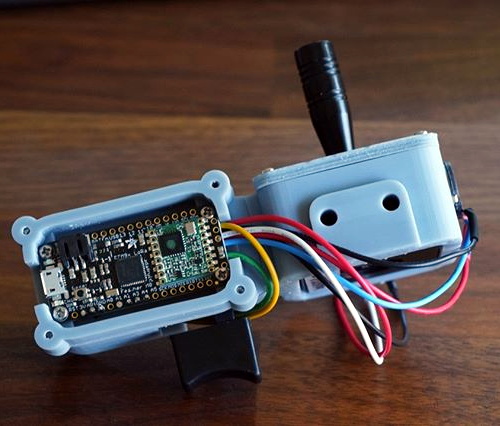
Wanting a simple tool to aid in the development of LoRa controlled robotic projects, [Jay Doscher] put together this very slick one-handed controller based on the 900 MHz Adafruit Feather M0. With a single trigger and a miniature analog joystick it’s a fairly simple input device, but should be just enough to test basic functionality of whatever moving gadget you might find yourself working on.

Wiring for this project is about as simple as you’d expect, with the trigger and joystick hanging off the Feather’s digital ports. The CircuitPython code is also very straightforward, though [Jay] says in the future he might expand on this a bit to support LoRaWAN. The controller was designed as a barebones diagnostic tool, but the hardware and software in its current form offers an excellent opportunity to layer additional functionality on a known good base.

Everything is held inside a very well designed 3D printed enclosure which [Jay] ran off on his ELEGOO Mars, one of the new breed of low-cost resin 3D printers. The machine might be pretty cheap, but the results speak for themselves. While resin printing certainly has its downsides, it’s hard not to be impressed by the finish quality of this enclosure.

While LoRa is generally used for transmitting small bits of information over long distances, such as from remote sensors, this isn’t the first time we’ve seen it used for direct control of a moving object. If you’re not up to speed on LoRa, check out this excellent talk from [Reinier van der Lee] that goes over the basics of the technology and how he used it to build a community sensor network.

Digital Oscilloscope Does Its Best Analog Impression

Do you ever find yourself yearning for the days before digital storage oscilloscopes (DSOs)? Where even the basic scopes commanded four figures, and came in a bench-dominating form factor? No, of course you don’t. The DSO is a wonder of modern technology: for a couple hundred bucks you can have capabilities that previously would have been outside the reach of hobbyists, all in a package that’s small enough to fit on even the most cramped workbenches.

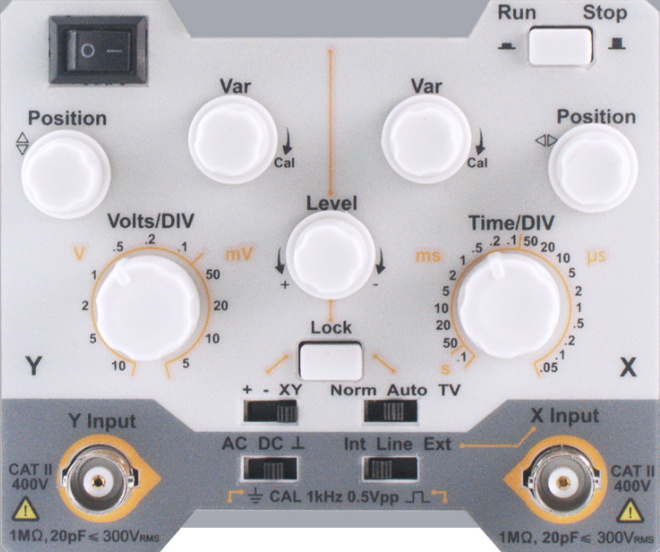
Which is why the good folks of the EEVblog forums are so confused about the OWON AS101, a modern digital oscilloscope that’s designed to look and operate like the analog CRT monsters of old. Despite the 3.7 inch LCD, users are treated to the classic analog scope look, and the switches and knobs on the front should trigger a wave of nostalgia for hackers of a certain age.

But this isn’t just some “retro” look-alike, OWON is committed to delivering on that analog experience by taking away all those modern digital features we’ve become so dependant on. This single-channel scope can’t save data to USB, doesn’t have any sort of protocol decoding capabilities, and forget about automatic…well, anything. It’s even limited to 20 MHz, just like the old-school CRT scopes that you pick up for a song at any swap meet. All for the low, low, price of $150 USD from the usual importers.

In the EEVblog thread, the best idea anyone can come up with is that the OWON AS101 is designed for educational markets in developing countries, where outdated equipment is so common that there may actually be a need for faux-analog oscilloscopes to match what’s already in use. These new-manufactured “analog” trainers can be used to get students ready for a professional life of using antiquated technology. It’s hard to believe, but sometimes we can forget how fortunate many of us are to have easy access to cheap tools and equipment.

Even still, when you can get a pocket-sized 10 MHz DSO for around $50, it’s difficult to imagine how this analog-digital hybrid could possibly attract any takers at 3x times the price. If any of our readers would care to shed some light on this unusual piece of gear, we’d love to hear it.

Continue reading “Digital Oscilloscope Does Its Best Analog Impression”