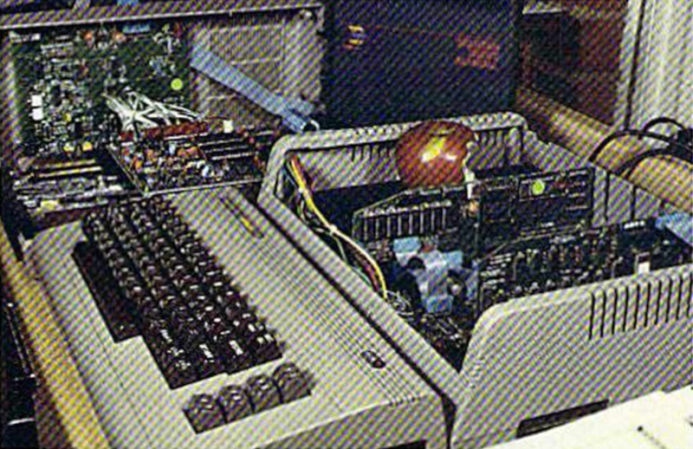
Running Apple ][ Software On A Commodore 64 — Silently

The computer business in 1984 was a bizarre mix of hobby-level companies, a few small companies that had made it big, and a lot of big companies starting to take notice of personal computers. Plenty of money followed, which led to strange products and even stranger ads. [Such Bad Tech Ads] reveals a very bad ad from that time for a product we have barely heard of: the Spartan. The Spartan’s job was to convert your Commodore 64 so it could run Apple ][ software. The ad campaign had, inexplicably, a mime. We think. Or maybe a clown. Hard to say.

On the face of it, the Spartan might not be a bad idea. In 1984, there was plenty of Apple software. Well, relatively, anyway. But a Commodore computer was far cheaper. Other conversion kits like the Intel Inboard/386 managed to find some success in the market later. The problem, outside of strange ads, was one of timing.

Continue reading “Running Apple ][ Software On A Commodore 64 — Silently”

Pixel Watch 5 Demonstrates Good Repairability

Although we often find ourselves drowning in a seemingly unending sea of portable devices that are effectively e-waste once an internal component gives out, it’s good to remind ourselves that there are a few examples out there by large brands that manage to tick all the fancy feature boxes, while still being very much repairable. Case in point the Pixel Watch 5, a smart watch which much like its predecessor gets a 9/10 on [iFixit]’s repairability score.

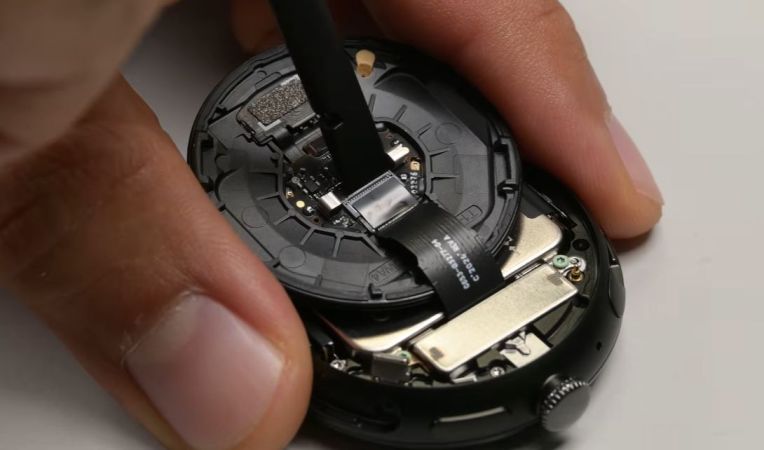
No heat gun required, just undo the latch on the side of the watch. (Credit: iFixit, YouTube)
No heat gun required, just undo the latch on the side of the watch.

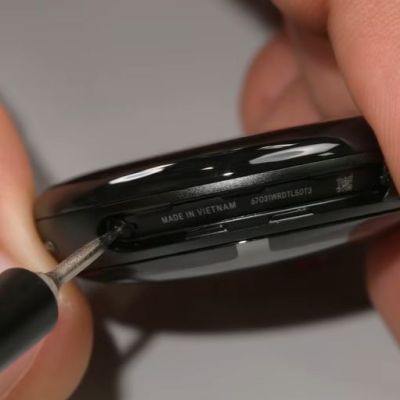
Despite featuring an IP68 rating, opening it is as easy as taking out a few screws to release its latch. This allows the back to swing open, with not a drop of glue in sight, just an O-ring gasket that keeps moisture out and can be reused many times. Digging into the guts, there are color-coded screws that guide one’s hand as the very modular design is taken apart in a matter of minutes.

Being able to simply unlatch the back, and also easily obtain spare parts are two aspects that are a very welcome sight indeed. Although it’s much easier to just glue everything together, something like this latch-and-gasket approach is something that we hope that more manufacturers will copy for these small devices.

It’s potentially also an idea for one’s next DIY smart watch project, as tempting as reaching for that tube of glue may seem.

Continue reading “Pixel Watch 5 Demonstrates Good Repairability”

Voicebox FX Is A Blueprint For CircuitPython I2S Audio

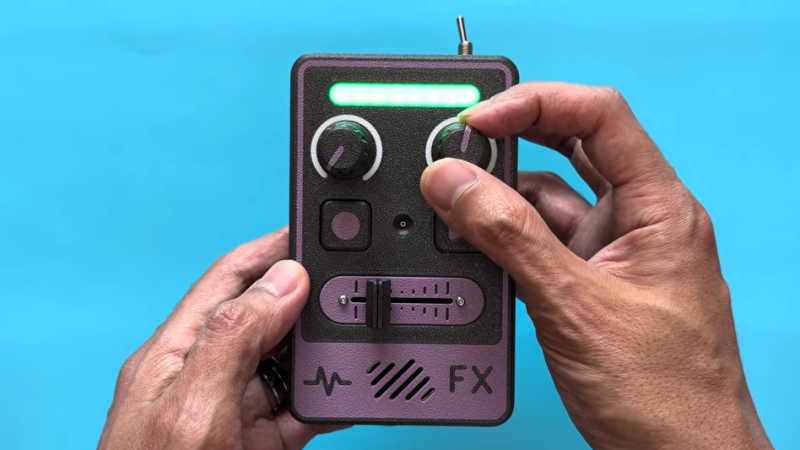
[Adafruit]’s Voicebox FX gadget is a fun, well-documented project that serves another useful purpose: being a fantastic reference design for audio on CircuitPython, with I2S audio components. Be sure to check it out if you have a project that involves any of that and could use a few pointers, or if you just want to jog a few ideas loose.

I2S (Inter-IC Sound) is a protocol aimed squarely at moving audio data between components as digital signals. Our own [Jenny List] can tell you everything you need to know about I2S. It’s a relatively simple interface that is not at all fussy about actually being used for audio, and that has led to it being put to some unusual uses.

The Voicebox FX uses an I2S microphone, an I2S amplifier, and an RP2350 microcontroller to record and play sound as well as offer a variety of effects controlled by physical inputs. It’s all wrapped up in a slick 3D printed case, and while it’s a fantastic reference design, it looks like a fun toy in its own right.

Continue reading Voicebox FX Is A Blueprint For CircuitPython I2S Audio”

If At First You Don’t Succeed…

… at least document what failed and give the failure analysis a good effort. And then later on, you can “try, try again” or let someone else carry on with the work; they’ll have a good basis to start from.

We were talking about a project to use 10 W blue lasers to post-smooth 3D prints when I came up with this not-very-catchy catchphrase. The project itself is very much “in progress”, which is a nice way of saying that it hasn’t yet fully met its goals. But nonetheless I was entirely happy to watch not one, but two, videos where [I changed a thing] discussed the intricacies of laser-smoothing 3D prints, precisely because it sounds easy but absolutely isn’t, and because the problems were laid out so well.

I definitely take for granted how easy the slice-it-into-layers nature of FDM 3D printers makes path planning. After all, you can print interlocking knots, hinges, and even entire sections of chain mail as long as you only have to go one layer at a time. When you print this way, you never have to worry about the print head crashing into something that you’ve printed before, or being unable to reach into a small valley. To smooth two or more layers of a 3D print into each other, you are suddenly out of the comfy flatland. You have to worry about collisions, obstructions, and all the rest of actual 3D.

But those issues and more were carefully documented as [I changed a thing] went through his attempts at writing the software to drive the laser-augmented machine, and honestly that attention to the problems that were confounding him was worth a dozen “success” videos. In that sense, it worked on me a little like nerd sniping.

Those were my takeaways from the video series, then. One, it’s hard to do laser smoothing uniformly. But two, documenting the difficulties, considerations, and failures for your future self, or for others, is not just good practice, but can also encourage other people to help you with your project, or to take it on themselves. The more thought you put into how and why your project failed, the more bait you’re laying out for the next nerd. And that’s at least one part of what makes the open-source ethos work.

A grid of images shows pictures emerging from patches of random noise. To the left, images are more random, while to the right they become more recognizable.

Running Generative AI On An RP2350

Driven by a desire for privacy, customization, and lower costs, there’s growing interest in AI models which can be run on local hardware. Few of them go as far as [Tim], though, who built an image generation diffusion model which can run on an RP2350 microcontroller.

As might be expected, its capabilities are limited. The resolution is 128×128, it only generates images of human faces, and it takes about twenty seconds per image – still impressive for such limited hardware. It runs on a Waveshare RP2350 development board, and it can output the generated image over USB or display it with the aid of a VGA adapter board.

The generative model doesn’t directly create an image. Rather, it generates a distribution in a latent space, which a variational auto-encoder’s decoder component translates into an image. The auto-encoder was trained in two parts: an encoder which transforms an image into a latent-space distribution, and a decoder to transform that distribution back to an image; once this was trained, only the decoder was used.

The generative portion of the model uses a latent flow diffusion transformer; this takes in noise to start with, then iteratively predicts changes which bring it toward the desired image. It can also take in a output class, which guides the generator’s direction (toward a smiling face, for example). [Tim] trained two models, one larger and one faster, and quantized the weights for both to 8-bit integers. Both models, along with the inference program, then fit into 4 MB of flash memory.

For such a small model, the results are remarkably good; they don’t look quite natural, but they’re quite recognizable. For more on how diffusion image generators work, check out our article on Stable Diffusion.

Free Your Rotary Telephone From Its Wire

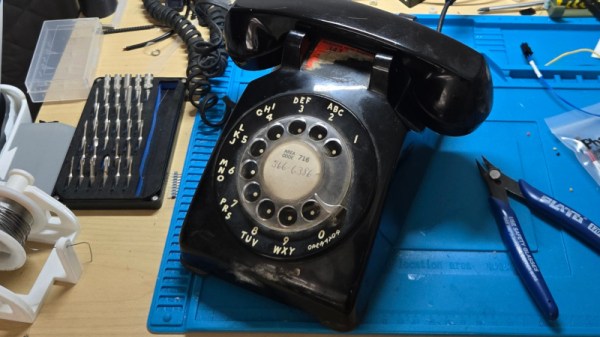
It’s said that a teenager given a rotary telephone in 2026 would be mystified by its operation, yet there are enough surviving instruments for them to be an attractive target for a project. But just what project? [fregacmols] is here with one possibility, turn that old phone into a cellphone.

Connecting to the phone is a subscriber-line interface module, containing all the electronics to simulate a copper phone line. This in turn feeds audio and control wiring to a Lilygo ESP32-S3 board which provides the brains as well as talking to a cellular modem. We especially like that this allows the phone to be used entirely unmodified.

The software does a good job of simulating a North American subscriber line, complete with dial tones, and ringing the phone’s bell on an incoming call. There are a couple of special codes, one to open a wireless network for maintenance, and the other for diagnostic purposes.

Over the years we’ve seen many rotary phone projects, but one which sticks in our mind used an alternative way to connect one to the cellular network.

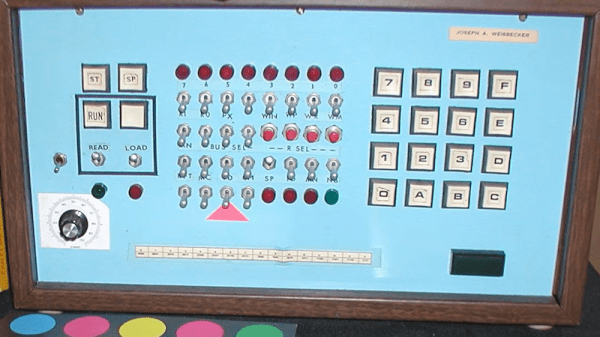
COSMAC Elf Turns 50

If you were interested in computers in the early 1970s, you struggled to get time on real computers since owning your own was all but impossible. In the middle of the decade, though, you could get a few computers: the Mark VIII, the Altair, the Apple I, and several others. Those were still pretty expensive, though. But in late 1976, an article in Popular Electronics said you could build a “powerful, expandable” computer for $80. The article in question was by [Joseph Weisbecker], who, unknown to most of us at the time, was actually the RCA employee behind the CPU — an RCA 1802. [Tech Time Traveler] takes a close look at the spunky little computer’s history in the video you can see below.

The 1802 was actually the second generation of the CPU, but the first that was all-in-one chip. [Weisbecker] started building the CPU as a personal project. He’d been a hacker even in high school, building relay-based tic-tac-toe games, among other things.

The first incarnation in his lab was “Fred,” with 100 TTL chips, and his idea was to have the computer be at least partially used as a video game — an interesting point, with Pong being very popular at the time.

Continue reading “COSMAC Elf Turns 50”