Planespotter Spots Planes, Tracks Destinations

Ever looked up in the sky and wondered where all of those planes above you were going? [squix] no longer has to, thanks to his ESP8266-based Planespotter.

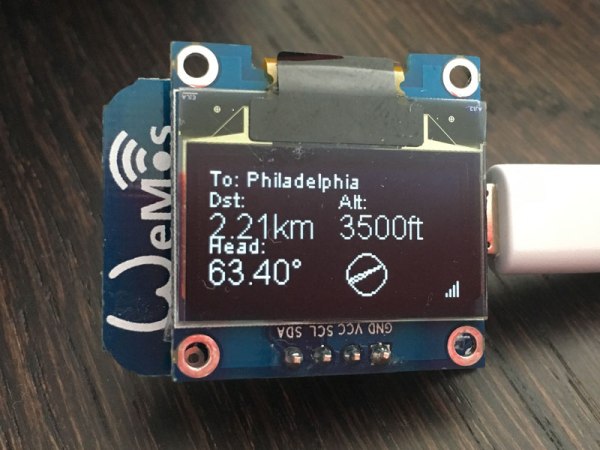
He built this nifty device to grab the details of the flights he sees taking off from Zurich airport. It’s a neat build, running on an ESP8266 that receives ADS-B data from ADS-B Exchange. This service allows you to query the ADS-B data with a specific location.

[squix]’s plane tracker sends a query to ADS-B exchange for flights in his location and below a certain height (so he sees ones that are just taking off), then displays the received information on the OLED screen. He says a display-only version will run you around $20, while the full version that also receives and shares data with the ADS-B Exchange will cost you about $50. That’s a lot cheaper than a plane ticket…

Video Games In As Few Dimensions As Possible

First there were text games, then came 2D dungeons. When Wolfenstein 3D broke out on the gaming scene, it created quite a fuss. But if all you’ve got is a strip of WS2812 LEDs, those are a few dimensions too many.

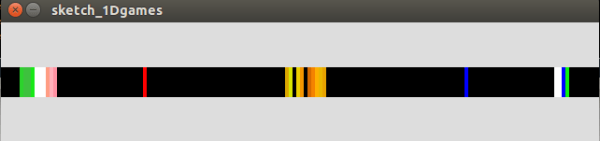
[treibair] has started up a project on Hackaday.io to develop 1D video games to be played on a single LED strip. While the end application is something with a cool physical interface, probably driven by a microcontroller, prototyping is a lot easier on the big computer. He’s writing it in Processing, though, so that the transition to the Arduino is easier in the end.

There are a couple of other games out there in 1D, including Line Wobbler (YouTube) and, naturally, Wolfenstein 1D. We even saw a one-dimensional “snake” clone at Make Munich a few months back. (Would the author please stand up?)

We think the idea is a good one, and lining up everyone’s 1D gaming experience in one place would be a great help. So link up code and reviews in the comments!

Continue reading “Video Games In As Few Dimensions As Possible”

Kansas City Maker Faire: Lawn Da Vinci Is The Droid You’re Looking For

Summer is now in full swing, which means that mowing the lawn once a week is starting to get old. So why not build a robot do it for you? That’s what [Blake Hodgson] did, and he’s never been happier. It only took him a couple of weeks of quality time at one of the local makerspaces.

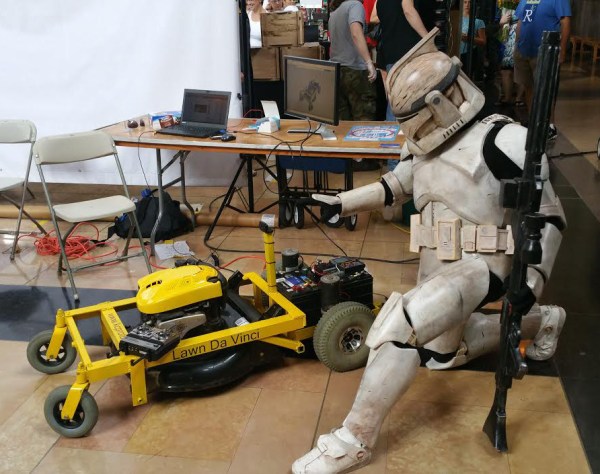
[Blake] was showing off Lawn da Vinci at this year’s Kansas City Maker Faire. He had his own booth around the corner from Hammerspace, the shop where it all came together. [Blake] started with a standard push mower from a garage sale and designed a frame around it using OnShape. The frame is made from angle iron, so it’s strong enough that he can ride on the thing. To each his own, we say. The wheels and motors came from a mobility scooter and match the beefiness of the frame. These are powered by two 12v car batteries wired in series. He drives it around his yard with an R/C airplane controller.
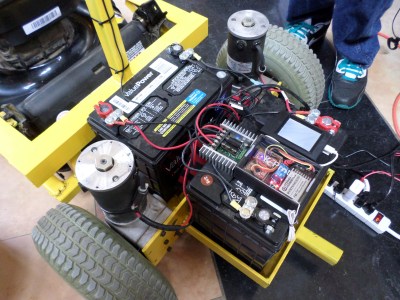
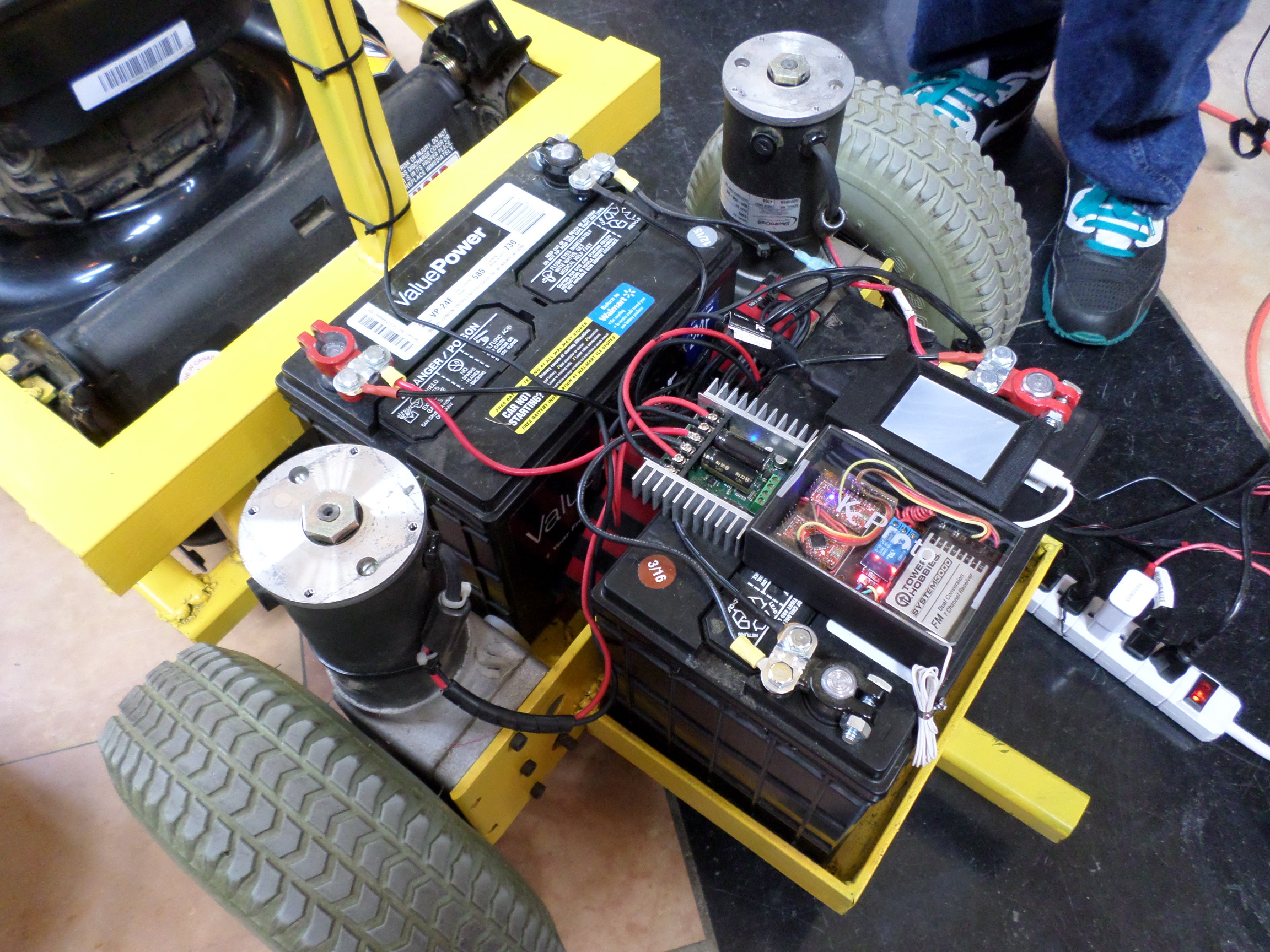
lawnmower gutsLawn da Vinci’s brainpower comes from two Arduino Pro Minis and a Raspberry Pi. One Arduino controls the motors and the R/C signal from the remoteThe other runs some extra kill switches that keep the Lawn da Vinci out of trouble.

So what’s the Raspi for? Right now, it’s for streaming video from the webcam attached to a mast on the frame back to his phone. [Blake] says he has had some latency issues with the webcam, so there could be a pair of drone racing goggles in his future. He also plans to add a GPS logger and to automate part of the mowing.

Now, about those kill switches: there are several of them. You probably can’t have too many of these on a remote control spinning suburban death machine. Lawn da Vinci will stop grazing if it goes out of range of the remote or if the remote is turned off. [Blake] also wired up a dedicated kill switch to a button on the remote and a fourth one on a separate key fob.

The Lawn da Vinci is one of many example projects that [Blake] uses to showcase the possibilities of KC Proto, a company he started to help local businesses realize their ideas by offering design solutions and assistance with prototyping. Between mowings, [Blake] puts the batteries on a trickle charger. If you make your own robot lawn mower, you might consider building a gas and solar hybrid.

Case Modding The Old School Way

Since the release of the Raspberry Pi, the hallowed tradition of taking game consoles, ripping all the plastic off, and stuffing the components into nice, handheld form factors has fallen off the wayside. That doesn’t mean people have stopped doing it, as [Akira]’s masterful handiwork shows us.

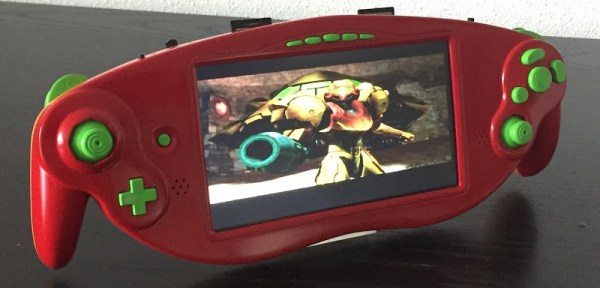
This casemod began with a Nintendo GameCube ASCII keyboard controller, a slightly rare GameCube controller that features a full keyboard smack dab in the middle. While this keyboard controller was great for Phantasy Star Online and throwing at the TV after losing Smash, the uniqueness of this controller has outshadowed its usefulness. [Akira] began his build by ripping out the keyboard and installing a 7 inch LCD. It fits well, and makes for a very unique GameCube case mod.

The rest of the build is about what you would expect – the motherboard for a PAL GameCube is stuffed inside, a quartet of 18650 batteries provide the power, and the usual mods – a memory card is soldered to the motherboard and an SD Gecko allows homebrew games and emulators to be played.

The completed project is painted with the same theme as [Samus Arans]’ Varia suit, making this a one of a kind casemod that actually looks really, really good.

3D Printed Diffuser Lights Up This Magnifier

If you are working with surface mount electronics and don’t have the handy heritage of a pulp-comic superhero to give you super-high-resolution eyesight, then you will quickly find yourself needing a magnifying glass. And since you’ll be using both hands doing the soldering, you’ll need some way to hold it.

There are multiple solutions to this problem on the market, from headband magnifiers and inspection magnifiers on arms to cheap “Helping hands”. They all have their strengths and weaknesses, but none of them appealed to our reader [Anil], who wanted an illuminated magnifier to fit the Hobby Creek arm on his Pana-Vise.

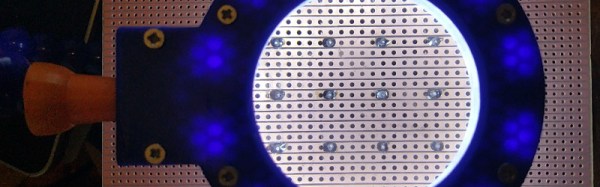
His solution was to 3D print a surround for a lens from a set of helping hands. This is no simple print though, it’s made of three layers. There is a translucent diffuser, a layer that holds a set of LEDs and attaches to the arm, and a cover to hold the lens in place. Power for the LEDs comes via USB.

The print itself was a bit tricky, his diffuser used T-glase translucent filament, and was fused to the PLA LED ring in a single print from his dual-extruder printer. He takes us through the various steps he needed to get it right, and shows us a few of his failed prototypes. The resulting magnifier looks to be a useful addition to his bench, he’s made the STL files available towards the bottom of his post so you can have a go at making one for yourself.

This is the kind of simple hack that can make life so much easier for the SMD constructor. We’ve had  another set of augmented helping hands featured here in the past, and of course there’s the ultimate portable SMT station. If SMD soldering is new to you, please also read our SMD guide for the nervous.

Hackaday Prize Entry: Measuring 3D Magnetic Fields

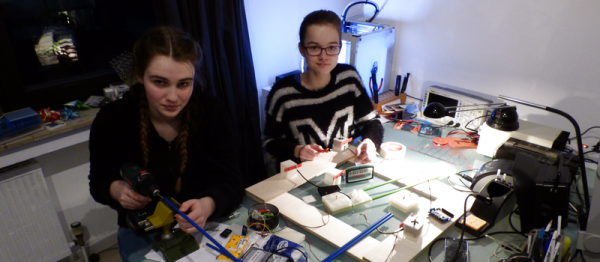
Sometimes you have to start out with big goals. Ninth-graders [Finja Schneider] and [Myrijam Stoetzer] are aiming to make a magnetic field scanner that would be helpful in finding large underground metallic objects, like unexploded WWII bombs that pose a real threat whenever a new parking garage is excavated in Germany. But even big goals have to start out somewhere, so they’re gaining experience with the sensors and the math necessary to recreate 3D magnetic flux vector fields on household objects like sawblades and magnetized screwdrivers.

Magnetized screwdriver in the "valley"
Magnetized screwdriver in the “valley”

For their science-fair project, [Finja] and [Myrijam] took a mid-80s fischertechnik “toy” 2D scanner kit, mounted a 3D magnetic sensor to it, and wrote some firmware to scan around and pass the data back to a computer where they reconstructed the field lines and made some nice visualizations. Along the way, they tried a number of designs, from a DIY chassis on carbon-fiber rails to sensors with ferrofluid. They document their successes and failures equally nicely in their lab report (PDF, German). You can get a lot of the gist, however, from [Myrijam]’s blog and their Hackaday.io entry.

You might also recognize [Myrijam] from her work with [Paul Foltin] on their eye-controlled wheelchair interface. These are some really cool projects! We’re excited to see how they develop, and are stoked that the future of hacking is in such capable hands.

Pokédex Case Keeps Your Phone Powered Up So You Can Catch ‘Em All

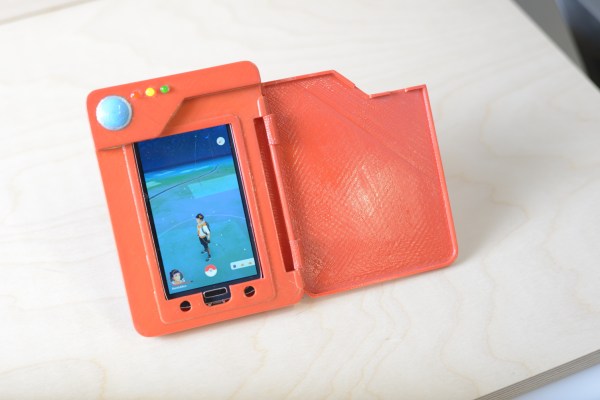
The launch of Pokemon Go has unleashed the franchise upon the world once again but this time it’s encouraging users to get active and socialize in the great outdoors. To show off their dedication to the cause, [Npoole] 3D printed a Pokédex external battery and case to combat the game’s already legendary drain on their Galaxy S4’s resources.

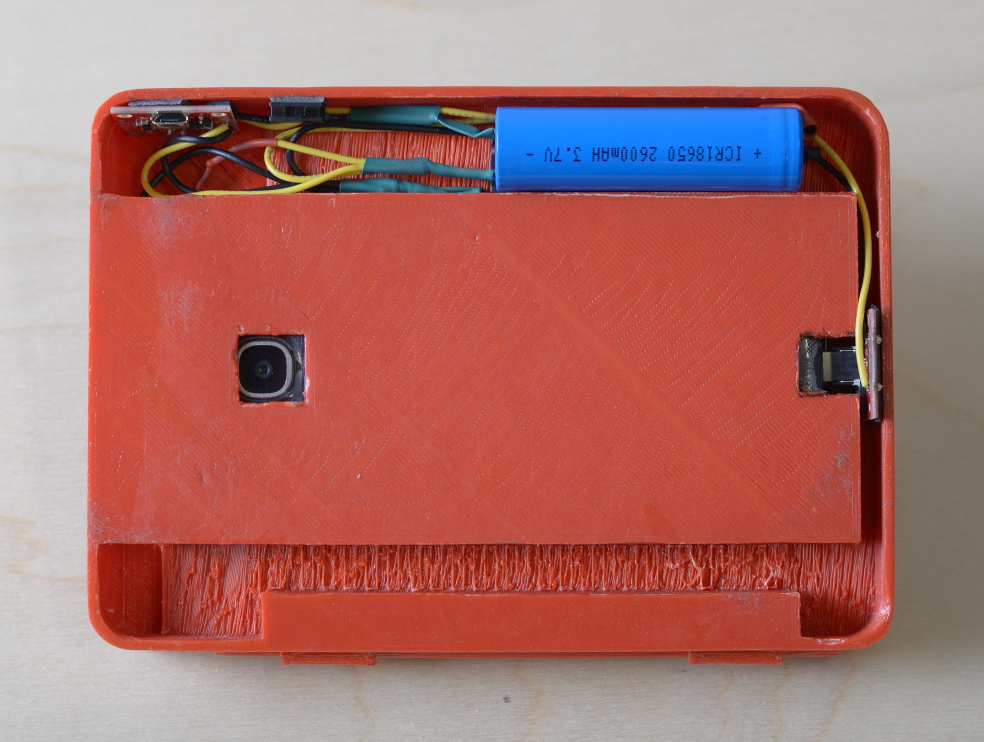
Pokedex Open BackMimicking the first-generation Kanto design, [Npoole] 3D printed it in red ABS and added a small circuit with a red, yellow and green LED to complete the effect. Inside, a 18650 lithium cell provides the much-needed backup power via a micro B plug and is boosted to 5V with a LiPo charger/booster board. Despite a switch on the circuit, the battery slowly drains so that’s something to be corrected in a future version.

As you can see, there is still some room left over in the external bat–I mean–Pokédex, and [Npoole]  intends to add another battery and a cooling fan to further improve the design. The result is a little bulky, but for new and diehard fans alike, a working Pokédex definitely worth it.

While that’s printing, if you’re looking to hack your way to the perfect Poké-ball throw, try out this lo-tech addition to your Pokémon trainer kit.

[via Sparkfun]