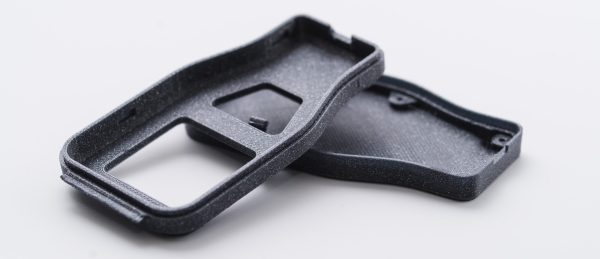
[Thomas] wanted to try baking some carbon fiber 3D printing filament because the vendor had promised higher strength and rigidity after the parts were annealed in the oven. Being of a scientific mindset, he did some controls and found that annealing parts printed with the carbon fiber-bearing filament didn’t benefit much from the treatment. However, parts printed with standard PLA became quite a bit stronger and more rigid.
The downside? The parts (regardless of material) tend to shrink a bit in the X and Y axis. They also tend to expand in the Z direction. However, the dimension changes were not that much. The test parts shrunk by about 5% and grew by 2%. He didn’t mention if this was repeatable, which is a shame because if it is repeatable, it isn’t a big deal to adjust part dimensions before printing. Of course, if it isn’t repeatable, it will be difficult to get a particular finished size after the annealing process.
Continue reading “Half-Baked Idea: Put Your PLA In The Oven”


[Torbjørn Ludvigsen] is a physics major out of Umea University in Sweden, and built the Hangprinter for only $250 in parts. It follows the RepRap tradition of being 
Last week we saw 
The printer design chosen for the project is the Prusa i3. We have certainly seen custom builds of this popular design before using laser-cut plywood for the frame. Still, these builds use 3D-printed parts for some of the more complicated parts like the extruder carriage and motor brackets. To the right is the X-carriage mechanism. It is complicated but requires no more than 6 mm and 3 mm acrylic stock and the type of hardware traditionally associated with printer builds.