An Entire PDP-11 On Your Bench

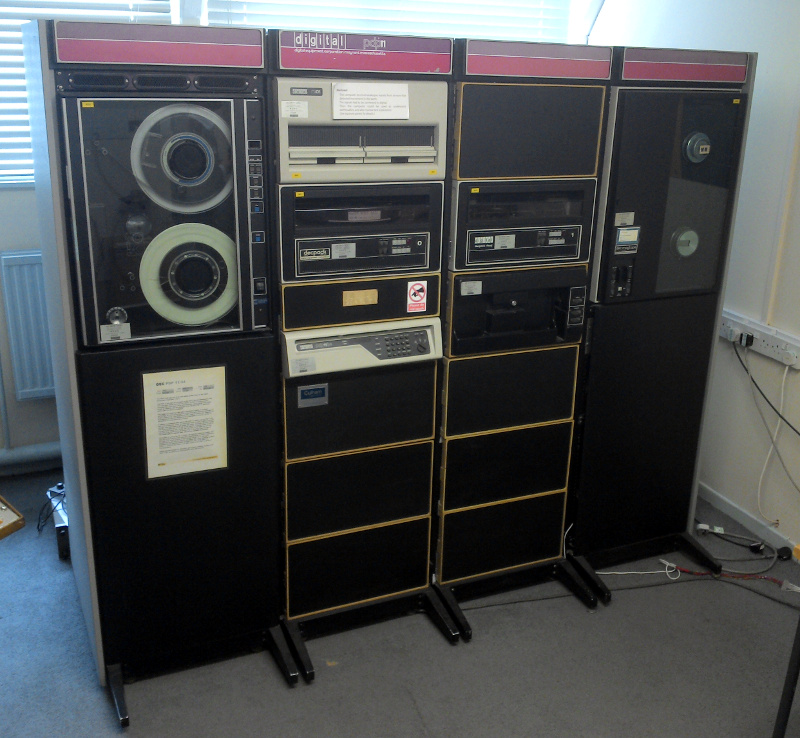
A PDP-11 at The National Museum Of Computing, Bletchley, UK.

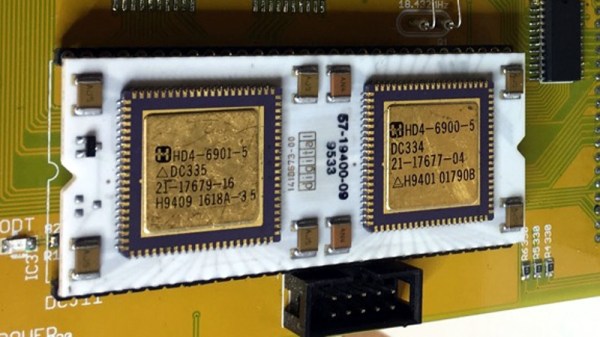
The DEC PDP series of minicomputers occupy a special place in computing history for us, because as the workhorses of commercial computing from the 1960s through to some time in the 1990s they provided the bedrock upon which so many of the computing technologies we take for granted today were built. If we think of any PDP, the chances are we’ll be imagining fridge-sized units with panels of blinkenlights that have become iconic in their own right. But that wasn’t the sum of PDP hardware, for at the end of the series of machines there were produced PDP-11s containing what had previously needed those fridge-sized units on a single chip-sized module. [Peter Schranz] had one of these modules, a DCJ11 that he’d salvaged in the 1990s, and he set to with it in making a modern desktop version of a PDP-11.

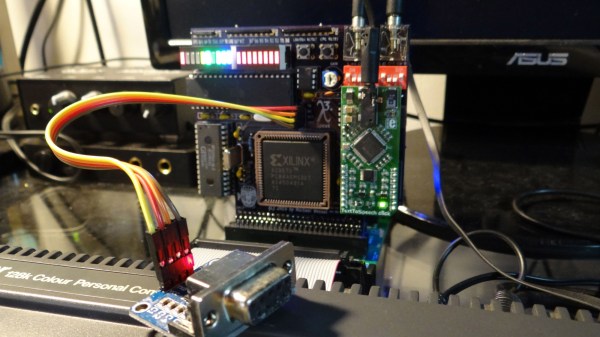
The PDP-11/hack is a PDP-11 as a set of daughter cards on a lightly modified Q-bus backplane. The DCJ11 and its memory sit on one, an emulated disc controller on another, and finally a multifunction board brings together clock and serial functions. Where the original would have had acres of 74 logic the PDP-11/hack uses more modern CPLDs and microcontrollers to provide glue logic and to emulate now-obsolete components. Given a serial terminal it will boot and run PDP operating systems and software, though it lacks a set of blinkenlights to display its status.

This isn’t the first PDP-11 using this chip we’ve shown you.
Modern Linux Runs On Ancient Toshiba

While Microsoft no longer supports those of its operating systems that were in heavy use into the early 2000s, support for old hardware is not typically something that you will have to worry about if you run Linux on your machines. Sure, there will be driver issues from time to time, and you might have to do some things by hand, but if you’re using legacy hardware you’ll want a Linux distribution of some sort. Especially if you’re running it on one of the first laptops to ever feature a Pentium processor of any kind.

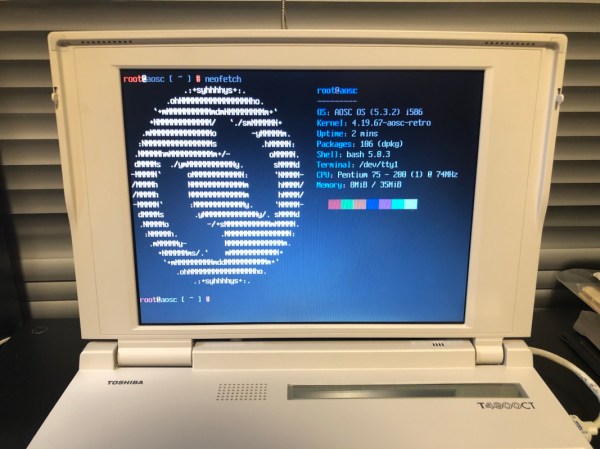
This is a Toshiba T4900CT which [MingcongBai] has been able to spruce up by installing a simplified version of the AOSC OS Linux distribution. The distribution is known for its simplified user interface, and this particular one runs a “Retro” command-line-only version. Upon startup (which takes over two minutes), the user can view the hardware and software specs: Linux kernel 4.19.67 (released within the past year) on a 75 MHz Intel processor.

Getting old equipment to work, even if the software is available, is a challenge and this one stands out for the historical noteworthiness of the laptop. We didn’t see it connect to the Internet, but if it ever does we still keep Retro Hackaday up specifically for situations like this.

Dirty Tricks For 6502 Programming

We know the 6502 isn’t exactly the CPU of choice for today’s high-performance software, but with the little CPU having appeared in so many classic computers — the Apple, the KIM-1, The Commodores, to name a few — we have a real soft spot for it. [Janne] has a post detailing the eight best entries in the Commodore 64 coding competition. The goal was to draw an X on the screen using the smallest program possible. [Janne] got 56 bytes, but two entrants clocked in at 34 bytes.

In addition to the results, [Janne] also exposes the tricks people used to get these tiny programs done. Just looking at the solution in C and then 6502 assembly is instructive. Naturally, one trick is to use the existing ROM code to do tasks such as clearing the screen. But that’s just the starting point.

Continue reading “Dirty Tricks For 6502 Programming”

You Need A Cyberdeck, This Board Will Help

In 1984, William Gibson’s novel Neuromancer helped kick off the cyberpunk genre that many hackers have been delighting in ever since. Years before Tim Berners-Lee created the World Wide Web, Gibson was imagining worldwide computer networks and omnipresent artificial intelligence. One of his most famous fictional creations is the cyberdeck, a powerful mobile computer that allowed its users to navigate the global net; though today we might just call them smartphones.

While we might have the functional equivalent in our pockets, hackers like [Tillo] have been working on building cyberdecks that look a bit more in line with what fans of Neuromancer imagined the hardware would be like. His project is hardly the first, but what’s particularly notable here is that he’s trying to make it easier for others to follow in his footsteps.

There’s a trend to base DIY cyberdecks on 1980s vintage computer hardware, with the logic being that it would be closer to what Gibson had in mind at the time. Equally important, the brutalist angular designs of some of those early computers not only look a lot cooler than anything we’ve got today, but offer cavernous internal volume ripe for a modern hardware transfusion. Often powered by the Raspberry Pi, featuring a relatively small LCD, and packed full of rechargeable batteries, these cyberdecks make mobile what was once anchored to a desk and television.

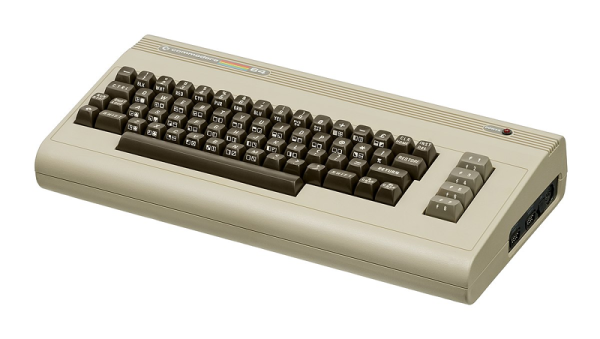
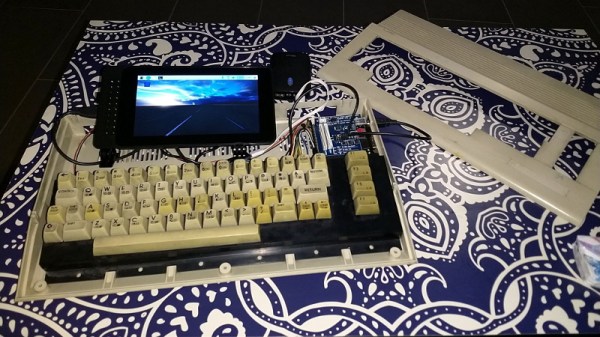
[Tillo] based his cyberdeck on what’s left of a Commodore C64c, reusing the original keyboard for that vintage feel. That meant he needed to adapt the keyboard to something the Raspberry Pi could understand, for which some commercially available options existed already. But why not take the idea farther for those looking to create their own C64c cyberdecks?

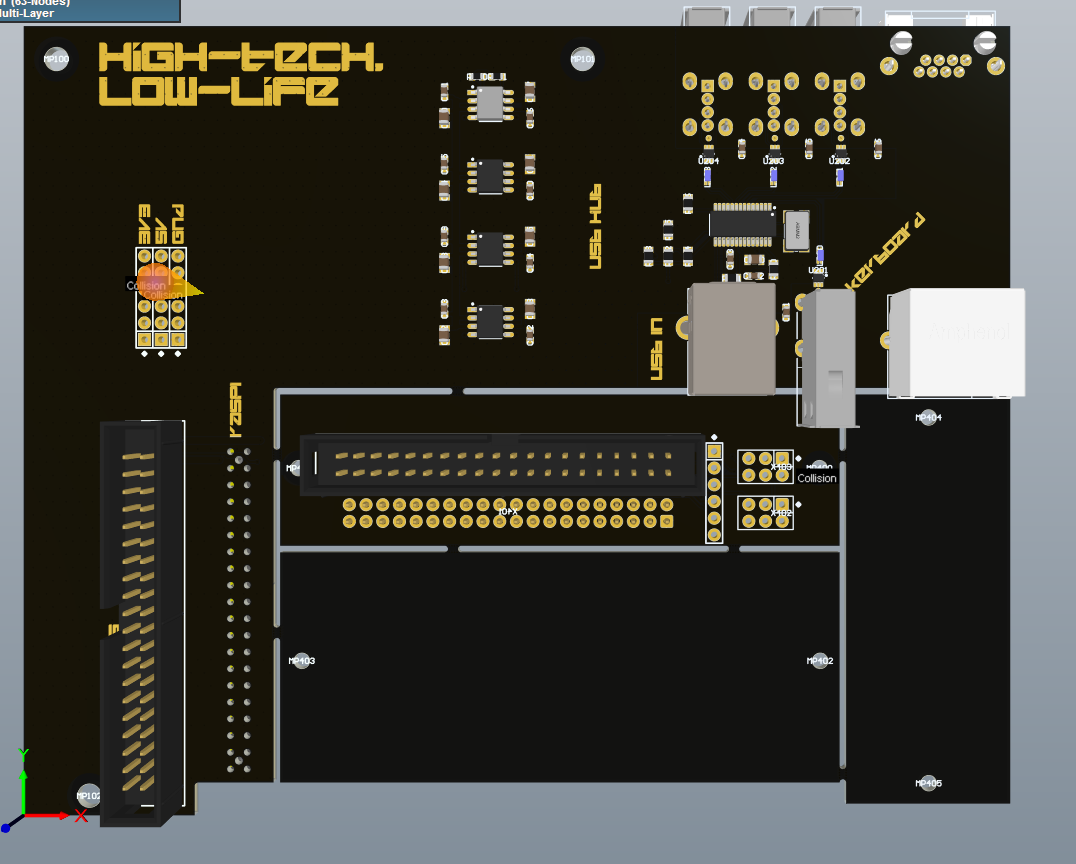
He’s currently working on a new PCB specifically designed for retrofitting one of these classic machines with a Raspberry Pi. The board includes niceties like a USB hub, and should fill out some of those gaping holes left in the case once you remove the original electronics. [Tillo] has already sent the first version of his open source board out for fabrication, so hopefully we’ll get an update soon.

In the meantime, you might want to check out some of the other fantastic cyberdeck builds we’ve covered over the last couple of years.

Giving The Amstrad CPC A Voice And A Drum Kit

Back in the ’80s, home computers weren’t capable of much in terms of audio or multimedia as a whole. Arguably, it wasn’t until the advent of 16-bit computers such as the Amiga that musicians could make soundtrack-quality music without having to plug actual studio gear up to their machines. [Michael Wessel] is trying to bring some of that and many more features to the Amstrad CPC with his ambitious LambdaSpeak 3 project, an expansion card built completely up from scratch and jam-packed with features.

First, and likely giving it its name, is the speech synthesizer. [Michael] has made an emulation mode where his card can act just like the original SSA-1 expansion, being able to be controlled by the same software as back then. By default, the card offers this mode with an Epson S1V30120 daughterboard (which is based on DECTalk synthesis), however for further authenticity you also have the option of fitting it with an SP0256-AL2 chip, the same one used in the original Amstrad hardware in 1985.

As for the more musical part of the project, the board supports 4-channel PCM playback, much like the Amiga’s sound offering. This can be used for a drum machine sequencer program, and it has an Amdrum mode, emulating another expansion from the original Amstrad days. Sample playback can also be used alongside the speech synthesis as shown here, with random allophone beats that wouldn’t sound out of place in a Kraftwerk recording. Finally, by using the UART interface included on the LambdaSpeak, you can also turn the CPC itself into a synth by giving it MIDI in/out and interfacing a controller in real time with the computer’s AY-3-8912 sound chip.

If you like modern expansions giving old computers new life, did you know that you can get just about any retro computer online, perhaps a TRS-80, an Amiga and even a Psion Organizer? And if you’re interested in just using old systems’ sound chips with modern USB MIDI controllers, it’s easy to make a microcontroller do all the heavy lifting.

Continue reading “Giving The Amstrad CPC A Voice And A Drum Kit”

An MSX With A Nintendo Controller

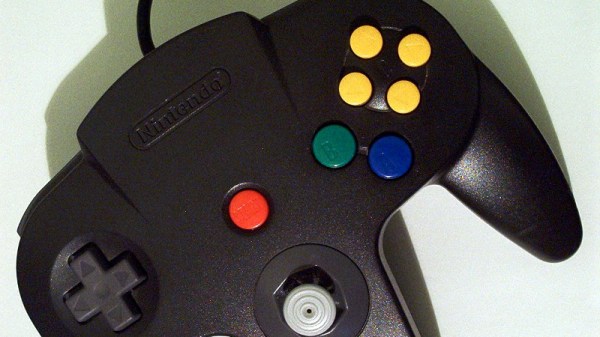
Console owners inhabit their own individual tribes depending upon their manufacturer of choice, and so often never the twain shall meet. But sometimes there are those what-if moments, could Mario have saved the princess more quickly through PlayStation buttons, or how would Sonic the Hedgehog have been with a Nintendo controller? [Danjovic] is finding the answer to one of those questions, with an interface between Nintendo 64 controllers and MSX hardware including the earlier Sega consoles.

In hardware terms, it’s a pretty simple device in the manner of many such projects, an Arduino Nano, a resistor, and a couple of sockets. The clever part lies not in its choice of microcontroller, but in the way it uses the Nano-s timing to ensure the minimum delay between button press and game action. The detail is in the write-up, but in short it makes use of the MSX’s need to attend to video lines to buy extra time for any conversion steps.

The MSX computers have had their share of controller upgrade courtesy of Nintendo hardware in the past, we’ve seen a Wii nunchuck controller talk to them before, as well as a SNES one.

Header image: [mboverload] (Public-domain).

A Keyboard Interface For Your SInclair ZX

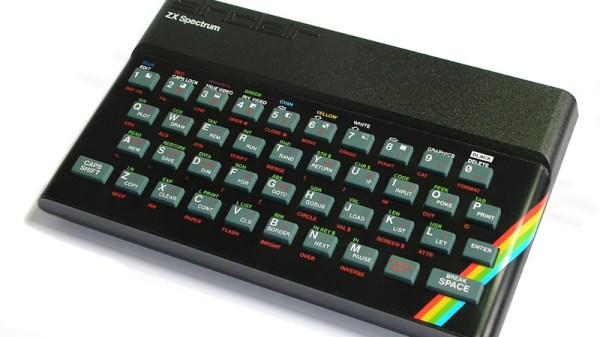
The SInclair ZX 8-bit computers of the early 1980s were masterpieces of economy, getting the most out of minimal hardware. The cassette tape interface was a one-bit port, the video was (on the first two models anyway) created by the processor itself rather than a CRT controller, and the keyboard? No fancy keyboard controllers here, just a key matrix and some diodes between a set of address lines and some data lines. The ZX80 and ZX81 were not very fast as a result of their processors being tied up with all this work, but it ensured that their retail price could break the magic £100 barrier in the British market, something of a feat in 1980.

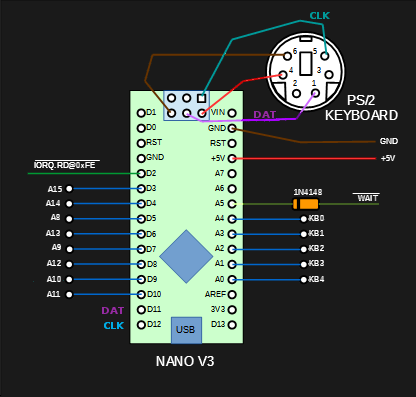
A host of hackers still devote their time to these machines, and among them [Danjovic] has updated that ZX keyboard by producing an interface between that matrix and a PS/2 keyboard. As you might expect it uses a modern microcontroller board, in this case an Arduino Nano but it doesn’t stretch the imagination to think that a USB equipped board might perform the same task. It sits upon the relevant lines, and performs the necessary logical connection between them depending upon the serial input from an attached PS/2 keyboard. The project goes into some detail on PS/2 to ZX mappings, but perhaps of most interest is its explanation of the bus timings involved. The Arduino makes use of the ZX WAIT line to hold the Z80 and ensure that there is enough time for it to perform its task, it would be interesting to note whether or not this has a visible impact on BASIC program timing.

We are more used to seeing ZX keyboards being attached to PCs, rather than this way round.

ZX Spectrum image: Bill Bertram [CC BY-SA 2.5].