Teensy Liberates The ThinkPad Keyboard

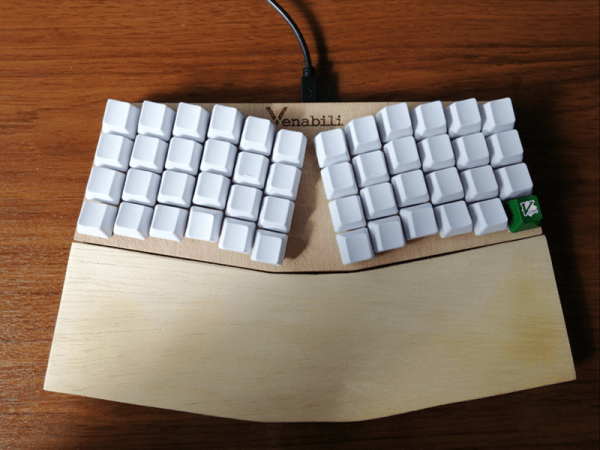
[Frank Adams] liked the keyboard on his Lenovo ThinkPad T61 so much that he decided to design an adapter so he could use it over USB with the Teensy microcontroller. He got the Trackpoint working, and along the way managed to add support for a number of other laptop boards as well. Before you know it, he had a full-blown open source project on his hands. Those projects can sneak up on you when you least expect it…

The first step of the process is getting your laptop keyboard of choice connected up to the Teensy, but as you might expect, that’s often easier said than done. They generally use a flexible printed circuit (FPC) “ribbon cable” of some type, but may also be terminated in any number of weirdo connectors. [Frank] goes over the finer points of getting these various keyboards connected to his PCB, from searching the usual suspects such as Aliexpress and Digikey for the proper connector to throwing caution to the wind and cutting off problematic nubs and tabs to make it fit.

You might be on your own for figuring out the best way to connect your liberated keyboard up, but [Frank] has done his part by designing a few PCBs which handle routing the appropriate connections to the Teensy LC or 3.2 microcontroller. He’s such a swell guy he’s even written the firmware for you. As of right now there’s currently a dozen keyboards supported by his software and hardware setup, but he also gives tips on how to get the firmware modified for your own board if you need to.

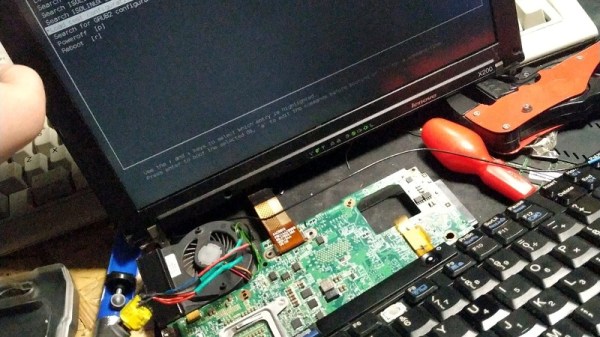
It should come as no surprise that it was a Thinkpad keyboard that got [Frank] going down this path; as we’ve documented over the years, hackers love their Thinkpads. From fitting them with more modern motherboards to going full on matryoshka and putting a second computer inside of one, it’s truly the laptop that launched a thousand hacks.

Continue reading “Teensy Liberates The ThinkPad Keyboard”

Amazon Thinks ARM Is Bigger Than Your Phone

As far as computer architectures go, ARM doesn’t have anything to be ashamed of. Since nearly every mobile device on the planet is powered by some member of the reduced instruction set computer (RISC) family, there’s an excellent chance these words are currently making their way to your eyes courtesy of an ARM chip. A userbase of several billion is certainly nothing to sneeze at, and that’s before we even take into account the myriad of other devices which ARM processors find their way into: from kid’s toys to smart TVs.

ARM is also the de facto architecture for the single-board computers which have dominated the hacking and making scene for the last several years. Raspberry Pi, BeagleBone, ODROID, Tinker Board, etc. If it’s a small computer that runs Linux or Android, it will almost certainly be powered by some ARM variant; another market all but completely dominated.

It would be a fair to say that small devices, from set top boxes down to smartwatches, are today the domain of ARM processors. But if we’re talking about what one might consider “traditional” computers, such as desktops, laptops, or servers, ARM is essentially a non-starter. There are a handful of ARM Chromebooks on the market, but effectively everything else is running on x86 processors built by Intel or AMD. You can’t walk into a store and purchase an ARM desktop, and beyond the hackers who are using Raspberry Pis to host their personal sites, ARM servers are an exceptional rarity.

Or at least, they were until very recently. At the re:Invent 2018 conference, Amazon announced the immediate availability of their own internally developed ARM servers for their Amazon Web Services (AWS) customers. For many developers this will be the first time they’ve written code for a non-x86 processor, and while some growing pains are to be expected, the lower cost of the ARM instances compared to the standard x86 options seems likely to drive adoption. Will this be the push ARM needs to finally break into the server and potentially even desktop markets? Let’s take a look at what ARM is up against.

Continue reading “Amazon Thinks ARM Is Bigger Than Your Phone”

Anderson’s Water Computer Spills The Analog Secrets Of Digital Logic

One of the first things we learn about computers is the concept of binary ones and zeroes. When we dig into implementation of digital logic, we start to learn about voltages, and currents, and other realities of our analog world. It is common for textbooks to use flow of water as an analogy to explain flow of electrons, and [Glen Anderson] turned that conceptual illustration into reality. He brought his water computer to the downtown Los Angeles Mini Maker Faire this past weekend to show people the analog realities behind their digital devices.

[Glen]’s demonstration is a translation of another textbook illustration: binary adder with two four-bit inputs and a five-bit output. Each transistor is built from a plastic jewel box whose lid has been glued to the bottom to form two chambers. A ping-pong ball sits in the upper chamber, a rubber flap resides in the lower chamber covering a hole, with a string connecting them so a floating ball would lift the flap and expose the hole.

Continue reading “Anderson’s Water Computer Spills The Analog Secrets Of Digital Logic”

Steady Hand Repurposes Cheap SSD Modules

For hackers, cheap (and arguably disposable) consumer hardware makes for a ready supply of free or low-cost components. When you can walk into a big box store and pick up a new low-end laptop for $150, how many are going to spend the money to repair or upgrade the one they have now? So the old ones go to the bin, or get sold online for parts. From an ecological standpoint our disposable society is terrible, but at least we get some tech bargains out of the deal.

Case in point, the dirt cheap 32 GB eMMC SSDs [Jason Gin] recently scored. Used by Hewlett Packard on their line of budget laptops, he was able to snap up some of these custom drives for only $12 each. Only problem was, since they were designed for a very specific market and use case, they aren’t exactly the kind of thing you can just slap in your computer’s drive bay. He had to do some reverse engineering to figure out how to talk to them, and then some impressive fine-pitch soldering to get them plugged in, but in the end he got some very handy drives for an exceptionally low price.

[Jason] starts by figuring out the drive’s pinout using the cornerstone of the hacker’s electronic toolkit: the multimeter. By putting one lead on an obvious ground point such as the PCB’s screw holes, you can work through the pins on the connector and make some educated guesses as to what’s what. Ground pins will read as a short, but the meter should read power and data pins as a forward-biased diode. With a rough idea of the pin’s identities and some luck, he was able to figure out that it was basically a standard SATA connection in a different form factor.

To actually hook it up to his computer, he pulled the PCB off of a dead SATA hard drive, cut it down to size, and was able to use fine magnet wire to attach the conductors in the drive’s ribbon cable to the appropriate pads. He sealed everything up with a healthy dose of hot glue to make sure it didn’t pull loose, and then ran some drive diagnostics on his cobbled together SSD to make sure it was behaving properly. [Jason] reports the drive isn’t exactly a speed demon, but given the low cost and decent performance he still thinks it’s worth the work to use them for testing out different operating systems and the like.

[Jason] seems to have something of an obsession with eMMC hacking. Last time we heard from him, he was bringing a cheap Windows tablet back from the dead by replacing its shot eMMC chip.

An OpenSCAD Mini-ITX Computer Case

We’re no strangers to 3D printed enclosures here at Hackaday. From the plethora of printed Raspberry Pi cases out there to custom enclosures for electronic projects, small plastic boxes turn out to be an excellent application for desktop 3D printing. But as printers get bigger and filament gets cheaper, those little boxes don’t always need to be so little. We aren’t talking about running off boxes for your sneaker collection either, if you’ve got the time and the print volume, you could whip up an enclosure for your PC.

[Nirav Patel] writes in to share his impressive 3D printed Mini-ITX computer case project, which would be a neat enough trick in its own right, but he took the concept one step farther and made it a parametric design in OpenSCAD. This allows the user to input their particular hardware configuration and receive STL files for a bespoke case. The list of supported hardware isn’t that long yet, but with the OpenSCAD code up on GitHub and released under the BSD license, hopefully the community can improve on that as time goes on.

To keep things simple (and strong), [Nirav] implemented what he refers to as a “bucket” design. The majority of the case is a single print, which does take a long time (just shy of 40 hours on his Prusa i3 MK3), but nearly eliminates any post-printing assembly. Only the optional feet and the lid need to be printed separately. Threaded inserts are used throughout the design for mounting hardware, so you don’t run the risk of blowing out the printed holes during hardware changes or upgrades.

A particularly neat feature, and a testament to the power of OpenSCAD, is the fact that the case’s internal volume is calculated and embossed into the side of the design. Does this have any practical purpose? Not exactly, but [Nirav] thought it would be appealing to the Mini-ITX case modding community which apparently measures their accomplishments in liters of volume.

We’ve seen a 3D printed computer case before, but it used acrylic sheets and couldn’t be made without a large format printer. There’s something to be said for a project that can be completed on the hacker community’s favorite printer.

The Linux Throwie: Powering A Linux Server With A 0.3W Solar Panel

Have you ever had one of those moments, when you’re rummaging through your spare parts heap, and have a rather bizarre project idea that you can’t quite get out of your head? You know, the ones that have no clear use, but simply demand to be born, of glass and steel and silicon?

This time, the stubborn idea in question was sort of like a solar-rechargeable LED throwie, but instead of a blinking light, it has a fully cloud-accessible embedded Linux server in the form of a Raspberry Pi 3 Model B+. Your choice of embedded Linux board should work — I just happen to have a lot of these due to a shipping error.

There were two main challenges here: First, it would have to combine the smallest practical combination of solar panel, power supply, and Li-ion cell that could run the Raspberry Pi. Second, we’ll need to remotely activate and access the Pi regardless of where it is, as well as be able to connect it to WiFi without direct physical access. In this article we’ll be dealing with the first set of problems — stay tuned for the rest.

Continue reading “The Linux Throwie: Powering A Linux Server With A 0.3W Solar Panel”

Apple Kernel Code Vulnerability Affected All Devices

Another day, another vulnerability. Discovered by [Kevin Backhouse], CVE-2018-4407 is a particularly serious problem because it is present all throughout Apple’s product line, from the Macbook to the Apple Watch. The flaw is in the XNU kernel shared by all of these products.

This is a buffer overflow issue in the error handling for network packets. The kernel is expecting a fixed length of those packets but doesn’t check to prevent writing past the end of the buffer. The fact Apple’s XNU kernel powers all their products is remarkable, but issues like this are a reminder of the potential downside to that approach. Thanks to responsible disclosure, a patch was pushed out in September.

Anatomy of a Buffer Overflow

Buffer overflows aren’t new, but a reminder on what exactly is going on might be in order. In low level languages like C, the software designer is responsible for managing computer memory manually. They allocate memory, tagging a certain number of bytes for a given use. A buffer overflow is when the program writes more bytes into the memory location than are allocated, writing past the intended limit into parts of memory that are likely being used for a different purpose. In short, this overflow is written into memory that can contain other data or even executable code.

With a buffer overflow vulnerability, an attacker can write whatever code they wish to that out-of-bounds memory space, then manipulate the program to jump into that newly written code. This is referred to as arbitrary code execution. [Computerphile] has a great walk-through on buffer overflows and how they lead to code execution.

This Overflow Vulnerabilty Strikes Apple’s XNU Kernel

[Kevin] took the time to explain the issue he found in further depth. The vulnerability stems from the kernel code making an assumption about incoming packets. ICMP error messages are sent automatically in response to various network events. We’re probably most familiar with the “connection refused’ message, indicating a port closed by the firewall. These ICMP packets include the IP header of the packet that triggered the error. The XNU implementation of this process makes the assumption that the incoming packet will always have a header of the correct length, and copies that header into a buffer without first checking the length. A specially crafted packet can have a longer header, and this is the data that overflows the buffer.

Because of the role ICMP plays in communicating network status, a closed firewall isn’t enough to mitigate the attack. Even when sent to a closed port, the vulnerability can still trigger. Aside from updating to a patched OS release, the only mitigation is to run the macOS firewall in what it calls “stealth mode”. This mode doesn’t respond to pings, and more importantly, silently drops packets rather than sending ICMP error responses. This mitigation isn’t possible for watchOS and iOS devices.

The good news about the vulnerability is that a packet, malformed in this way, has little chance of being passed through a router at all. An attacker must be on the same physical network in order to send the malicious packet. The most likely attack vector, then, is the public WiFi at the local coffee shop.

Come back after the break for a demonstration of this attack in action.

Continue reading “Apple Kernel Code Vulnerability Affected All Devices”