The Long Tail Of DIY Electronics

These are the Golden Years of electronics hacking. The home DIY hacker can get their hands on virtually any part that he or she could desire, and for not much money. Two economic factors underlie this Garden of Electronic Eden that we’re living in. Economies of scale make the parts cheap: when a factory turns out the same MEMS accelerometer chip for hundreds of millions of cell phones, their setup and other fixed costs are spread across all of these chips, and a $40 million factory ends up only costing $0.50 per unit sold.

But the unsung hero of the present DIY paradise is how so many different parts are available, and from so many different suppliers, many of them on the other side of the globe. “The Internet” you say, as if that explains it. Well, that’s not wrong, but it’s deeper than that. The reason that we have so much to choose from is that the marginal cost of variety has fallen, and with that many niche products and firms have become profitable where before they weren’t.

So let’s take a few minutes to sing the praises of the most important, and sometimes overlooked, facet of the DIY economy over the last twenty years: the falling marginal cost of variety.

Continue reading “The Long Tail Of DIY Electronics”

Simulating The Learn-by-Fixing CPU

Last time I looked at a simple 16-bit RISC processor aimed at students. It needed a little help on documentation and had a missing file, but I managed to get it to simulate using a free online tool called EDA Playground. This time, I’ll take you through the code details and how to run the simulation.

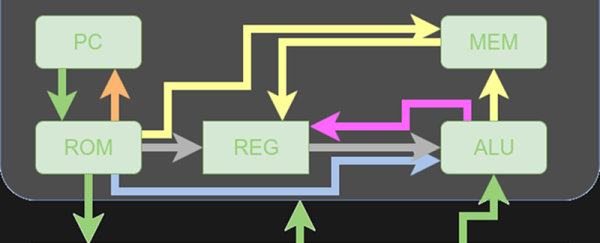
You’ll want to refer to the previous post if you didn’t read it already. The diagrams and tables give a high-level overview that will help you understand the files discussed in this post.

If you wanted to actually program this on a real FPGA, you’d have a little work to do. The memory and register initialization is done in a way that works fine for simulation, but wouldn’t work on a real FPGA. Anyway, let’s get started!

Continue reading “Simulating The Learn-by-Fixing CPU”

Automate The Freight: Medical Deliveries By Drone

Being a cop’s kid leaves you with a lot of vivid memories. My dad was a Connecticut State Trooper for over twenty years, and because of the small size of the state, he was essentially on duty at all times. His cruiser was very much the family vehicle, and like all police vehicles, it was loaded with the tools of the trade. Chief among them was the VHF two-way radio, which I’d listen to during long car rides, hearing troopers dispatched to this accident or calling in that traffic stop.

One very common call was the blood relay — Greenwich Hospital might have had an urgent need for Type B+ blood, but the nearest supply was perhaps at Yale-New Haven Hospital. The State Police would be called, a trooper would pick up the blood in a cooler, drive like hell down I-95, and hand deliver the blood to waiting OR personnel. On a good day, a sufficiently motivated and skilled trooper could cover that 45-mile stretch in about half an hour. On a bad day, the trooper might end up in an accident and in need of blood himself.

Continue reading “Automate The Freight: Medical Deliveries By Drone”

History Of Git

Git is one of those tools that is so simple to use, that you often don’t learn a lot of nuance to it. You wind up cloning a repository from the Internet and that’s about it. If you make changes, maybe you track them and if you are really polite you might create a pull request to give back to the project. But there’s a lot more you can do. For example, did you know that Git can track collaborative Word documents? Or manage your startup files across multiple Linux boxes?

Git belongs to a family of software products that do revision (or version) control. The idea is that you can develop software (for example) and keep track of each revision. Good systems have provisions for allowing multiple people to work on a project at one time. There is also usually some way to split a project into different parts. For example, you might split off to develop a version of the product for a different market or to try an experimental feature without breaking the normal development. In some cases, you’ll eventually bring that split back into the main line.

Although in the next installment, I’ll give you some odd uses for Git you might find useful, this post is mostly the story of how Git came to be. Open source development is known for flame wars and there’s at least a few in this tale. And in true hacker fashion, the hero of the story decides he doesn’t like the tools he’s using so… well, what would you do?

Continue reading “History Of Git”

Designing For Fab: A Heads-Up Before Designing PCBs For Professional Assembly

Designing pcbs for assembly is easy, right? We just squirt all the footprints onto a board layout, connect all the traces, send out the gerbers and position files, and we’re done–right?

Whoa, hold the phone, there, young rogue! Just like we can hack together some working source code with variables named after our best friends, we can also design our PCBs in ways that make it fairly difficult to assemble.

However, by following the agreed-upon design specs, we’ll put ourselves on track for success with automated assembly. If we want another party to put components on our boards, we need to clearly communicate the needed steps to get there. The best way to do so is by following the standards.

Proper Footprint Orientation

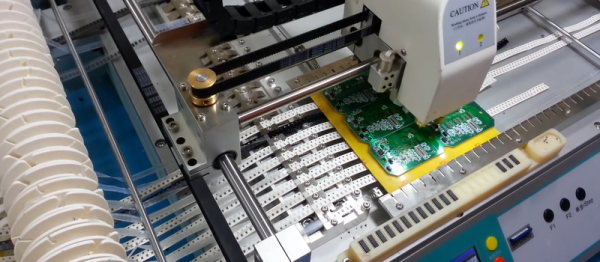
Now, for a momImage Credit: https://encrypted-tbn2.gstatic.com/images?q=tbn:ANd9GcQBEztpnSxpN_IRjq3y8GbetrMHKuoSu_s6myiFOHilL2FlQKyLrgent, let’s imagine ourselves as the tip of a vacuum pickup tool on a pick-and-place machine. These tools are designed to pick up components on the reel from their centroid and plunk them on their corresponding land pattern. Seems pretty straightforward, right? It is, provided that we design our footprints knowing that they’ll one day come face-to-face with the pick-and-place machine.

To get from the reel to the board, we, the designers, need two bits of information from out part’s datasheet: the part centroid and the reel orientation.

The part centroid is an X-Y location that calls out the center-of-mass of the part. It basically tells the machine: “pick me up from here!” As designers, it’s our responsibility to design all of our footprints such that the footprint origin is set at the part’s centroid. If we forget to do so, the pick-and-place will try to suck up our parts from a location that may not stick very well to the package, such as: the corner.

Continue reading “Designing For Fab: A Heads-Up Before Designing PCBs For Professional Assembly”

How A Hacker Remembers A PIN

If you have more than a few bank cards, door-entry keycodes, or other small numeric passwords to remember, it eventually gets to be a hassle. The worst, for me, is a bank card for a business account that I use once in a blue moon. I probably used it eight times in five years, and then they gave me a new card with a new PIN. Sigh.

Quick, What’s My PIN?

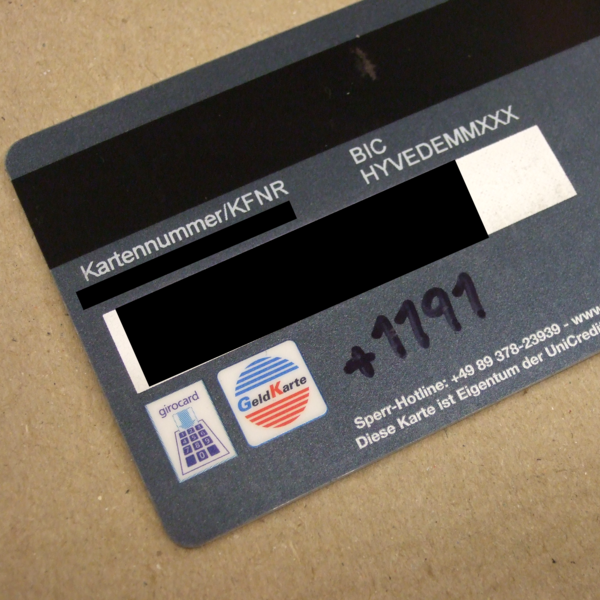
How would a normal person cope with a proliferation of PINs? They’d write down the numbers on a piece of paper and keep it in their wallet. We all know how that ends, right? A lost wallet and multiple empty bank accounts. How would a hacker handle it? Write each number down on the card itself, but encrypted, naturally, with the only unbreakable encryption scheme there is out there: the one-time pad (OTP).

The OTP is an odd duck among encryption methods. They’re meant to be decrypted in your head, but as long as the secret key remains safe, they’re rock solid. If you’ve ever tried to code up the s-boxes and all that adding, shifting, and mixing that goes on with a normal encryption method, OTPs are refreshingly simple. The tradeoff is a “long” key, but an OTP is absolutely perfect for encrypting your PINs.

The first part of this article appears to be the friendly “life-hack” pablum that you’ll get elsewhere, but don’t despair, it’s also a back-door introduction to the OTP. The second half dives into the one-time pad with some deep crypto intuition, some friendly math, and hopefully a convincing argument that writing down your encrypted PINs is the right thing to do. Along the way, I list the three things you can do wrong when implementing an OTP. (And none of them will shock you!) But in the end, my PIN encryption solution will break one of the three, and remain nonetheless sound. Curious yet? Read on.

Continue reading “How A Hacker Remembers A PIN”

OBDII to Speed Pulse: Atmel ICE

Building An OBD Speed Pulse: Behold The ICE

I am a crappy software coder when it comes down to it. I didn’t pay attention when everything went object oriented and my roots were always assembly language and Real Time Operating Systems (RTOS) anyways.

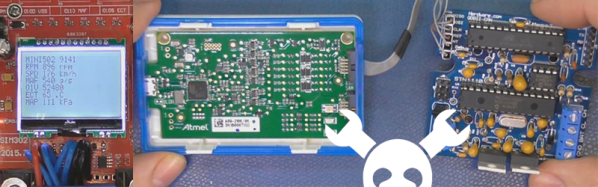
So it only natural that I would reach for a true In-Circuit-Emulator (ICE) to finish of my little OBDII bus to speed pulse generator widget. ICE is a hardware device used to debug embedded systems. It communicates with the microcontroller on your board, allowing you to view what is going on by pausing execution and inspecting or changing values in the hardware registers. If you want to be great at embedded development you need to be great at using in-circuit emulation.

Not only do I get to watch my mistakes in near real time, I get to make a video about it.

Getting Data Out of a Vehicle

I’ve been working on a small board which will plug into my car and give direct access to speed reported on the Controller Area Network (CAN bus).

To back up a bit, my last video post was about my inane desire to make a small assembly that could plug into the OBDII port on my truck and create a series of pulses representing the speed of the vehicle for my GPS to function much more accurately. While there was a wire buried deep in the multiple bundles of wires connected to the vehicle’s Engine Control Module, I have decided for numerous reasons to create my own signal source.

At the heart of my project is the need to convert the OBDII port and the underlying CAN protocol to a simple variable representing the speed, and to then covert that value to a pulse stream where the frequency varied based on speed. The OBDII/CAN Protocol is handled by the STN1110 chip and converted to ASCII, and I am using an ATmega328 like found on a multitude of Arduino’ish boards for the ASCII to pulse conversion. I’m using hardware interrupts to control the signal output for rock-solid, jitter-free timing.

Walk through the process of using an In-Circuit Emulator in the video below, and join me after the break for a few more details on the process.

Continue reading “Building An OBD Speed Pulse: Behold The ICE”