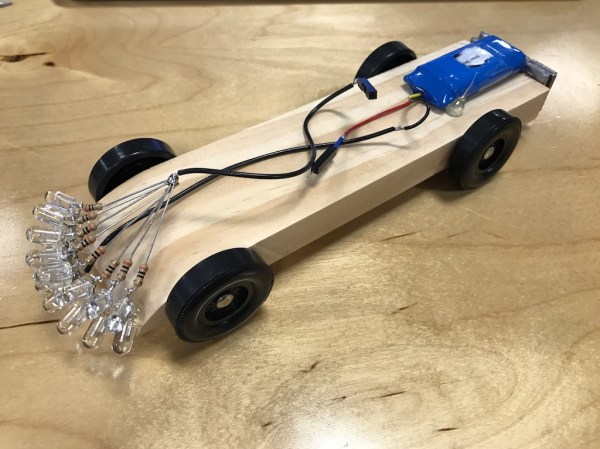
The Lotus Sevens: The Real Most-Hackable Cars

In the late 1940s and early 1950s, Europe was still struggling to recover from the crippling after-effects of war. In Britain it is referred to as the “austerity period”, with food still rationed and in which “make do and mend” was very much the order of the day. The consumer boom of the late 1950s and 1960s was very far in the future, and if you were a hardware hacker your source materials were limited to whatever you could find from war surplus or whatever prewar junk might come your way. This was a time in which the majority of adults had recently returned from war service, during which they had acquired practical skills through the necessities of battle that they sought an outlet for in peacetime.

One field that benefited from this unexpected flowering of creativity was that of motor racing. Before the war it had been an exclusive pursuit, with bespoke cars at famous circuits like the banked track at Brooklands, in Surrey. In a reflection of the wider social changes that followed the war the motor racers of the post-war years came from humbler backgrounds, they raced homemade specials made from tired-out prewar motors on wartime airfield perimeter tracks like the one at Silverstone which still hosts Formula One racing today.

Continue reading “The Lotus Sevens: The Real Most-Hackable Cars”

Apple Sucks Now, Here’s A ThinkPad Buyer’s Guide

For the last decade, Macs have been running a UNIX-ish operating system on x86 processors. They’ve been fantastic developer’s machines, and the MacBook Pro is the de facto standard laptop issued to all developers, all hackathon attendees, and arguably, anyone who does real work with a computer.

This week, Apple unveiled the latest MacBook Pro and provided more evidence Steve Jobs actually knew what he was doing. Fifteen hundred bones will get you a MacBook Pro with a last-gen processor, an Escape key, a headphone jack, and two Thunderbolt 3 ports (with one port required for charging). The next model up costs $1800, ditches the Escape key for a dedicated emoji bar, and includes four Thunderbolt 3 ports.

In the past, I have defended people who choose MacBooks as their laptop of choice. A MacBook is a business-class laptop, and of course carries a higher price tag. However, Apple’s latest hardware release was underwhelming and overpriced. If you’re looking for a new laptop, you would do well to consider other brands. To that end, here’s a buyer’s guide to ThinkPads, currently the second most popular laptop I’ve seen with the dev/hacker/code cracker crowd.

Continue reading “Apple Sucks Now, Here’s A ThinkPad Buyer’s Guide”

Not Quite 101 Uses For An ATX Power Supply

The PC power supply has been a standard of the junk box for the last couple of decades, and will probably continue to be for the foreseeable future. A product that is often built to a very high standard and which will give years of faithful service, yet which has a life of only a few years as the PC of which it is a part becomes obsolete. Over the decades it has evolved from the original PC and AT into ATX, supplying an ever-expanding range of voltage rails at increasing power levels. There have been multiple different revisions of the ATX power supply standard over the years, but they all share the same basic form factor.

So a pile of ATX supplies will probably feature in the lives of quite a few readers. Most of them will probably be old and obsolete versions of little use with today’s motherboards, so there they sit. Not small enough to ignore, yet Too Good To Throw Away. We’re going to take a look at them, try to work out what useful parts they contain, and see a few projects using them. Maybe this will provide some inspiration if you’re one of those readers with a pile of them seeking a purpose.

Continue reading “Not Quite 101 Uses For An ATX Power Supply”

BASIC Interpreter Hidden In ESP32 Silicon

We’ve been keeping up with the ongoing software developed for the ESP32 WiFi chip, and that means a lot of flashing, hooking up random wires, and rebooting. Along the way, we stumbled on an Easter egg: the ESP32 processor has a built-in BASIC interpreter to fall back on.

That’s a cool little hack to find, but we couldn’t find some crucial functions that would have made it a lot more useful. Still, it’s great fun to play around in real-time with the chip. And you’ll absolutely get an LED blinking faster in ESP32 BASIC than you will on an Arduino!

Continue reading “BASIC Interpreter Hidden In ESP32 Silicon”

A Short Introduction To Staking And Potting

Staking and potting are not often used in the hobby electronics world, not really entering to the common vernacular. However, everyone who’s ever busted out a glue-gun to convince that dang wire that keeps coming loose to stay has done it.

However, as [Sean Thomas] touches on, staking is not necessarily as easy as a dob of hot glue. There is a method to the madness. [Sean] gives some examples in pictures, but also directs people to the excellent NASA standard methods for staking. It’s surprising how many unintuitive caveats there are to the proper technique.

Potting, or covering everything in epoxy forever, is a great way to get a waterproof, unserviceable, and practically mechanically invincible circuit. The big challenge in potting is picking the right material. A soft silicone, for example, might transfer an unexpected force to an unexpected section of the circuit and cause a mechanical failure. A nice hard epoxy may be too insulating and cause a thermal failure. The standard RTV from the big box store has acetic acid that will eat your components.

These two techniques that come in handy when you need them and worth the bit of reading it takes to get familiar. Have you used either in your own workshop? Let us know the application and the material/techniques you have tried in the comments below.

One Home Made NES To Rule Them All

The Nintendo Entertainment System, or Famicom depending on where in the world you live, is a console that occupies a special place in the hearts of people of a certain age. If you lived in a country that Nintendo didn’t ship its consoles to in the late ’80s and early ’90s though, you might think that it would be an experience that would have passed you by. Eastern Europeans for instance didn’t officially meet Mario for years.

A Pegasus NES clone. Ktoso the Ryba [Public domain], via Wikimedia Commons.
Fortunately for them there was an industry of Chinese and Taiwanese clone makers whose products were readily available in those markets. For the countries without official Nintendo products it is these consoles and their brand names that have achieved cult gaming status rather than the real thing.

In Poland, [phanick] wanted to recreate his youth by building his own clone console (Polish Language, English translation via Google Translate). His chosen target was the Pegasus, the Taiwanese NES clone that was the must-have console for early ’90s Poles.

But he wasn’t just satisfied with building a Pegasus clone. Along the way the project expanded to include support for 72-pin NES cartridges as well as the 60-pin Pegasus ones, and the ability to play both PAL and NTSC games. For this dual-system support he had to include both sets of processor and graphics chip variants, along with logic to switch between them. He goes into some detail on the tribulations of achieving this switch.

The result is a very impressive and well-executed piece of work. The PAL games have a letterbox effect with black bars at top and bottom of the screen, while the NTSC games have slightly washed-out colours. But if you were a gamer of the day you’ll see these as simply part of the genuine experience.

He’s posted a descriptive video which we’ve embedded below the break, but with non-English commentary. It is however still worth watching even without understanding the audio, for its view of the completed board and gameplay.

Continue reading “One Home Made NES To Rule Them All”

An Open Source 96 MSPS Logic Analyzer For $22

If you are in the market for an inexpensive USB logic analyser you have a several choices, but few of them deliver much in the way of performance. There are kits from China for a few dollars using microcontrollers at their heart, but they fail to deliver significant sample rates. If you require more, you will have to pay for it.

It is therefore rather interesting to see [kevinhub88]’s SUMP2 project, an open source logic analyser with a claimed 96 MSPS sample rate using an off-the-shelf Lattice iCEstick FPGA evaluation board that only costs about $20. It talks to a host computer via USB using the established SUMP protocol, so its software front-end comes from the sump.org logic analyser project. Edit: Since this post was published [Kevin] has contacted us to inform us that the project’s capabilities have now moved beyond SUMP’s capabilities and in fact it now uses his own software.

This project has the promise to add a very useful piece of test equipment to the armoury of the engineer on a budget, and to aid the cost-conscious reader he’s provided extensive documentation and installation instructions, as well as the code for the FPGA. Thanks to one of the more awesome hacks of 2015, there is an entirely open toolchain for this Lattice part, and our own [Al Williams] has written up a multi-part getting-started guide if you want to get your feet wet. You probably want one of these anyway, and now it’s a logic analyzer to boot.

We’ve covered quite a few inexpensive home-produced digital instruments here over the years, including this logic analyser with a slightly higher price tag, this inexpensive VNA, and this oscilloscope board. Maybe one day the bench of our dreams will all come on one open-source PCB for $100, who knows!