Chordata motion capture dancer and 3D model

A Motion Capture System For Everyone

[Chordata] is making a motion capture system for everyone to build and so far the results are impressive, enough to have been a finalist in the Hackaday Human Computer Interface ChallengeIt started a few years ago as one person’s desire to capture a digital performance of a dancer on a stage and has grown into a community of contributors. The board files and software have just been released as alpha along with some instructions for making it work, though more detailed documentation is on the way.

Chordata motion capture dancer and BlenderFifteen sensor boards, called K-Ceptors, are attached to various points on the body, each containing an LSM9DS1 IMU (Inertial Measurement Unit). The K-Ceptors are wired together while still allowing plenty of freedom to move around. Communication is via I2C to a Raspberry Pi. The Pi then sends the collected data over WiFi to a desktop machine. As you move around, a 3D model of a human figure follows in realtime, displayed on the desktop’s screen using Blender, a popular, free 3D modeling software. Of course, you can do something else with the data if you want, perhaps make a robot move? Check out the overview and the performance by a clearly experienced dancer putting the system through its paces in the video below.

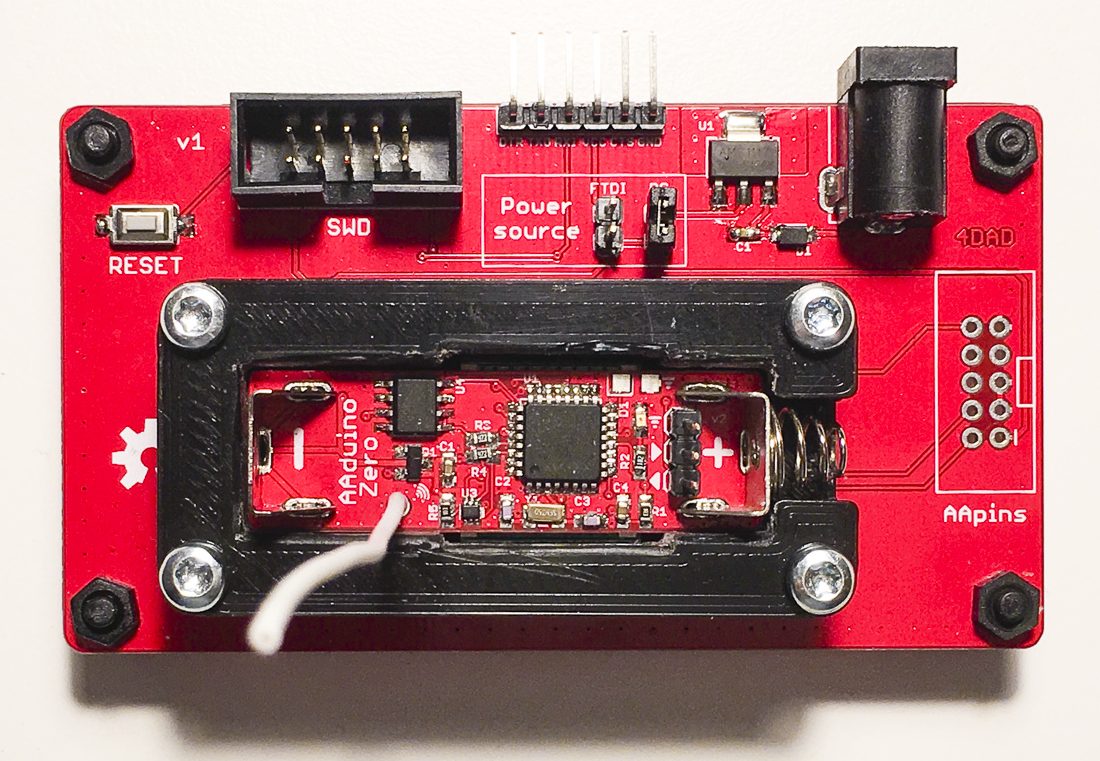
As a side note, the latest log entry on their Hackaday.io page points out that whenever changes are made to the K-Ceptor board, fifteen of them need to be made in order to try it out. To help with that, they show the testbed they made for troubleshooting boards as soon as they come out of the oven.

Continue reading “A Motion Capture System For Everyone”

The Tiniest Computer Vision Platform Just Got Better

The future, if you believe the ad copy, is a world filled with cameras backed by intelligence, neural nets, and computer vision. Despite the hype, this may actually turn out to be true: drones are getting intelligent cameras, self-driving cars are loaded with them, and in any event it makes a great toy.

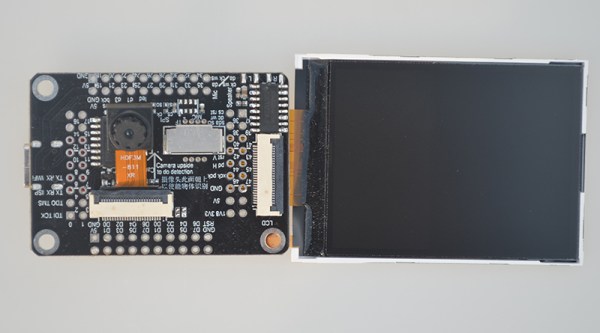
That’s what makes this Kickstarter so exciting. It’s a camera module, yes, but there are also some smarts behind it. The OpenMV is a MicroPython-powered machine vision camera that gives your project the power of computer vision without the need to haul a laptop or GPU along for the ride.

The OpenMV actually got its start as a Hackaday Prize entry focused on one simple idea. There are cheap camera modules everywhere, so why not attach a processor to that camera that allows for on-board image processing? The first version of the OpenMV could do face detection at 25 fps, color detection at more than 30 fps, and became the basis for hundreds of different robots loaded up with computer vision.

This crowdfunding campaign is financing the latest version of the OpenMV camera, and there are a lot of changes. The camera module is now removable, meaning the OpenMV now supports global shutter and thermal vision in addition to the usual color/rolling shutter sensor. Since this camera has a faster microcontroller, this latest version can support multi-blob color tracking at 80 fps. With the addition of a FLIR Lepton sensor, this camera does thermal sensing, and thanks to a new library, the OpenMV also does number detection with the help of neural networks.

We’ve seen a lot of builds using the OpenMV camera, and it’s getting ot the point where you can’t compete in an autonomous car race without this hardware. This new version has all the bells and whistles, making it one of the best ways we’ve seen to add computer vision to any hardware project.

Maker Faire NY: Programmable Air

At this year’s World Maker Faire in New York City we’re astonished and proud to run into some of the best projects that are currently in the running for the Hackaday Prize. One of these is Programmable Air, from [Amitabh], and it’s the solution to pneumatics and pressure sensing in Maker and IoT devices.

The idea behind Programmable Air is to create the cheapest, most hacker-friendly system for dealing with inflatable and vacuum-based robotics. Yes, pneumatic robotics might sound weird, but there’s plenty of projects that could make use of a system like this. The Glaucus is one of the greatest soft robotic projects we’ve ever seen, and it turns a bit of silicone into a quadruped robot with no moving parts. The only control you have over this robot is inflating one side or the other while watching this silicone slug slowly crawl forward. This same sort of system can be expanded to a silicone robot tentacle, too.

On display at the Programmable Air booth were three examples of how this device could be used. The first was a simple pressure sensor — a weird silicone pig with some tubing coming out of the nostrils was connected to the Programmable Air module. Squeeze the pig, and some RGB LEDs light up. The second demo was a balloon inflating and deflating automatically. The third demo was a ‘jamming gripper’, basically a balloon filled with rice or coffee grounds, connected to a pump. If you take this balloon, jam it onto an odd-shaped object and suck the air out, it becomes a gripper for a robotic arm. All of these are possible with Programmable Air.

Right now, [Amitabh] has just finalized the design and is getting ready to move into mass production. You can get some updates for this really novel air-powered robotics platform over on the main website, or check out the project over on Hackaday.io.

The Un-Economy Of Building Your Own Spot Welder

If there’s one thing that brings hackers together, it’s the ability to build something for less money than it takes to buy it. It’s an exercise [Great Scott Gadgets] put to the test because he was playing around with some 18650 lithium cells, and had a huge need to put some tabs on batteries. This can be done by soldering, but to do it right you should really use a spot welder. Here’s the rub: you can buy a spot welder for about $250, and you can build one for a little less. So, the question: should [Great Scott] build or buy a spot welder? This wouldn’t be worth reading if he started off with an eBay order.

[Great Scott] designed this spot welder around a half-dozen supercaps, all securely held together with Kapton tape. This goes through a set of MOSFETs, and everything is controlled through an Arduino, a rotary encoder, and a dirt-cheap OLED display. It’s a simple enough circuit but a bit too much for perfboard, so [Great Scott] laid out a PCB and got a few boards for under $40. A bit of solder and some debugging later, and theoretically a spot welder was created.

After all that work, how did the spot welder work? Well, it didn’t. A slight misstep in the schematic meant this board didn’t have reference ground on the MOSFETs, so all this work was for naught. Of course, the only thing required to fix this board was a second board spin, as [Great Scott] probably bought more parts than necessary because that’s what smart people do. Still, he decided to cut his losses and shelve the project.

Continue reading “The Un-Economy Of Building Your Own Spot Welder”

New Part Day: Put An Alexa In Everything

The last great hope for electronics manufactures is smart home assistants. The Alexas and Siris and OK Googles are taking over homes across the country. At its best, it’s HAL 9000, only slightly less homicidal. It will entertain your children, and you can order cat litter just by saying you want cat litter. This is the future, whether we like it or not.

In an attempt to capture the market, Amazon has released the Alexa Connect Kit. This is an Amazon-Echo-On-a-Chip — a piece of hardware that adds Alexa to microwaves, blenders, and whatever other bit of home electronics you can imagine.

The Alexa Connect Kit is the hardware behind Amazon’s efforts to allow developers easy integration with Alexa. The options for adding Alexa to a product up until now have been using Zigbee to connect an Echo Show or Echo Plus, or simply giving a device the ability to connect to an Echo through Bluetooth. The Alexa Connect Kit, however, is a pure hardware solution that puts Alexa in anything.

Unfortunately you can’t get one yet. Right now, the Alexa Connect Kit is just a preview, and if you want to get your hands on one — or get any specs on this bit of hardware — you’ll need to apply to the developer program. We’ve signed up and will share and juicy details that come our way as part of the program.

According to the Wall Street Journal (try Google referral link if you hit the pay wall), several companies are already working on integrating the Alexa Connect Kit into their existing product lines. Hamilton Beach and Procter & Gamble are both working on something, although the press doesn’t say what kind of device will now be loaded up with a voice assistant. Amazon, however, has a microwave using the technology that the owner can, “command the microwave to do things like defrost a half-pound of chicken, or set it up to automatically reorder a favorite type of popcorn on Amazon”.

Despite the sparse details, this is relatively game-changing when it comes to the world of homebrew electronics. We’ve seen dozens of projects using hacked Raspberry Pis and other microcontrollers to at Alexa to hacked coffee machines, to shoot Nerf darts, and to control a projector. If you can actually get one of these Alexas-on-a-chip, all those projects could be done with one simple piece of hardware.

Show That Sega Saturn Save Battery Who’s Boss

Breaking out the Sega Saturn out of the closet for a hit of 90’s nostalgia comes with its own set of compromises: the wired controllers, the composite video, and worst of all that dead CR2032 battery behind the backdoor. Along with the death of that battery went your clock and all those precious hours put into your game save files. While the bulk of us kept feeding the insatiable SRAM, a friendly Canadian engineer named [René] decided to fix the problem for good with FRAM.

The issue with the battery-backed memory in the Saturn stems from the particularly power-hungry factory installed SRAM chip. Normally when the console is plugged-in to a main power source the CR2032 battery is not in use, though after several weeks in storage the battery slowly discharges. [René’s] proposed solution was to use a non-volatile form of RAM chip that would match the pinout of the factory SRAM as close as possible. This would allow for easier install with the minimum number of jumper wires.

Enter the FM1808 FRAM chip complete with a whopping 256 kb of addressable memory. The ferroelectric chip operates at the same voltage as the Saturn’s factory SRAM, and has the added benefit of being able to use a read/write mode similar to that of the Saturn’s original memory chip. Both chips conform to a DIP-28 footprint, and only a single jumper wire on pin 22 was required to hold the FM1808 chip’s output-enable signal active-low as opposed to the active-high enable signal on the Saturn’s factory memory chip. The before and after motherboard photos are below:

After a quick test run of multiple successful read and writes to memory, [René] unplugged his Saturn for a couple days and found that his save files had been maintained. According to the FM1808 datasheet, they should be there for the next 45 years or so. The only downside to the upgrade is that the clock & calendar settings were not maintained upon boot-up and reset to the year 1996. But that’s nothing a bit of button-mashing through couldn’t solve, because after all wasn’t the point of all this to relive a piece of the 90s?

For more Sega Saturn goodness, check out how the Sega Saturn was finally cracked after 20 years.

Get Your PCBs Made At The Mall

As we’ve seen with some recent posts on the subject here at Hackaday, there seems to be a growing schism within the community about the production of PCBs. Part of the community embraces (relatively) cheap professional fabrication, where you send your design off and get a stack of PCBs in the mail a couple weeks later. Others prefer at home methods of creating PCBs, such as using a CNC, laser engraver, or even the traditional toner transfer. These DIY PCBs take some skill and dedication to produce, but the advantage is that you can have the board in hand the same day you design it. But there may be a third option that seems to have slipped through the cracks.

[Virgil] writes in with a very interesting method of producing professional looking prototype PCBs that doesn’t involve weeks of waiting for the results, nor does it require any complicated techniques or specialized equipment. In this method, a UV printer is used to deposit your mask directly onto the copper clad board, which you then etch with whatever solution you like. Don’t have a UV printer you say? No worries, there’s probably somebody at the mall that does.

As [Virgil] explains, the little kiosks at the mall which offer to personalize items for customers generally use a UV printer which allows them to shoot ink on nearly any material. Instead of asking them to put a logo on the back of your phone, you’ll just be asking them to put the vector file of your mask, which you can bring along on a USB flash drive, onto the bare copper board. They may tell you they can’t guarantee the ink will stick to the bare copper, but just tell them you’re willing to take the risk. It’s one of those situations in which your money will be glad to speak on your behalf.

After the UV printer does its thing, the mask might be somewhat fragile. [Virgil] likes to wrap the boards in plastic for the ride home to make sure they don’t get damaged. Then it’s a quick dunk in the etching solution followed by a rinse and some isopropyl alcohol to get the remainder of the UV ink off. The results really do speak for themselves: nice sharp lines with exceptionally little manual work.

We’ve covered some relatively easy ways of quickly producing nice PCBs at home, as long as you don’t mind spending a couple hundred US dollars to get the hardware together. This seems to be the best of both worlds, though it does have the downside of requiring you speak with another human. We’d love to hear from any readers who give this particular method a shot.

Continue reading “Get Your PCBs Made At The Mall”