
It’s the 21st century, and we’re still a long way from the voice-controlled computers we were all promised in the 60s, 70s, 80s, and 90s. The state of voice interaction has improved, though, and Amazon’s release of the Alexa Skills Kit (ASK) is another sure step towards a future of computers that will pay attention to you. This allows any hardware to become Alexa, your personal voice assistant with the ability to do just about anything you command.
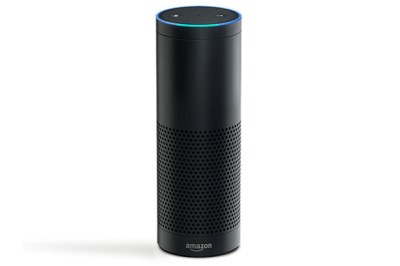 Up to this point, Alexa was locked away inside the Amazon Echo, the ‘smart’ cylinder that sits in your living room and does most of what you tell it to do. Since the Amazon Echo was released, we’ve seen the Echo and the Alexa SDK used for turning lights on and off, controlling a Nest thermostat, and other home automation tasks. It’s not Google Now, Microsoft’s Cortana, or Apple’s Siri that is behind all these builds; it’s Amazon’s Alexa that is bringing us into a world where Star Trek’s [Scotty] talking into an old Mac is seen as normal.
Right now, the Getting Started guide for the Alexa Skills Kit is focused more on web services than turning lights on and air conditioning off. Sample code for ASK is provided in JavaScript and Java, although we would expect 3rd party libraries for Python to start popping up any day now. If you want to run ASK on a Raspberry Pi or other small Linux computer, you’ll need a way to do voice capture; the Jasper project is currently the front-runner in this space.
We hope this changes the home automation game in a couple of different ways. First, the ASK processes everything in the cloud so very low power devices are now ready for some seriously cool voice interaction. Second, Amazon’s move to open up what you can do with the software backend means a community developing for the hardware could eventually exert pressure on Amazon to do things like making the system more open and transparent.
Already working on some hacks with the Echo or ASK? Send in a tip to your write-up and tells us about it in the comments below.



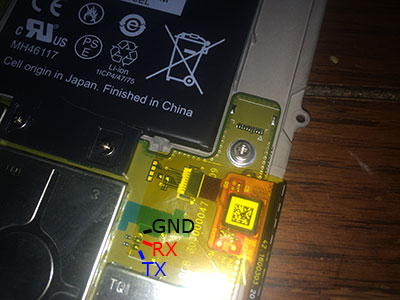 The first step was to crack open the case and locate the serial port. [WarriorRocker] soldered a small three pin header to the pads to make it easier to work on his device as needed. He then connected the Kindle to his PC using a small serial to USB adapter. Pulling up the command prompt was as simple as running Putty and connecting to the correct COM port. If the wires are hooked up correctly, then it just takes a press of the enter key to pull up the login prompt.









