Deep Learning Enables Intuitive Prosthetic Control

Prosthetic limbs have been slow to evolve from simple motionless replicas of human body parts to moving, active devices. A major part of this is that controlling the many joints of a prosthetic is no easy task. However, researchers have worked to simplify this task, by capturing nerve signals and allowing deep learning routines to figure the rest out.

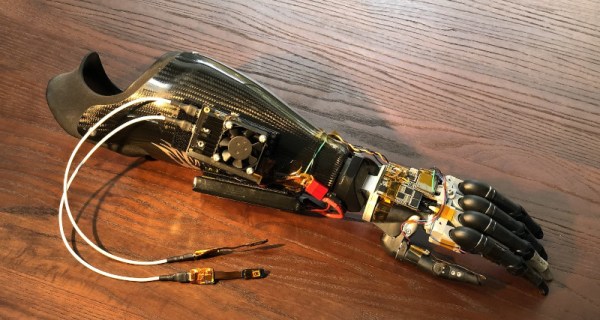
The prosthetic arm under test actually carries a NVIDIA Jetson Nano onboard to run the AI nerve signal decoder algorithm.

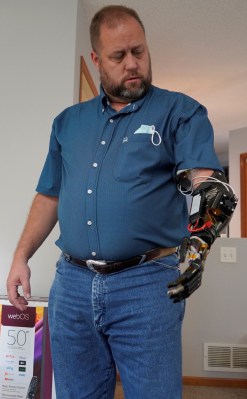
Reported in a pre-published paper, researchers used implanted electrodes to capture signals from the median and ulnar nerves in the forearm of Shawn Findley, who had lost a hand to a machine shop accident 17 years prior. An AI decoder was then trained to decipher signals from the electrodes using an NVIDIA Titan X GPU.

With this done, the decoder model could then be run on a significantly more lightweight system consisting of an NVIDIA Jetson Nano, which is small enough to mount on a prosthetic itself. This allowed Findley to control a prosthetic hand by thought, without needing to be attached to any external equipment. The system also allowed for intuitive control of Far Cry 5, which sounds like a fun time as well.

The research is exciting, and yet another step towards full-function prosthetics becoming a reality. The key to the technology is that models can be trained on powerful hardware, but run on much lower-end single-board computers, avoiding the need for prosthetic users to carry around bulky hardware to make the nerve interface work. If it can be combined with a non-invasive nerve interface, expect this technology to explode in use around the world.

[Thanks to Brian Caulfield for the tip!]

Raspberry Pi RP2040: Hands-On Experiences From An STM32 Perspective

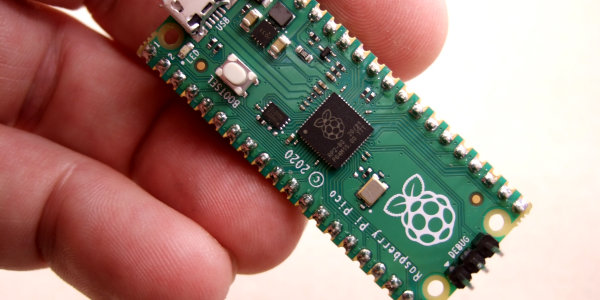
The release of the Raspberry Pi Foundation’s Raspberry Pi Pico board with RP2040 microcontroller has made big waves these past months in the maker community. Many have demonstrated how especially the two Programmable I/O (PIO) state machine peripherals can be used to create DVI video generators and other digital peripherals.

Alongside this excitement, it raises the question of whether any of this will cause any major upheaval for those of us using STM32, SAM and other Cortex-M based MCUs. Would the RP2040 perhaps be a valid option for some of our projects? With the RP2040 being a dual Cortex-M0+ processor MCU, it seems only fair to put it toe to toe with the offerings from one of the current heavyweights in the 32-bit ARM MCU space: ST Microelectronics.

Did the Raspberry Pi Foundation pipsqueak manage to show ST’s engineers how it’s done, or should the former revisit some of their assumptions? And just how hard is it going to be to port low-level code from STM32 to RP2040? Continue reading “Raspberry Pi RP2040: Hands-On Experiences From An STM32 Perspective”

The ARMv9 ISA, And What It Can Do For You

The number of distinct ARM Instruction Set Architectures (ISA) versions has slowly increased, with Arm adding a new version every few years. The oldest ISA version in common use today is ARMv6, with the ARMv6 ISA (ARM11) found in the original Raspberry Pi SBC and Raspberry Pi Zero (BCM2835). The ARMv6 ISA was introduced in 2002, followed by ARMv7 in 2005 (start of Cortex-A series) and ARMv8 in 2011. The latter was notable for adding 64-bit support.

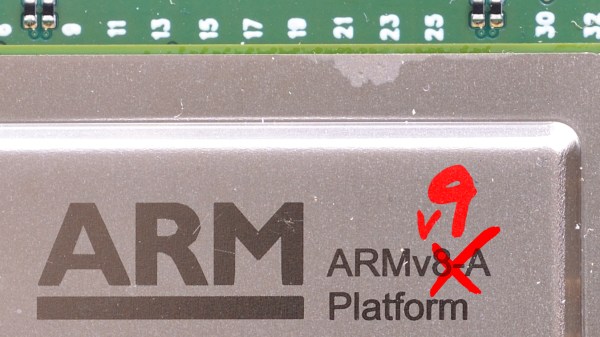
With ARMv7 being the first of the Cortex cores, and ARMv8 adding 64-bit support in the form of AArch64, what notable features does ARMv9 bring to the table? As announced earlier this year, ARMv9’s focus appears to be on adding a whole host of features that should improve vector processing (vector extensions, or SVE) as well as digital signal processing (DSP) and security, with its Confidential Compute Architecture (CCA).

In addition to this, ARMv9 also includes all of the features that were added with ARMv8.1, v8.2, v8.3 and so on. In essence, this makes an ARMv9-based processor theoretically capable of going toe-to-toe with the best that Intel and AMD have to offer.

Continue reading “The ARMv9 ISA, And What It Can Do For You”

Debug ARM Virtually

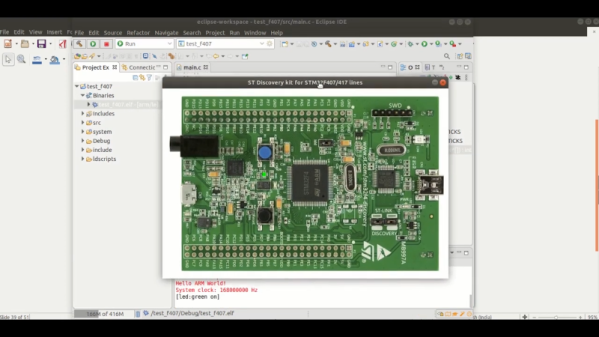
With the advent of super powerful desktop computers, many developers make use of some sort of virtual or psuedo-virtual machines (VM). We run Windows in a VM and do kernel development in a VM, too. If you are emulating the same kind of computer you are on then the process is simpler, but it is possible to run, say, ARM code on an x86 (or vice versa) but with possibly slower performance than running natively. QEMU is probably the best-known program that allows a CPU to run code targeting a different CPU, but — by default — it targets desktop, laptop, and server-class machines, not tiny embedded boards. That’s where xPack QEMU Arm comes in. It allows you to run and debug embedded Cortex-M devices in an emulated environment on a host computer.

The tool supports boards like the Maple — which means it should support bluepill, along with popular boards such as the Nucleo, some discovery boards, and several from Olimex. They have plans to support several popular boards from TI, Freescale, and others, but no word on when that will happen. You can see a decidedly simple video example from [EmbeddedCraft] of blinking a virtual LED in the video below, although you might like to mute your audio before playing it.

Continue reading “Debug ARM Virtually”

Scratch-Built Robot Arm Looks Like Something Off The Factory Floor

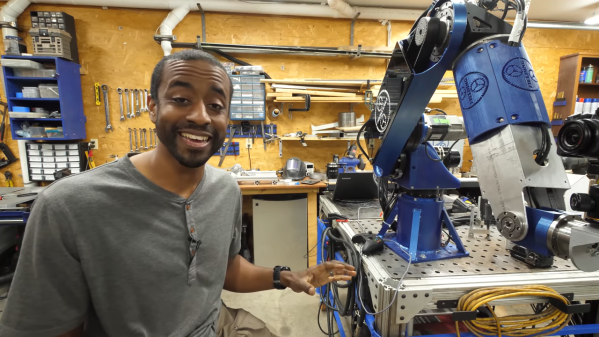
[Jeremy Fielding] is rightly impressed with the power and precision of industrial robot arms. The big arms that you see welding cars on assembly lines and the like are engineering feats in their own right, which is why his leap into scratch-building one in the home shop promises to be quite an adventure, and one we’re eager to follow.

From the look of the video below, [Jeremy]’s arm is already substantially complete, so it seems like he’ll be releasing videos that detail how he got to the point where this impressively large and powerful arm took over so much of his shop. He’s not fooling around here — this is a seven-axis articulated arm built from aluminum and powered by AC servos. [Jeremy] allows that some of the structural parts are still 3D-printed prototypes that he’s using to finalize the design before committing to cutting metal, a wise move as he notes that most of the metalworking skills he needs to complete the build are still fairly new to him. It still looks amazing, and we’re looking forward to the rest of the series to see how he got to this point.

We always appreciate [Jeremy]’s enthusiasm and presentation style, and we generally learn a lot from his videos. Whether it’s a CNC table saw, a homebrew dynamometer, or supersonically melting baseballs, his videos are always great to watch.

Continue reading “Scratch-Built Robot Arm Looks Like Something Off The Factory Floor”

The Long Journey Ahead For Linux On Apple Silicon

An old joke from the Linux community about its prevalence in computing quips that Linux will run on anything, including some animals. While the joke is a little dated, it is true that Linux can run on just about any computing platform with a certain amount of elbow grease. The current exception is the new Apple M1 silicon, although one group called Asahi Linux is currently working to get Linux running on this novel hardware as well.

While the Apple M1 is specifically built to run macOS, there’s no technical reason why Linux couldn’t run on it once all of the kinks are ironed out. This progress report from last month outlines some of the current areas of focus, especially around booting non-Mac kernels. The new Apple silicon runs on an ARM processor and because of this it functions more like an embedded device than a PC with standardized BIOS or UEFI. This means a lot of workarounds to the proprietary boot process have to be created to get a Linux kernel to boot. Luckily there are already versions of Linux that run on ARM so a lot of work has already been done, but there’s still much ahead.

While it’s probably best to buy an x86 machine for the time being if you need a Linux on your own personal machine, it seems like only a matter of time until all of the barriers to Linux are overcome on the M1 silicon. If Linux is able to take advantage of some of the efficiency and performance benefits of these chips, it could be a game-changer in the Linux world and at least give us all another option for hardware. Of course, we will still be needing software that can run on ARM, too.

Thanks to [Mark] for the tip!

Porting Firefox To Apple Silicon: Tales From The Trenches

For any smaller and larger software product that aims to be compatible with Apple’s MacOS, the recent introduction of its ARM-based Apple Silicon processors and MacBooks to go with them came as a bit of a shock. Suddenly one of the major desktop platforms was going to shift processor architectures, and with it likely abandon and change a number of APIs. Over at Mozilla HQ, they assumed that based on past experiences, Apple’s announcement of ‘first Apple Silicon hardware’ would also mean that those systems would be available for sale.

Indeed, one week after the November 10th announcement Apple did in fact do so. By then, Mozilla had worked to ensure that the Firefox codebase could be built for Apple Silicon-based MacOS. Fortunately, through the experiences of running Firefox on Windows-on-ARM, they already had gained a codebase that was compatible with 64-bit ARM. Ultimately, the biggest snag here was the immature Rust language and dependency support for Apple Silicon, which set back the first release.

When it came to the distributing of Firefox on Intel- and ARM-based Macs, the decision was made to package both versions of the application into a so-called Universal Binary. While this pads out the size of the installer, it also means easier distribution and would not affect the built-in updater in Firefox. This also allowed for an easy fix for the Google Widevine DRM module, for which no Apple Silicon version was available at first, allowing the same module for Intel to be used with either Firefox version via the Rosetta 2 binary translator in MacOS (as we covered previously).

After this it was more or less smooth sailing, with some Rosetta 2-based glitches and MacOS Big Sur-related bugs that spoiled some of the fun. What this experience shows is that porting even a big codebase like Firefox to Apple’s new platform is fairly straightforward, with lack of support from toolchains and other dependencies the most likely things that may trip one up.

The Rosetta 2 feature, while helpful, also comes with its share of gotchas as the Firefox developers found out, and of course there is a lot more optimization that can (and should) be done for such a new platform.