A Dedicated GPU For Your Favorite SBC

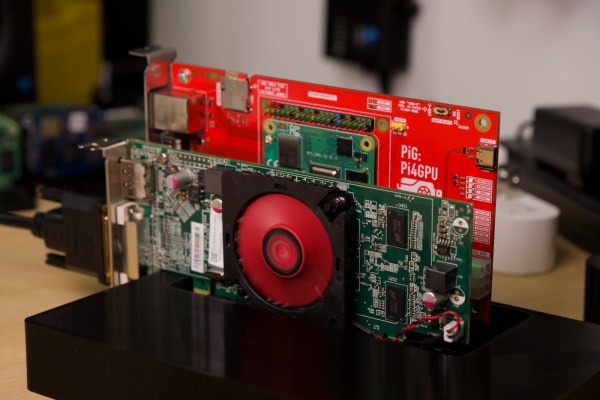
The Raspberry Pi is famous for its low cost, versatile and open Linux environment, and plentiful I/O, making it a perfect device not only for its originally-intended educational purposes but for basically every hobbyist from gardeners to roboticists to amateur radio operators. Most builds tend to make use of the GPIO pins which allow easy connections to various peripherals and sensors, but the Pi also supports PCI devices which means that, in theory, it could use a GPU in much the same way that a modern computer would. After plenty of testing and development, [Jeff Geerling] brings us this custom graphics card interface for the Raspberry Pi.

The testing for all of these graphics cards has been done with a Pi Compute Module 4 and the end result is an interface device which looks much like a graphics card itself. It splits the PCI bus out onto a more familiar x16 slot connector and adds physical connections for power, USB, and Ethernet. When plugged into the carrier board, the Compute Module can be attached to any of a number of graphics cards, including the latest and highest-end of Nvidia and AMD offerings.

Perhaps unsurprisingly, though, the 4090 and 7900 cards don’t work with the Raspberry Pi. This is partially due to the 32-bit limitations of the Pi and other memory mapping issues, but even after attempting some workarounds Nvidia’s cards aren’t open-source enough to test properly (although the card is recognized by the Pi) and AMD’s drivers crash the system even after compiling a custom kernel. [Jeff] did find an Nvidia card that worked, although it requires using the USB interface and second-hand cards are selling for around $3000 USD. For a more economical choice there are some other graphics cards that he was eventually able to get working, albeit not with perfect performance, including some of the ones we’ve seen him test already.
Continue reading “A Dedicated GPU For Your Favorite SBC”

Beat Backing Box For Bassists

The soul of a rock band is its rhythm section, usually consisting of a drummer and bass player. If you don’t believe that, try listening to a band where these two can’t keep proper time. Bands can often get away with sloppy guitars and vocals (this is how punk became a genre), but without that foundation you’ll be hard pressed to score any gigs at all. Unfortunately drums are bulky and expensive, and good drummers hard to find, so if you’re an aspiring bassist looking to practice laying down a solid groove on your own check out this drum machine designed by [Duncan McIntyre].

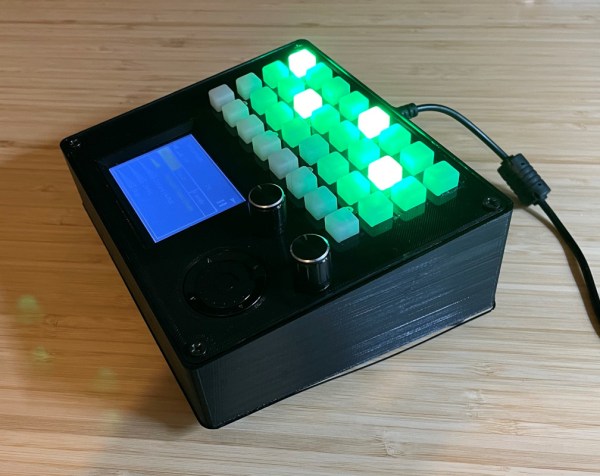
The drum machine is designed to be as user-friendly as possible for someone who is actively playing another instrument, which means all tactile inputs and no touch screens. Several rows of buttons across the top select the drum sounds for the sequencer and each column corresponds to the various beats, allowing custom patterns to be selected and changed rapidly. There are several other controls for volume and tempo, and since it’s based on MIDI using the VS1053 chip and uses an STM32 microcontroller it’s easily configurable and can be quickly interfaced with other machines as well.

For anyone who wants to build their own, all of the circuit schematics and code are available on GitHub. If you have an aversion to digital equipment, though, take a look at this drum machine that produces its rhythms using circuits that are completely analog.

Continue reading “Beat Backing Box For Bassists”

Python Your Keyboard Hack Chat With Adafruit

Join us on Wednesday, July 21 at noon Pacific for the Python Your Keyboard Hack Chat with the Adafruit crew!

Especially over the last year and a half, most of us have gotten the feeling that there’s precious little distinction between our computers and ourselves. We seem welded together, inseparable even, attached as we are day and night to our machines as work life and home life blend into one gray, featureless landscape where time passes unmarked except by the accumulation of food wrappers and drink cans around our work areas. Or maybe it just seems that way.

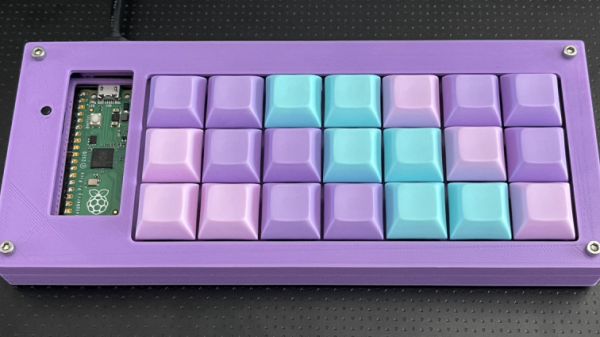
Regardless, there actually is a fine line between machine and operator, and in most instances it’s that electromechanical accessory that we all love to hate: the keyboard. If you buy off the shelf, it’s never quite right — too clicky, not clicky enough, wrong spacing, bad ergonomics, or just plain ugly design. The only real way around these limitations is to join the DIY keyboard crowd and roll your own, specifically customized to your fingers and your needs — at least until you realize that it’s not quite perfect, and need to modify it again.

Hitting this moving target is often as much a software problem as it is a hardware issue, but as is increasingly the case these days, Python is ready to help. To go into depth on how Python can be leveraged for the custom keyboard builder, our good friends at Adafruit, including Limor “Ladyada” Fried, Phillip Torrone, Dan HalbertKattni Rembor, and Scott Shawcroft will stop by the Hack Chat. We suspect they’ll have some cool stuff to show off, in addition to sharing their tips and tricks for making DIY keyboards just right. If you’re building custom keebs, or even if you’re just “keyboard curious”, you won’t want to miss this one.

join-hack-chatOur Hack Chats are live community events in the Hackaday.io Hack Chat group messaging. This week we’ll be sitting down on Wednesday, July 21 at 12:00 PM Pacific time. If time zones have you tied up, we have a handy time zone converter.

Control An IRL Home From Minecraft

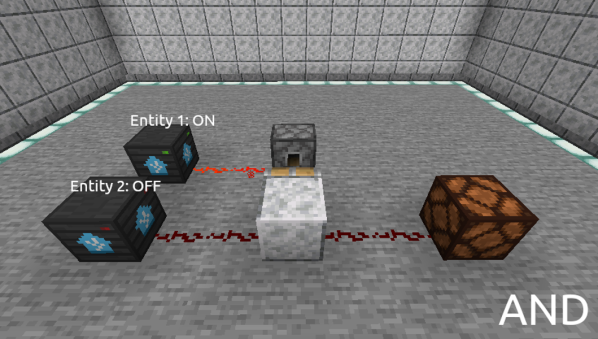
Minecraft seems to be a game in which anything is possible, both in the virtual world and in the real one. As a sandbox-style game, we’ve seen all kinds of things implemented in it including arithmetic logic units and microcontroller emulators. On the other end of reality we’ve also seen a lot of projects in which real-world interfaces impact the virtual world in some way. As a game, the lines between these two worlds often seem to blur, and that’s no different for this project that allows for control of a smart home from within the game itself.

The project is called HomeAssistantMC and is built with Forge. The mod interfaces directly with a Minecraft game. From within the game, players can create a model of their home complete with light switches and other control interfaces. A WebSocket API listens to the game for changes to these devices, and interfaces with real-world controllers which control the home in real life. The game uses special state blocks to handle the control, and the entire control system can be configured in-game once all of the appropriate software has been installed.

For anyone willing to experiment with this software, all of the code for this project is available on its GitHub page. One of the other interesting things about this project is the ability to use other creations within Minecraft for home automation. For example, building logic gates allows for nuanced control of the home automation setup with creations we’ve already seen in Minecraft before. And, if you really want to go deep into the weeds, you could even build a complete 6502 processor from within the game as well.

Understanding Custom Signal Protocols With Old Nintendos

For retro gaming, there’s really no substitute for original hardware. As it ages, though, a lot of us need to find something passable since antique hardware won’t last forever. If a console isn’t working properly an emulator can get us some of the way there, but using an original controller is still preferred even when using emulators. To that end, [All Parts Combined] shows us how to build custom interfaces between original Nintendo controllers and a PC.

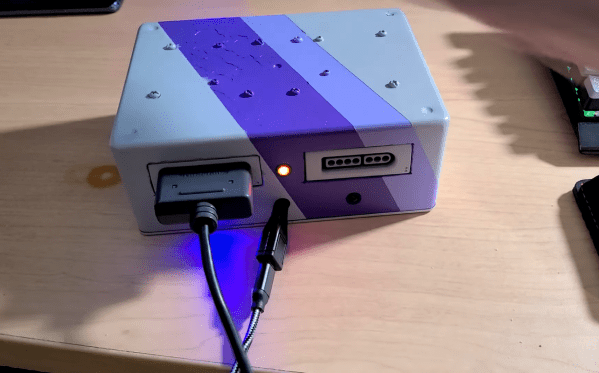
The build starts by mapping out the controller behavior. Buttons on a SNES controller don’t correspond directly to pins, rather a clock latches all of the button presses at a particular moment all at once during each timing event and sends that information to the console. To implement this protocol an Adafruit Trinket is used, and a thorough explanation of the code is given in the video linked below. From there it was a simple matter of building the device itself, for which [All Parts Combined] scavenged controller ports from broken Super Nintendos and housed everything into a tidy box where it can be attached via USB to his PC.

While it might seem like a lot of work to get a custom Nintendo controller interface running just because he had lost his Mega Man cartridge, this build goes a long way to understanding a custom controller protocol. Plus, there’s a lot more utility here than just playing Mega Man; a method like this could easily be used to interface other controllers as well. We’ve even seen the reverse process where USB devices were made to work on a Nintendo 64.

Continue reading “Understanding Custom Signal Protocols With Old Nintendos”

Diving Into The Details Of Keyboard Interfaces At The Gate-Level

Never doubt the value of a good teacher. Even if you know — or think you know — the material being presented, a good teacher can open your eyes to new ways of looking at things that will pay dividends you never expected.

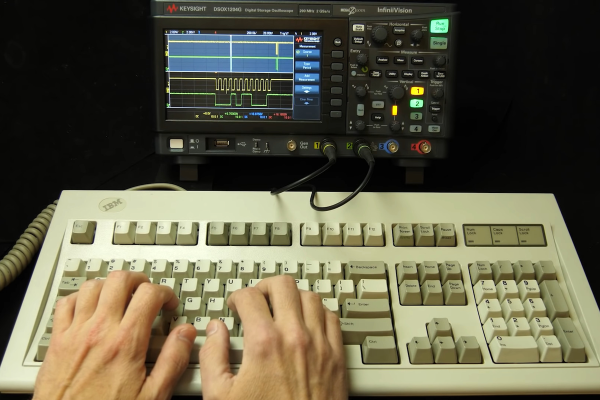
That’s the feeling we got while watching [Ben Eater]’s latest video on building a keyboard interface (embedded below) for his breadboard 6502 computer. On the face of it, getting a keyboard to talk to a computer should be a simple job. [Ben] had previously looked at the serial protocol used by the old PS/2 keyboard and even built a wildly complex circuit out of discrete shift register chips to visualize the data being sent by the keyboard. The video below continues that work, this time concentrating on using the keyboard with his 6502 breadboard computer.

After some instructive preliminaries on interrupt programming, [Ben] dives into the logic-level details of teasing useful signals from the keyboard. His signal processing starts with some inverters and an RC network to turn multiple clock pulses into one logic level transition. Walking through this circuit step by step was the really interesting bit; even if you know that the answer is eventually going to be “Schmitt trigger,” getting to that point was really instructive.

Of course, what [Ben]’s videos mainly accomplish is making us want to follow along with him and build a breadboard computer of our own. From a low-rez VGA card to a reliable UART, following along with his discrete chip builds is always educational.

Continue reading “Diving Into The Details Of Keyboard Interfaces At The Gate-Level”