Hand-Built Metal Mouse Is Beautifully Engraved

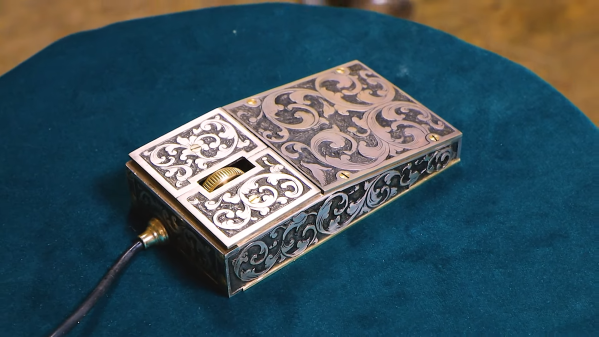
Computer mice, like computers themselves, used to be built almost solely in hideous beige designs. These days, things are a bit more stylish, but they’re still largely following a simple plastic formula. [Uri Tuchman] decided to build a fancy metal engraved computer mouse for a little more style on the desktop.

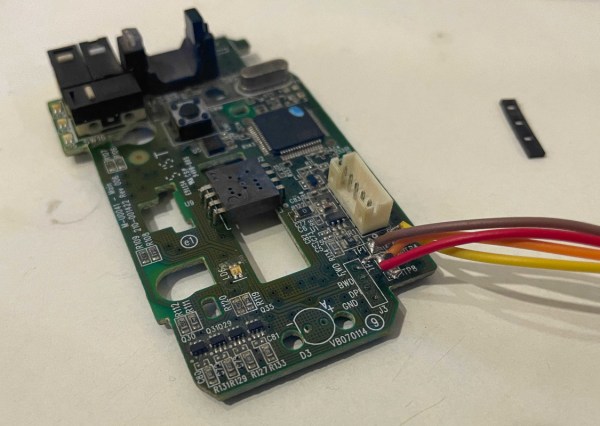
The build starts by gutting a simple three-button scroll mouse, as there’s really no sense in reinventing the wheel where the electronics is concerned. The PCB inside is pulled out and assembled on a brass baseplate, along with standoffs and supports for the mouse wheel as needed. It’s paired with a hefty brass enclosure with a nice gentle slope to sit well in the hand. Or, as well as it can, given the square  metal edges of the finished product.

The build is full of fun details, like [Uri] trying to form a hex shaft by hand, and the work that goes into the engraving is similarly impressive. In any case, it’s a build that would pair wonderfully with a proper steampunk keyboard. Alternatively, if you hate the idea of having to do all that engraving by hand, think about building your own CNC machine. Video after the break.

Continue reading “Hand-Built Metal Mouse Is Beautifully Engraved”

Accessible Arduino Mouse Helps

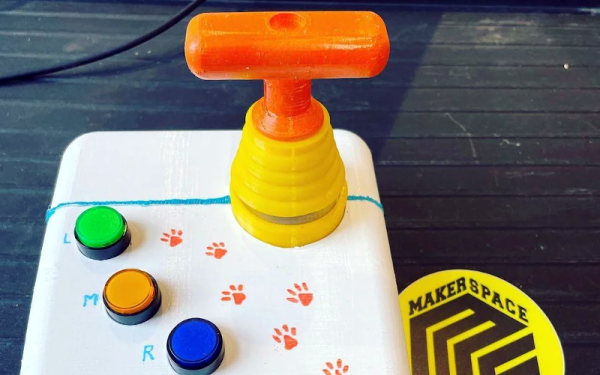
We enjoy access to cheap stuff because of the mass market for things like mice, keyboards, and cell phones. But if you need a device that doesn’t have mass appeal, you will have to pay a lot more if you can find it at all. However, with modern techniques like 3D printing and Arduino-like microcontrollers being cheap and simple to use, you now have the option to build that special one-of-a-kind device. Case in point: [Davy’s] mouse for people who have brain or nervous system disorders. This particular device is helping a 6-year-old who can’t manipulate a normal mouse.

The device uses an Arduino Pro and an MPU-6050 accelerometer and gyroscope. The original design uses machined aluminum, but 3D printing should work, too. There’s something wrong with the link to the design files in the post, but it is easy to find the correct link.

Continue reading “Accessible Arduino Mouse Helps”

Dead Mouse Reincarnated As Macropad

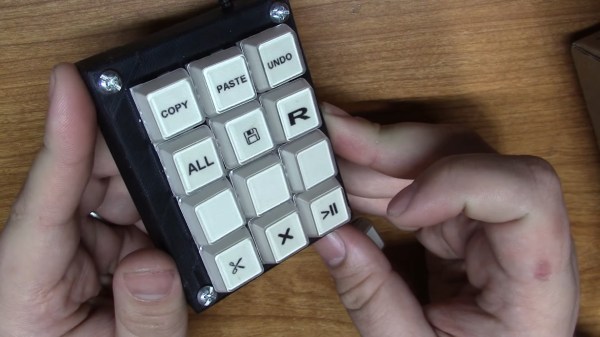
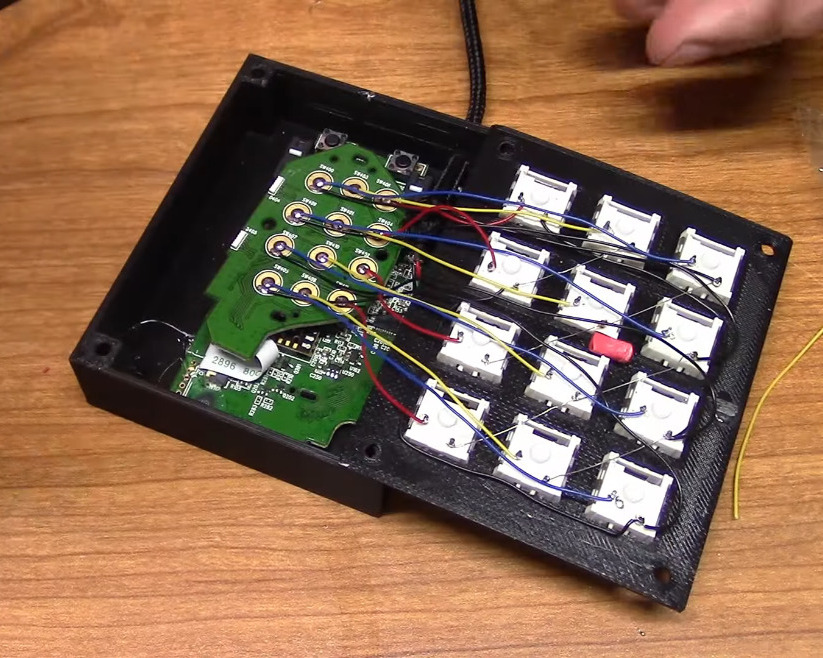
[Taylor] wanted to join the cool kids club and build a macropad for CAD work and video editing, but didn’t want to do it the traditional way with an Arduino. We can get behind that. In fact, [Taylor] wanted to reuse some old piece of tech if possible, which is even better. With a little luck, they found a used gaming mouse with a set of 12 tiny macro buttons on the side that were ripe for reuse. Only the scroll wheel was reported to be broken.

After verifying that all the macro buttons worked, [Taylor] tore down the mouse and extracted the daughterboard, then removed the sticker that held the rubber dome actuators in place. Then they wired up twelve Kailh box jades to the pads, doing some nice diagonal work with bare 30 AWG wire to join all the common pins together.

[Taylor] designed and printed a simple enclosure that’s a slim 21.5 mm tall including the switch plate, and then made a dozen keycaps to match. That was until [Taylor] remembered some relegendable keycaps they had lying around — the kind that let you print your own labels and trap them underneath clear plastic. The only problem was that they are stemmed for some cylindrical actuator, so [Taylor] designed an adapter piece so they would fit on MX-style sliders. Be sure to check out the build video after the break.

If for some reason box jades aren’t clicky and satisfying enough for you, try making your own maglev Hall-effect switches. These days, you even have design options.

Continue reading “Dead Mouse Reincarnated As Macropad”

Microsoft’s Minimal Mouse May Maximize Masochism

So it seems that Microsoft has a patent in process for a folding mouse.  It looks a whole lot like their Arc mouse, which is quite thin and already goes from curved to flat. But that’s apparently not good enough for Microsoft, who says mice in general are bulky and cumbersome to travel with. On the bright side, they do acknowledge the total lack of ergonomics in those tiny travel mice.

Microsoft filed this patent in March of 2021 and it was published in early November. The patent describes the use of an expandable shell on the top with these kerf cuts in the long sides like those used to bend wood — this is where the flexibility comes in. The patent also mentions a motion tracker, haptic feedback, and a wireless charging coil. Now remember, there’s no guarantee of this ever actually happening, and there was no comment from Microsoft about whether it will become a real rodent someday.

And now, the rant. Microsoft considers this mouse, which again is essentially an updated Arc that folds in half, to be ergonomic. Full disclosure: I’ve never used an Arc mouse. But I respectfully disagree with this assessment and believe that people should not prioritize portability when it comes to peripherals, especially those that are so small to begin with. Like, what’s the use? And by the way, isn’t anyone this concerned with portability just using the touch pad or steering stick on their laptop anyway?

Continue reading “Microsoft’s Minimal Mouse May Maximize Masochism”

Smart Ruler Has Many Features

For those of us who remember old ball mice, they were a lot like modern optical mice except that they needed to be cleaned constantly. Having optical mice as a standard way of interacting with a computer is a major improvement over previous eras in computing. With extinction of the ball mouse, there are an uncountable number of cheap optical mice around now which are easy pickings for modern hacking, and this latest project from [Vipul] shows off some of the ways that optical mice can be repurposed by building a digital ruler.

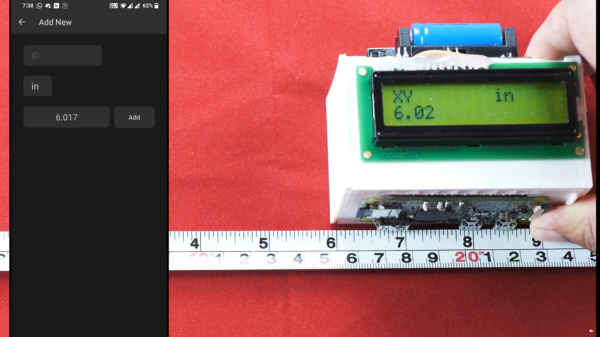
The build seems straightforward on the surface. As the ruler is passed over a surface the device keeps track of exactly how far it has moved, making it an effective and very accurate ruler. To built it, the optical component of a mouse was scavenged and mated directly to a Raspberry Pi Zero W over USB. Originally he intended to use an ESP32 but could not get the USB interface to work. [Vipul] was then able to write some software which can read the information from the mouse’s PCB directly and translate it into human-readable form where it is displayed on a small screen. The entire device is housed in a custom 3D-printed enclosure to wrap everything up, but the build doesn’t stop there though. [Vipul] also leveraged the Bluetooth functionality of the Pi and wrote a smartphone app which can be used to control the ruler as well.

While the device does have some limitations in that it has to make contact with the object being measured across its entire length, there are some situations where we can imagine something like this being extremely useful especially when measuring things that aren’t a straight line. [Vipul] has also made all of the code for this project publicly available for those of us who might have other uses in mind for something like this. We’ve seen optical mice repurposed for all kinds of things in the past, too, including measuring travel distances in autonomous vehicles.

Continue reading “Smart Ruler Has Many Features”

Hackaday Podcast 146: Dueling Trackballs, Next Level BEAM Robot, Take Control Of Your Bench, And Green Programming

Postpone your holiday shopping and spend some quality time with editors Mike Szczys and Elliot Williams as they sift through the week in Hackaday. Which programming language is the greenest? How many trackballs can a mouse possibly have? And can a Bluetooth dongle run DOOM? Join us to find out!


Take a look at the links below if you want to follow along, and as always, tell us what you think about this episode in the comments!

Direct download (52 MB)

Continue reading “Hackaday Podcast 146: Dueling Trackballs, Next Level BEAM Robot, Take Control Of Your Bench, And Green Programming”

Mice with capactive sensors instead of buttons. Designed for people with low mobility.

Capacitive Mouse Built For A Friend Makes For A Touching Tale

Those tiny switches inside your mouse may be rated for 50 million clicks or more, but your fingers will likely wear out much sooner than that. Trust us — mouse arm and/or hand fatigue is no fun at all. If you’ve never had the displeasure, just try to imagine not being able to click or move the mouse around without extreme discomfort.

TTP223 touch sensor modules and the modifications necessary for this project.For this year’s Hackaday Prize, [BinSun] hacked together a capacitive mouse for a friend who has ALS. Instead of micro switches, it uses touch sensors to detect left and right clicks and LEDs to indicate when a click has taken place. That makes us think that haptic feedback could be cool, but it might get old quickly, or even worse, you might get used to it after a while and not feel it anymore.

This mouse would be a good alternative for anyone with limited mobility from any condition — ALS, arthritis, trigger finger, or carpal/cubital tunnel syndrome. It would also benefit anyone who wants to mouse much more stealthily, like in a library, a small shared space, or late at night. The only downside we can see is that you’d either have to get used to hovering your fingers, or else learn to rest them out of the way of the capacitive buttons. Otherwise, you’re gonna actuate them more often than you really want to.

If you want to build one of these, you’ll find a nice set of instructions over on IO that includes the minor modifications necessary to make the TTP223 capacitive modules sensitive enough to detect the presence of a finger. All you really have to do is bridge a couple of pads, add a capacitor and remove the SMD LEDs. [Bin Sun] says this is an ongoing project. He’s gotten a handful of beta testers involved at this point, and is planning to make a dedicated PCB pretty soon. Squeak past the break for a couple of brief demonstrations.

The right kind of mouse can save your limbs, sure. Hack together a different type of mouse, and you might be able to save your crops from elephant raids.

Continue reading “Capacitive Mouse Built For A Friend Makes For A Touching Tale”