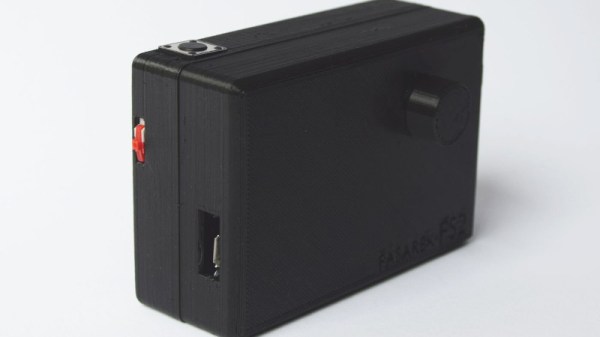
Arduino Nitrox Analyzer For The Submarine Hacker

For Hackaday readers who don’t spend their free time underwater, nitrox is a blend of nitrogen and oxygen that’s popular with scuba divers. Compared to atmospheric air, nitrox has a higher concentration of oxygen; which not only allows divers to spend more time underwater but also reduces the risk of decompression sickness. Of course when fiddling with the ratio of gases you breathe there’s a not inconsequential risk of dying, so nitrox diving requires special training and equipment to make sure the gas mixture is correct.

Divers can verify the ratio of oxygen to nitrogen in their nitrox tanks with a portable analyzer, though as you might expect, they aren’t exactly cheap. But if you’re confident in your own hacking skills, [Eunjae Im] might have the solution for divers looking to save some cash. He’s come up with an Arduino based nitrox analyzer that can be built for considerably less than the cost of a commercial unit.

Now before you get the torches lit up, we should be clear: ultimately the accuracy, and therefore safety, of this device depends on the quality of the oxygen sensor used. [Eunjae] isn’t suggesting you get a bottom of the barrel sensor for this build, and in fact links to a replacement sensor that’s intended for commercial nitrox analyzers as a way to verify the unit is up to the task. The downside is that the sensor alone runs $80. If you want to go with something cheaper, you do so at your own risk.

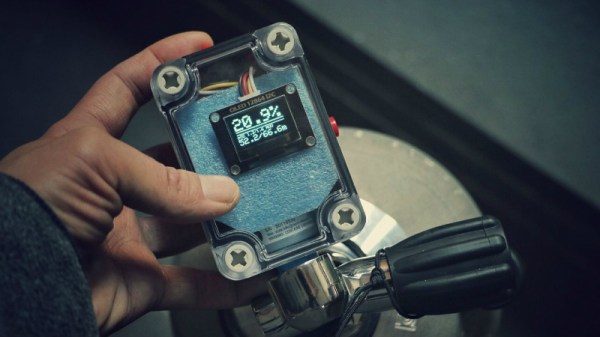
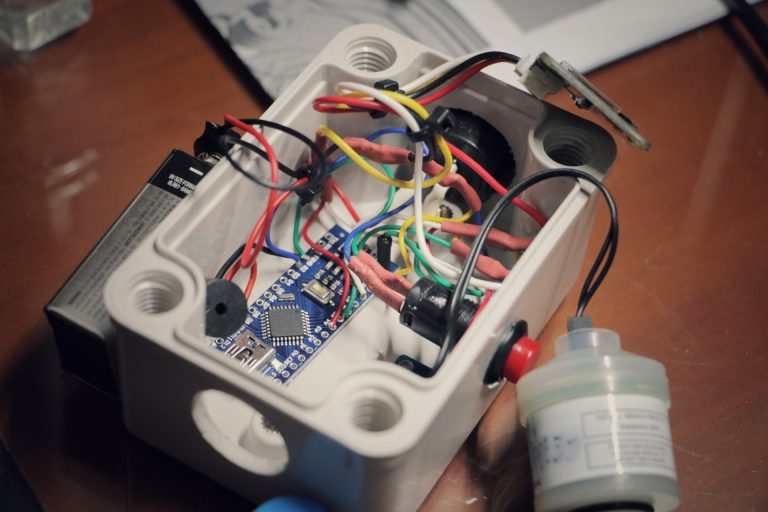
With a suitable sensor in hand, the project really boils down to building up an interface and enclosure for it. [Eunjae] is using an Arduino Nano, a 128×64 OLED screen, and a battery inside of a rugged waterproof case. He also added an ADS1115 16 Bit DAC between the oxygen sensor and the Arduino for fast and accurate readings over I2C. With the hardware assembled, calibrating the device is as simple as taking it outside and making sure you get an oxygen reading of 20.9% (the atmospheric normal).

While [Eunjae] is happy with his analyzer on the whole, he does see a few areas which could be improved in future revisions. The case is bulky and rather unattractive, something that could be addressed with a custom 3D printed case (though waterproofing it might be an issue). He also says the only reason he used a 9V alkaline battery was because he had it on hand, a small rechargeable battery pack would be a much more elegant solution.

We’ll go out on a limb and say that most Hackaday readers aren’t avid scuba divers. For better or for worse, we’re the sort of folks who stay in the shallow end of the pool. But when one of our ilk does dip below the waves, they really seem to go all out.

Continue reading “Arduino Nitrox Analyzer For The Submarine Hacker”

Drawing On An OLED With An ATtiny85, No RAM Buffers Allowed

Small I2C OLED displays are common nowadays, and thanks to the work of helpful developers, there are also a variety of graphics libraries for using them. Most of them work by using a RAM buffer, which means that anything one wants to draw gets written to a buffer representing the screen, and the contents of that buffer are copied out to the display whenever it is updated. The drawback is that for some microcontrollers, there simply isn’t enough RAM for this approach to work. For example, a 128×64 monochrome OLED requires a 1024 byte buffer, but that’s bad news if a microcontroller has only 512 bytes of RAM in total like the ATtiny85. [David Johnson-Davies] has two solutions: a Tiny Graphics Library that needs no RAM buffer and an even slimmer Tiny Function Plotter, which we’ll discuss in order.

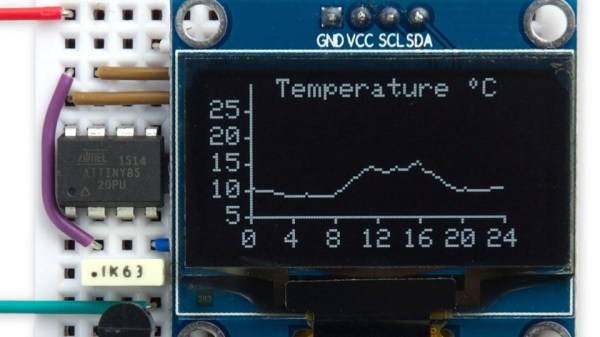
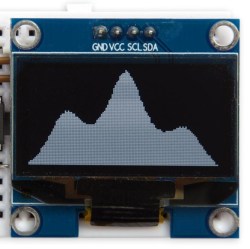
Tiny Function Plotter works on both SSD1306 and SH1106-based displays.

[David]’s Tiny Graphics Library works by taking advantage of a feature of SH1106 driver-based displays: the ability to read the display over I2C as well as write to it. With the ability to perform read-modify-write on a section at a time, using a large RAM buffer can be avoided. The only catch is that the library only works with OLEDs using the SH1106, but the good news is that these are very common at the usual Chinese resellers. ([David] notes that SH1106 is sometimes misspelled as “SSH1106”, so keep that in mind when searching.)

What about all those other SSD1306-based OLED displays out there? Are they out of luck? Not quite. [David] has one more trick up his sleeve: his Tiny Function Plotter works on the SSD1306 and also requires no RAM buffer. It’s unable to write text, but it can easily handle drawing graphs plotting things like values over time while needing very little overhead.

Another approach we’ve seen for using OLEDs driven by microcontrollers with limited memory is the solution [Michael] used in Tiny Sideways Tetris, which was done in part by realizing the smallest screen element he needed was a 4×4 block, and using that premise as the basis of a simple compression scheme.

A Multifunction ESP8266 Smartwatch

Most of the DIY smartwatch projects we feature here on Hackaday aren’t exactly what most people would consider practical daily-use devices. Clunky designs, short battery life, limited functions: they’re more a wearable display of geek cred than they are functional timepieces. Oddly enough, the same could be said of many of the “real” smartwatches on the market, so perhaps the DIY versions are closer to the state-of-the-art than we thought.

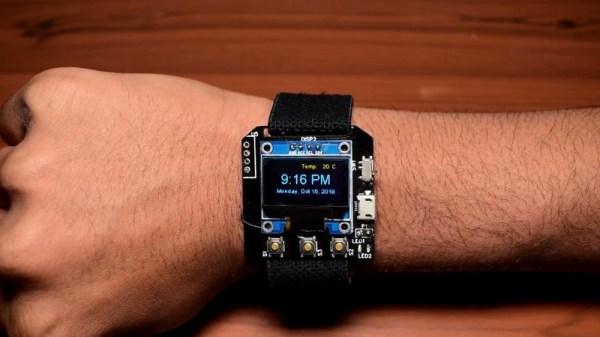
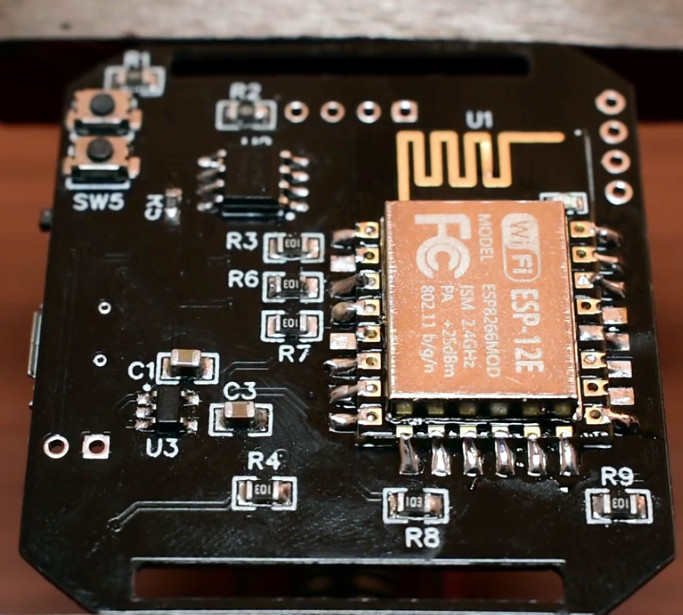
But this ESP8266 smartwatch created by [Shyam Ravi] is getting dangerously close to something you could unironically leave the house with. It’s still missing an enclosure that prevents you from receiving PCB acupuncture while wearing it, but beyond than that it has a more than respectable repertoire of functions. It even seems to be a fairly reasonable size (with the potential to be even smaller). All that with a total build cost of less than $20 USD, and we’re thinking this might be a project to keep an eye on.

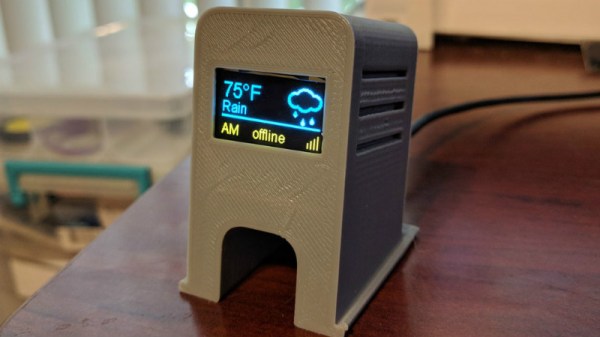
Not content with a watch that simply tells the time, [Shyam] added in a weather function that pulls the current conditions for his corner of the globe from the Yahoo weather API and displays it above the time and date on the watch’s multi-color OLED display when the center button is pressed. Frankly, given the state of DIY watches, that would already have been impressive enough; but he didn’t stop there.

The left and right buttons control Internet-connected relays which [Shyam] uses to turn his lights and air conditioner on and off. When he presses the corresponding button, the watch will even display the status of the devices wherever his travels might take him.

A smattering of DIY watches pass by our careful gaze, though it’s been a while since we’ve seen an ESP8266 watch. More recently we’ve seen an Arduino watch, and some downright gorgeous analog creations.

Continue reading “A Multifunction ESP8266 Smartwatch”

The Tide Is High, And This Clock Lets You Know

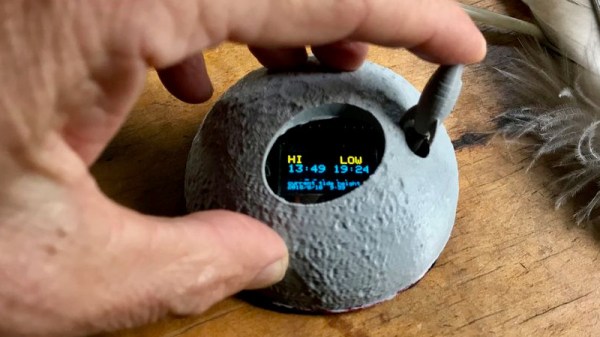
In case you happen to have an ocean nearby, you’re probably familiar with its rising and falling tides. And if mudflat hiking is a thing in your area, you’re also aware of the importance of good timing and knowing when the water will be on its way back. Tide clocks will help you to be prepared, and they are a fun alternative to your usual clock projects. If you’re looking for a starting point, [rabbitcreek] put together an Arduino-based tide clock kit for educational purposes.

If you feel like you’re experiencing some déjà vu here, this indeed isn’t [rabbitcreek]’s first tide clock project. But unlike his prior stationary clock, he has now created a small and portable, coin-cell version to take with you out on the sea. And what shape would better fit than a 3D printed moon — unfortunately the current design doesn’t offer much waterproofing.

For the underlying tide calculation itself, [rabbitcreek] uses just like in his previous project [Luke Miller]’s location-based library for the ubiquitous DS1307 and DS3213 real-time clocks. Of course, if you also want to keep track of other events on your clock, why not set up calendar events for the next rising tide?

Faded Beauty DMM Gets An OLED Makeover

When a fine piece of lab instrumentation crosses your bench, you’ve got to do your best to put it to work. But even in the highest quality devices no component lasts forever, especially vacuum tubes. For some vintage instruments with vacuum fluorescent displays, that means putting up with less-than-perfect digits in order to get that sweet, sweet precision. Or not – you can always reverse engineer the thing and add a spanking new OLED display.

The Hewlett-Packard 34401A digital multimeter that fell into [qu1ck]’s lap was a beauty, but it had clearly seen better days. The display was full of spuriously illuminated dots and segments, making it hard to use the 6.5 digit DMM. After a futile bit of probing to see if a relatively easy driver fix would help, and with a replacement display being made of solid unobtanium, [qu1ck] settled in for the long process of reverse engineering the front panel protocol. As luck would have it, H-P used the SPI protocol to talk to the display, and it wasn’t long before [qu1ck] had a decent prototype working. The final version is much more polished, with a display sized to fit inside the original space occupied by the VFD. The original digits and annunciator icons are recreated, and he added a USB port and the bargraph display show in the clip below.

We think it looks fabulous, and both the firmware and hardware are on Github if you’d like to rescue a similar meter. You may want to check our guide to buying old test gear first, though, to get the most bang for your buck.

Continue reading “Faded Beauty DMM Gets An OLED Makeover”

A Unique Microphone Preamp

We live in a world in which nearly any kind of gadget or tool you can imagine is just a few clicks away. In many respects, this has helped fuel the maker culture over the last decade or so; now that people aren’t limited to the hardware that’s available locally, they’re able to create bigger and better things than ever before. But it can also have a detrimental effect. One has to question, for instance, why they should go through the trouble of building something themselves when they could buy it, often for less than the cost of the individual components.

The critic could argue that many of the projects that grace the pages of Hackaday could be supplanted with commercially available counterparts. We don’t deny it. But the difference between buying a turn-key product and building an alternative yourself is that you can make it exactly how you want it. That is precisely why [Sam Izdat] created this truly one of a kind microphone preamplifier. Could he have bought one online for cheaper? Probably. Could he have saved himself an immense amount of time and effort? Undoubtedly. Do we care? Not in the slightest.

The amplifier is based on the Texas Instruments INA217 chip, with an Arduino Nano and 128×64 OLED display providing the visualization. [Sam] was able to find a bare PCB for a typical INA217 implementation on eBay for a few bucks (see what we mean?), which helped get him started and allowed him to spend more time on the software side of things. His visualization code offers a number of interesting display modes, uses Fast Hartley Transforms, and very nearly maxes out the Arduino.

But perhaps no element of this build is as unique as the case. The rationale behind the design is that [Sam] wanted to compartmentalize each section of the device (power supply, amplifier, visualization) to avoid any interference. The cylindrical shapes were an issue of practicality: the compartments were constructed by using a hole saw to make wooden discs, which were then glued together and hollowed out. The case was stained and coated with polyurethane, but due to some slightly overzealous use of glue and fillers, the coloring isn’t uniform. This gives the final piece a somewhat weathered look, in sharp contrast to the decidedly high-tech looking display.

Overall, this build reminds us of the modular 3D printed amplifier we saw earlier in the year combined with these speaker-integrated Arduino VU meters.

Continue reading “A Unique Microphone Preamp”

Tiny Sideways Tetris On A Business Card

Everyone recognizes Tetris, even when it’s tiny Tetris played sideways on a business card. [Michael Teeuw] designed these PCBs and they sport small OLED screens to display contact info. The Tetris game is actually a hidden easter egg; a long press on one of the buttons starts it up.

It turns out that getting a playable Tetris onto the ATtiny85 microcontroller was a challenge. Drawing lines and shapes is easy with resources like TinyOLED or Adafruit’s SSD1306 library, but to draw those realtime graphics onto the 128×32 OLED using that method requires a buffer size that wouldn’t fit the ATtiny85’s available RAM.

To solve this problem, [Michael] avoids the need for a screen buffer by calculating the data to be written to the OLED on the fly. In addition, the fact that the smallest possible element is a 4×4 pixel square reduces the overall memory needed to track the screen contents. As a result, the usual required chunk of memory to use as a screen buffer is avoided. [Michael] also detailed the PCB design and board assembly phases for those of you interested in the process of putting together the cards using a combination of hot air reflow and hand soldering.

PCB business cards showcase all kinds of cleverness. The Magic 8-Ball Business Card is refreshingly concise, and the project that became the Arduboy had milled cutouts to better fit components, keeping everything super slim.