Neural Network Zaps You To Take Better Photographs

It’s ridiculously easy to take a bad photograph. Your brain is a far better Photoshop than Photoshop, and the amount of editing it does on the scenes your eyes capture often results in marked and disappointing differences between what you saw and what you shot.

Taking your brain out of the photography loop is the goal of [Peter Buczkowski]’s “prosthetic photographer.” The idea is to use a neural network to constantly analyze a scene until maximal aesthetic value is achieved, at which point the user unconsciously takes the photograph.

But the human-computer interface is the interesting bit — the device uses a transcutaneous electrical nerve stimulator (TENS) wired to electrodes in the handgrip to involuntarily contract the user’s finger muscles and squeeze the trigger. (Editor’s Note: This project is about as sci-fi as it gets — the computer brain is pulling the strings of the meat puppet. Whoah.)

Meanwhile, back in reality, it’s not too strange a project. A Raspberry Pi watches the scene through a Pi Cam and uses a TensorFlow neural net trained against a set of high-quality photos to determine when to trip the shutter. The video below shows it in action, and [Peter]’s blog has some of the photos taken with it.

We’re not sure this is exactly the next “must have” camera accessory, and it probably won’t help with snapshots and selfies, but it’s an interesting take on the human-device interface. And if you’re thinking about the possibilities of a neural net inside your camera to prompt you when to take a picture, you might want to check out our primer on TensorFlow to get started.

Continue reading “Neural Network Zaps You To Take Better Photographs”

A New Life For A Dead VIC-20

What was the first computer you bent to your programmatic will? If you’re old enough, it was probably a Commodore. For [Jagged-path], it was a VIC-20. After finding a broken one on Kijiji, he recaptured that 80s feeling with VicPi, a revitalization project that marries modern computing power with vintage form factor.

The VicPi can be used as a standalone computer or a USB keyboard for an external computer. As you’ve probably guessed, there’s a Raspberry Pi involved. There is also a Keyrah board, which is arguably the easiest way to convert Commodore (and Amiga) keystrokes to USB without breaking a sweat.

There are a lot of nice touches that really make this project. A toggle switch on the back selects between VicPi mode and keyboard mode, and the distinction is made with a two-color LED in place of the VIC-20’s power LED. [Jagged-path] used panel mount cables to extend the HDMI, 3.5mm, and USB ports and ran them out to a custom metal panel that’s treated with rubberized black paint. Another nice touch: the dedicated keyboard port is USB-B, so it’s easy to differentiate from the Pi inputs.

If you have a working VIC-20 but not the rare Votrax Type ‘n Talk synthesizer peripheral, you can use an old Android phone to hear those Voodoo Castle responses.

Raspberry Pi Zero Drives Tiny RC Truck

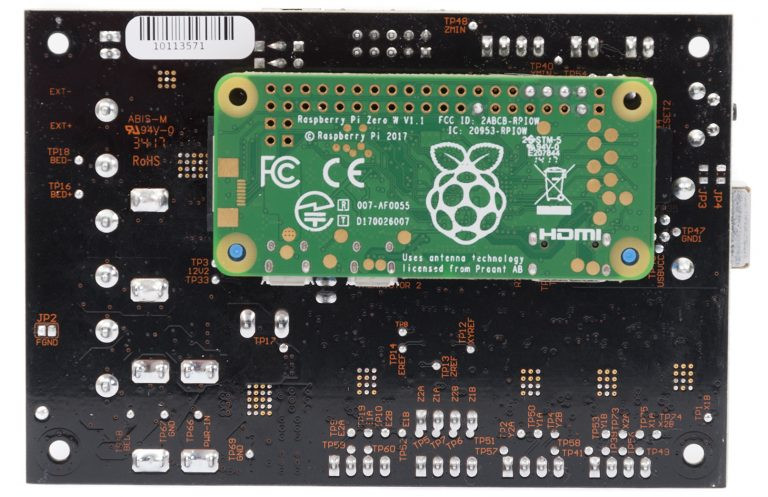
We’re not sure which is more fun – putting together a little RC truck with parts laying around on your workbench, or driving it around through a Linux terminal. We’ll take the easy road and say they’re both equally fun. [technodict] had some spare time on his hands and decided to build such a truck.

He started off with a great little chassis that can act as the base for many projects. Powering the four motors is a cheap little dual H bridge motor driver and a couple rechargeable batteries. But the neatest part of this build is that it’s controlled using a little bit of python and driven directly from a terminal, made possible by the Raspberry Pi Zero of course.

With Raspberry Pi Zero now having built in WiFi and Bluetooth – we should see a lot more projects popping up with one at its heart. Be sure to visit [technodict’s] blog for full source and details. And let us know how you could use that little chassis for your next mobile project!

Road Apology/Gratitude Emitter Car LED Sign

Sometimes, when you’re driving, a simple wave when someone lets you in can go unnoticed and sometimes you make a mistake and a simple wave just isn’t enough. [Noapparentfunction] came up with a nice project to say ‘Thanks’ and ‘My Bad’ to his fellow drivers.

The display uses four Max 7219 LED matrix displays, so the total resolution is 32 by 8. [Noapparentfunction] came up with an inspired idea: using a glasses case to hold the LED matrices and Raspberry Pi. It’s easy to get into if necessary, stays closed, and provides a nice finished look. Having little knowledge of electronics and no programming skills, [Noapparentfunction] had to rely on cutting and pasting Python code as well as connecting a mess of wires together, but the end result works, and that’s what matters.

A network cable runs from the glasses case suction cupped to the rear window to another project box under the dashboard. There, the network cable is connected to two buttons and the power. No network information is passed, the cable is just a convenient collection of wires with which to send signals. Each of the buttons shows a different message on the display.

Depending on where you live, this might not be legal, and we’re sure many of our readers (as well as your author) could come up with some different messages to display. However, this is a cool idea and despite [Noapparentfunction]’s admitted limitations, is a nice looking finished product. Also, its name is Road Apology Gratitude Emitter. Here are some other car mod articles: This one adds some lighting to the foot well and glove compartment and this one on the heinousness of aftermarket car alarms.

Firing Up 750 Raspberry Pis

Creating Raspberry Pi clusters is a popular hacker activity. Bitscope has been commercializing these clusters for a bit now and last year they created a cluster of 750 Pis for Los Alamos National Labs. You might wonder what an institution know for supercomputers wants with a cluster of Raspberry Pis. Turns out it is tough to justify taking a real high-speed cluster down just to test software. Now developers can run small test programs with a large number of CPU cores without requiring time on the big iron.

On the face of it, this doesn’t sound too hard, but hooking up 750 of anything is going to have its challenges. You have to provide power and carry away heat. They all have to communicate, and you aren’t going to want to house the thing in a few hundred square feet which makes heat and power even more difficult.

Continue reading “Firing Up 750 Raspberry Pis”

Roll Your Own Raspberry Pi OS

Writing an operating system is no small task, but like everything else it is easier than it used to be. [JSandler] has a tutorial on how to create a simple operating system for the Raspberry Pi. One thing that makes it easier is the development environment used. QEMU emulates a Raspberry Pi so you can do the development on a desktop PC and test in the virtual environment. When you are ready, you can set up a bootable SD card and try your work on a real device.

The operating system isn’t very complex, but it does boot, organize memory, displays on the screen, handles interrupts, and manages processes. What else do you need?

Continue reading “Roll Your Own Raspberry Pi OS”

Four Pi Zeros, Four Cameras, One Really Neat 3D Scanner

Sometimes when you walk into a hackerspace you will see somebody’s project on the table that stands so far above the norm of a run-of-the-mill open night on a damp winter’s evening, that you have to know more. If you are a Hackaday scribe you have to know more, and you ask the person behind it if they have something online about it to share with the readership.

[Jolar] was working on his 3D scanner project on just such an evening in Oxford Hackspace. It’s a neatly self-contained unit in the form of a triangular frame made of aluminium extrusions, into which are placed a stack of Raspberry Pi Zeros with attached cameras, and a very small projector which needed an extra lens from a pair of reading glasses to help it project so closely.

The cameras are arranged to have differing views of the object to be scanned, and the projector casts an array of randomly created dots onto it to aid triangulation from the images. A press of a button, and the four images are taken and, uploaded to a cloud drive in this case, and then picked up by his laptop for processing.

A Multi-view Stereo (MVS) algorithm does the processing work, and creates a 3D model. Doing the processing is VisualSFM, and the resulting files can then be viewed in MeshLab or imported into a CAD package. Seeing it in action the whole process is quick and seamless, and could easily be something you’d see on a commercial product. There is more to come from this project, so it is definitely one to watch.

Four Pi boards may seem a lot, but it is nothing to this scanner with 39 of them.