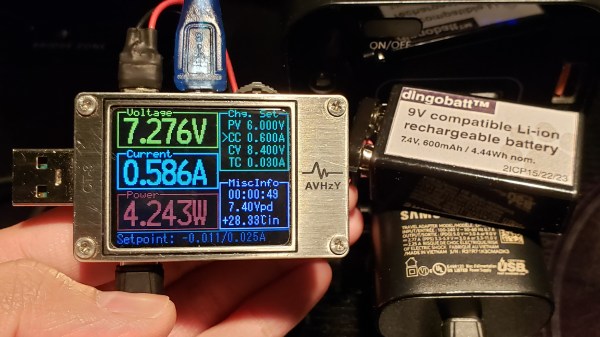
In USB-C Power Delivery (PD) standard, the PPS (Programmable Power Supply) mode is an optional mode that lets you request a non-standard voltage from a charger, with the ability to set a current limit of your choice, too. Having learned this, [Jason] from [Rip It Apart] decided to investigate — could this feature be used for charging Li-Ion battery packs, which need the voltage and current to vary in a specific way throughout the charging process? Turns out, the answer is a resounding “yes”, and thanks to a USB-C tester that’s programmable using Lua scripts, [Jason] shows us how we can use a PPS-capable USB-C charger for topping up our Li-Ion battery packs, in a project named DingoCharge.
The wonderful write-up answers every question you have, starting with a safety disclaimer, and going through everything you might want to know. The GitHub repo hosts not only code but also full installation and usage instructions.
DingoCharge handles more than just Li-Ion batteries — this ought to work with LiFePO4 and lithium titanate batteries, too. [Jason] has been working on Ni-MH and lead-acid support. You can even connect an analog output thermal sensor and have the tester limit the charge process depending on the temperature, showing just how fully-featured a solution the DingoCharge project is.
The amount of effort put into polishing this project is impressive, and now it’s out there for us to take advantage of; all you need is a PPS-capable PSU and a supported USB-C tester. If your charger’s PPS is limited by 11V, as many are, you’ll only be able to fully charge 2S packs with it – that said, this is a marked improvement over many Li-Ion solutions we’ve seen. Don’t have a Li-Ion pack? Build one out of smartphone cells! Make sure your pack has a balancing circuit, of course, since this charger can’t provide any, and all will be good. Still looking to get into Li-Ion batteries? We have a three-part guide, from basics to mechanics and electronics!