Open Source Electric Vehicle Charging

Electric vehicles are becoming more and more common on the road, but when they’re parked in the driveway or garage there are still some kinks to work out when getting them charged up. Sure, there are plenty of charging stations on the market, but they all have different features, capabilities, and even ports, so to really make sure that full control is maintained over charging a car’s batteries it might be necessary to reach into the parts bin and pull out a trusty Arduino.

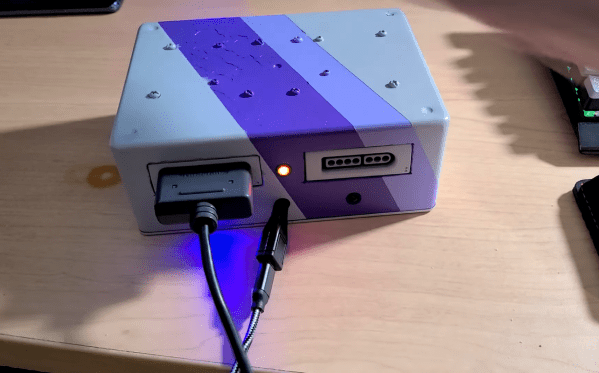
This project comes to us from [Sebastian] who needed this level of control over charging his Leaf, and who also has the skills to implement it from the large high voltage switching contactors to the software running its network connectivity and web app. This charging station has every available feature, too. It can tell the car to charge at different rates, and can restrict it to charging at different times (if energy is cheaper at night, for example). It is able to monitor the car’s charge state and other information over the communications bus to the vehicle, and even has a front-end web app for monitoring and controlling the device.

The project is based around an Arduino Nano 33 IoT with all of the code available on the project’s GitHub page. While we would advise using extreme caution when dealing with mains voltage and when interfacing with a high-ticket item like an EV, at first blush the build looks like it has crossed all its Ts and might even make a good prototype for a production unit in the future. If you don’t need all of the features that this charging station has, though, you can always hack the car itself to add some more advanced charging features.

Continue reading “Open Source Electric Vehicle Charging”

Portable Telescope Rolls Anywhere

Since Galileo began observing celestial objects with a telescope, an almost uncountable number of improvements have been made to his designs and methods. Telescopes can now view anything from radio waves to gamma waves, come in a wide range of sizes and shapes, and some are also fairly accessible to hobbyists as well. In fact, several homemade telescopes are specifically designed for ease of use, portability, and minimum cost, like this portable ball telescope. (Google Translate from Italian)

The telescope was designed and built by [andrea console] and features a ball-shaped mount for the mirror which was built from a bowl. Ball designs like this are easier to orient than other telescopes since the ball allows for quick repositioning in any direction, but the main focus of this project was to investigate focal length with various accessories while also being as portable as possible. To that end, the mount for the eyepiece is on a lattice that assembles and disassembles quickly, and the ball and other equipment are easily packed. This makes transportation quick and easy and reduces weight compared to a more traditional, or even Dobsonian, telescope.

This build is impressive not just from having an extremely portable telescope, but also from [andrea console]’s documentation of the optics in his build. It includes some adjustable parts which can increase the magnification and has detailed notes on all of the finer points of its operation. The ball telescope is a popular build, and we’ve recently seen others made out of parts from IKEA as well.

Continue reading “Portable Telescope Rolls Anywhere”

Honey, I Shrunk The Arduino Core

High-level programming languages do a great job of making a programmer’s job easier, but these languages often leave a lot of efficiency on the table as a compromise. While a common thought is to move into a lower-level language like assembly to improve on a program’s speed or memory use, there’s often a lot that can be done at the high level before resorting to such extremes. This, of course, is true of the Arduino platform as well, as [NerdRalph] demonstrates by shrinking the size of the Arduino core itself.

[NerdRalph] had noticed that the “blink” example program actually includes over 1 kB of extraneous code, and that more complicated programs include even more cruft. To combat this issue, he created ArduinoShrink, which seeks to make included libraries more modular and self-contained. It modifies some of the default registers and counters to use less memory and improve speed, and is also designed to improve interrupt latency as well by changing when the Arduino would otherwise disable interrupts.

While there are some limits to ArduinoShrink, such as needing to know specifics about the pins at compile time, for anyone writing programs for Arduinos that are memory-intensive or need improvements in timing, this could be a powerful new tool. If you’d prefer to go in the opposite direction to avoid ever having to learn C or assembly, though, you can always stick with running Python on your embedded devices.

Cheat At Cornhole With A Bazillion-Dollar Robot

While the days of outdoor cookouts may be a few months away for most of us, that certainly leaves plenty of time to prepare for that moment. While some may spend that time perfecting recipies or doing various home improvement projects during their remaining isolation time, others are practicing their skills at the various games played at these events. Specifically, this group from [Dave’s Armory] which have trained a robot that helps play the perfect game of cornhole. (Video, embedded below.)

While the robot in question is an industrial-grade KUKA KR-20 robot with a hefty price tag of $32,000 USD, the software and control system that the group built are fairly accessible for most people. The computer vision is handled by an Nvidia Jetson board, a single-board computer with extra parallel computing abilities, which runs OpenCV. With this setup and a custom hand for holding the corn bags, as well as a decent amount of training, the software is easily able to identify the cornhole board and instruct the robot to play a perfect game.

While we don’t all have expensive industrial robots sitting around in our junk drawer, the use of OpenCV and an accessible computer might make this project a useful introduction to anyone interested in computer vision, and the group made the code public on their GitHub page. OpenCV can be used for a lot of other things besides robotics as well, such as identifying weeds in a field or using a Raspberry Pi for facial recognition.

Continue reading “Cheat At Cornhole With A Bazillion-Dollar Robot”

Ultrasonic Sonar Detects Hidden Objects

While early scientists and inventors famously underestimated the value of radar, through the lens of history we can see how useful it became. Even though radar uses electromagnetic waves to detect objects, the same principle has been used with other propagating waves, most often sound waves. While a well-known use of this is sonar, ultrasonic sensors can also be put to use to make a radar-like system.

This ultrasonic radar project is from [mircemk] who uses a small ultrasonic distance sensor attached to a rotating platform. A motor rotates it around a 180-degree field-of-view and an Arduino takes and records measurements during its trip. It interfaces with an application running on a computer which shows the data in real-time and maps out the location of all of the objects around the sensor. With some upgrades to the code, [mircemk] is also able to extrapolate objects hidden behind other objects as well.

While the ultrasonic sensor used in this project has a range of about a meter, there’s no reason that this principle couldn’t be used for other range-finding devices to extend its working distance. The project is similar to others we’ve seen occasionally before, but the upgrade to the software to allow it to “see” around solid objects is an equally solid upgrade.

Don’t Fret Over The Ukulele

A ukulele is a great instrument to pick to learn to play music. It’s easy to hold, has a smaller number of strings than a guitar, is fretted unlike a violin, isn’t particularly expensive, and everything sounds happier when played on one. It’s not without its limited downsides, though. Like any stringed instrument some amount of muscle memory is needed to play it fluidly which can take time to develop, but for new musicians there’s a handy new 3D printed part that can make even this aspect of learning the ukulele easier too.

Called the Easy Fret, the tool clamps on to the neck of the ukulele and hosts a series of 3D printed “keys” that allow for complex chord shapes to be played with a single finger. In this configuration the chords C, F, G, and A minor can be played (although C probably shouldn’t be considered “complex” on a ukulele). It also makes extensive use of compliant mechanisms. For example, the beams that hit the chords use geometry to imitate a four-bar linkage. This improves the quality of the sound because the strings are pressed head-on rather than at an angle.

While this project is great for a beginner learning to play this instrument and figure out the theory behind it, its creator [Ryan Hammons] also hopes that it can be used by those with motor disabilities to be able to learn to play an instrument as well. And, if you have the 3D printer required to build this but don’t have an actual ukulele, with some strings and tuning pegs you can 3D print a working ukulele as well.

USB Comes To The ESP32

Since the ESP8266 came on the scene a few years ago and revolutionized the way microcontrollers communicate with other devices, incremental progress on this chip has occurred at a relatively even pace. First there was the realization that code could be run on the chip itself. Next the ESP32 was released which built more on that foundation. The next step in that process of improvement may be here now as well, with this project which turns the ESP32 into a USB host.

USB is not a native feature on all microcontrollers or even Arduino-compatible boards. While some do have it built in like those based on the 32u4 for example, most either don’t have it at all or rely on a separate on-board chip to do some form of translating. The ESP32 is lacking this advanced feature so the USB needs to be cobbled together from scratch if you want this specific board to be able to interface directly with peripherals. This project does just that, allowing for four USB 1.1 devices to be connected directly to the ESP32 without a separate dedicated chip.

If you’ve been waiting for USB on this tiny, capable microcontroller this might be your chance to try it out. All of the project’s code is available on the project page. And, while it is limited in scope, it’s easily able to handle a keyboard or mouse. This might be a more cost-effective way of doing something like a KVM switch rather than doing it with three Arduinos.