Three-Conductor Pivot For E-Textiles Is Better Than Wires

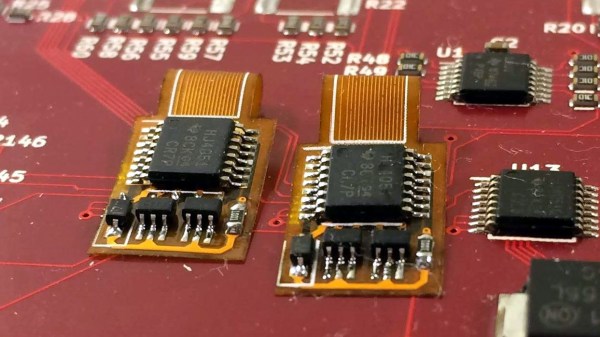
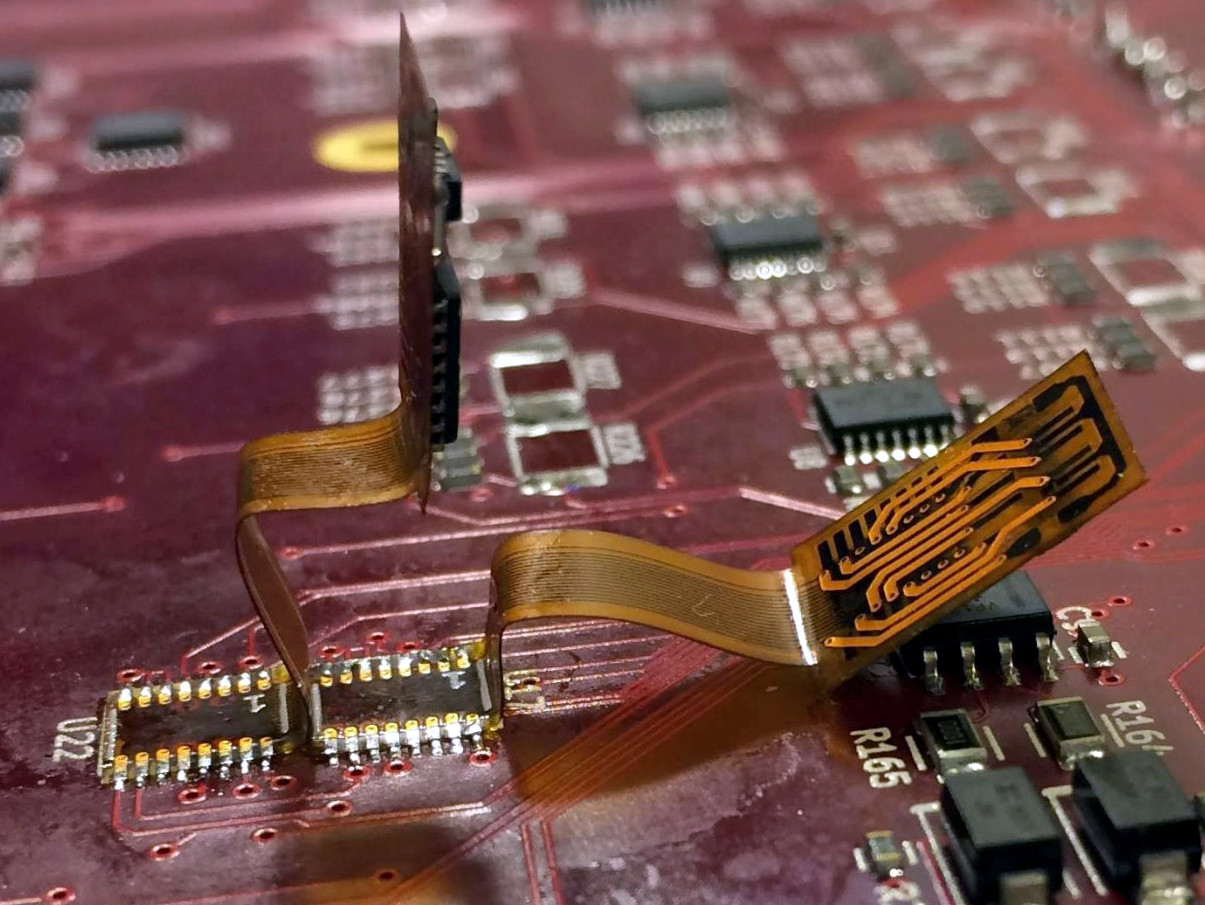
Pivots for e-textiles can seem like a trivial problem. After all, wires and fabrics bend and flex just fine. However, things that are worn on a body can have trickier needs. Snap connectors are the usual way to get both an electrical connection and a pivot point, but they provide only a single conductor. When [KOBAKANT] had a need for a pivoting connection with three electrical conductors, they came up with a design that did exactly that by using a flexible circuit board integrated to a single button snap.

This interesting design is part of a solution to a specific requirement, which is to accurately measure hand movements. The photo shows two strips connected together, which pivot as one. The metal disk near the center is a magnet, and underneath it is a Hall effect sensor. When the wrist bends, the magnet is moved nearer or further from the sensor and the unit flexes and pivots smoothly in response. The brief videos embedded below make it clear how the whole thing works.

Continue reading “Three-Conductor Pivot For E-Textiles Is Better Than Wires”

How To Make Bisected Pine Cones Look Great, Step-by-Step

[Black Beard Projects] sealed some pine cones in colored resin, then cut them in half and polished them up. The results look great, but what’s really good about this project is that it clearly demonstrates the necessary steps and techniques from beginning to end. He even employs some homemade equipment, to boot.

Briefly, the process is to first bake the pine cones to remove any moisture. Then they get coated in a heat-activated resin for stabilizing, which is a process that infuses and pre-seals the pine cones for better casting results. The prepped pine cones go into molds, clear resin is mixed with coloring and poured in. The resin cures inside a pressure chamber, which helps ensure that it gets into every nook and cranny while also causing any small air bubbles introduced during mixing and pouring to shrink so small that they can’t really be seen. After that is cutting, then sanding and polishing. It’s an excellent overview of the entire process.

The video (which is embedded below) also has an outstanding depth of information in the details section. Not only is there an overview of the process and links to related information, but there’s a complete time-coded index to every action taken in the entire video. Now that’s some attention to detail.

Continue reading “How To Make Bisected Pine Cones Look Great, Step-by-Step”

Kinematic Mount For 3D Printer Bed Shows Practical Design

Aluminum bed with new kinematic mount and base on printer Son of Megamax, at the Milwaukee Makerspace

[Mark Rehorst] has been busy designing and building 3D printers, and Son of Megamax — one of his earlier builds — needed a bed heater replacement. He took the opportunity to add a Kelvin-type kinematic mount as well. The kinematic mount and base efficiently constrain the bed in a controlled way while allowing for thermal expansion, providing a stable platform that also allows for removal and repeatable re-positioning.

After a short discussion regarding the heater replacement, [Mark] explains the design and manufacture of his kinematic mount. Of particular note are the practical considerations of the design; [Mark] aimed to use square aluminum tubing as much as possible, with machining requirements that were easily done with the equipment he had available. Time is a resource after all, and design decisions that help one get something working quickly have a value all their own.

If you’re still a bit foggy on kinematic mounts and how they work, you’re not alone. Check out our coverage of this 3D-printed kinematic camera mount which should make the concept a bit clearer.

How To Time Drone Races Without Transponders

Drone racing is nifty as heck, and a need all races share is a way to track lap times. One way to do it is to use transponders attached to each racer, and use a receiver unit of some kind to clock them as they pass by. People have rolled their own transponder designs with some success, but the next step is ditching add-on transponders entirely, and that’s exactly what the Delta 5 Race Timer project does.

A sample Delta 5 Race Timer build (Source: ET Heli)

The open-sourced design has a clever approach. In drone racing, each aircraft is remotely piloted over a wireless video link. Since every drone in a race already requires a video transmitter and its own channel on which to broadcast, the idea is to use the video signal as the transponder. As a result, no external hardware needs to be added to the aircraft. The tradeoff is that using the video signal in this way is trickier than a purpose-made transponder, but the hardware to do it is economical, accessible, and the design is well documented on GitHub.

The hardware consists of RX508 RX5808 video receiver PCBs modified slightly to enable them to communicate over SPI. Each RX508 RX5808 is attached to its own Arduino, which takes care of low-level communications. The Arduinos are themselves connected to a Raspberry Pi over I2C, allowing the Pi high-level control over the receivers while it serves up a web-enabled user interface. As a bonus, the Pi can do much more than simply act as a fancy stopwatch. The races themselves can be entirely organized and run through the web interface. The system is useful enough that other projects using its framework have popped up, such as the RotorHazard project by [PropWashed] which uses the same hardware design.

While rolling one’s own transponders is a good solution for getting your race on, using the video transmission signal to avoid transponders entirely is super clever. The fact that it can be done with inexpensive, off the shelf hardware is just icing on the cake.

Supportless Overhangs: Just Reorient Gravity By 90 Degrees

The 3D print by [critsrandom] in the image above may not look like much at first glance, until one realizes that the 90 degree overhang has no supports whatsoever. Never mind the messy bottom surface, and never mind that the part shown might avoid the problem entirely with some simple supports or a different print orientation; the fact that it printed at all is incredible.

[critsrandom] shared the method in a post on Reddit, and it consists simply of laying the 3D printer on its side. When the print head reaches the overhang, the fact that it is printing sideways is what allows that spot to make the leap from “impossible” to merely “messy”. Necessary? Probably not, but a neat trick nevertheless.

Tilted 3D printers is something that we’ve seen in the past, but for different reasons. When combined with a belt-driven build platform, a tilted printer has a theoretically infinite build volume (in one axis, anyway.)

DIY Vacuum Table Enhances PCB Milling

CNC milling a copper-clad board is an effective way to create a PCB by cutting away copper to form traces instead of etching it away chemically, and [loska] has improved that process further with his DIY PCB vacuum table. The small unit will accommodate a 100 x 80 mm board size, which was not chosen by accident. That’s the maximum board size that the free version of Eagle CAD will process.

When it comes to milling PCBs, double-sided tape or toe clamps are easy solutions to holding down a board, but [loska]’s unit has purpose behind its added features. The rigid aluminum base and vacuum help ensure the board is pulled completely flat and held secure without any need for external fasteners or adhesives. It’s even liquid-proof, should cutting fluid be used during the process. Also, the four raised pegs provide a way to reliably make double-sided PCBs. By using a blank with holes to match the pegs, the board’s position can be precisely controlled, ensuring that the back side of the board is cut to match the front. Holes if required are drilled in a separate process by using a thin wasteboard.

Milling copper-clad boards is becoming more accessible every year; if you’re intrigued by the idea our own [Adil Malik] provided an excellent walkthrough of the workflow and requirements for milling instead of etching.

Screen Shake In VR, Minus The Throwing Up

In first-person games, an effective way to heighten immersion is to give the player a sense of impact and force by figuratively shaking the camera. That’s a tried and true practice for FPS games played on a monitor, but to [Zulubo]’s knowledge, no one has implemented traditional screen shake in a VR title because it would be a sure way to trigger motion sickness. Unsatisfied with that limitation, some clever experimentation led [Zulubo] to a method of doing screen shake in VR that doesn’t cause any of the usual problems.

Screen shake doesn’t translate well to VR because the traditional method is to shake the player’s entire view. This works fine when viewed on a monitor, but in VR the brain interprets the visual cue as evidence that one’s head and eyeballs are physically shaking while the vestibular system is reporting nothing of the sort. This kind of sensory mismatch leads to motion sickness in most people.

The key to getting the essence of a screen shake without any of the motion sickness baggage turned out to be a mix of two things. First, the shake is restricted to peripheral vision only. Second, it is restricted to an “in and out” motion, with no tilting or twisting. The result is a conveyance of concussion and impact that doesn’t rely on shaking the player’s view, at least not in a way that leads to motion sickness. It’s the product of some clever experimentation to solve a problem, and freely downloadable for use by anyone who may be interested.

Speaking of fooling one’s senses in VR environments, here is a fascinating method of simulating zero gravity: waterproof the VR headset and go underwater.

[via Reddit]