Automated Cat Feeder Leaves Little To Chance

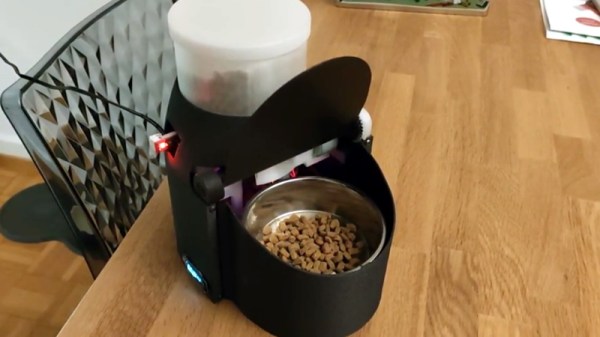
We often like to say that if something is worth doing, then it’s worth overdoing. This automatic cat feeder built by [krizzli] is a perfect example of the principle. It packs in far more sensors and functions than its simple and sleek outward appearance might suggest, to the point that we think this build might just set the standard for future projects.

The defining feature of the project is a load cell located under the bowl, which allows the device to accurately measure out how much feed is being dispensed by weight. This allows the feeder to do things such as detect jams or send an alert once it runs out of food, as well as easily adjust how much is dispensed according to the animal’s dietary needs. To prevent any curious paws from getting into the machine while it’s doling out the food, the lid will automatically open and close during the filling process, complete with optical sensors to confirm that it moved as expected.
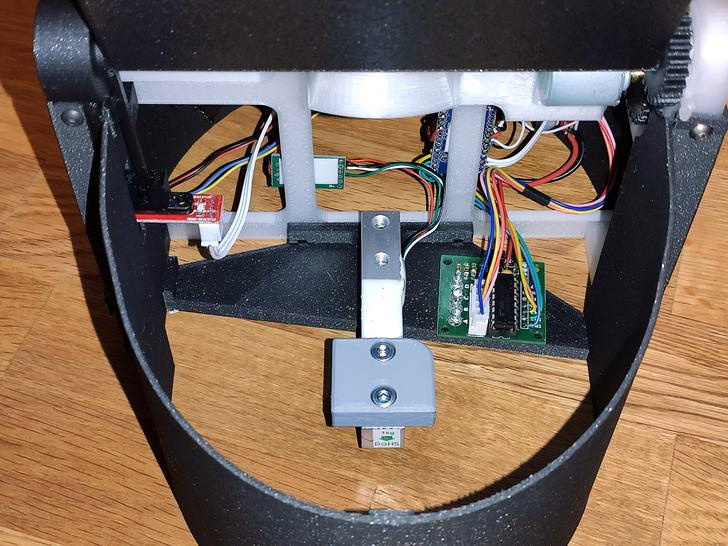
All of the major components of the feeder were printed out on a Prusa i3 MK3S, and [krizzli] says that the feed hopper can be scaled vertically if necessary. Though at the current size, it’s already packing around a week’s worth of food. Of course, this does depend on the particular feline you’re dealing with.

In terms of electronics, the feeder’s primary control comes from an ESP8266 (specifically, the Wemos D1 Mini), though [krizzli] also has a Arduino Pro Mini onboard so there’s a few more GPIO pins to play with. The food is dispensed with a NEMA 17, and a 28-BYJ48 stepper is in charge of moving the lid. A small OLED on the side of the feeder gives some basic information like the time until the next feeding and the dispensed weight, but there’s also a simple API that lets you talk to the device over the network. Being online also means the feeder can pull the time from NTP, so kitty’s mealtime will always be on the dot.

Over the years we’ve seen an incredible array of automatic cat feeders, some of which featuring the sort of in-depth metrics possible when you’ve got on onboard scale. But we can’t help but be impressed with how normal this build looks. If nothing else, of all the feeders we’ve seen, this one is probably the most likely to get cloned and sold commercially. They say it’s the most sincere form of flattery.
Start Your Day With The Mountain That Rises

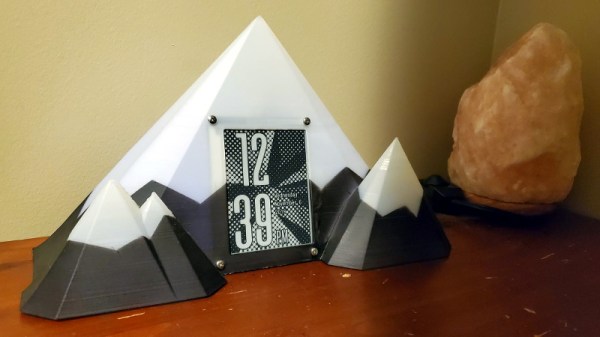
Like many of us, [Zach Archer] enjoys the comfort of his darkened room so much that he has trouble getting up and facing the day. To make things a little easier for himself, he decided to put together a custom alarm clock that would fill his mornings with the glorious glow of LEDs; and since he finds the mountains an inspirational sight he decided to wrap the whole thing up in a 3D printed enclosure that resembles snow capped peaks.

But even Bob Ross himself couldn’t have imagined a snowy mountain range that featured an integrated e-ink screen. The big 4.2″ panel is connected to a custom designed PCB by [romkey], which was graciously donated for this project. An ESP32 runs the show, providing a convenient web interface to control not only the clock, but various aspects of the mountain’s internal LEDs such as fade in time and total duration.

[Zach] says he originally printed the mountains in PLA, but the heat generated by the LEDs eventually started to cause things to warp. Switching over to translucent PETG not only solved the heat problem, but made for a very effective LED diffuser. Rather than complex animation patterns, he’s found that smoothly transitioning between different shades of blue and green seems to work best for him in the mornings.

This isn’t the first time we’ve seen somebody use LEDs to get them out of bed in the morning, but we do appreciate the aesthetic that [Zach] has achieved here between the design of the mountains and the impressive artwork on the e-ink display. Then again, we’re also quite partial to this version that looks like a warp core, so our tastes do run the gamut.

Restoring A Dead Commodore 128DCR

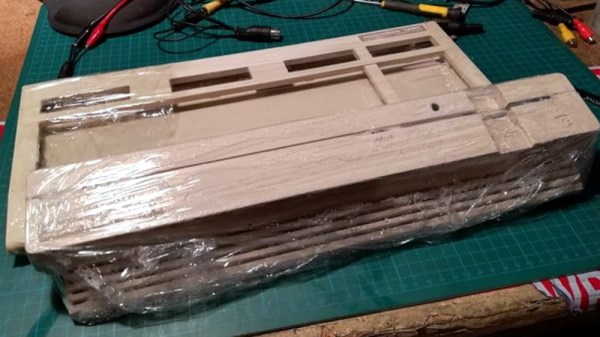
Another day, another retro computer lovingly restored to like-new condition by [Drygol]. This time, the subject of his attention is a Commodore 128DCR that earned every bit of the “For Parts, Not Working” condition it was listed under. From a spider infestation to a cracked power supply PCB, this computer was in quite a state. But in the end he got the three decade old machine back in working condition and even managed to teach it a few new tricks along the way.

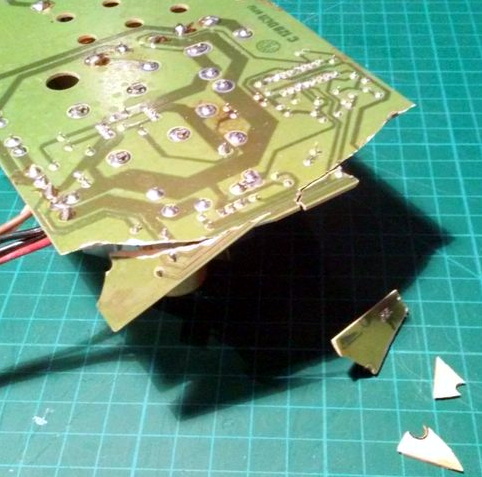
Obviously the shattered PSU was the most pressing issue with the Commodore. Interestingly, the machine still had its warranty seal in place on the back, so whatever happened to this PSU seems to have occurred without human intervention.

Rather than just replacing the PSU, [Drygol] first pieced the board back together with the help of cyanoacrylate glue, and then coated the top with an epoxy resin to give it some mechanical strength. On the back side the traces were either repaired or replaced entirely with jumper wires where the damage was too severe.

With the PSU repaired and tested, he moved on to cleaning the computer’s main board and whitening all the plastic external components. Even the individual keycaps took a bath to get them looking like new again. This put the computer in about as close to like-new condition as it could get.

But why stop there? He next installed the JiffyDOS modification to improve system performance, and wired in an adapter that lets the computer output a crisp 80 columns over S-Video. It’s safe to say this particular Commodore is in better shape now than it was when it rolled off the assembly line.

While an impressive enough final result, this is still fairly tame for [Drygol]. If you want to see a real challenge, take a look at the insane amount of work that went into recreating this smashed Atari 800XL case.

Line Printer Does Its Best Teletype Impression

Back in the early days of computing, user terminals utilized line printers for output. Naturally this took an incredible amount of paper, but it came with the advantage of creating a hard copy of everything you did. Plus it was easy to annotate the terminal output with nothing more exotic than a ballpoint pen. But once CRT displays became more common, these paper terminals (also known as teleprinters, or teletypes) quickly fell out of style.

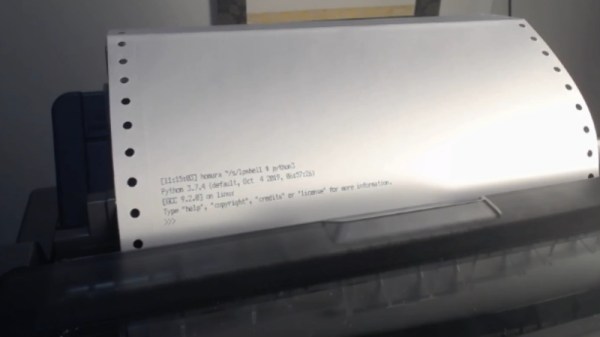
A fan of nostalgic hacks, [Drew DeVault] recently tried to recreate the old-school teletype experience with (somewhat) more modern hardware. He picked up an Epson LX-350 line printer, and with a relatively small amount of custom code, he was able to create a fairly close approximation of what it would have been like to use one of these terminals. He’s published all the source code, so if you’ve got an old line printer and a Linux box, you too can learn what it was like to measure your work day in reams of paper.

This is made possible by the fact that the modern Linux virtual terminal is simply a userspace emulation of those physical terminals of yore. [Drew] just need to write some code that would essentially spawn a shell on the Linux USB line printer device, plus sprinkle in some quality of life improvements such as using Epson’s proprietary ANSI escape sequences to feed the paper out far enough so the user can see what it says before pulling it back in to write the next interactive line.

Of course, the experience isn’t perfect as the printer naturally doesn’t have a keyboard attached to it. If you’re looking for something a bit more authentic, you could always convert an old electric typewriter into a modern-ish teletype.

Electric Dreams Help Cows Survive The Desert Of The Real

Pictures of a cow wearing a pair of comically oversized virtual reality goggles recently spread like wildfire over social media, and even the major news outlets eventually picked it up. Why not? Nobody wants to read about geopolitical turmoil over the holidays, and this story was precisely the sort of lighthearted “news” people would, if you can forgive the pun, gobble up.

But since you’re reading Hackaday, these images probably left you with more questions than answers. Who made the hardware, what software is it running, and of course, why does a cow need VR? Unfortunately, the answers to the more technical questions aren’t exactly forthcoming. Even tracking the story back to the official press release from the Ministry of Agriculture and Food of the Moscow Region doesn’t tell us much more than we can gather from the image itself.

But it does at least explain why somebody went through the trouble of making a custom bovine VR rig: calm cows produce more milk. These VR goggles, should they pass their testing and actually be adopted by the Russian dairy industry, will be the newest addition to a list of cow-calming hardware devices that farmers have been using for decades to get the most out of their herds.

Continue reading “Electric Dreams Help Cows Survive The Desert Of The Real”

The Open Makers Cube: Have Hack, Will Travel

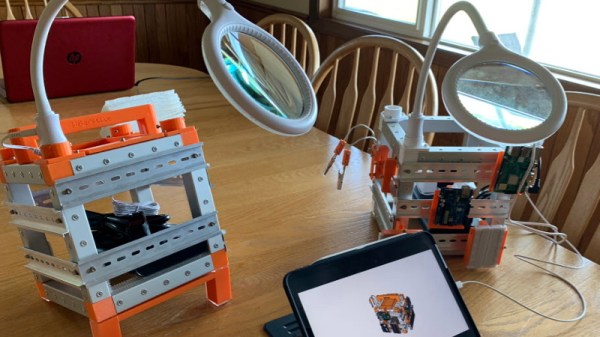
Don’t bother denying it, we know your workbench is a mess. A tangled pile of wires, tools, and half-completed projects is standard decor for any hardware hacker. In fact, if you’ve got a spotless work area, we might even be a bit skeptical about your credentials in this field. But that’s not to say we wouldn’t be interested in some way of keeping the electronic detritus in check, perhaps something like the Open Makers Cube created by [technoez].

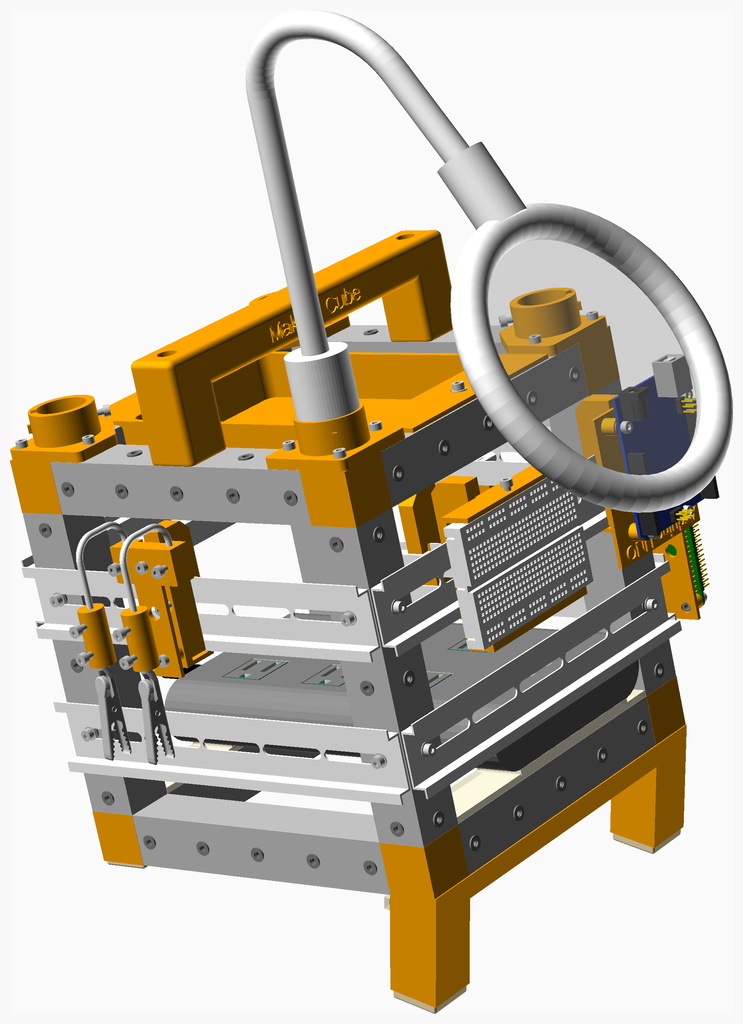
This all-in-one hardware hacking station uses DIN rails and 3D-printed mounting hardware to allow the user to attach a wide array of tools, gadgets, and boards to the outside surface where they’re easily accessible. The OpenSCAD design includes mounts for the usual suspects like the Raspberry Pi, Arduino Uno, and general purpose breadboards. Of course, your own custom mounts are just a few lines of code away.

The Cube also includes a lighted magnifying glass on a flexible arm so you can zoom in on what you’re working on, a simple “helping hands” attachment, and provisions for internal USB power. It even features angled feet so the front side of the cube is held at a more comfortable viewing angle. All of which is held together by a lightweight and portable frame built from square aluminum tubing.

We can understand if you’ve got some doubts about the idea of mounting all of your tools and projects to the side of a jaunty little cube. But even if the jury is still out on the mobile workspace concept, one thing is for sure: the Open Makers Cube is easily one of the best documented projects we’ve seen in recent memory. Thanks to NopSCADlib, [technoez] was able to generate an exploded view and Bill of Materials for each sub-assembly of the project. If you’ve ever needed proof that NopSCADlib was worth checking out, this is it.

Vintage Plotter Gets Bluetooth Upgrade

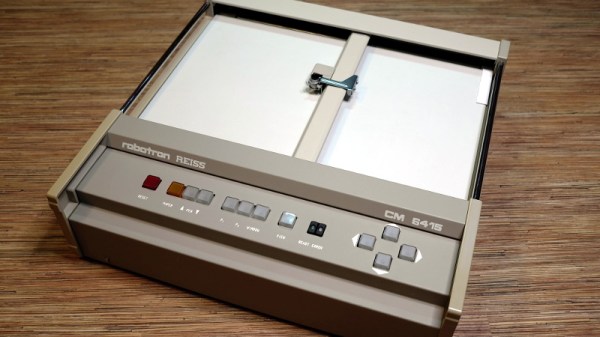
Recently [iot4c] stumbled upon this gorgeous Robotron Reiss plotter from 1989, brand-new and still in its original box. Built before the fall of the Berlin Wall in East Germany, it would be a crime to allow such a piece of computing history to go unused. But how to hook it up to a modern system? Bad enough that it uses some rather unusual connectors, but it’s about to be 2020, who wants to use wires anymore? What this piece of Cold War hardware needed was an infusion of Bluetooth.

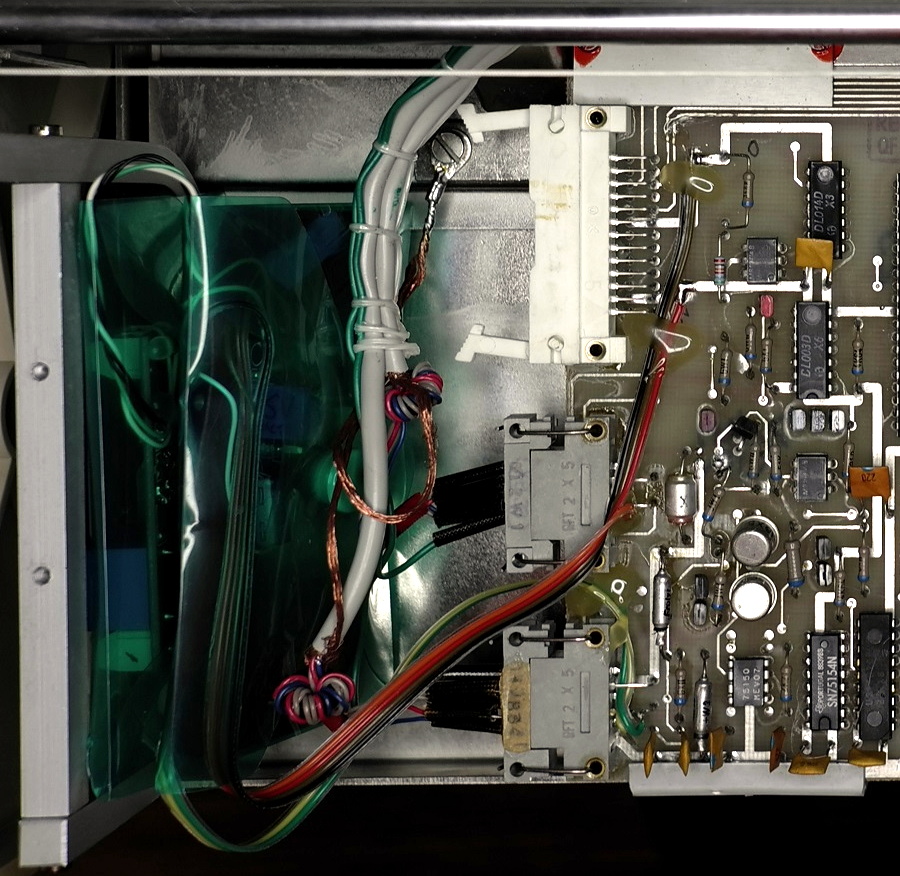
While the physical ports on the back of the Robotron certainly look rather suspect, it turns out that electrically they’re just RS-232. In practice, this means converting it over was fairly straightforward. With a Bolutek BK3231 Bluetooth module and an RS-232 to UART converter, [iot4c] was able to create a wireless adapter that works transparently on the plotter by simply connecting it to the RX and TX pins.

A small DC buck converter was necessary to provide 3.3 V for the Bluetooth adapter, but even still, there was plenty of room inside the plotter’s case to fit everything in neatly. From the outside, you’d have no idea that the hardware had ever been modified at all.

But, like always, there was a catch. While Windows had no trouble connecting to the Bluetooth device and assigning it a COM port, the 512 byte buffer on the plotter would get overwhelmed when it started receiving commands. So [iot4c] wrote a little script in Node.js that breaks the commands down into more manageable chunks and sends them off to the plotter every 0.1 seconds. With this script in place the Robotron moved under its own power for the first time in ~30 years by parsing a HP-GL file generated by Inkscape.

If you’re interested in a plotter of your own but don’t have a vintage one sitting around, never fear. We’ve seen an influx of DIY plotters recently, ranging from builds that use popsicle sticks and clothespins to customizable 3D printed workhorses.