The Electric Imp Sniffs Out California Wildfires

The wildfires in California are now officially the largest the state has ever seen. Over 50,000 people have been displaced from their homes, hundreds are missing, and the cost in property damage will surely be measured in the billions of dollars when all is said and done. With a disaster of this scale just the immediate effects are difficult to conceptualize, to say nothing of the collateral damage.
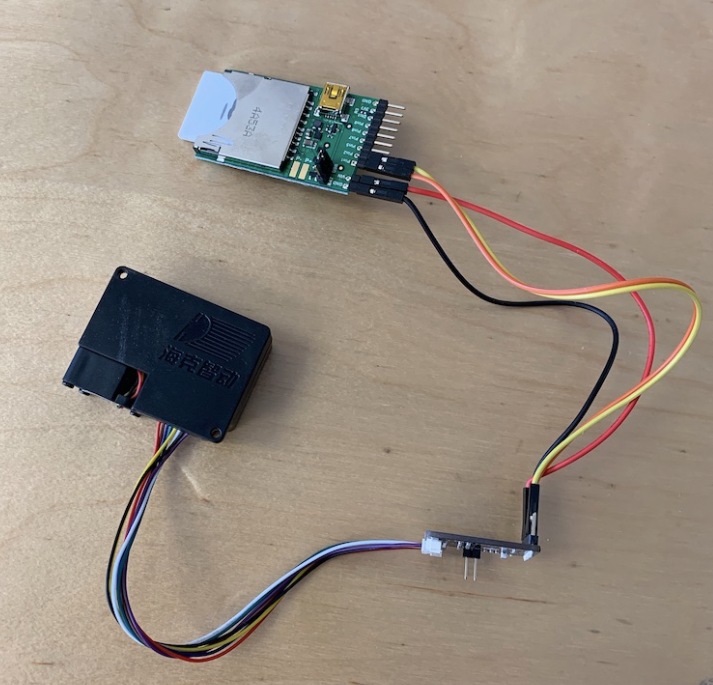
While not suggesting their situation is comparable to those who’ve lost their homes or families, Electric Imp CEO [Hugo Fiennes] has recently made a post on their blog calling attention to the air quality issues they’re seeing at their offices in Los Altos. To quantify the problem so that employees with respiratory issues would know the conditions before they came into work, they quickly hacked together a method for displaying particulate counts in their Slack server.

The key to the system is one of the laser particle sensors that we’re starting to see more of thanks to a fairly recent price drop on the technology. A small fan pulls air to be tested into the device, where a very sensitive optical sensor detects the light reflected by particles as they pass through the laser beam. The device reports not only how many particles are passing through it, but how large they are. The version of the sensor [Hugo] links to in his blog post includes an adapter board to make it easier to connect to your favorite microcontroller, but we’ve previously seen DIY builds which accomplish the same goal.

[Hugo] then goes on to provide firmware for the Electric Imp board that reads the current particulate counts from the sensor and creates a simple web page that can be viewed from anywhere in the world to see real-time conditions at the office. From there, this data can be plugged into a Slack webhook which will provide an instantaneous air quality reading anytime a user types “air” into the channel.

We’ve covered a number of air quality sensors over the years, and it doesn’t look like they’re going to become any less prevalent as time goes on. If anything, we’re seeing a trend towards networks of distributed pollution sensors so that citizens can collect their own data on their air they’re breathing.

[Thanks to DillonMCU for the tip.]

A 3D Printed Kinematic Camera Mount

[Enginoor] is on a quest. He wants to get into the world of 3D printing, but isn’t content to run off little toys and trinkets. If he’s going to print something, he wants it to be something practical and ideally be something he couldn’t have made quickly and easily with more traditional methods. Accordingly, he’s come out the gate with a fairly strong showing: a magnetic Maxwell kinematic coupling camera mount.

If you only recognized some of those terms, don’t feel bad. Named for its creator James Clerk Maxwell who came up with the design in 1871, the Maxwell kinematic coupling is self-orienting connection that lends itself to applications that need a positive connection while still being quick and easy to remove. Certainly that sounds like a good way to stick a camera on a tripod to us.

But the Maxwell design, which consists of three groves and matching hemispheres, is only half of the equation. It allows [enginoor] to accurately and repeatably line the camera up, but it doesn’t have any holding power of its own. That’s where the magnets come in. By designing pockets into both parts, he was able to install strong magnets in the mating faces. This gives the mount a satisfying “snap” when attaching that he trusts it enough to hold his Canon EOS 70D and lens.

[enginoor] says he could have made the holes a bit tighter for the magnets (thereby skipping the glue he’s using currently), but otherwise his first 3D printed design was a complete success. He sent this one off to Shapeways to be printed, but in the future he’s considering taking the reins himself if he can keep coming up with ideas worth committing to plastic.

Of course we’ve seen plenty of magnetic camera mounts in the past, but we really like the self-aligning aspect of this design. It definitely seems to fit the criterion for something that would otherwise have been difficult to fabricate if not for 3D printing.

Meat-Seeking Raspberry Pi Leads You To Flavortown

[Patrick McDavid] and his wife had a legitimate work-related reason for writing some Python code that would pull the exact latitude and longitude of the individual locations within a national retain chain from Google’s Geocoding API. But don’t worry about that part of the story. What’s important now is that this simple concept was then expanded into a pocket-sized device that will lead the holder to the nearest White Castle or Five Guys location.

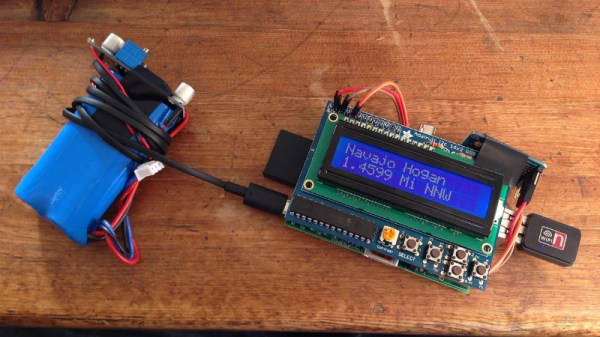
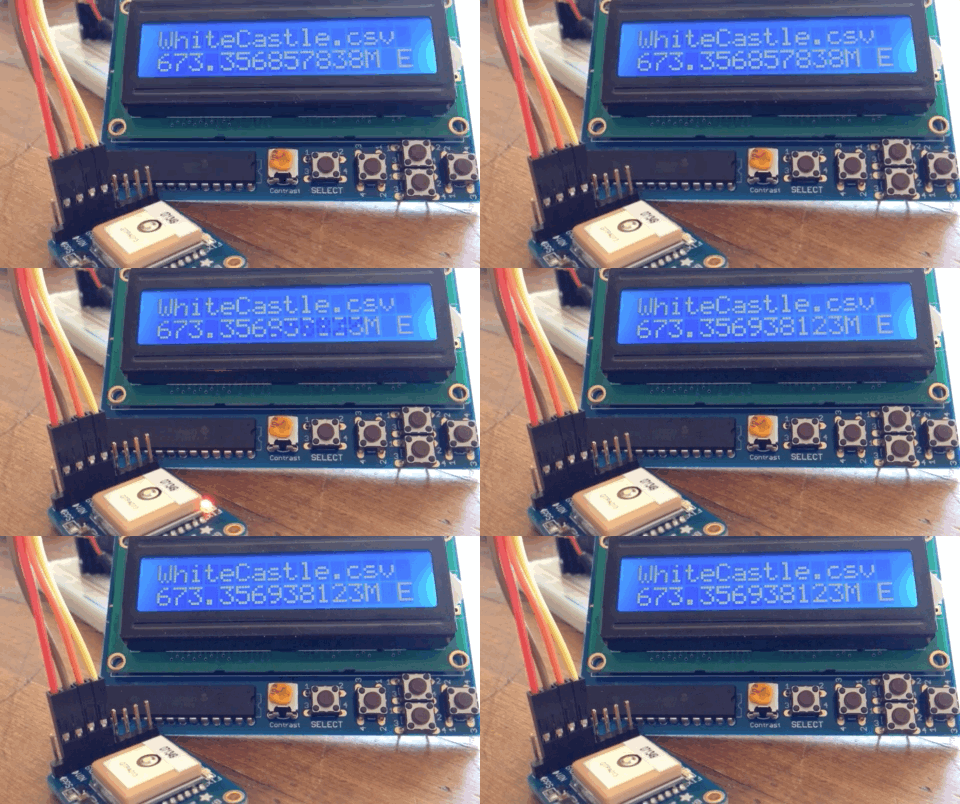
The device, which [Patrick] lovingly referrers to as the “Cheeseburger Compass”, uses a Raspberry Pi 3, an Adafruit 16×2 LCD with keypad, a GPS module, and the requisite battery and charger circuit to make it mobile. With the coordinates for the various places one can obtain glorious artery clogging meat circles loaded up, the device will give the user the cardinal direction and current distance from the nearest location of the currently selected chain.

[Patrick] has published the source code for this meat-seeking gadget on GitHub, but notes that most of it is just piecing together existing libraries and tools. As with many Python projects, it turns out there’s already a popular library to do whatever it is you were trying to do manually, so his early attempts at calculating distances and bearings were ultimately replaced with turn-key solutions. Though he did come up with a quick piece of code that would convert a compass heading in degrees to a cardinal direction that he couldn’t find a better solution for. Maybe he should make it a library…

Sadly the original Cheeseburger Compass got destroyed from being carried around so much, but at least it died doing what it loved. [Patrick] says a second version of the device would likely switch over to a microcontroller rather than the full Raspberry Pi experience, as it would make the device much smaller and greatly improve on the roughly two hour battery life.

This project reminds us of the various geocache devices we’ve covered in the past, but with the notable addition of hot sizzling meat. Talk about improving on a good thing.

Vintage Rotary Phone Turned Virtual Assistant

Like many of us, [Zoltan Toth-Czifra] has completely embraced 21st century living. His home is awash in smart gadgets and dodads, from color changing light bulbs to Internet-connected cameras. But he’s also got a soft spot for the look and feel of vintage hardware, like the rotary phone he keeps kicking around to remind him of the old days. He recently decided to bridge these two worlds by turning the rotary phone into a modern voice controlled assistant.

The first piece of the puzzle was getting the old school phone connected to something a bit more modern, namely a Raspberry Pi. He didn’t want to hack the vintage phone apart, so he picked up a Grandstream HT801, an adapter that’s used to convert analog telephones to VoIP. [Zoltan] says this model specifically fit the bill as it had a function that allows you to configure a number to dial as soon the phone is lifted off the hook. This allows the user to just pick up the phone and start talking without having to dial anything manually. If you’re looking to pull off a similar setup, you should check to make sure the adapter has this function before pulling the trigger.

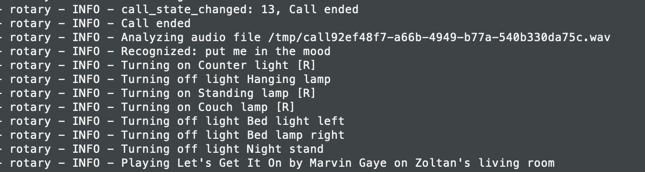
With the rotary phone now talking a more modern protocol, [Zoltan] just needed to get the Raspberry Pi side sorted out. He installed a SIP server so it could communicate with the HT801 adapter, and then got to work putting together his virtual assistant. Rather than plug into an existing system, he rolled his own by combining open source packages for controlling his various smart devices with the aptly named SpeechRecognition library for Python.

Right now he’s only programmed a few commands that his system can respond to for controlling his lights and music, but mentions that the system is modular enough that he can add new functions easily. He’s put the source for his virtual assistant framework up on GitHub, which he notes was written in less than 200 lines of original code by virtue of utilizing existing libraries for a lot of the heavy lifting. Open source is a beautiful thing.

In the past we’ve seen rotary phones go mobile thanks to GSM upgrades and dragged kicking and screaming onto the modern phone network with a built-in Raspberry Pi. But we think there’s something especially appealing about the approach [Zoltan] took which preserves the phone’s original hardware.

Continue reading “Vintage Rotary Phone Turned Virtual Assistant”

SNES Controller Has A Pi Zero In The Trunk

We’re no stranger to seeing people jam a Raspberry Pi into an old gaming console to turn it into a RetroPie system. Frankly, at this point it seems like we’ve got to be getting close to seeing all possible permutations of the concept. According to the bingo card we keep here at Hackaday HQ we’re just waiting for somebody to put one into an Apple Bandai Pippin, creating the PiPi and achieving singularity. Get it done, people.

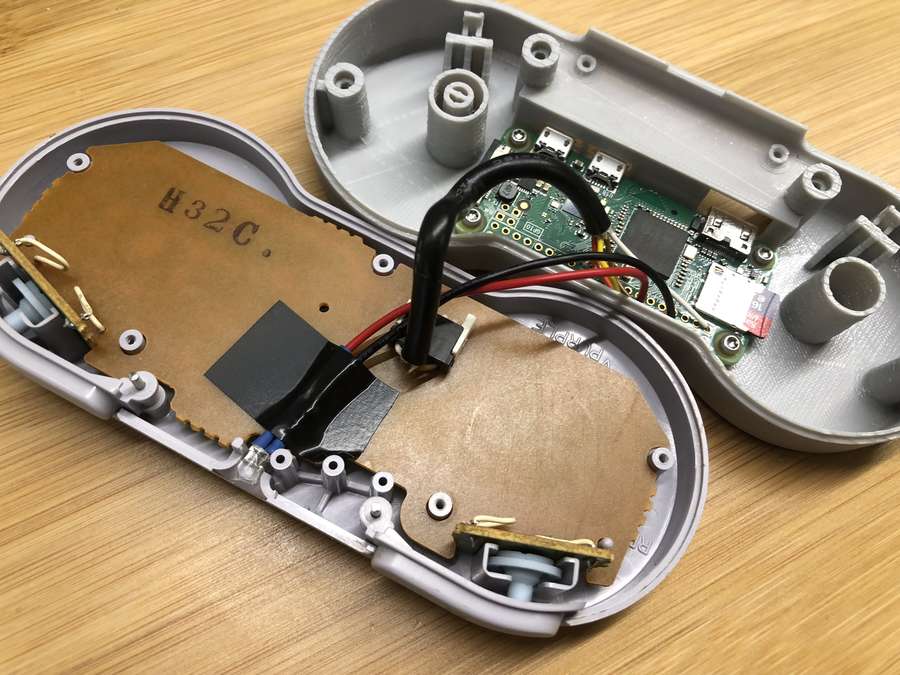
That being said, we’re still occasionally surprised by what people come up with. The Super GamePad Zero by [Zach Levine] is a fairly compelling take on the Pi-in-the-controller theme that we haven’t seen before, adding a 3D printed “caboose” to the stock Super Nintendo controller. The printed case extension, designed by Thingiverse user [Sigismond0], makes the controller about twice as thick, but that’s still not bad compared to modern game controllers.

In his guide [Zach] walks the reader through installing the Raspberry Pi running RetroPie in the expanded case. This includes putting a power LED where the controller’s cable used to go, and connecting the stock controller PCB to the Pi’s GPIO pins. This is an especially nice touch that not only saves you time and effort, but retains the original feel of the D-Pad and buttons. Just make sure the buttons on your donor controller aren’t shot before you start the build.

Adding a little more breathing room for your wiring isn’t the only reason to use the 3D printed bottom, either. It implements a very clever “shelf” design that exposes the Pi’s USB and HDMI ports on the rear of the controller. This allows you to easily connect power and video to the device without spoiling the overall look. With integrated labels for the connectors and a suitably matching filament color, the overall effect really does look like it could be a commercial product.

The SNES controller is an especially popular target for hacks and modifications. From commercially available kits to the wide array of homebrew builds, it there’s plenty of people who want to keep this legendary piece of gaming gear going strong into the 21st century

Continue reading “SNES Controller Has A Pi Zero In The Trunk”

A Sneak Peek At Anechoic Chamber Testing

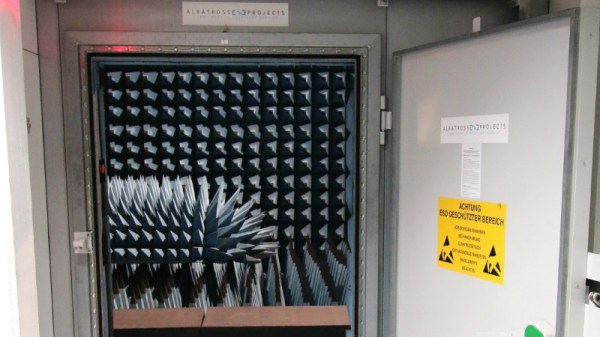
[Mathieu Stephan] has something new in the works, and while he isn’t ready to take the wraps off of it yet, he was kind enough to document his experience putting the mysterious new gadget through its paces inside an anechoic chamber. Considering the majority of us will never get inside of one of these rooms, much less have the opportunity to test our own hardware in one, he figured it was the least he could do.

If you’re not familiar with an anechoic chamber, don’t feel bad. It’s not exactly the sort of thing you’ll have at the local makerspace. Put simply it’s a room designed to not only to remove echos on the inside, but also be completely isolated from the outside. But we aren’t just talking about sound deadening, the principle can also be adapted to work for electromagnetic waves. So not only is in the inside of the anechoic chamber audibly silent, it can also be radio silent.

This is important if you want to test the performance of things like antennas, as it allows you to remove outside interference. As [Mathieu] explains, both the receiver and transmitter can be placed in the chamber and connected to a vector network analyzer (VNA). The device is able to quantify how much energy is being transferred between the two devices, but the results will only be accurate if that’s the only thing the VNA sees on its input port.

[Mathieu] can’t reveal images of the hardware or the results of the analysis because that would give too much away at this point, but he does provide the cleverly edited video after the break as well as some generic information on antenna analysis and the type of results one receives from this sort of testing. Our very own [Jenny List] has a bit more information on the subject if you’d like to continue to live vicariously through the accounts of others. For the rest of us, we’ll just have to settle for some chicken wire and a wooden crate.

Continue reading “A Sneak Peek At Anechoic Chamber Testing”

Rock Out To The Written Word With BookSound

With his latest project, [Roni Bandini] has simultaneously given the world a new type of audiobook and music. Traditional audiobooks are basically the adult equivalent of having somebody read you a bedtime story, but BookSound actually turns the written word into electronic music. You won’t be able to boast to your friends that as a matter of fact, you have read that popular new novel, but at least you might be able to dance to it.

[Roni] says he’s still working on perfecting the word to music mapping, so the results shown in the video after the break are still a bit rough. But even in these early stages there’s no denying this is an exceptionally unique project, and we’re excited to see where it goes from here.

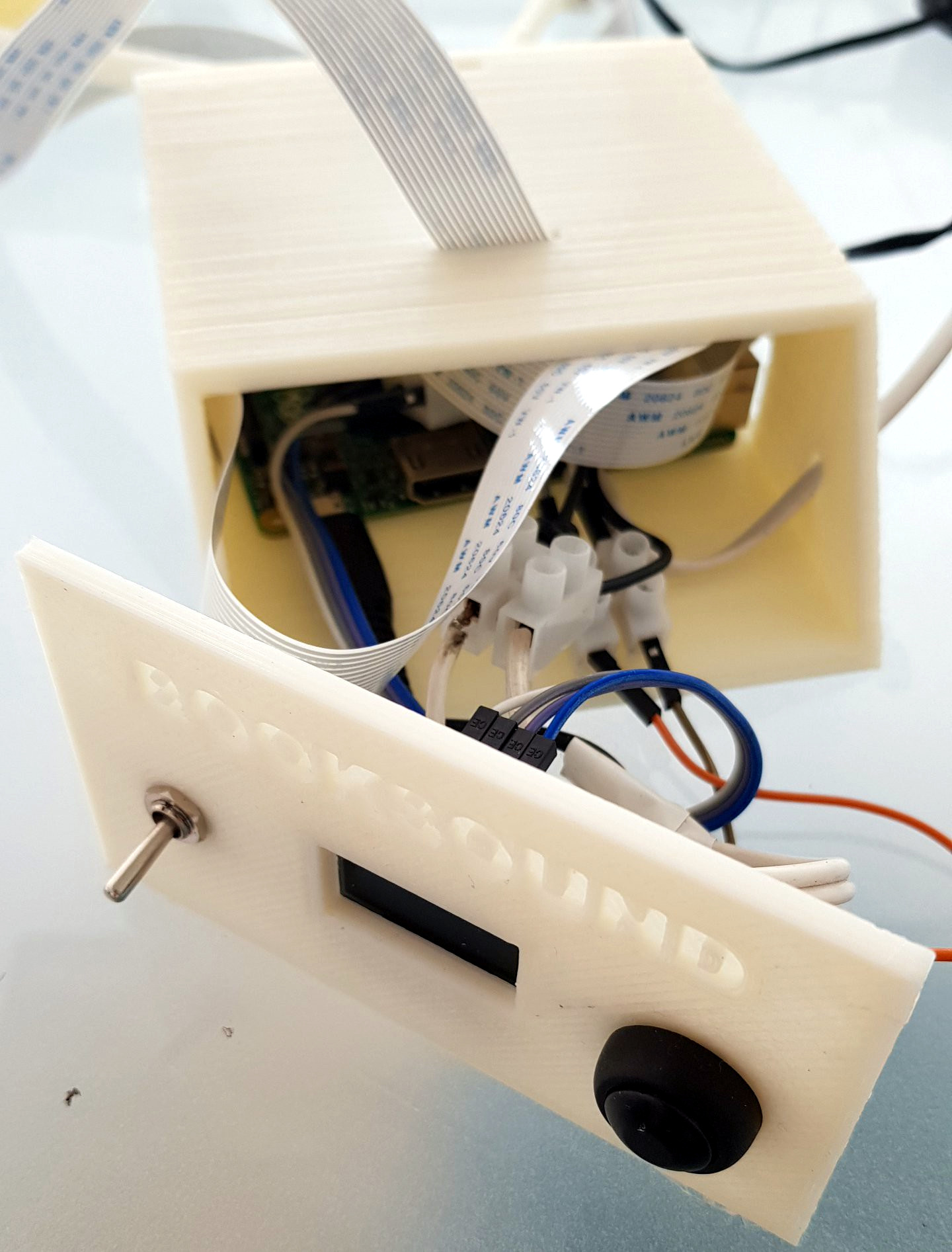
Inside the classy looking 3D printed enclosure is a Raspberry Pi, an OLED display, and the button and switch which make up the extent of the device’s controls. At the end of the arm is a standard Raspberry Pi Camera module, which gives the BookSound a bird’s eye view of the book to be songified.

To turn your favorite book into electronic beats, simply open it up, put it under the gaze of BookSound, and press the button on the front. Because the Raspberry Pi isn’t exactly a powerhouse, it takes about two minutes for it to scan the page, perform optical character recognition (OCR), and compose the track before you start to hear anything.

If you’re wondering what the secret sauce is to turn words into music, [Roni] isn’t ready to share his source code just yet. But he was able to give us a few high-level explanations of what’s going on inside BookSound. For example, to generate the song’s BPM, the software will count how many words per paragraph are on the page: so a book with shorter paragraphs will consequently have a faster tempo to match the speed at which the author is moving through ideas. Similarly, drum kicks are generated based on the number of syllables in each paragraph. In the future, he’s looking at adding “lyrics” by running commonly used words on the page through a text to speech engine and inserting them into the beat.

We’ve seen practical applications of OCR on the Raspberry Pi in the past and even similar looking book scanning arrangements. But nothing quite like BookSound before, which at this point, is really saying something.

Continue reading “Rock Out To The Written Word With BookSound”