Laser Arm Cannon Scares More Than Metroids

There’s an interesting side effect of creating a popular piece of science fiction: if you wait long enough, say 30 or 40 years, there’s a good chance that somebody will manage to knock that pesky “fiction” bit off the end. That’s how we got flip phones that looked like the communicators from Star Trek, and rockets that come in for a landing on a tail of flame. Admittedly it’s a trick that doesn’t always work, but we’re not in the business of betting against sufficiently obsessed nerds either.

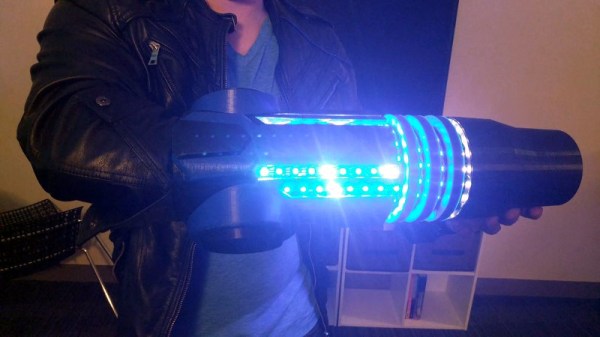
Coming in right on schedule 32 years after the release of Metroid on the Nintendo Entertainment System, we now have a functional laser arm cannon as used by the game’s protagonist Samus Aran, courtesy of [Hyper_Ion]. It’s not quite as capable as its video game counterpart, but if your particular corner of the solar system is under assault from black balloons you should be in good shape. Incidentally no word yet on a DIY Power Suit that folds the wearer up into a tiny ball, but no rush on that one.

Modeled after the version of the weapon Samus carried in 2002’s iconic Metroid Prime, [Hyper_Ion] 3D printed the cannon in a number of pieces that screw together in order to achieve the impressive final dimensions. He printed it at 0.3 mm layers to speed up the process, but as you can probably imagine, printing life-size designs like this is not for the faint of heart or short of time. While the use of printed threads does make the design a bit more complex, the fact that the cannon isn’t glued together and can be broken down for maintenance or storage is a huge advantage.

Ever popular NeoPixel strips give the cannon a bit of flash, and a speaker driven by a 2N2222 transistor on an Arduino Nano’s digital pin allows for some rudimentary sound effects with nothing more than a PWM signal. In the video after the break you can see how the lights and sounds serve as a warning system for the laser itself, as the cannon can be seen “charging up” for a few seconds before emitting a beam.

Of course, this is the part of the project that might have some readers recoiling in horror. To provide some real-world punch, [Hyper_Ion] has equipped his arm cannon with a 2.5W 450nm laser module intended for desktop engraving machines. To say this thing is dangerous is probably an understatement, so we wouldn’t blame you if you decided to leave the laser module off your own version. But it certainly looks cool, and as long as you’ve got some proper eye protection there’s (probably) more dangerous things you can do in the privacy of your own home.

Shame this kind of technology wasn’t really practical back when [Ryan Fitzpatrick] made this fantastic Power Suit helmet for a Metroid fan production.

Continue reading “Laser Arm Cannon Scares More Than Metroids”
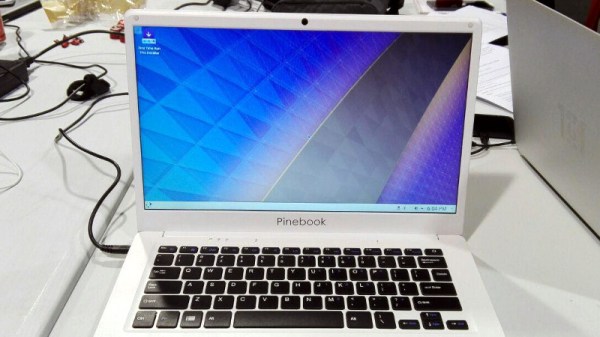
$99 Pinebook Gets KDE Neon Port

If you’re the kind of person who likes small and cheap Linux devices, you’re definitely alive in the perfect moment in history. It seems as if every few months we’ve got another tiny Linux board competing for our pocket change, all desperate to try to dethrone the Raspberry Pi which has already set the price bar exceptionally high (or low, as the case may be). We’ve even started to see these Linux boards work their way into appropriately cheap laptops, though so far none have really made that great of an impression.

But thanks to the efforts of Blue Systems and Pine64, the situation might be improving: they’ve worked together on a build of KDE Neon for the $99 Pinebook. The fact that they’ve gotten Plasma, KDE’s modern desktop environment, running on the rather mediocre hardware at all is an accomplishment by itself. But they’ve also set out tailor the entire system for the Pinebook, from the kernel and graphics drivers all the way up to Qt and Plasma tweaks.

In a blog post announcing the release candidate of the OS, Neon developer [Jonathan Riddell] says that these top-to-bottom improvements show that you can turn a super cheap Linux laptop into a practical computer if you’re willing to really get in there and optimize it. He also says the project has been something of a two-way street, in that improvements made for the Pinebook build have also been applied to upstream development.

The last time we looked at the Pinebook, we came away cautiously optimistic. It wasn’t great, but it was about as good as you could possibly expect given the price. If more developers are willing to go out on a limb and start optimizing their software for the device, it might become a very promising platform for low-cost mobile hacking.

3D Printed Magnetic Dust Port Keeps Shop Clean

Too often we hear that 3D printing is at best only a way for making prototypes before you invest in “real” manufacturing. At worst, it’s a way to make little toys for your desk or cubicle. The detractors say that 3D printing doesn’t lend itself to building practical devices, and even if you do manage to print something useful, you probably could have made it faster or better with more traditional manufacturing methods. So naturally we’re especially excited when we see a printed design that manages to buck both criticisms at once.

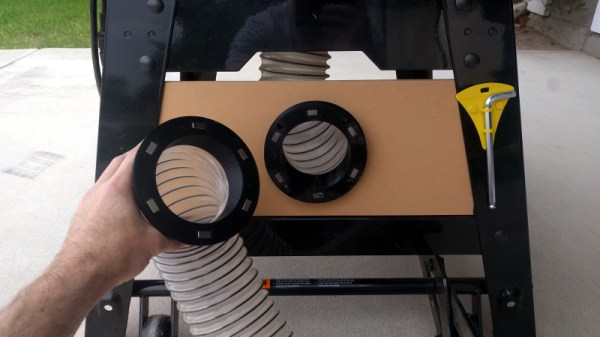
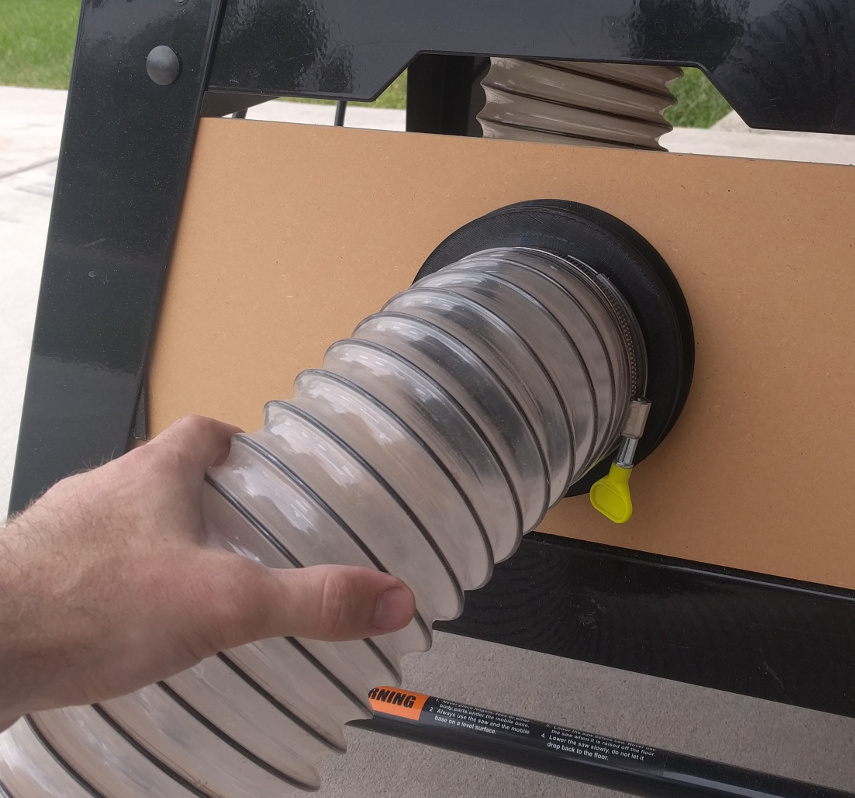
Not only does this magnetic dust port connector created by [Taylor Landry] have a clear practical purpose, but its design largely defies normal construction techniques. It consists of two flanges, sized for common 4″ flexible ducting, which feature embedded magnets on the faces.

This allows the two sides of the coupling to easily be connected and disconnected without relying on threads or a friction fit. Not only would threads likely get caked with sawdust, but the magnetic connection allows the coupling to release in the event somebody trips on the duct or the tool is moved.

Currently only one type of coupling is available, but [Taylor] says he’s looking at adapting the design to other tools. He also mentions that the magnets he’s currently using are a custom size he had left over from a previous project, so if you’re looking to replicate the design you might need to tweak the magnet openings. Luckily, he’s provided the STEP files so you don’t have to hack the STL.

A quick connect dust port like the one [Taylor] has come up with seems like it would be a perfect addition to the whole-shop dust collection systems we’ve covered in the past. In fact, it might not even be the only 3D printed component in the system.

Raspberry Pi As 433 MHz To MQTT Gateway

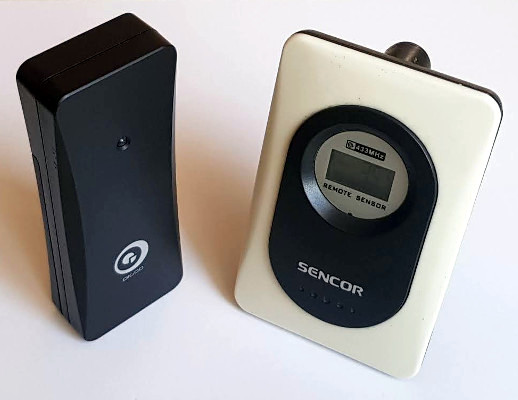
Many low-cost wireless temperature and humidity sensors use a 433 MHz transmitter to send data back to their base stations. This is a great choice for the manufacturer of said devices because it’s simple and the radios are cheap, but it does limit what we as the consumer can do with it a bit. Generally speaking, you won’t be reading data from these sensors on your computer unless you’ve got an SDR device and some experience with GNU Radio and reading the Nexus protocol.

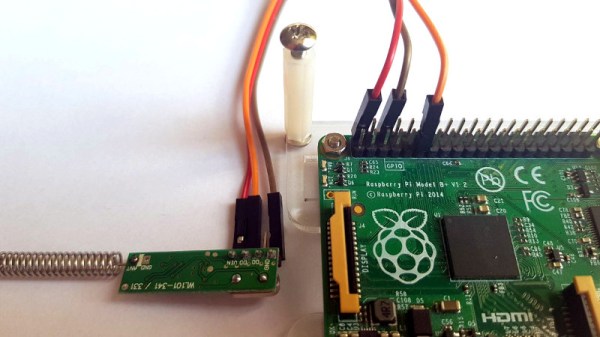
But [Aquaticus] has developed a very comprehensive piece of software that should make integrating these type of sensors into your home automation system much easier, as long as you’ve got a spare Raspberry Pi lying around. Called nexus433, it uses a cheap 433 MHz receiver connected to the Pi’s GPIO pins to receive data from environmental sensors using the popular Nexus communication protocol. A few known compatible sensors are listed in the project documentation, one of which can be had for as little as $5 USD shipped.

In addition to publishing the temperature, humidity, and battery level values from the sensors to MQTT, it even tracks connection quality for each individual sensor and when they go on and offline. To be sure, this is no simple hack. In nexus433, [Aquaticus] has created a mature Linux service with enough flexibility that you shouldn’t have any problems working it into your automation setup, whether it’s Home Assistant or something you’ve put together yourself.

We’ve seen a number of home automation hacks using these ubiquitous 433 MHz radios,  from controlling them with an ESP8266 to hacking a popular TP-LINK router into a low-cost home automation hub.

Empty Can Upcycled Into Portable Speaker

We aren’t suggesting you go digging through the trash looking for empty cans, but if you’ve already got some empty cans in the privacy of your own home, you could certainly do worse than turning them into unique enclosures for your electronics projects. Better than sitting in the landfill, surely.

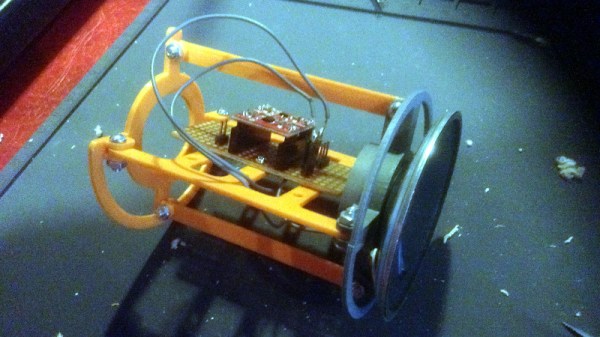
This hack from [Robin Hartley] turns an empty Cadbury hot chocolate can into a portable speaker that’s sure to get some attention. But don’t be fooled: a surprisingly amount of engineering went into this project in the form of a 3D printed structure on the inside of the can. Even if you aren’t big on the idea of putting your next project into a piece of literal trash, there’s something to be said for how professionally everything fits together in this build.

The key to this build is the 3D printed “skeleton” that holds the speaker and circuit board in place. An especially nice touch is how [Robin] designed the mount for the speaker: as it had no flange to attach to, he made a two piece clamp that screws together around the rear of the speaker and holds it in place.

You may wonder why somebody who’s clearly as well versed in CAD and 3D printing as [Robin] is might want to use an empty can as an enclosure; surely he could just design and print a case? Undoubtedly. But the goal here is to reuse what would otherwise be trash, and that occasionally means taking the “scenic” route as it were.

To take this concept to the next level, check out the upcycled speaker box we recently covered. We’ve seen some gorgeous home audio builds that started as a curbside find, but depending on how lucky you are, it’s almost like cheating.

Continue reading “Empty Can Upcycled Into Portable Speaker”

Recreating The Amiga 1200 PCB From Pictures

In the past we’ve talked about one of the major downsides of working with vintage computer hardware, which of course is the fact you’re working with vintage computer hardware. The reality is that these machines were never designed to be up and running 20, 30, or even 40-odd years after they were manufactured. Components degrade and fail, and eventually you’re going to need to either find some way to keep your favorite classic computer up and running or relegate it to becoming a display piece on the shelf.

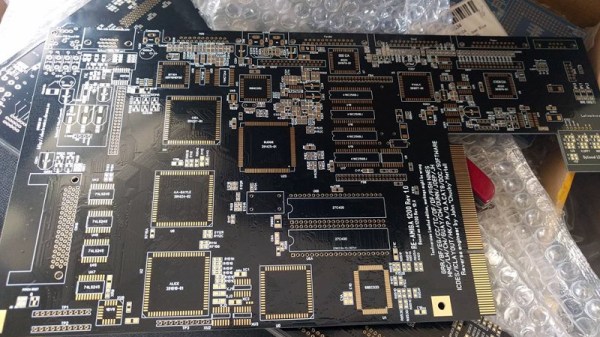
If you’re like [John Hertell], you take the former option. Knowing that many an Amiga 1200 has gone to that great retrocomputing museum in the sky due to corroded PCBs, he decided to recreate the design from scans of an unpopulated board. While he was at it, he tacked on a few modern fixes and enhancements, earning his new project the moniker: “Re-Amiga 1200”.

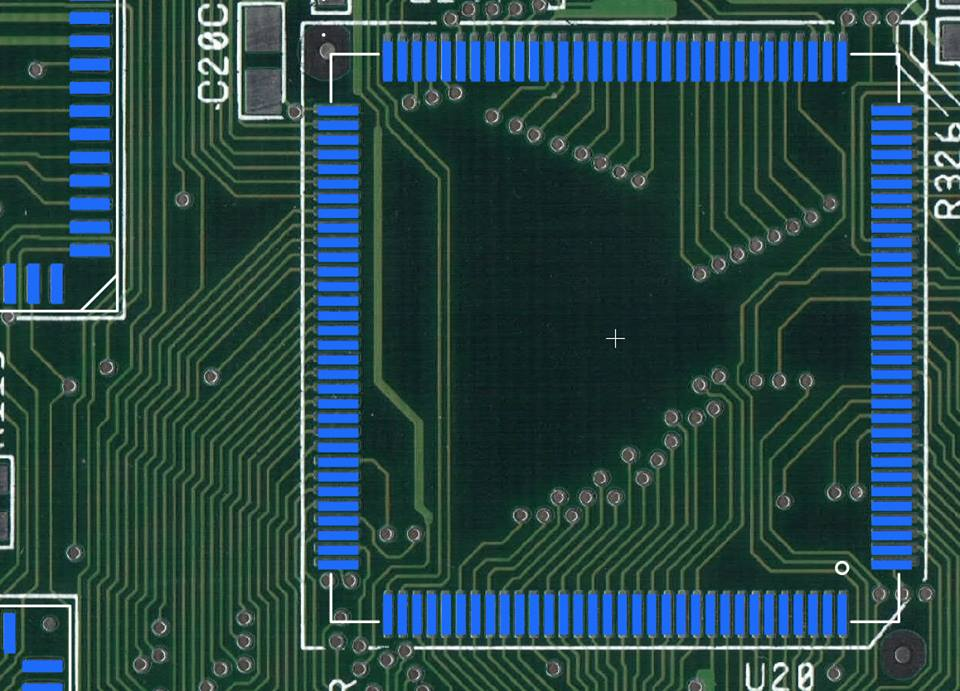
To create this updated PCB, [John] took high quality scans of an original board and loaded them up into Sprint Layout, which allows you to freely draw your PCB design over the top of an existing image. While he admits the software isn’t ideal for new designs, the fact that he could literally trace the scan of the original board made it the ideal choice for this particular task.

After the base board was recreated in digital form, the next step was to improve on it. Parts which are now EOL and hard to come by got deleted in place of modern alternatives, power traces were made thicker, extra fan connectors were added, and of course he couldn’t miss the opportunity to add some additional status blinkenlights. [John] has released his Gerber files as well as a complete BOM if you want to make your own Re-Amiga, and says he’ll also be selling PCBs if you don’t want to go through the trouble of getting them fabricated.

It seems as if Amiga fans never say never, as this isn’t the first time we’ve seen one brought back from the brink of extinction by way of a modernized motherboard. Whatever it takes to keep the vintage computing dream alive.

[Thanks to Anders for the tip.]

Continue reading “Recreating The Amiga 1200 PCB From Pictures”

Martian Dust Storm May Spell Doom For Rover

Everyone knows that space is an incredibly inhospitable place, but the surface of Mars isn’t a whole lot better. It’s a dim, cold, and dry world, with a wisp of an atmosphere that provides less than 1% of Earth’s barometric pressure. As the planet’s core no longer provides it with a magnetosphere, cosmic rays and intense solar flares bathe the surface in radiation. Human life on the surface without adequate environmental shielding is impossible, and as NASA’s fleet of rovers can attest, robotic visitors to the planet aren’t completely immune to the planet’s challenges.

Opportunity Mission Patch

As a planet-wide dust storm finally begins to settle, NASA is desperately trying to find out if the Red Planet has claimed yet another victim. The agency hasn’t heard from the Opportunity rover, which landed on Mars in 2004, since before the storm started on June 10th; and with each passing day the chances of reestablishing contact are diminished. While they haven’t completely given up hope, there’s no question this is the greatest threat the go-kart sized rover has faced in the nearly 15 years it has spent on the surface.

Opportunity was designed with several autonomous fail-safe systems that should have activated during the storm, protecting the rover as much as possible. But even with these systems in place, its twin Spirit succumbed to similar conditions in 2010. Will Opportunity make it through this latest challenge? Or has this global weather event brought the long-running mission to a dramatic close?

Continue reading “Martian Dust Storm May Spell Doom For Rover”