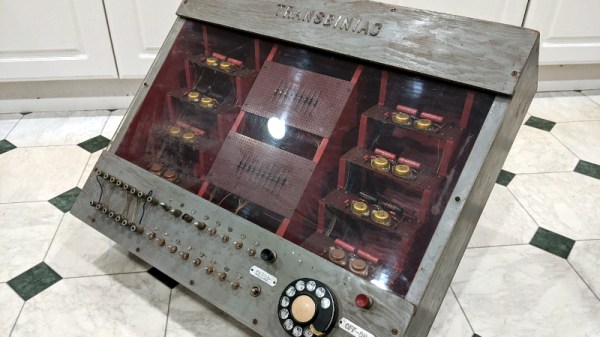
Restoring An Unusual Piece Of Computing History

Trawling classified ads or sites like Craigslist for interesting hardware is a pastime enjoyed by many a hacker. At a minimum, you can find good deals on used tools and equipment. But if you’re very lucky, you might just stumble upon something really special.

Which is exactly how [John] came into possession of the TRANSBINIAC. Included in a collection of gear that may have once belonged to a silent key, the device is a custom-built solid-state computer that appears to have been assembled in the early 1960s. Featuring a large see-through window not unlike what you might find on a modern gaming computer and a kickstand that tilts it back at a roughly 45° angle, it was obviously built to be shown off. Perhaps it was a teaching aid or even a science fair entry.

After some digging, it looks like the design of the TRANSBINIAC was based on plans published in the January 1960 issue of Electronics Illustrated. Though there are some significant differences. This computer uses eight bistable flip-flip modules instead of the original six, deletes the multiplication circuit, and employs somewhat simplified wiring. Whoever built this machine clearly knew what they were doing, which for the time, is really saying something. This truly unique machine may well have been one of the first privately owned digital computers in the world.
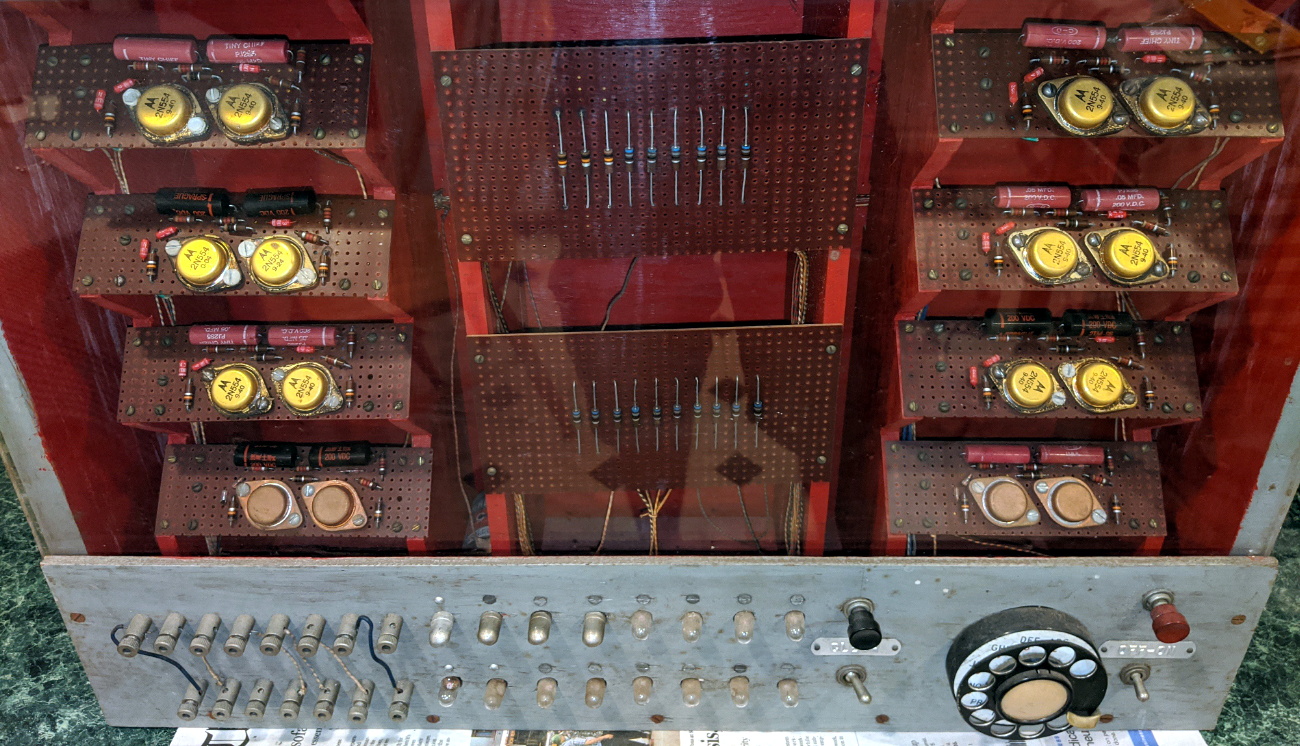
Which is why we’re glad to see [John] trying to restore the device to its former glory. Naturally it’s a little tricky since the computer came with no documentation and its design doesn’t exactly match anything out there. But with the help of other Hackaday.io users, he’s hoping to get everything figured out. It sounds like the first step is to try and diagnose the 2N554 germanium transistor flip-flop modules, as they appear to be behaving erratically. If you have experience with this sort of hardware, feel free to chime in.

We’re supremely proud of the fact that so many of these early computer examples (and the people that are fascinated by them) have recently found their way to Hackaday.io. They’re literally the building blocks on which so much of our modern technology is based on, and the knowledge of how they were designed and operated deserves to live on for future generations to learn from. If it wasn’t for 1960s machines like the TRANSBINIAC or the so-called “Paperclip Computer”, Hackaday might not even exist. It seems like the least we can do is return the favor and make sure they aren’t forgotten.

[Thanks to Yann for the tip.]
Pocket-sized Device Sniffs Out Damp Masks

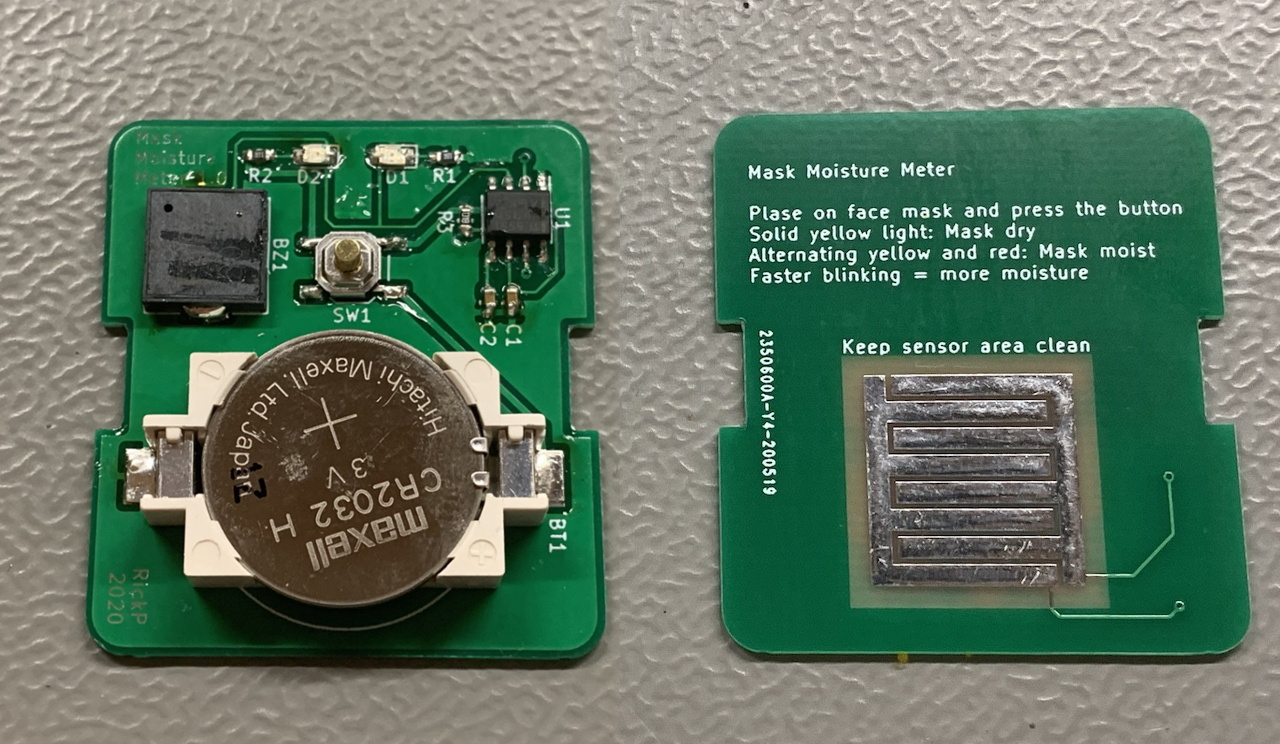
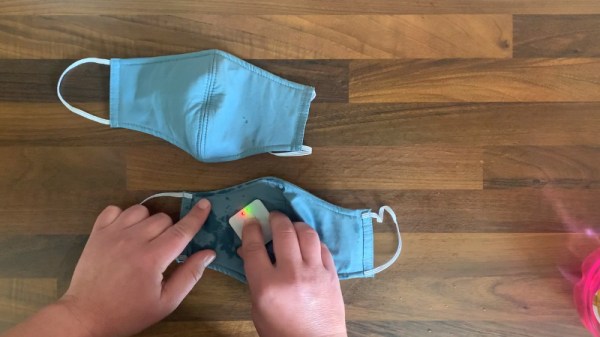
The realities of wearing a mask when you go out, from forgetting the thing in the car to dealing with fogged up glasses, have certainly taken some getting used to for most of us. But not every issue is immediately obvious. For example, experts say that as a mask gets damp from exhalation or perspiration it becomes less effective. Which is precisely why [Rick Pannen] has designed the Mask Moisture Meter.

As deep as we are into the Microcontroller Era, we really appreciate the simplicity of this design. It’s just a 555 timer, a buzzer, some LEDs, and a handful of passive components to get them all talking to each other. There’s no firmware or programming required; just put a fresh battery in the holder and away you go. The traces of the PCB serve as a moisture detector, so when the board is pushed against something wet enough, the red LED and buzzer will go off to warn the user.

Now admittedly, there’s a point where you certainly won’t need an electronic gizmo to tell you a mask is wet. But as [Rick] demonstrates in the video after the break, the circuit is sensitive enough to indicate when there’s moisture in the material that might not be immediately obvious to the eye.

Continue reading “Pocket-sized Device Sniffs Out Damp Masks”

Recognizing Activities Using Radar

Caring for the elderly and vulnerable people while preserving their privacy and independence is a challenging proposition. Reaching a panic button or calling for help may not be possible in an emergency, but constant supervision or camera surveillance is often neither practical nor considerate. Researchers from MIT CSAIL have been working on this problem for a few years and have come up with a possible solution called RF Diary. Using RF signals, a floor plan, and machine learning it can recognize activities and emergencies, through obstacles and in the dark. If this sounds familiar, it’s because it builds on previous research by CSAIL.

The RF system used is effectively frequency-modulated continuous-wave (FMCW) radar, which sweeps across the 5.4-7.2 GHz RF spectrum. The limited resolution of the RF system does not allow for the recognition of most objects, so a floor plan gives information on the size and location of specific features like rooms, beds, tables, sinks, etc. This information helps the machine learning model recognize activities within the context of the surroundings. Effectively training an activity captioning model requires thousands of training examples, which is currently not available for RF radar. However, there are massive video data sets available, so researchers employed a “multi-modal feature alignment training strategy” which allowed them to use video data sets to refine their RF activity captioning model.

There are still some privacy concerns with this solution, but the researchers did propose some improvements. One interesting idea is for the monitored person to give an “activation” signal by performing a specified set of activities in sequence.

Continue reading “Recognizing Activities Using Radar”

A Free Software OS For The ReMarkable E-Paper Tablet

If you’re looking to rid your day to day life of dead trees, there’s a good chance you’ve already heard of the reMarkable tablet. The sleek device aims to replace the traditional notebook. To that end, remarkable was designed to mimic the feeling of writing on actual paper as closely as possible. But like so many modern gadgets, it’s unfortunately encumbered by proprietary code with a dash of vendor lock-in. Or at least, it was.

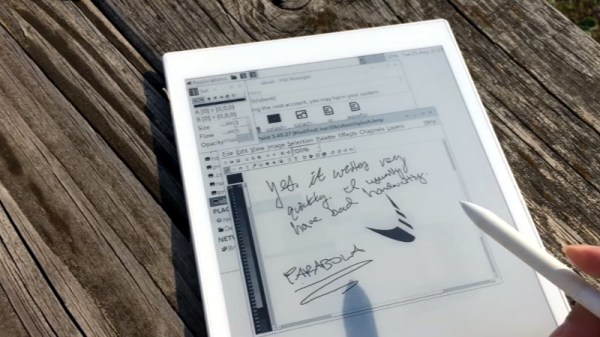
[Davis Remmel] has been hard at work porting Parabola, a completely free and open source GNU/Linux distribution, to the reMarkable. Developers will appreciate the opportunity to audit and modify the OS, but even from an end-user perspective, Parabola greatly opens up what you can do on the device. Before you were limited to a tablet UI and a select number of applications, but with this replacement OS installed, you’ll have a full-blown Linux desktop to play with.

You still won’t be watching videos or gaming on the reMarkable (though technically, you would be able to), but you could certainly use it to read and edit documents the original OS didn’t support. You could even use it for light software development. Since USB serial adapters are supported, microcontroller work isn’t out of the question either. All while reaping the considerable benefits of electronic paper.

The only downside is that the WiFi hardware is not currently supported as it requires proprietary firmware to operate. No word on whether or not [Davis] is willing to make some concession there for users who aren’t quite so strict about their software freedoms.

We’ve been waiting patiently for the electronic paper revolution to do more than replace paperbacks with Kindles, and devices like the reMarkable seem to be finally moving us in the right direction. Thankfully, projects that aim to bring free and open source software to these devices mean we won’t necessarily have to let Big Brother snoop through our files in the process.

Filament Dust Filter Helps Keep Your Print Quality High

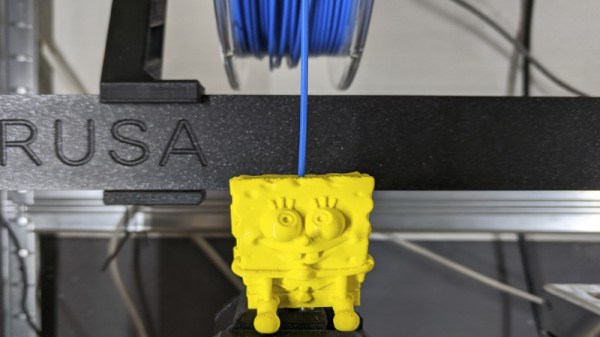
If we’re honest, our workshop isn’t as clean as it probably should be, and likely many makers out there will say the same. This can have knock-on effects, such as iron filings clogging motors, or in this case, dust affecting the quality of 3D prints. Aiming to tackle this, [3Demon] built a fun Spongebob-themed dust filter for their 3D printer.

The filter works in a simple way. The Spongebob shell is 3D printed in two halves, with a hinge joining both parts. Inside each half, a section of sponge is stuck inside. The two halves are then closed with a snap fit, with the filament passing through a hole in Spongebob’s head and out through the (square) pants. With the sponge packed in nice and tight, dust is wiped from the filament as it feeds through bob to the printer.

While it’s important to install carefully to avoid filament feed issues, it’s an easy way to automatically clean filament during the printing process. You may be surprised just how dirty your filament gets after sitting on the shelf for a few months. Getting rid of such contamination decreases the likelihood of annoying problems like delaminations and jams. Avid printers may also want to consider making their own filament, too. Happy printing!

ExoMy Is A Miniature European Mars Rover With A Friendly Face

Over the past few weeks, a new season of Mars fever kicked off with launches of three interplanetary missions. And since there’s a sizable overlap between fans of spaceflight and those of electronics and 3D printing, the European Space Agency released the ExoMy rover for those who want to experience a little bit of Mars from home.

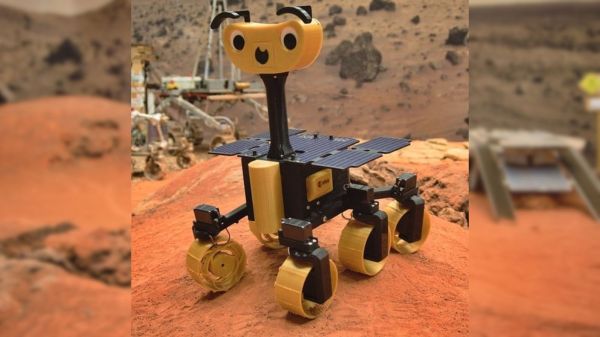
ExoMy’s smiling face and cartoonish proportions are an adaptation of ESA’s Rosalind Franklin (formerly the ExoMars) rover which, if 2020 hadn’t turned out to be 2020, would have been on its way to Mars as well. While Rosalind Franklin must wait for the next Mars launch window, we can launch ExoMy missions to our homes now. Like the real ESA rover, ExoMy has a triple bogie suspension design distinctly different from the rocker-bogie design used by NASA JPL’s rover family. Steering all six wheels rather than just four, ExoMy has maneuvering chops visible in a short Instagram video clip (also embedded after the break).

ExoMy’s quoted price of admission is in the range of 250-500€. Perusing instructions posted on GitHub, we see an electronics nervous system built around a Raspberry Pi. Its published software stack is configured for human remote control, but as it is already running ROS (Robot Operating System), it should be an easy on-ramp for ExoMars builders with the ambition of adding autonomy.

ExoMy joins the ranks of open source rover designs available to hackers with 3D printing, electronics, and software skills. We recently covered a much larger rover project modeled after Curiosity. Two years ago NASA JPL released an open source rover of their own targeting educators, inspiring this writer’s own Sawppy rover project, which is in turn just one of many projects tagged “Rover” on Hackaday.io. Hackers love rovers!


Building A UV Curing Station For Resin Prints

Resin printers have a lot going for them – particularly in regards to quality surface finishes and excellent reproduction of fine details. However, the vast majority rely on UV light to cure prints. [douwe1230] had been using a resin printer for a while, and grew tired of having to wait for sunny days to cure parts outside. Thus, it was time to build a compact UV curing station to get the job done.

The build consists of a series of laser-cut panels, assembled into a box one would presume is large enough to match the build volume of [douwe1230’s] printer.  UV LED strips are installed in the corners to provide plenty of light, and acrylic mirrors are placed on all the walls. The use of mirrors is key to evenly lighting the parts, helping to reduce the likelihood of any shadows or dead spots stopping part of the print from curing completely. In the base, a motor is installed with a turntable to slowly spin the part during curing.

[Douwe1230] notes that parts take around about 10 minutes to cure with this setup, and recommends a flip halfway through to make sure the part is cured nice and evenly. We’ve seen other similar DIY builds too, like this one created out of a device aimed at nail salons. If you’re struggling with curing outside, with the weather starting to turn, this might just be the time to get building!