You’re likely familiar with the old tale about how Steve Jobs was ousted from Apple and started his own company, NeXT. Apple then bought NeXT and their technologies and brought Jobs back as CEO once again. However, Jobs’ path wasn’t unique, and the history of computing since then could’ve gone a whole lot different.
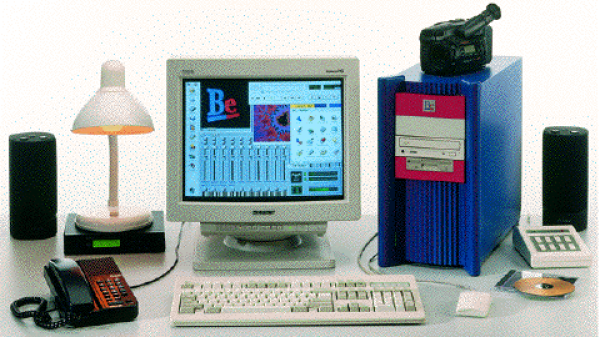
In 1990, Jean-Louis Gassée, who replaced Jobs in Apple as the head of Macintosh development, was also fired from the company. He then also formed his own computer company with the help of another ex-Apple employee, Steve Sakoman. They called it Be Inc, and their goal was to create a more modern operating system from scratch based on the object-oriented design of C++, using proprietary hardware that could allow for greater media capabilities unseen in personal computers at the time.
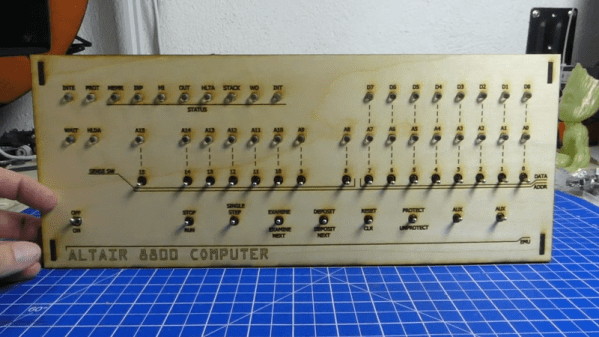
[Dirk] posted a video (you can see below) titled, “Mystery Retro Project Start.” That turned out to be the first of a multipart series on his Altair 8800 Again simulator. The front panel appears to be laser cut and in some future video episodes, we expect to see him simulate the CPU with a Teensy.
There have been plenty of 8800 clones ranging from projects that recreate the original PCBs, to those that just run a Raspberry Pi inside. The middle ground will use an Arduino or some other small CPU to simulate the 8080 CPU.
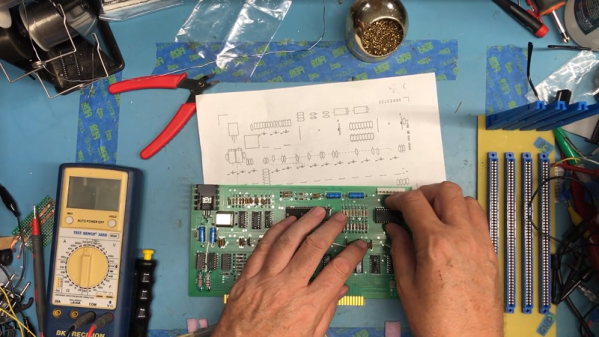
The January 1975 issue of Popular Electronics introduced the Altair 8800 and hit the newsstands in December of 1974, so it is only natural that around the New Year people start thinking about the old computer. [Shadowtron] did more than think about it. He ordered some replica PCBs and is building a new one. Even better, he’s posted an amazing number of videos (up to number 56 as I write this) detailing his progress. You can find part 1, below.
The boards are from Trailing Edge Technology. There’s a backplane board (about $100) as well as a few boards to fit it available for about $30 each — unpopulated, of course.
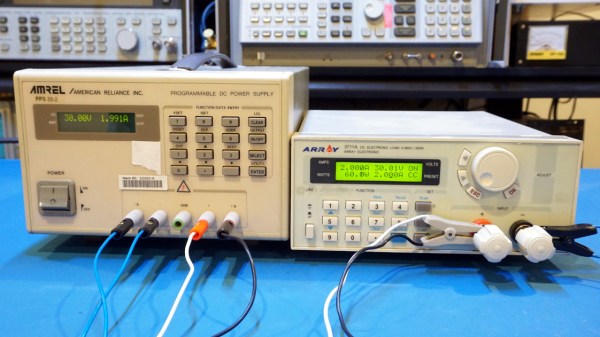
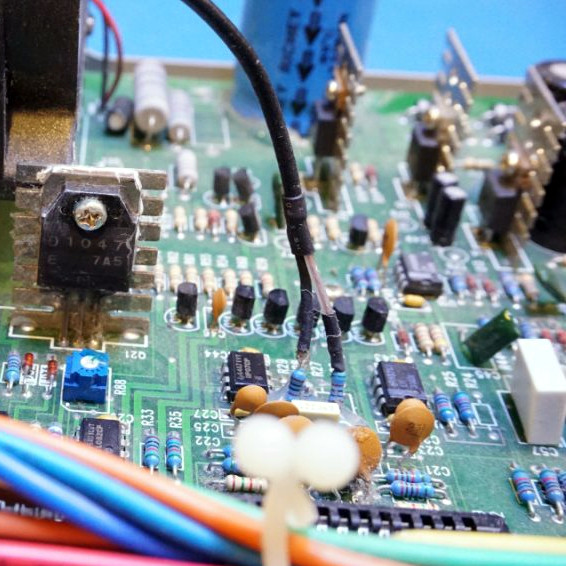
When [Kerry Wong] found an Amrel PPS 35-2 Programmable Power Supply from the late 90s on eBay, he recognized it as the single-channel version of another unit he owned, the dual-channel Amrel PPS-2322. Naturally, he purchased it and did a compare and contrast of the two models.
From the outside, they look fairly different but weigh about the same. But the similarities on the inside make it quite clear that they share a common design. There are a few things that grab your eye and the 35-2 doesn’t seem quite as well thought out, with some components being soldered into awkward-looking places. Capacitors bristle like barnacles where they are soldered directly to a connector, and a blob of hot glue anchors two resistors that rise up out of the board like a couple of weeds.
The link above shows some high resolution side-by-side photos between the two models, and [Kerry] thoughtfully provides a link to the manual for the PPS series as well as a dump of the firmware (.zip) for the 35-2. A teardown video is embedded below.
We imagine most of the people reading Hackaday have an old Raspberry Pi or two laying around. It’s somewhat less likely you’ve still got an 8-bit Commodore in working condition, but we’d wager there’s more than a few in the audience that can count themselves among both groups. So why not introduce them?
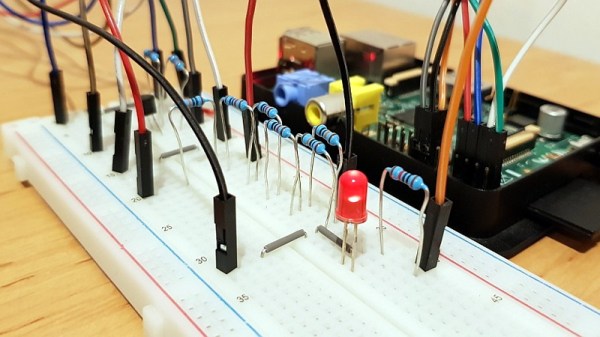
[RhinoDevel] writes in to tell us about CBM Tape Pi , an open source Commodore tape drive emulator for Raspberry Pi that needs only a handful of passive components to get wired up. Even better, the project targets the older Pis that are more likely to be languishing around in the parts bin. In the video after the break, a Commodore PET can be seen happily loading content from the original Raspberry Pi with its quaint little composite video connector.
Without any special software on the Commodore itself, the project allows the user to load and save PRGs on the Pi’s SD card, as well as traverse directories. Don’t expect stellar I/O, as [RhinoDevel] notes that no fast loader is currently implemented. Of course if you’re enough of a devotee to still be poking around a VIC-20 or C64 this far into 21st century, then we imagine you’ve got enough patience to get by.
Does the complexity of modern computing ever get you down? Do you find yourself longing for the old days, where you could actually understand what your desktop machine’s hardware and software was doing at any given moment? You aren’t alone, but unfortunately running a 40+ year old computer as your daily driver isn’t really a viable option.
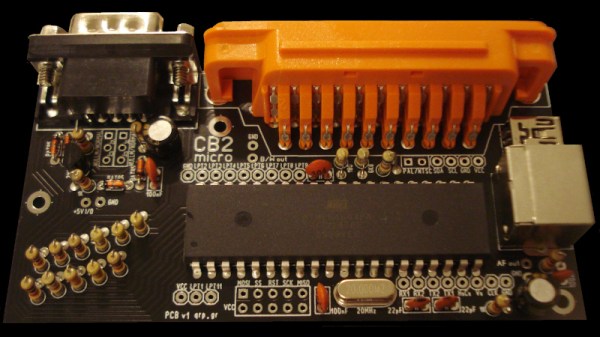
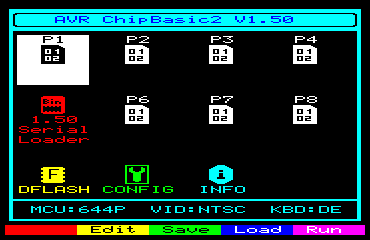
But that doesn’t mean you don’t have options. [Kostas] writes in to tell us about the “CB2 micro”: a diminutive open source retrocomputer kit that can be built in as little as 30 minutes thanks to its through-hole construction and exceptionally low parts count. When completed the miniature computer is an all-in-one BASIC development platform; just connect up a display and a PS/2 keyboard, and you’ve got everything you need to write you own programs or run games and applications developed by the community. You don’t even need a floppy, as the ATmega644P powered board has enough internal flash to store eight programs for easy access through its graphical menu system.
Main menu of the CB2 micro
For many in the audience, a cheap little board that you can assemble yourself and use as a stand-alone BASIC experimentation platform is appealing enough. But thanks to a collection of hardware add-on boards, the CB2 micro can be augmented with some interesting capabilities.
Some are fairly obvious such as adding additional flash storage or RAM, but you can also run the computer on AA or AAA batteries, or add an S-Video port. [Kostas] even explains how to assemble a special serial cable that allows you to network multiple boards together. If you take the plunge and start building your own hardware modules, the sky’s the limit.
Of course, purists may balk because the CB2 micro isn’t using a “real” computer processor. Fair enough. For those that want a more authentic retro experience, you could always pick up a kit like the RC2014, or go all out and cram a Z80 into an Altoids tin so you can carry it around with you.
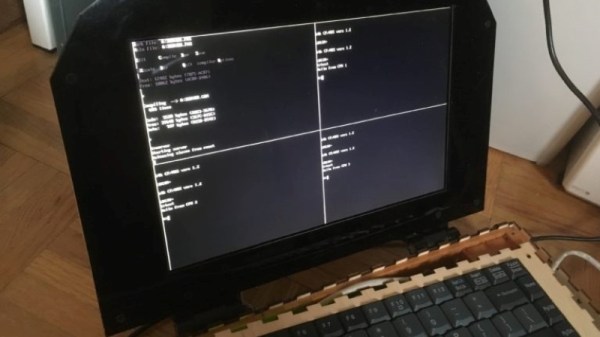
When life hands you a ridiculously expensive and massively powerful FPGA dev board, your first reaction may not be to build a 16-core Z80 laptop with it. If it’s not, perhaps you should examine your priorities, because that’s what [Chris Fenton] did, with the result being the wonderfully impractical “ZedRipper.”
Our first impression is that we’ve got to start hanging around a better class of lab, because [Chris] came by this $6000 FPGA board as the result of a lab cleanout; the best we ever scored was a few old Cat-5 cables and some power strips. The Stratix FPGA formed the heart of the design, surrounded by a few breakout boards for the 10.1″ VGA display and the keyboard, which was salvaged from an old PS/2. The 16 Z80 cores running in the FPGA are connected by a ring-topology network, which [Chris] dubs the “Z-Ring”. One of the Z80 cores, the server core, runs CP/M 2.2 and a file server called CP/NET, while the other fifteen machines are clients that run CP/NOS. A simple window manager shows 80 x 25 character terminal sessions for the server and any three of the clients at once, and the whole thing, including a LiPo battery pack, fits into a laser-cut plywood case. It’s retro, it’s modern, it’s overkill, and we absolutely love it.