Raspberry Pi, Send Me A Letter

The abundance of small networked boards running Linux — like the Raspberry Pi — is a boon for developers. It is easy enough to put a small cheap computer on the network. The fact that Linux has a lot of software is a double-edged sword. On the one hand, it is a good bet that anything you want to do has been done. On the other hand, some of the solutions are a bit large for a tiny embedded system.

Take, for example, e-mail. Historically, Linux hosts operate as mail transfer agents that can send and receive mail for all their users and possibly even relay mail to others. In today’s world, that’s usually overkill, but the capability is there. It is possible to install big mail transfer agents into a Raspberry Pi. The question is: should you?

What Do You Want?

The answer, of course, depends on what you want to do. If you have a dedicated board sending out text and maybe even files using an external mail server (like, say, Gmail), then the answer is no. You don’t need a piece of software listening for incoming connections, sorting through multiple users, and so on.

Luckily, there are some simple solutions if you know how to set up and configure them. The key is to avoid the big mail programs that do everything you don’t need.

Mail Front Ends

Let’s tackle sending mail first. If you try to grab the mailutils package, you’ll see it drags along a lot of stuff including mysql. Keep in mind, none of this will actually send mail. It just gives you some tools to get mail ready to send.

Luckily, the bsd-mailx package has a lot less overhead and will do the job. Look at the man page to see what options you have with mailx; you can do things like attach files, set a subject, and specify addresses.

It is a little difficult to set up for Gmail, though, thanks to Google’s security. You’ll need the certutil tool from the libnss3-tools package. You’ll need to create a certificate store, import Google’s certificate, and then set up a lot of options to mailx. I don’t suggest it. If you insist, though, you can find directions on the Web.

SSMTP

By default, programs like mailx and other Linux mail commands rely on a backend (often sendmail). Not only does that drag around too much overhead, it is also a full mail system, sending and receiving and relaying–overkill for our little Pi computers.

Luckily, SSMTP is available which only sends mail and is relatively lightweight. You need a configuration file to point it to your mail server. For Gmail, it would look like this:

#
# Config file for sSMTP sendmail
#
# The person who gets all mail for userids < 1000
# Make this empty to disable rewriting.
root=postmaster

# The place where the mail goes. The actual machine name is required no 
# MX records are consulted. Commonly mailhosts are named mail.domain.com
mailhub=smtp.gmail.com:587

# Where will the mail seem to come from?
rewriteDomain=yourdomain.com

# The full hostname
hostname=yourhostname
AuthUser=YourGmailUserID
AuthPass=YourGmailPassword
UseTLS=Yes
UseSTARTTLS=YES
# Are users allowed to set their own From: address?
# YES - Allow the user to specify their own From: address
# NO - Use the system generated From: address
FromLineOverride=YES

You can use a mail agent like mailx or you can just use ssmtp directly:

ssmtp someone@somewhere.com

Enter a message on the standard input and end it with a Control+D (standard end of file for Linux).

Google Authentication

There’s only one catch. If you are using Gmail, you’ll find that Google wants you to use stronger authentication. If you are using two-factor (that is, Google Authenticator), this isn’t going to work at all. You’ll need to generate an app password. Even if you aren’t, you will probably need to relax Google’s fear of spammers on your account. You need to turn on the “Access for less secure apps” setting. If you don’t want to do this on your primary e-mail account, considering making an account that you only use for sending data from the Pi.

Sending Files

Depending on the mail software you use, there are a few ways you can attach a file. However, the mpack program makes it very easy:

mpack -a -s 'Data File' datafile.csv me@hackaday.com

The above command will send datafile.csv as an attachment with the subject “Data File.” Pretty simple.

Receiving Mail

What if you want to reverse the process and receive mail on the Pi? There is a program called fetchmail that can grab e-mails from an IMAP or POP3 server. It is possible to make it only read the first unread message and send it to a script or program of your choosing.

You have to build a configuration file (or use the fetchmailconf program to build it). For example, here’s a simple .fetchmailrc file:

poll imap.gmail.com
protocol IMAP
user "user@gmail.com" with password "yourpassword" mda "/home/pi/mailscript.sh"
folder 'INBOX'
fetchlimit 1
keep
ssl

You can leave the “keep” line out if you don’t mind fetchmail deleting the mail after processing. The file should be in your home directory (unless you specify with the -f option) and it needs to not be readable and writable by other users (e.g., chmod 600 .fetchmailrc). According to the fetchmail FAQ, there are some issues with Gmail, so you might want to consider some of the suggestions provided. However, for simple tasks like this, you should be able to work it all out.

In particular, the mailscript.sh file is where you can process the e-mail. You might, for example, look for certain keyword commands and take some action (perhaps replying using ssmtp).

Special Delivery

You might not think of the Raspberry Pi as an e-mail machine. However, the fact that it is a pretty vanilla Linux setup means you can use all sorts of interesting tools meant for bigger computers. You just have to know they exist.

How To Get Started With The ESP32

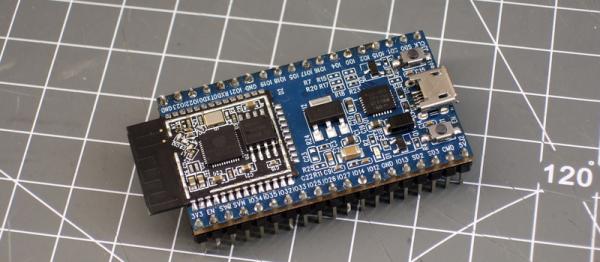
ESP32 is the hottest new wireless chip out there, offering both WiFi and Bluetooth Low Energy radios rolled up with a dual-core 32-bit processor and packed with peripherals of every kind. We got some review sample dev boards, Adafruit and Seeed Studio had them in stock for a while, and AI-Thinker — the company that makes the most popular ESP8266 modules — is starting up full-scale production on October 1st. This means that some of you have the new hotness in your hands right now, and the rest of you aren’t going to have to wait more than a few more weeks.

As we said in our first-look review of the new chip, many things are in a state of flux on the software side, but the basic process of writing, compiling, and flashing code to the chip is going to remain stable. It’s time to start up some tutorials!

Continue reading “How To Get Started With The ESP32”

Homemade Capacitors Of A Mad Scientist

Once upon a time I was a real mad scientist. I was into non-conventional propulsion with the idea of somehow interacting with the quantum vacuum fluctuations, the zero point energy field. I was into it despite having only a vague understanding of what that was and without regard for how unlikely or impossible anyone said it was to interact with on a macro scale. But we all had to come from somewhere, and that was my introduction to the world of high voltages and homemade capacitors.

And along the way I made some pretty interesting, or different, capacitors which I’ll talk about here.

Large Wax Cylindrical Capacitor

As the photos show, this capacitor is fairly large, appearing like a thick chunk of paraffin wax sandwiched between two wood disks. Inside, the lead wires go to two aluminum flashing disks that are the capacitor plates spaced 2.5cm (1 inch) apart. But in between them the dielectric consists of seven more aluminum flashing disks separated by plain cotton sheets immersed in more paraffin wax. See, I told you these capacitors were different.

I won’t go into the reasoning behind the construction — it was all shot-in-the-dark ideas, backed by hope, unicorn hairs, and practically no theory. The interesting thing here was the experiment itself. It worked!

I sat the capacitor on top of a tall 4″ diameter ABS pipe which in turn sat on a digital scale on the floor. High voltage in the tens of kilovolts was put across the capacitor through thickly insulated wires. The power supply contained a flyback transformer and Cockcroft-Walton voltage multiplier at the HV side. As I dialed up the voltage, the scale showed a reducing weight. I had weight-loss!

But after a few hours of reversing polarities and flipping the capacitor the other way around and taking plenty of notes, I found the cause. The weight-loss happened only when the feed wires were oriented with the top one feeding downward as shown in the diagram, but there was no weight change when the top wire was oriented horizontally. I’d seen high voltage wires moving before and here it was again, producing what looked like weight-loss on the scale.

But that’s only one of the interesting capacitors I’ve made. After the break we get into gravitators, polysulfide and even barium titanate.

Continue reading “Homemade Capacitors Of A Mad Scientist”

The Fastest Rise Time In The West: Making A Truly Quick Pulse Edge

When we are taught about oscillators as newbie engineers, we are shown a variety of waveforms on an oscilloscope or in a textbook. This is a sine wave, they say, this is a sawtooth, this is a square wave, and so on. We’re taught to look at the lines on the screen as idealised, a square wave is truly square, and the transition from low to high voltage and back again is instantaneous.

In most cases this assumption is harmless. If we look into the subject a little deeper we learn that what seemed an instantaneous cliff-face is in fact a very steep slope, but when a circuit does its business in milliseconds there is usually no harm in ignoring a transition time measured in nanoseconds. The glue logic for your Arduino project can take its time.

Sometimes though, the rise time of a logic transition is important. The application that prompted this article was the measurement of oscilloscope bandwidth by looking at how quickly the ‘scope catches up with a pulse that exceeds its bandwidth, for example. When the instrument can happily measure the transition times of all your usual  pulse generators, something out of the ordinary is called for. So it’s worth taking a look at the rise times you’d expect from everyday circuitry, examining a few techniques for generating rise times that are much faster.
Continue reading “The Fastest Rise Time In The West: Making A Truly Quick Pulse Edge”

Lock Up Your Raspberry Pi With Google Authenticator

Raspberry Pi boards (or any of the many similar boards) are handy to leave at odd places to talk to the network and collect data, control things, or do whatever other tasks you need a tiny fanless computer to do. Of course, any time you have a computer on a network, you are inviting hackers (and not our kind of hackers) to break in.

We recently looked at how to tunnel ssh using a reverse proxy via Pagekite so you can connect to a Pi even through firewalls and at dynamic IP addresses. How do you stop a bad guy from trying to log in repeatedly until they have access? This can work on any Linux machine, but for this tutorial I’ll use Raspberry Pi as the example device. In all cases, knowing how to set up adequate ssh security is paramount for anything you drop onto a network.

Continue reading “Lock Up Your Raspberry Pi With Google Authenticator”

Creating A PCB In Everything: Eagle DRC And Gerber Files

For the next post in the Creating A PCB series, we’re going to continue our explorations of Eagle. In Part 1,  I went over how to create a part from scratch in Eagle. In Part 2, we used this part to create the small example board from the Introduction.

This time around I’ll be going over Design Rule Check (DRC) — or making sure your board house can actually fabricate what you’ve designed. I’ll also be covering the creation of Gerber files (so you can get the PCB fabbed anywhere you want), and putting real art into the silkscreen and soldermask layers of your boards.

The idea behind this series is to explore different EDA suites and PCB design tools by designing the same circuit in each. You can check out the rest of the posts in this series right here.

Continue reading “Creating A PCB In Everything: Eagle DRC And Gerber Files”

Distributed Censorship Or Extortion? The IoT Vs Brian Krebs

Now it’s official. The particular website that was hit by a record-breaking distributed denial of service (DDOS) attack that we covered a few days ago was that of white-hat security journalist [Brian Krebs]: Krebs on Security.

During the DDOS attack, his site got 600 Gigabits per second of traffic. It didn’t involve amplification or reflection attacks, but rather a distributed network of zombie domestic appliances: routers, IP webcams, and digital video recorders (DVRs). All they did was create HTTP requests for his site, but there were well in excess of 100,000 of these bots.

In the end, [Krebs’] ISP, Akamai, had to drop him. He was getting pro bono service from them to start with, and while they’ve defended him against DDOS attacks in the past, it was costing them too much to continue in this case. An Akamai exec estimates it would have cost them millions to continue defending, and [Brian] doesn’t blame them. But when Akamai dropped the shields, his hosting provider would get slammed. [Krebs] told Akamai to redirect his domain to localhost and then he went dark.

Continue reading “Distributed Censorship Or Extortion? The IoT Vs Brian Krebs”