The recent movie “The Imitation Game” gave [Alan Turing] some well-deserved fame among non-computer types (although the historical accuracy of that movie is poor, at best; there have been several comparisons between the movie and reality). However, for people in the computer industry, Turing was famous for more than just helping to crack Enigma. His theoretical work on computing led to the Turing machine, which is still an important concept for reasoning about computers in a mathematical way. He also laid the foundation for the stored program computer that we take for granted today.
What’s a Turing Machine?
A Turing machine is deceptively simple and, like many mathematical models, highly impractical. Leading off the inpracticalities, the machine includes an infinite paper tape. There is a head that can read and write any symbol to the tape at some position, and the tape can move to the left or the right. Keep in mind that the head can write a symbol over another symbol, so that’s another practical difficulty, although not an insurmountable one. The other issue is that the symbol can be anything: a letter, a number, a jolly wrencher, or a bunch of dots. Again, not impossible, but difficult to do with practical hardware implementations.
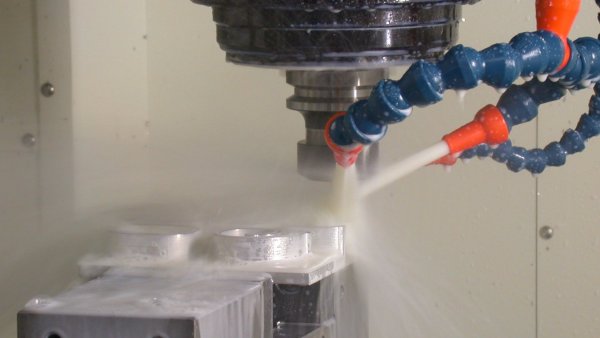
If you’re interested in making things (and since you’re reading this, we’re going to assume you are), you’ve almost certainly felt a desire to make metal parts. 3D printers are great, but have a lot of drawbacks: limited material options, lack of precision, and long printing times. If you want metal parts that adhere to even moderately tight tolerances, a milling machine is your only practical option. There is, after all, a very good reason that they’re essential to manufacturing.
However, it can be difficult to know where to start for the hobbyist who doesn’t have machining experience. What kind of milling machine should you get? Should you buy new or used? What the heck is 3-phase power, and can you get it? These questions, among many others, can be positively overwhelming to the uninitiated. Luckily, we — your friends at Hackaday — are here to help give you some direction. So, if you’re ready to learn, then read on! Already an expert? Leave some tips of your own in the comments!
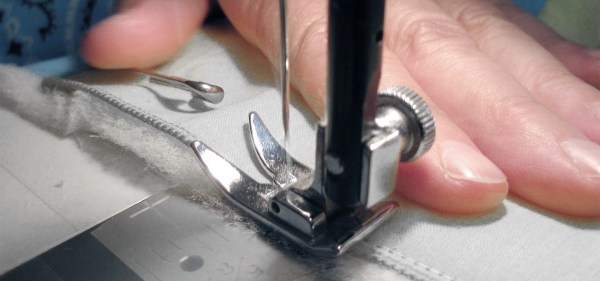
Even in this age of wearable technology, the actual fabric in our t-shirts and clothes may still be the most high-tech product we wear. From the genetically engineered cotton seed, though an autonomous machine world, this product is manufactured in one of the world’s largest automation bubbles. Self-driving cotton pickers harvest and preprocess the cotton. More machines blend the raw material, comb it, twist and spin it into yarn, and finally, a weaving machine outputs sheets of spotless cotton jersey. The degree of automation could not be higher. Except for the laboratories, where seeds, cotton fibers, and yarns are tested to meet tight specifications, woven fabrics originate from a mostly human-free zone that is governed by technology and economics.
The history of the diode is a fun one as it’s rife with accidental discoveries, sometimes having to wait decades for a use for what was found. Two examples of that are our first two topics: thermionic emission and semiconductor diodes. So let’s dive in.
Vacuum Tubes/Thermionic Diodes
Our first accidental discovery was of thermionic emission, which many years later lead to the vacuum tube. Thermionic emission is basically heating a metal, or a coated metal, causing the emission of electrons from its surface.
Electroscope
In 1873 Frederick Guthrie had charged his electroscope positively and then brought a piece of white-hot metal near the electroscope’s terminal. The white-hot metal emitted electrons to the terminal, which of course neutralized the electroscope’s positive charge, causing the leafs to come together. A negatively charged electroscope can’t be discharged this way though, since the hot metal emits electrons only, i.e. negative charge. Thus the direction of electron flow was one-way and the earliest diode was born.
Thomas Edison independently discovered this effect in 1880 when trying to work out why the carbon-filaments in his light bulbs were often burning out at their positive-connected ends. In exploring the problem, he created a special evacuated bulb wherein he had a piece of metal connected to the positive end of the circuit and held near the filament. He found that an invisible current flowed from the filament to the metal. For this reason, thermionic emission is sometimes referred to as the Edison effect.
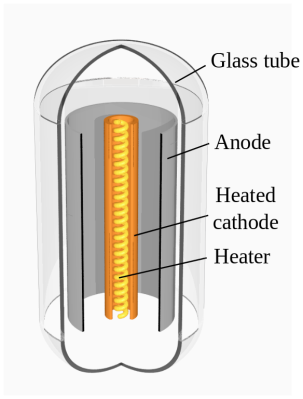
Thermionic diode. By Svjo [CC BY-SA 3.0], via Wikimedia CommonsBut it took until 1904 for the first practical use of the effect to appear. John Ambrose Fleming had actually consulted for the Edison Electric Light Company from 1881-1891 but was now working for the Marconi Wireless Telegraph Company. In 1901 the company demonstrated the first radio transmission across the Atlantic, the letter “S” in the form or three dots in Morse code. But there was so much difficulty in telling the received signal apart from the background noise, that the result was disputed (and still is). This made Fleming realize that a more sensitive detector than the coherer they’d been using was needed. And so in 1904 he tried an Edison effect bulb. It worked well, rectifying the high frequency oscillations and passing the signals on to a galvanometer. He filed for a patent and the Fleming valve, the two element vacuum tube or thermionic diode, came into being, heralding decades of technological developments in many subsequent types of vacuum tubes.
Vacuum tubes began to be replaced in power supplies in the 1940s by selenium diodes and in the 1960s by semiconductor diodes but are still used today in high power applications. There’s also been a resurgence in their use by audiophiles and recording studios. But that’s only the start of our history.
World War II can be thought of as the first electronic war. Radio technology was firmly established commercially by the late 1930s and poised to make huge contributions to the prosecution of the war on all sides. Radio was rapidly adopted into the battlefield, which led to advancements in miniaturization and ruggedization of previously bulky and fragile vacuum tube gear. Radios were soon being used for everything from coordinating battlefield units to detonating anti-aircraft artillery shells.
But it was not just the battlefields of WWII that benefitted from radio technology. From apartments in Berlin to farmhouses in France, covert agents toiled away over sophisticated transceivers, keying in coded messages and listening for instructions. Spy radios were key clandestine assets, both during the war and later during the Cold War. Continue reading “Hacking When It Counts: Spy Radios”→
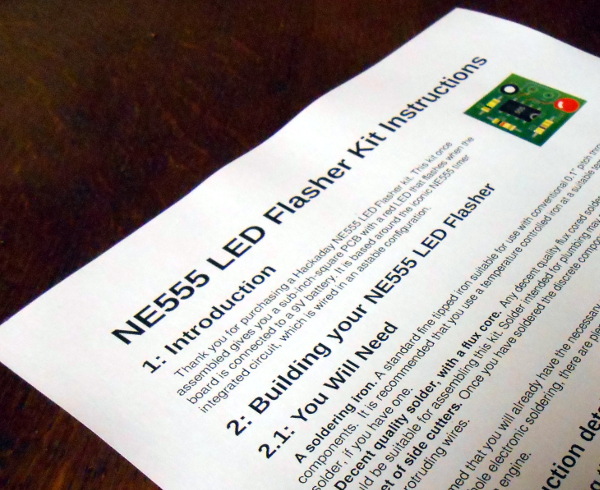
A printed copy of the instructions for our example kit
We’ve had two previous articles in this series on turning a personal electronic project into a saleable kit, in which we’ve examined the kit market in a broader context for a new entrant, and gone on to take a look at the process of assembling the hardware required to create a product. We’ve used an NE555 LED flasher as a simple example , from which we’ve gone through the exercise of setting a cost of production and therefore a retail price.
The remaining task required to complete our kit production is to write the documentation that will accompany it. These will be the instructions from which your customers will build the kit, and their success and any other customers they may send your way will hang on their quality. So many otherwise flawless kits get this part of the offering so wrong, so for a kit manufacturer it represents an easy win into which to put some effort. Continue reading “From Project To Kit: Instructions Are Everything”→
The once successful Kickstarter and National Science Foundation (NSF) research grant winner Electroloom is saying “Thanks and Farewell” to its backers, supporters, and sponsors. The startup ran out of funding while developing printer-like machine that uses electrospinning to automatedly produce ready-to-use garments.
Electroloom has been an ambitious project to explore if electrospinning could be made viable for garment manufacturing. The process that uses a high voltage to transform a resinous liquid into non-woven fabric was originally invented for textile fabrication, although its low throughput has always been a limiting factor. The method was mostly used in laboratory and medical applications. In 2014, Electroloom began developing a process that would bring the technology back to its fibrous roots, building an amazing prototype machine that could print an entire shirt in one piece. Electroloom’s Kickstarter campaign was funded in 2015, and earlier this year, an NSF research grant was awarded to the startup.