In part one, I compared the different Analog to Digital Converters (ADC) and the roles and properties of Delta Sigma ADC’s. I covered a lot of the theory behind these devices, so in this installment, I set out to find a design or two that would help me demonstrate the important points like oversampling, noise shaping and the relationship between the signal-to-noise ratio and resolution.
Modulator Implementation
Check out part one to see the block diagrams of what what got us to here. The schematics shown below are of a couple of implementations that I played with depicting a single-order and a dual-order Delta Sigma modulators.
Basically I used a clock enabled, high speed comparator, with two polarities in case I got it the logic backwards in my current state of burn out to grey matter ratio. The video includes the actual schematic used.
Since I wasn’t designing for production I accepted the need for three voltages since my bench supply was capable of providing them and this widget is destined for the drawer with the other widgets made for just a few minutes of video time anyway. Continue reading “Tearing Into Delta Sigma ADCs Part 2”→
Othermachine Co. is not a big company. Their flagship product, the Othermill, is made in small, careful batches. As we’ve seen with other small hardware companies, the manufacturing process can make or break the company. While we toured their factory in Berkeley California, a few interesting things stood out to us about their process which showed their manufacturing competence.
It’s not often that small companies share the secrets of their shop floor. Many of us have dreams of selling kits, so any lessons that can be learned from those who have come before is valuable. The goal of any manufacturing process optimization is to reduce cost while simultaneously maintaining or increasing quality. Despite what cynics would like to believe, this is often entirely possible and often embarrassingly easy to accomplish.
Lean manufacturing defines seven wastes that can be optimized out of a process.
Overproduction: Simply, making more than you currently have demand for. This is a really common mistake for first time producers.
Inventory: Storing more than you need to meet production or demand. Nearly every company I’ve worked for has this problem. There is an art to having just enough. Don’t buy one bulk order of 3,000 screws for six months, order 500 screws every month as needed.
Waiting: Having significant delays between processes. These are things ranging from running out of USB cables to simply having to wait too long for something to arrive on a conveyor belt. Do everything you can to make sure the process is always flowing from one step to another.
Motion: If you have a person walking back and forth between the ends of the factory to complete one step of the manufacturing process, this is wasted motion.
Transport: Different from motion, this is waste in moving the products of each individual process between sections of the assembly.
Rework: Get it right the first time. If your process can’t produce a product that meets specifications, fix the process.
Over-processing: Don’t do more work than is necessary. If your part specifies 1000 hours of runtime don’t buy a million dollar machine to get 2000 hours out of it. If you can find a way to do it with one step, don’t do it with three.
The first thing that stuck out to me upon entering Othermachine Co’s shop floor is their meticulous system for getting small batches through the factory in a timely manner. This allows them to scale their production as their demand fluctuates. CNCs and 3D printers are definitely seasonal purchases; with sales often increasing in the winter months when hackers are no longer lured away from their workstations by nice weather.
As the seven sins proclaim. It would be a bad move for Othermachine Co. to make too many mills. Let’s say they had made an extra 100 mills while demand was at a seasonal low. If they found a design or quality problem from customer feedback they’d have to commit to rework, potentially throwing away piles of defective parts. If they want to push a change to the machine or release a new model they’d either have to rework the machines, trash them, or wait till they all sold before improving their product. Even worse, they may find themselves twiddling their thumbs waiting for their supply to decrease enough to start manufacturing again. This deprives them of opportunities to improve their process and leads to a lax work environment.
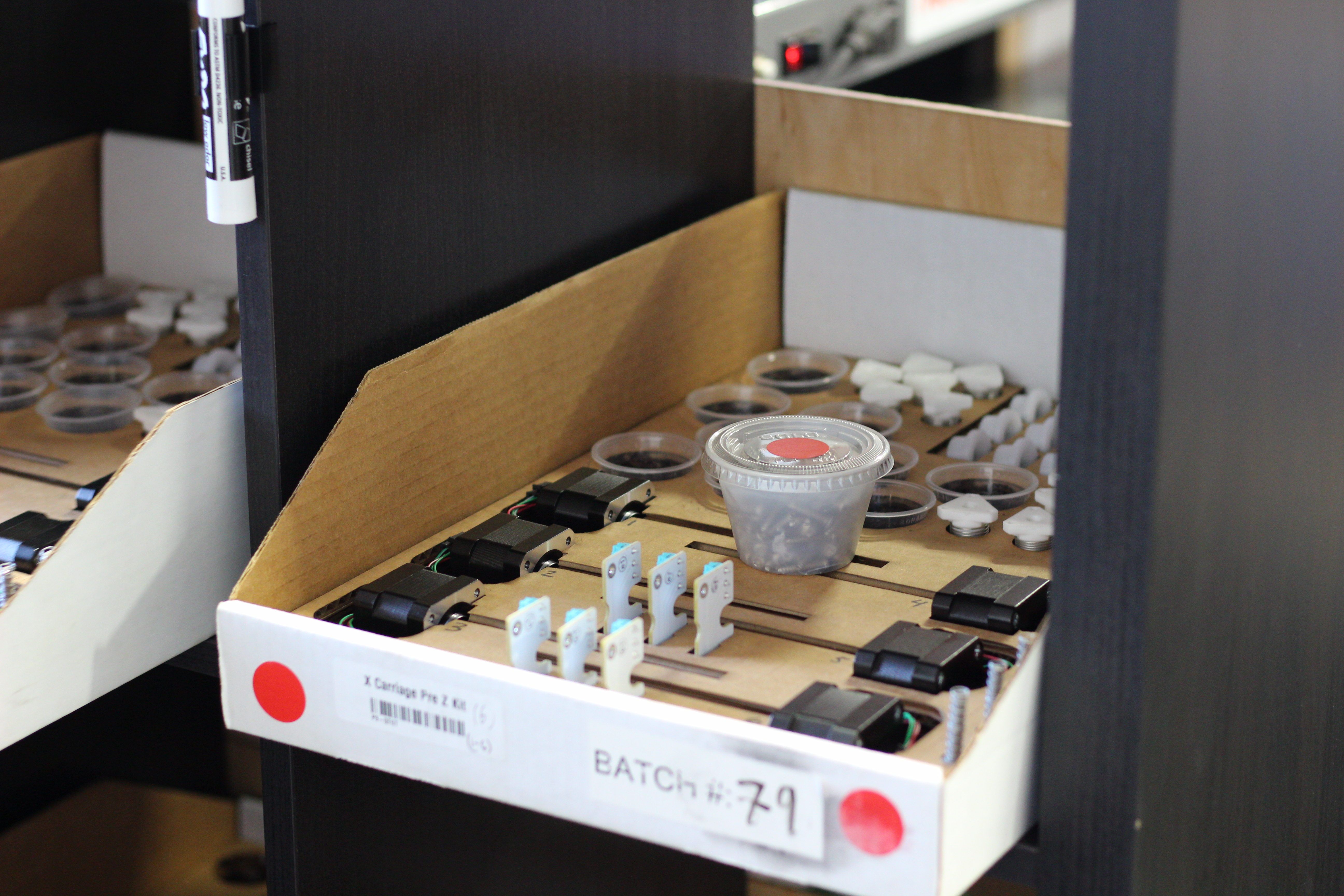
One way to ensure that parts are properly handled and inventory is kept to a minimum is with proper visual controls. To this end, Othermachine Co has custom cardboard bins made that perfectly cradle all the precision parts for each process in their own color coded container. Since the shop floor is quite small, it lets them focus on making spindle assemblies one day and motion assemblies another without having to waste time between each step. Also, someone can rekit the parts for a recently completed step easily without interrupting work on the current process going on.
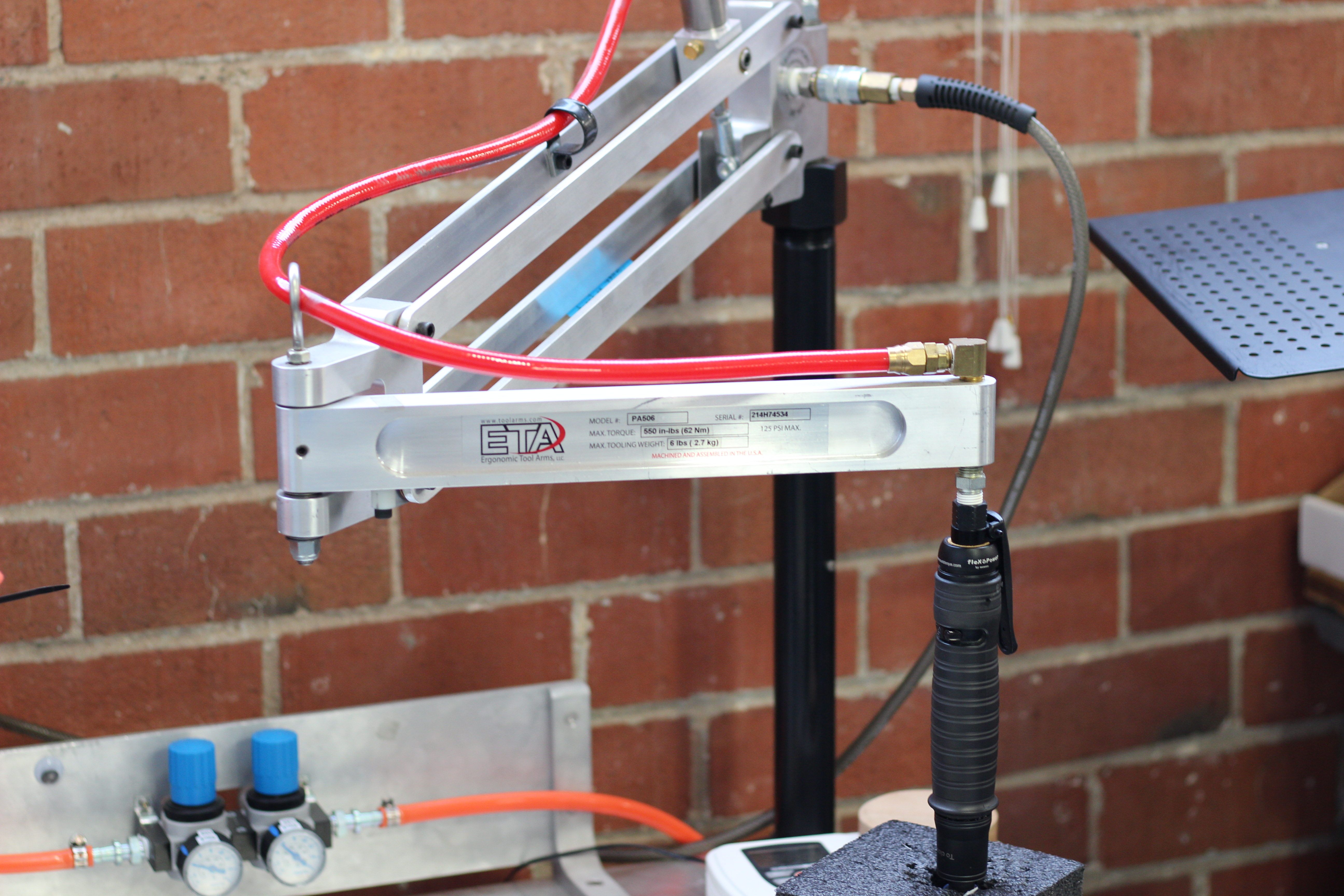
It’s hard to define what’s over processing and what isn’t. My favorite example of what isnt, and something I’ve fought for on nearly every factory floor I’ve worked on is proper torque limiting screwdrivers. They’re a little expensive, but they are a wonderful tool that helps to avoid costly rework and over processing. For example, let’s say you didn’t have a torque limiting screwdriver. Maybe your customers would complain that occasionally a screw came loose. Now, one way to solve this would be the liberal application of Loctite. Another way would be an additional inspection step. Both of these are additional and completely uneccessary steps as most screws will hold as long as they are torqued properly.
In one factory I worked in, it was often a problem that a recently hired worker would overtorque a screw, either stripping it or damaging the parts it was mating together. A torque limiting screwdriver takes the worker’s physical strength out of the equation, while reducing their fatigue throughout the day. It’s a win/win. Any time a crucial step can go from unknown to trusted with the application of a proper tool or test step it is worth it.
Another section where Othermachine Co. applied this principle is with the final machining step for the CNC bed. The step produces a large amount of waste chips. Rather than having an employee waste time vacuuming out every Othermill after it has gone through this process, they spent some time designing a custom vacuum attachment. This essentially removed an entire production step. Not bad!
With the proper management of waste it is entirely possible to save money and improve a process at the same time. It takes a bit of training to learn how to see it. It helps to have an experienced person around in order to learn how to properly respond to them, but with a bit of practice it becomes a skill that spreads to all areas of life. Have any of you had experience with this kind of problem solving? I’ve really enjoyed learning from the work stories posted in the comments.
When I start up a new project, one that’s going to be worth writing up later on, I find it’s useful to get myself into the right mindset. I’m not a big planner like some people are — sometimes I like to let the project find its own way. But there’s also the real risk of getting lost in the details unless I rein myself in a little bit. I’m not alone in this tendency, of course. In the geek world, this is known as “yak shaving“.
The phrase comes obliquely from a Ren and Stimpy episode, and refers to common phenomenon where to get one thing done you have to first solve another problem. The second problem, of course, involves solving a third, and so on. So through this (potentially long) chain of dependencies, what looks like shaving a yak is obliquely working on cracking some actually relevant problem. Continue reading “Yak Shaving: Hacker Mode Vs Maker Mode”→
Measuring length is a pain, and it’s all the fault of Imperial measurements. Certain industries have standardized around either Imperial or metric, which means that working on projects across multiple industries generally leads to at least one conversion. For everyone outside the last bastion of Imperial units, here’s a primer on how we do it in crazy-land.
Definitions
The basic unit of length measurement in Imperial units is the inch. twelve inches make up one foot, three feet make up one yard, and 5,280 feet (or 1,760 yards) make up a mile. Easy to remember, right?
Ironically, an inch is defined in metric as 25.4 millimeters. You can do the rest of the math for exact lengths, but in general, three feet is just shy of a meter, and a mile is about a kilometer and a half. Generally in Imperial you’ll see lots of mixed units, like a person’s height is 6’2″ (that’s shorthand for six feet, two inches.) But it’s not consistent, it’s English; the only consistency is that it’s always breaking its own rules. You wouldn’t say three yards, two feet, and six inches; you’d say 11 1/2 feet. If it was three yards, one foot, and six inches, though, you’d say 3 1/2 yards. There’s no good rule for this other than try to use nice fractions as often as you can.
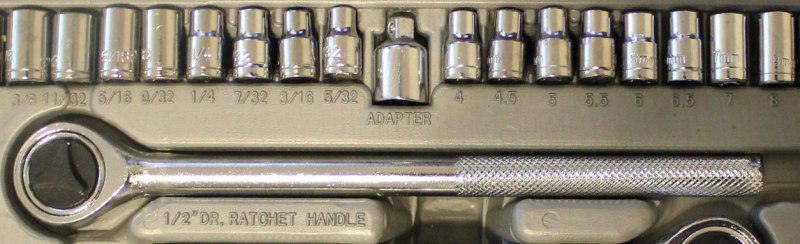
Users of Imperial units love fractions, especially when it comes to parts of an inch or mile. You’ll frequently find drill bits in fractions of an inch, which can be extremely frustrating when you are trying to do math in your head and figure out if a 17/64″ bit is bigger than a 1/4″ bit (hint, yes, it’s 1/64″ bigger).
A socket wrench set in Imperial fractions on the left and metric on the right. Metric is so much easier.
If it wasn’t hard enough already, there came the thousandth of an inch. As the machine age was getting better and better, and parts were getting smaller and more precise, there came a need for more accurate measurements than 1/64 inch. Development of appropriate tools for measuring such fine resolution was critical as well. You can call a 1/8″ bit a .125″ bit, and that means 125 thousandths of an inch. People didn’t like to wrap their mouths around that whole word, though, so it was reduced to “thou.” Others used the latin root for thousand, “mil.” To summarize, a mil is the equivalent of a thou, which is one thousandth of an inch. It should not be confused with a millimeter. It takes about 40 mils to make 1 millimeter. Also, the plural of mil is mils, and the plural of thou is thou.
Tools
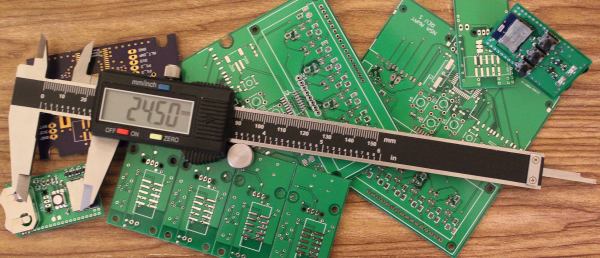
Outside calipers for measuring the outer dimensionBy Glenn McKechnie (Own work) [GFDL, CC-BY-SA-3.0 or CC BY-SA 2.5-2.0-1.0], via Wikimedia CommonsMeasuring length is done with a variety of tools, from GPS for long distances, to tape measures for feet/meters, and rulers for inches/centimeters. When it comes to very small measurements, the caliper is the tool of choice. This is the kind of tool that should be in everyone’s toolbox. Initially it started with the inside caliper and outside caliper, which were separate tools used to measure lengths. The Vernier caliper combined the two, added a depth meter and a couple other handy features, and gave machinists an all-around useful tool for measuring. Just like the slide rule, though, as soon as digital options became available, they took over. The digital caliper can usually switch modes between decimal inches, fractional inches, and metric.
Every industry has picked a different convention. Plastic sheets are usually measured in mils for thin stuff and millimeters or fractions of an inch for anything greater than 1/32″. Circuit boards combine units in every way imaginable, sometimes combining mils for trace width and metric for board dimensions, with the thickness of the copper expressed in ounces. (That’s not even a unit of length! It represents the amount of copper in one square foot of area and 1 oz is equivalent to 1.4mil.) Most of the time products designed outside of the U.S. are in metric units, while U.S. products are designed in either. When combining different industries, though, the difference in standards gets really annoying. For example, order 1/8″ plexiglass, and you may get 3mm plexiglass instead. Sure the difference is only .175mm (7 thou), but that difference can cause big problems for pieces that are press fit or when making finger joints on boxes, so it’s important that when sourcing components, you not only verify the unit, but if it’s a normal unit for that industry and it’s not just being rounded.
Often you can tell with what primary unit a product is designed with only a few measurements of a caliper. Find a dimension and see if it’s a nice round number in metric. If it’s not, switch it to imperial, and watch how quickly it snaps to a nice number.
Moving forward
Use metric if you can. The vast majority of the world does it. When you are sending designs overseas for production they will convert to metric (though they are used to working in both). It does take time to get used to it (especially when you are dealing with thou/mils), but your temporary discomfort will turn to relief when your design doesn’t crash into the Mars (or more realistically when you don’t have to pull out the Dremel and blade to get your parts to fit together).
In the previous article in this series on making a personal electronic project into a saleable kit, we looked at the broader picture of the kit market for a new entrant, the importance of gauging whether or not your proposed kit has a viable niche and ensuring that it has a good combination of buildability, instructions, and quality. In this article we will look at specifying and pricing the hardware side of a kit, illustrating in detail with an example project. The project we’ve chosen is a simple NE555 LED flasher which we haven’t built and have no intention of assembling into a kit for real, however it provides a handy reference project without the circuit itself having any special considerations which might distract from the job at hand.
Everyone wants their prototypes to look polished, as opposed to looking like 3D-squirted weekend afterthoughts. The combination of Delrin and a Laser Cutter make this easy, especially if you learn a few tricks-of-the-trade that will make your assemply pop, both functionally and aesthetically.
If you’re just getting started in this domain, let me introduce you to two classic techniques for laser-cut prototypes: puzzle-piecing and the T-nut-slotting. While these techniques are tried-and-true, I hope, fearless reader, that they’ll leave you hungry for something cleaner, something more refined. If that’s the case, read on!
If you have an interest in audio there are plenty of opportunities for home construction of hi-fi equipment. You can make yourself an amplifier which will be as good as any available commercially, and plenty of the sources you might plug into it can also come into being on your bench.
There will always be some pieces of hi-fi equipment which while not impossible to make will be very difficult for you to replicate yourself. Either their complexity will render construction too difficult as might be the case with for example a CD player, or as with a moving-coil loudspeaker the quality you could reasonably achieve would struggle match that of the commercial equivalent. It never ceases to astound us what our community of hackers and makers can achieve, but the resources, economies of scale, and engineering expertise available to a large hi-fi manufacturer load the dice in their favour in those cases.
The subject of this article is a piece of extreme high-end esoteric hi-fi that you can replicate yourself, indeed you start on a level playing field with the manufacturers because the engineering challenges involved are the same for them as they are for you. Electrostatic loudspeakers work by the attraction and repulsion of a thin conductive film in an electric field rather than the magnetic attraction and repulsion you’ll find in a moving-coil loudspeaker, and the resulting very low mass driver should be free of undesirable resonances and capable of a significantly lower distortion and flatter frequency response than its magnetic sibling. Continue reading “Electrostatic Loudspeakers: High End HiFi You Can Build Yourself”→


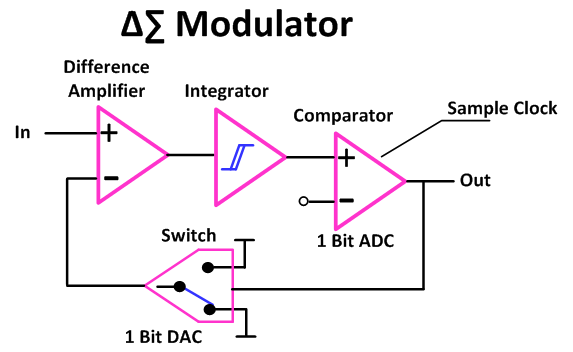 Check out part one to see the block diagrams of what what got us to here. The schematics shown below are of a couple of implementations that I played with depicting a single-order and a dual-order Delta Sigma modulators.
 Basically I used a clock enabled, high speed comparator, with two polarities in case I got it the logic backwards in my current state of burn out to grey matter ratio. The video includes the actual schematic used.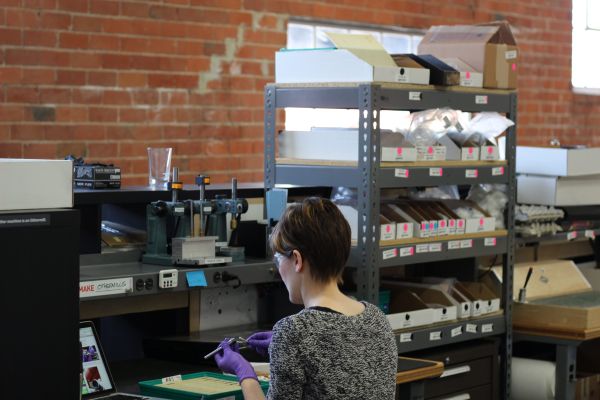

![Outside calipers for measuring the outer dimensionBy Glenn McKechnie (Own work) [GFDL, CC-BY-SA-3.0 or CC BY-SA 2.5-2.0-1.0], via Wikimedia Commons](https://hackaday.com/wp-content/uploads/2016/07/outsidecalipers.jpg?w=400)