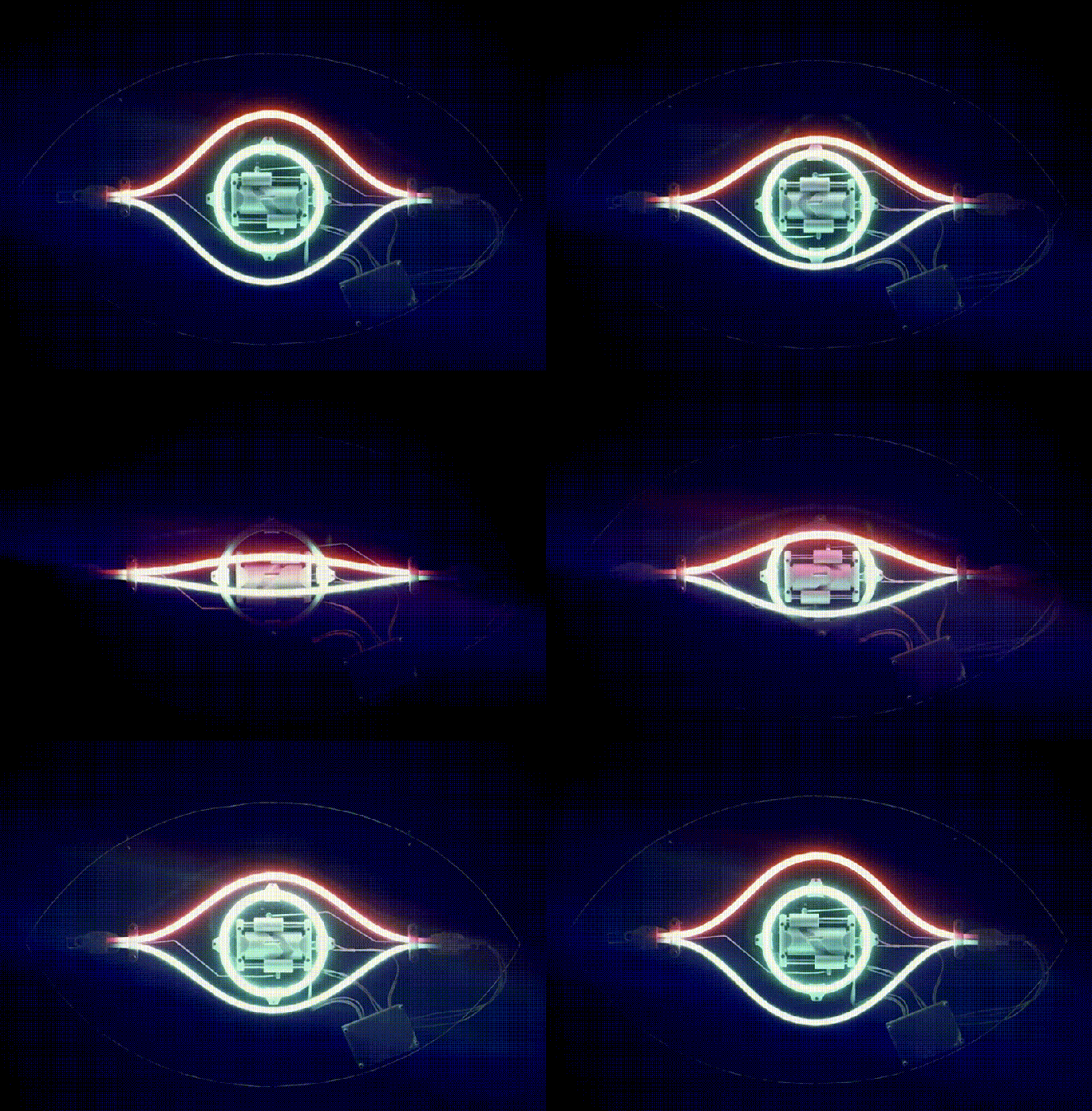
an animated gif of the eye in motion.

Bending Faux-Neon LEDs Make For Animations Glass Tubes Can’t Match

Odds are, if you like neon lights, you’re not thrilled with the LED faux-“neon” strips that are supposed to replace them. They’ve got their advantages, but the light quality of RGB LEDs lacks something compared to the emission spectrum of nobel gas, at least to purists. On the other hand, you cannot create an animation by bending glass tubes, like [David Hamp-Gonsalves] has demonstrated with his Neon Animated Eye.

Back in the day, you’d have needed dozens of tubes for a flickery animation, but [David] figured that since these LED strips are flexible, why not flex them? He’s using addressable LEDs — WS2812s, specifically — so activating and deactivating the pupil of the eye is easy-peasy. Opening and closing the lid is accomplished with a geared motor driven by a TB6612 driver turning a barrel cam. The ends of the stiff LED strip being brought together and pulled apart result in the blinking effect here, but as [David] points out you’re hardly limited that specific motion. There’s a whole world of Tron-like glowing animatronics that can be created with this technique. Code and STLs are available on GitHub, though, if you want to replicate the eye exactly.

[David] says he’d like to see this in a storefront someday, but given that fatigue life is a thing, it might be something to keep in your back pocket for seasonal displays like Christmas and Halloween rather than something that’s going to run 24/7. On the other hand, if you’re careful about limiting flexion and which faux-neon strip you buy, you might be able to create an animation that can last for years.

This is hardly the first time we’ve seen these faux-neon strips , but it is the first time we’ve seen them animated. We can’t help but think the Hauntimator software we featured before would be a good paring with this hack.
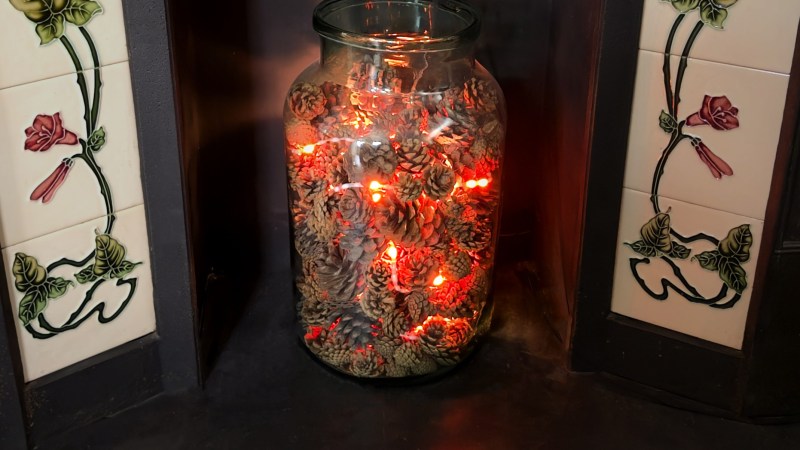

A jar of pine cones that appears to glow like the embers of a fire

Simulating A Glowing Fireplace With An RP2040

Today, fireplaces, their cozy glow once a household staple, are mostly a thing of the past. In fact, a decent amount of old fireplaces are completely blocked up! [David Capper] brings back the atmosphere without the actual flames, with his RP2040-based fireplace glow simulator.

It’s not just a string of LEDs with some PWM brightness control, either. No, [David] goes into detail about the black body radiation that gives these fires their colors. He then uses the theory of black-body radiation to determine the colors that the LEDs glow to simulate the colors of a real fire.

But the colors alone don’t make for a good simulated fire, so [David] adds the heat equation. It starts with a grid wherein each cell has a temperature. Over time, cells are randomly selected to have heat added to them (increasing the cell’s temperature), then he applies the heat equation to diffuse and decay the heat within the grid for a nice simulated crackling fire. Add in a custom PCB and a nice little 3D-printed case and you’re ready for a cozy hacker time.

Building A Monitor Light Bar For Better Productivity

If you’re intending to work at your desk for long periods of time, good lighting is a must, as it can help stave off eye strain and mental fatigue. It was a desire for more comfortable productivity that drove [Jade] to whip up a monitor-mounted lighting system for her workstation.

The build uses an ESP32 to run the show, with a rotary encoder for manual control and firmware that allows the monitor light to be neatly integrated with Home Assistant. The light itself comes from light strips that feature both warm white and cold white LEDs. Simple MOSFETs are used to control the brightness of the LEDs and which of the warm and cold LEDs are activated at any time. Everything is wrapped up in a 3D printed housing that neatly sits on top of the monitor with the aid of a simple printed clamp. The LED strips also have a nice soft glow thanks to a strip of diffuser material that [Jade] snatched from an old television.

We love a good lighting build, from the work-focused to the creative and beautiful.

Continue reading “Building A Monitor Light Bar For Better Productivity”

This LED Strip Clock Aims To Make Your Next One Easier, Too

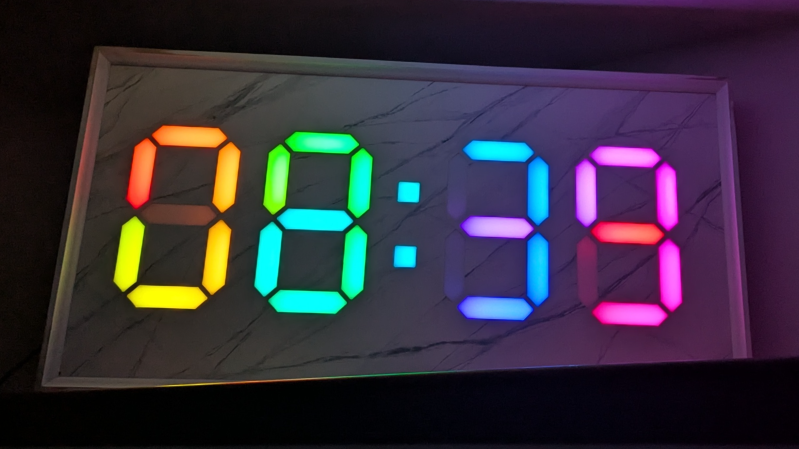
At first glance, it may look like [Rybitski]’s 7-segment RGB LED clock is something that’s been done before, but look past the beautiful mounting. It’s not just stylishly framed; the back end is just as attentively executed. It’s got a built-in web UI, MQTT automation, so Home Assistant integration is a snap, and allows remote OTA updates, so software changes don’t require taking the thing down and plugging in a cable.

Continue reading “This LED Strip Clock Aims To Make Your Next One Easier, Too”

Driving WS2812Bs With Pure Logic

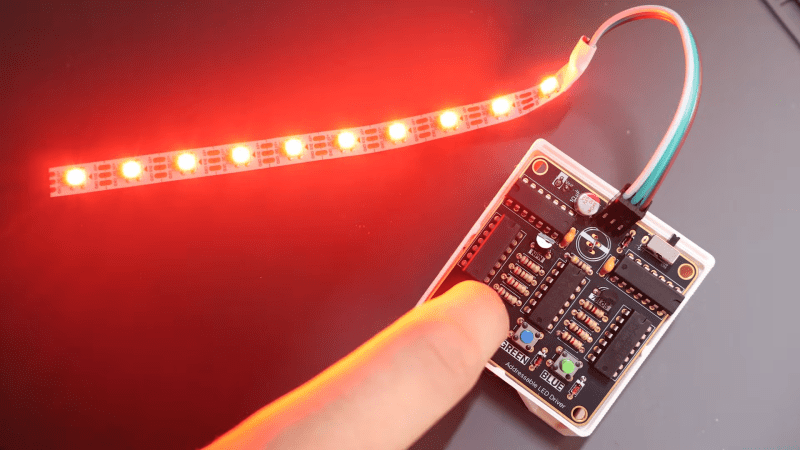
The WS2812B has become one of the most popular addressable LEDs out there. They’re easy to drive from just about any microcontroller you can think of. But what if you don’t have a microcontroller at all? [Povilas Dumcius] decided to try and drive the LEDs with raw logic only.

The project consists of a small board full of old-school ICs that can be used to drive WS2812Bs in a simplistic manner. A 74HC14 Schmitt trigger oscillator provides the necessary beat for this tune, generating an 800 kHz clock to keep everything in time and provide the longer pulse trains that represent logic one to a WS2812B. A phase-shifted AND gate generates the shorter pulses necessary to indicate logic zero. Meanwhile, a binary counter cycles through 24 bits (8 per R, G, and B) to handle color. Pressing each one of the three push-buttons allows each color channel to be activated or deactivated as desired. It can make the strip red, green, or blue, or combine the channels if you press multiple buttons at once. That’s all the control you get—it would take a bit more logic to enable variable levels of each channel. Certainly within the realms of possibility, though.

We’ve featured some other nifty tricks for driving WS2812Bs in unconventional ways, like using DMA hardware or even I2S audio outputs. If you’ve got your own tricks, don’t hesitate to notify the tipsline.

Continue reading “Driving WS2812Bs With Pure Logic”

Building An Interactive Climbing Wall

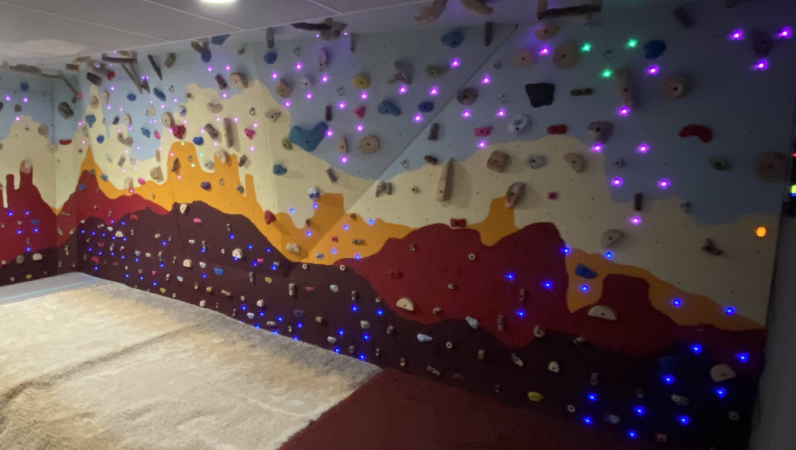
Climbing is a cool sport. With that said, like everything, it’s even better if you integrate lots of glowing colorful LEDs. To that end, [Superbender] worked up this fun climbing wall that features interactive lighting built right in.

Structurally, there’s nothing too wild going on here. It’s a wood-framed climbing structure that stands 10 meters long and 2.5 meters high, and can be covered in lots of climbing holds. It’s the electronic side of things where it gets fun. An Arduino Due is installed to run the show, hooked up with a small TFT display and some buttons for control. It’s then hooked up to control a whole bunch of LEDs and some buttons which are scattered all across the wall. It’s also paired with an Arduino Nano which runs sound feedback, and a 433 MHz remote for controlling the system at a distance.

[Superbender] uses the lighting for fun interactive games. One example is called Hot Lava, where after each climbing pass, more holds are forbidden until you can’t make the run anymore. Chase the Blues is another fun game, where you have to climb towards a given hold, at which point it moves and you have to scamper to the next one.

We’ve featured similar projects before from other inventive climbers.

Continue reading “Building An Interactive Climbing Wall”

Modded Lightbox Makes For Attractive LED Matrix Display

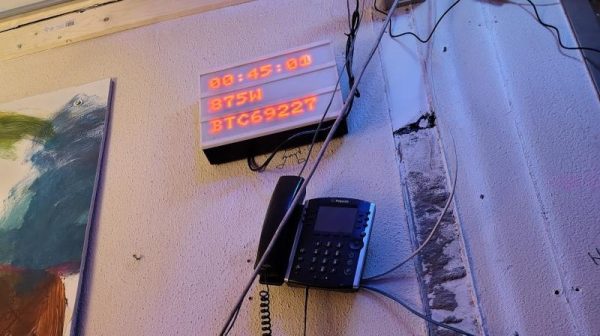
If you’ve been to a wedding or a downtown coffee shop in the last 10 years, you’ve probably seen those little lightboxes that are so popular these days. They consist of letters placed on a plastic frame in front of a dim white light, and they became twee about five minutes after your hipster friend first got one. However, they can also make a neat basis for an LED display, as [Folkert van Heusden] demonstrates. 

The build is straightforward enough, using daisy chains of 32×8 LED matrix modules, two each for the three rows of the lightbox. This provides for a 24 character textual display, or a total display resolution of 64 x 24 pixels. An ESP8266 is used to command the matrixes, which are run by MAX7219 display controllers. Thanks to the microcontroller’s onboard wireless hardware, the display can be addressed in a number of ways, such as using the LedFX DDP protocol or [Folkert’s] Pixel Yeeter python library. Files are on GitHub for the curious.

Quite a few of these exist out in the wild — [Folkert] has built a variety of modded lightboxes over the years with varying internals. The benefit of the lightbox is that it effectively acts as a handy housing for LED matrixes and supporting electronics, while also providing a neat diffuser effect. The lightboxes are also readily wall mountable and generally look more like an intentional piece of signage than most things we might homebrew in the lab.

We’ve featured similar-looking builds before, like this public transit display that was hacked for custom use. If you’re building your own public information boards or other nifty LED displays, don’t hesitate to notify the tipsline!