A Commmand Center For Children With Sensory Needs

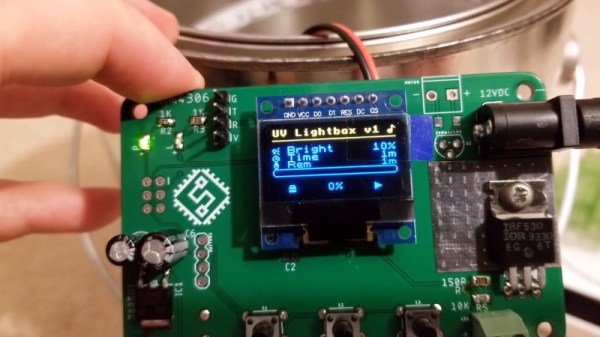
Toys for children are meant to be fun and interactive, but they’re even better if they’re educational as well. For [carrola1], a parent of a 4-year-old suffering from from medical disabilities, sensory needs, and autism, a more personalized approach seemed best. The electrical engineer built a wall-mounted command center with plenty of switches, buttons, and knobs to trigger to keep any child happy.

Apart from basic inputs, the device also has a color sensor – the command center can ask the child for an object of a particular color and congratulate them with a song when they’ve successfully acquired one.

The software for the audio and light controls was written in C for a STM32L0 series MCU, with CMSIS as the hardware abstraction layer and STM32CubeIDE as the IDE. The design uses SPI and I2C for serial communication and I2S for communicating between the digital audio devices. Physical inputs include toggle switches, rotary switches, and key switches to provide variety, with all physical hardware connected to the MCU on a custom PCB.

The audio output, sourced from a library of wav files, seems like the most challenging part of the build: the amps needed to be changed from left channel mono configuration to stereo, the output had to be LC filtered, and the code for had to be optimized for size to allow the audio files to play.

You can check out a video of the command center in action on the Reddit post.


Little Hex Tricks Make Little Displays A Little Easier

Depending on the device in hand and one’s temperament, bringing up a new part can be a frolic through the verdant fields of discovery or an endless slog through the grey marshes of defeat. One of the reasons we find ourselves sticking with tried and true parts we know well is that interminable process of configuration. Once a new display controller is mostly working, writing convenience functions to make it easier to use can be very satisfying, but the very first thing is figuring out how to make it do anything at all. Friend of Hackaday [Dan Hienzsch] put together a post describing how to use a particular LED controller which serves as a nice walkthrough of figuring out the right bitmath to make things work, and includes a neat trick or two.

The bulk of the post is dedicated to describing the way [Dan] went about putting together his libraries for a 7-segment display demo board he makes. At its heart the board uses the IS31FL3728 matrix driver from ISSI. We love these ISSI LED controllers because they give you many channels of control for relatively low cost, but even with their relative simplicity you still need to do some bit twiddling to light the diodes you need. [Dan]’s post talks about some strategies for making this easier like preconfigured lookup tables with convenient offsets and masking bits to control RGB LEDs.

There’s one more trick which we think is the hidden star of the show; a spreadsheet which calculates register values based on “GUI” input! Computing the bit math required to control a display can be an exercise in frustration, especially if the logical display doesn’t fit conveniently in the physical register map of the controller. A spreadsheet like this may not be particularly sexy but it gets the job done; exactly the kind of hack we’re huge fans of here. We’ve mirrored the spreadsheet so you can peek at the formulas inside, and the original Excel document is available on his blog.

A Battery Sipping Cellular Mailbox Notifier

Like many of us, [Zak Kemble] has an indeterminate number of tiny packages coming his way from all over the globe at any given time. Unfortunately, the somewhat unpredictable nature of the postal service where he lives meant he found himself making a lot of wasted trips out to the mailbox to see if any overseas treasures had arrived for him. To solve the problem, he decided to build an Internet-connected mailbox notification system that could work within some fairly specific parameters.

For one thing, the mailbox is too distant to connect directly to it over WiFi. [Zak] mentions that 433 MHz might have been an option, but he decided to skip that entirely and just connect it to the cellular network with an A9G GPRS/GSM module from A.I. Thinker. This device actually has its own SDK that allows you to create a custom firmware for it, but unfortunately the high energy consumption of the radio meant it would chew through batteries too quickly unless it had a little extra help.

Not wanting to have to change the batteries every couple months, [Zak] added a ATtiny402 to handle the notifier’s power management needs. By using a P-MOSFET to completely cut power to the A9G, the notifier can save an incredible amount of energy by only activating the cellular connection once it actually needs to send a notification; which in this case takes the form of an HTTP request that eventually works its way to a Telegram group chat.

To cut a long story short, testing seems to indicate that the notifier can fire off approximately 800 requests before needing its 10440 lithium battery recharged. Given how often [Zak] usually receives mail, he says that should last him around five years.

The A9G module, the ATtiny402, a BME280 environmental sensor (because, why not?), the battery, and all the ancillary support hardware are on a very professional looking PCB. That goes into a relatively rugged enclosure that’s designed to keep the electronics from shorting out on the mailbox’s metal case as well as keeping any particularly weighty parcels from crushing it.

If you’ve got the freedom so mount whatever you want outside, then you can certainly build a more technically impressive mailbox. But considering the limitations [Zak] had to work around, we think he did an excellent job.

Lovebox Gives Infinite Treats Sweeter Than Chocolate

Want to make a special Valentine’s Day gift that keeps on giving well past the holiday? We do too, especially if it’s something as cute as [Marcel Stör]’s Lovebox. This is a relatively simple build, but it’s the kind that lets you make someone’s day over and over again.

The sender composes their love note in a secret GitHub gist, either as a text message or a binary image, and updates the gist. Whenever the Wemos D1 mini inside the box receives a new message, a micro servo slowly wiggles the hearts up and down to notify the recipient.

Once they remove the lid to read it, a light-dependent resistor senses the flood of light on its face and tells the servo it can stop wiggling. We think it’s neat that the heart nudges upwardly at the box lid a bit as it moves, because it increases the cuteness factor.

Everybody loves to hear from that special someone throughout the day. The idea of sending an intimate message remotely is quite romantic, and there’s something thrilling and urgent about a physical notification. Show the break button a little love, and you’ll see a truffle-sized demo featuring both an incoming image and a text message.

[Marcel] was happy to ply his woodworking skills rather than use a laser cutter. If you have neither of these, hit up a craft store or two and you’ll find unfinished wooden boxes and pre-cut hearts galore. Or, you could just say it with copper.

Continue reading “Lovebox Gives Infinite Treats Sweeter Than Chocolate”

Reverse Engineering Yokis Home Automation Devices

These days, it’s hard to keep track of all the companies that are trying to break into the home automation market. Whether they’re rebrands of somebody else’s product or completely new creations, it seems like every company has at least a few “smart” gadgets for you to choose from. We hadn’t heard of the Yokis devices that [Nicolas Maupu] has been working on before today, but thanks to his efforts to reverse engineer their protocol, we think they might become more popular with the hacking crowd.

Even if you don’t have a Yokis MTV500ER dimmer or MTR2000ER switch of your own, we think the detailed account of how [Nicolas] figured out how to talk to these devices is worth a read. His first step was to connect his oscilloscope directly to the SPI lines on the remote to see what it was sending out. With an idea of what he was looking for, he then used an nRF24L01+ radio connected to an ESP8266 to pull packets out of the air so he could analyze their structure. This might seem like a very specialized process, but in reality most of the techniques demonstrated could be applicable for any unknown communications protocol of which you’ve got a hex dump.

On the other hand, if you do have some of these devices (or plan to get them), then the software [Nicolas] has put together looks very compelling. Essentially it’s an interactive firmware for the ESP8266 that allows it to serve as a bridge between the proprietary Yokis wireless protocol and a standard MQTT home automation system. When the microcontroller is connected to the computer you get a basic terminal interface that allows you to scan and pair for devices as well as toggle them on and off.

This bridge could be used to allow controlling your Yokis hardware with a custom handheld remote, or you could follow the example of our very own [Mike Szczys], and pull everything together with a bit of Node-RED.

CircuitPython Slithers Into 100th Board — The OHS 2020 Badge

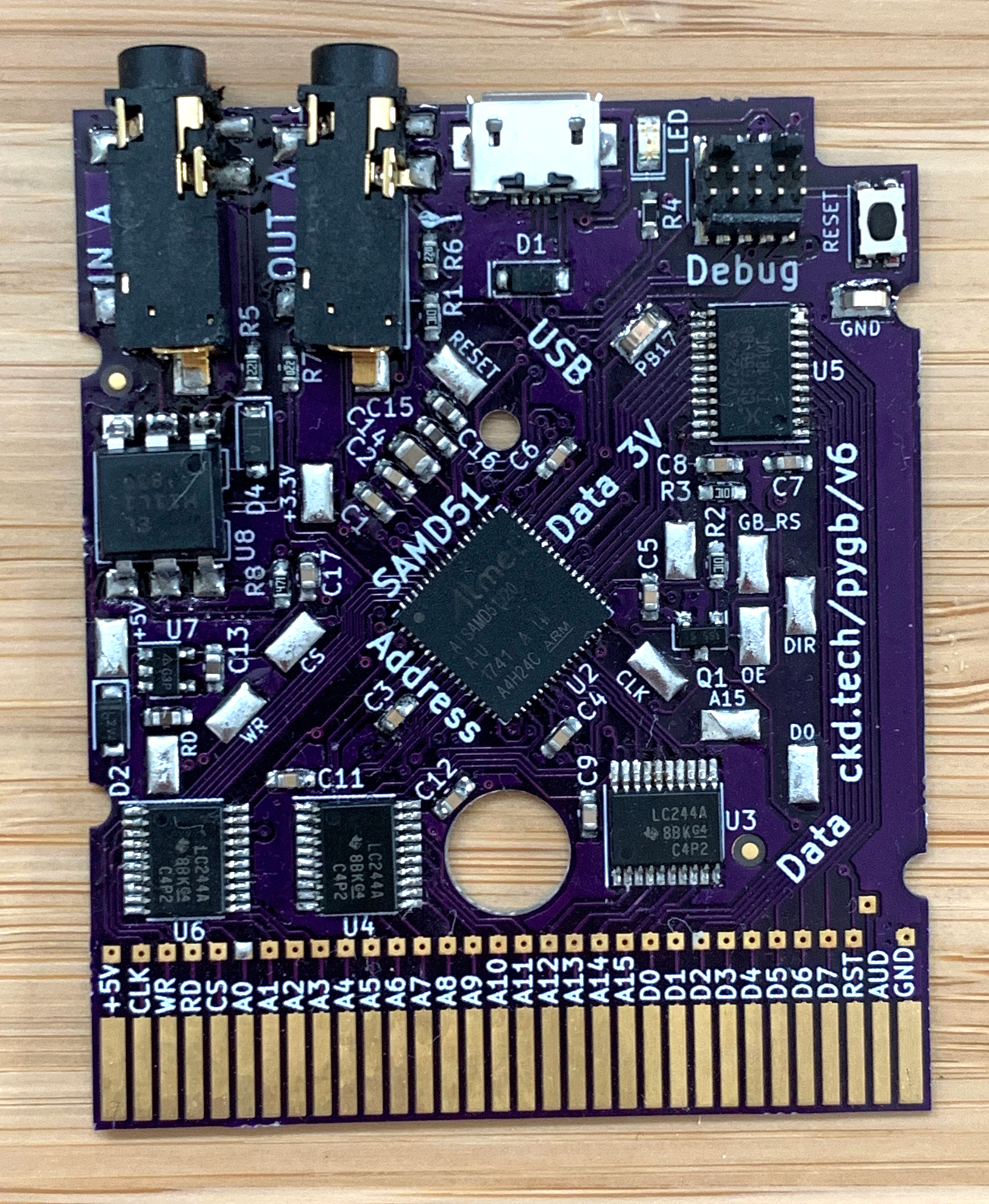
CircuitPython reached a major milestone last week as it welcomed its 100th board into the fold: the wristwatch form factored badge designed for the 10th annual Open Source Hardware Summit, which takes place March 13th in New York City. Although CircuitPython — an open source derivative of MicroPython — was born at Adafruit, more than half of the boards on this list were produced outside of the company. That just goes to show the strength of the community in support of the snake.

The OSHW 2020 badge joins a litany of familiar boards happy to drop you into a Python interpreter. Among them there’s the Adafruit Feather ecosystem, the ItsyBitsy, specialized boards like the Edge Badge that was in some goodie bags at Supercon, and the CircuitPlayground — that Swiss army knife of sensors which now comes in a Bluetooth version. The first 100 boards were rounded out in strong fashion with [Joey Castillo]’s OpenBook e-reader and the Teensy 4.0. Continue reading “CircuitPython Slithers Into 100th Board — The OHS 2020 Badge”

’75 Nixie Multimeter As Digital Dice

For the casual Monopoly or Risk player, using plain six-sided dice is probably fine. For other games you may need dice with much more than six sides, and if you really want to go overboard you can do what [John] did and build electronic dice with a random number generator if you really need to remove the pesky practice of rolling physical dice during your games of chance.

The “digital dice” he built are based on a multimeter from 1975 which has some hardware in it that was worth preserving, including a high quality set of nixie tubes. Nixies can be a little hard to come by these days, but are interesting pieces of hardware in their own right. [John] added some modern hardware to it as well, including an AVR microcontroller that handles the (pseudo) random number generation. A hardware switch tells the microcontroller how many sides the “die” to be emulated will need, and then a button generates the result of the roll.

This is a pretty great use for an old piece of hardware which would otherwise be obsolete by now. [John] considers this a “Resto-Mod” and the finish and quality of the build almost makes it look all original. It’s certainly a conversation piece at the D&D sessions he frequents.