Raspberry Pi Offers Soulless Work Oversight

If you’re like us, you spend more time than you care to admit staring at a computer screen. Whether it’s trying to find the right words for a blog post or troubleshooting some code, the end result is the same: an otherwise normally functioning human being is reduced to a slack-jawed zombie. Wouldn’t it be nice to be able to quantify just how much of your life is being wasted basking in the flickering glow of your monitor? Surely that wouldn’t be a crushingly depressing piece of information to have at the end of the week.
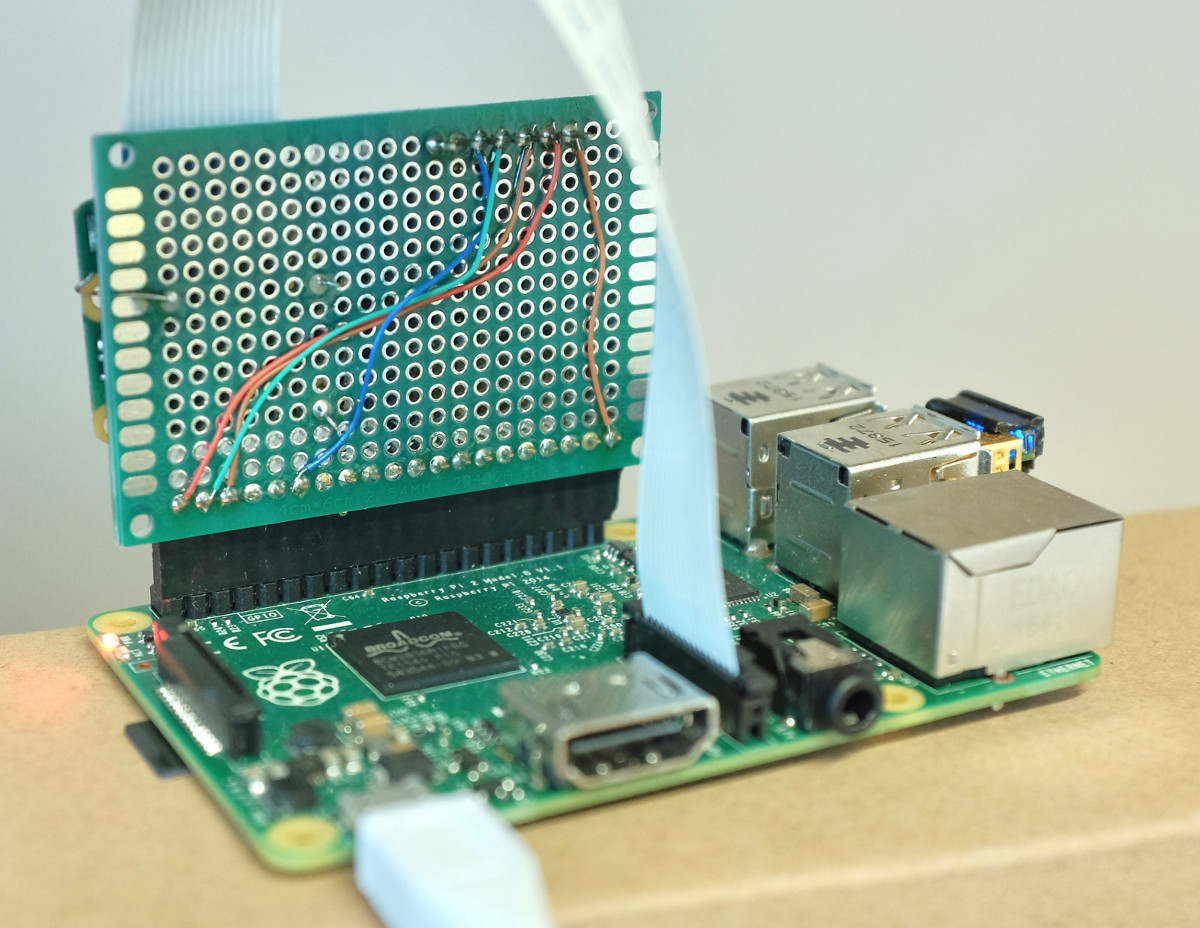
With the magic of modern technology, you need wonder no longer. Prolific hacker [dekuNukem] has created the aptly named “facepunch”, which allows you to “punch in” with nothing more than your face. Just sit down in front of your Raspberry Pi’s camera, and the numbers start ticking away. It’s like the little clock in the front of a taxi: except at the end you don’t have to pay anyone, you just have to come to terms with what your life has become. So that’s cool.

It doesn’t take much hardware to play along at home. All you need is a Raspberry Pi and the official camera accessory. Though for the full effect you should add one of the displays supported by the Luma.OLED driver so you can see the minutes and hours ticking away in real-time.

To get the facial recognition going, all you need to do is take a well-lit picture of your face and save it as a 400×400 JPEG. The Python 3 script will take care of the rest: checking the frames from the camera every few seconds to see if your beautiful mug is in the frame, and incrementing the counters accordingly.

Even if you’re not in the market for an Orwellian electronic supervisor, this project is a great example to get you started in the world of facial recognition. With a little luck, you’ll be weaponizing it in no time.


Spectre And Meltdown: How Cache Works

The year so far has been filled with news of Spectre and Meltdown. These exploits take advantage of features like speculative execution, and memory access timing. What they have in common is the fact that all modern processors use cache to access memory faster. We’ve all heard of cache, but what exactly is it, and how does it allow our computers to run faster?

In the simplest terms, cache is a fast memory. Computers have two storage systems: primary storage (RAM) and secondary storage (Hard Disk, SSD). From the processor’s point of view, loading data or instructions from RAM is slow — the CPU has to wait and do nothing for 100 cycles or more while the data is loaded. Loading from disk is even slower; millions of cycles are wasted. Cache is a small amount of very fast memory which is used to hold commonly accessed data and instructions. This means the processor only has to wait for the cache to be loaded once. After that, the data is accessible with no waiting.

A common (though aging) analogy for cache uses books to represent data: If you needed a specific book to look up an important piece of information, you would first check the books on your desk (cache memory). If your book isn’t there, you’d then go to the books on your shelves (RAM). If that search turned up empty, you’d head over to the local library (Hard Drive) and check out the book. Once back home, you would keep the book on your desk for quick reference — not immediately return it to the library shelves. This is how cache reading works.

Continue reading “Spectre And Meltdown: How Cache Works”

Coin Cell Hacks That Won The Coin Cell Challenge

It’s amazing what creative projects show up if you give one simple constraint. In this case, we asked what cool things can be done if powered by one coin cell battery and we had about one hundred answers come back. Today we’re happy to announce the winners of the Coin Cell Challenge.

Continue reading “Coin Cell Hacks That Won The Coin Cell Challenge”

They’re Putting Soy In Your Wires, Man

I’ve got a friend who tells me at every opportunity that soy is the downfall of humanity. Whatever ails us as a society, it’s the soy beans that did it. They increase violent tendencies, they make us fat and lazy, they run farmers out of business, and so on. He laments at how hard it is to find food that doesn’t include soy in some capacity, and for a while was resigned to eating nothing but chicken hot dogs and bags of frozen peas; anything else had unacceptable levels of the “Devil’s Bean”. Overall he’s a really great guy, kind of person who could fix anything with a roll of duct tape and a trip to the scrap pile, but you might think twice if he invites you over for dinner.

A column of soy soldiers stand at the ready.

So when he recently told me about all the trouble people are having with soy-based electrical wiring, I thought it was just the latest conspiracy theory to join his usual stories. I told him it didn’t make any sense, there’s no way somebody managed to develop a reliable soy-derived conductor. “No, no,” he says, “not the conductor. They are making the insulation out of soy, and animals are chewing through it.”

Now that’s a bit different. I was already well aware of the growing popularity of bioplastics: the PLA used in desktop 3D printers is one such example, generally derived from corn. It certainly wasn’t unreasonable to think somebody had tried to make “green” electrical wiring by using a bioplastic insulation. While I wasn’t about to sit down to a hot bag of peas for dinner, I had to admit that maybe in this case his claims deserved a look.

Continue reading “They’re Putting Soy In Your Wires, Man”

Aluminum No Match For 3D Printed Press Brake Dies

If you’re looking for a get-rich-quick scheme, you can scratch “Doing small-scale manufacturing of ultralight aircraft” off your list right now. Turns out there’s no money in it. At least, not enough money that you can outsource production of all the parts. Not even enough to setup a huge shop full of customized machining tools when you realize you have to make the stuff yourself. No, this sounds like one of those “labors of love” we always hear so much about.

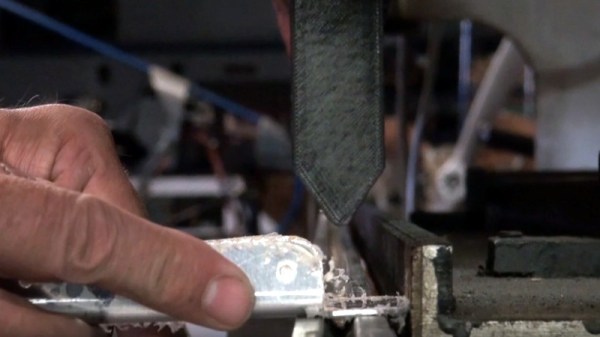
So how does one do in-house manufacturing of aircraft with a bare minimum of tools? Well, since you’re reading this on Hackaday you can probably guess that you’ve got to come up with something a bit unorthodox. When [Brian Carpenter] of Rainbow Aviation needed a very specific die to bend a component for their aircraft, he decided to try designing and 3D printing one himself.

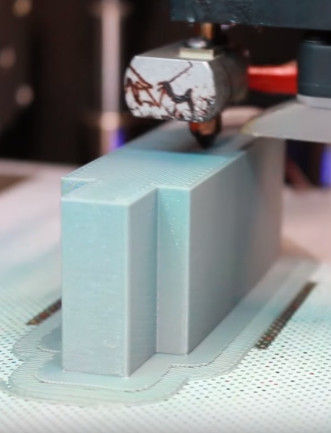
Printing a die on the Zortrax M200

He reasoned that since he had made quick and dirty dies out of wood in the past, that a 3D printed one should work for at least a few bends before falling apart. He even planned to use JB Weld to fill in the parts of the printed die which he assumed would start cracking and breaking off after he put it through a few cycles. But even after bending hundreds of parts, wear on the dies appears to be nearly non-existent. As an added bonus, the printed plastic dies don’t mar the aluminum pieces they are bending like the steel dies do.

So what’s the secret to printing a die that can bend hundreds of pieces of aluminum on a 20 ton brake without wearing down? As it turns out…not a whole lot. [Brian] attributes the success of this experiment to designing the die with sufficiently accurate tolerances and having so high of an infill that it may as well be solid plastic.

In fact, the 3D printed die worked out so well that they’ve now expanded the idea to a cheap Harbor Freight brake. Before this tool was going more or less unused as it didn’t have features they needed for the production of their parts, namely a radius die or backstop. But by 3D printing these components [Brian] was able to put the tool back to work.

We’ve previously covered the art and science of bending sheet metal, as well as a homebuilt brake that let’s you do it on a budget even Rainbow Aviation would scoff at. So what are you waiting for? Go build an airplane.

Thanks to [Oahupilot] for the tip.

Continue reading “Aluminum No Match For 3D Printed Press Brake Dies”

Software Design Patterns For Real Hardware

Here on Hackaday, we’re generally designers of hacks that live in the real world. Nevertheless, I’m convinced that some of the most interesting feats are at the mercy of what’s possible in software, not hardware. Without the right software, no 3D printer could print and no quadcopter could fly. The source code that drives these machines may take months of refinement to flesh out their structure. In a nutshell, these software packages are complicated, and they don’t happen overnight.

So how do they happen; better yet: how could we make that happen? How do we write software that’s flexible enough to coexist peacefully on all sorts of hardware variations?

What separates the big open-source software projects like ROS, LinuxCNC, and Multiwii from the occastional hackathon code are the underlying principles that govern how they’re written. In object-oriented programming, these principles are called design patterns. In the next couple posts, I’m going to crack the lid on a few of these. What’s more, I’ll package them into real-world examples so that we can see these patterns interact with real hardware. The next time you pop open the source code for a big open source hardware project, I hope you can tease out some of these patterns in the code. Better yet, I hope you carry these patterns into your next robot and machine project. Let’s get started.

For readability, all of the examples run in Python3. The snippets below are truncated for brevity, but the real examples in the repository will work if you’ve got a similar hardware setup.

Continue reading “Software Design Patterns For Real Hardware”

Apple Passwords: They All ‘Just Work’

When the Macintosh was released some thirty-odd years ago, to Steve Jobs’ triumphant return in the late 90s, there was one phrase to describe the simplicity of using a Mac. ‘It Just Works’. Whether this was a reference to the complete lack of games on the Mac (Marathon shoutout, tho) or a statement to the user-friendliness of the Mac, one thing is now apparent. Apple has improved the macOS to such a degree that all passwords just work. That is to say, security on the latest versions of macOS is abysmal, and every few weeks a new bug is reported.

The first such security vulnerability in macOS High Sierra was reported by [Lemi Ergin] on Twitter. Simply, anyone could login as root with an empty password after clicking the login button several times. The steps to reproduce were as simple as opening System Preferences, Clicking the lock to make changes, typing ‘root’ in the username field, and clicking the Unlock button. It should go without saying this is incredibly insecure, and although this is only a local exploit, it’s a mind-numbingly idiotic exploit. This issue was quickly fixed by Apple in the Security Update 2017-001

The most recent password flaw comes in the form of unlocking the App Store preferences that can be unlocked with any password. The steps to reproduce on macOS High Sierra are simply:

  • Click on System Preferences
  • Click on App Store
  • Click the padlock icon
  • Enter your username and any password
  • Click unlock

This issue has been fixed in the beta of macOS 10.13.3, which should be released within a month. The bug does not exist in macOS Sierra version 10.12.6 or earlier.

This is the second bug in macOS in as many months where passwords just work. Or don’t work, depending on how cheeky you want to be. While these bugs have been overshadowed with recent exploits of Intel’s ME and a million blog posts on Meltdown, these are very, very serious bugs that shouldn’t have happened in the first place. And, where there are two, there’s probably more.

We don’t know what’s up with the latest version of the macOS and the password problems, but we are eagerly awaiting the Medium post from a member of the macOS team going over these issues. We hope to see that in a decade or two.