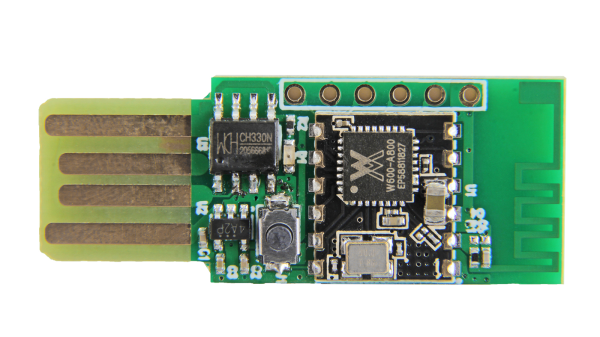
Seeed Air602 WiFi dev board.

Tiny WiFi-Enabled ARM MCU For Tiny Projects

Ever since the ESP8266 WiFi-enabled microcontroller came on the scene, it seemed like suddenly everyone came up with WiFi-enabled projects. But the ESP8266 is not the only game in town! Reader [PuceBaboon] notified us of a new product released by Seeed Studios: the imaginatively called Air602 WiFi Development Board.

The core of this board is the tiny WinnerMicro W600 MCU, which integrates a 32-bit ARM Cortex M3 CPU, along with dual UARTs, I2C, SPI and I2S interfaces, as well as a real-time clock (RTC). Add to this hardware crypto, seven I/O pins (five broken out on the development board) and you have a very capable WiFi-enabled MCU which can be programmed using the usual ARM development tools (e.g. Keil) using the provided SDK.

The W600 module can be bought by itself, in all its diminutive 12 mm x 10 mm glory, for a mere $1.90 as of time of writing – without antenna – as noted in [PuceBaboon]’s thoughts on this MCU and the development board.

A Better Battery Arduino

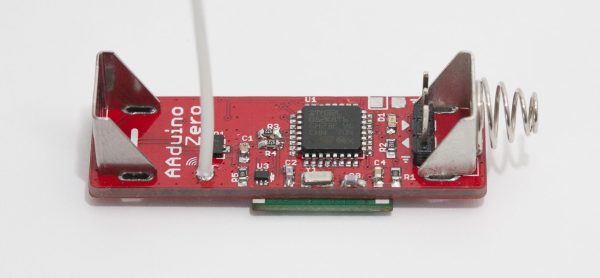
We’ve seen [Johan]’s AA-battery-sized Arduino/battery crossover before, but soon (we hope!) there will be a new version with more MIPS in the same unique form factor! The original Aarduino adhered to classic Arduino part choices and was designed to run as the third “cell” in a 3 cell battery holder to relay temperature readings via a HopeRF RFM69CW. But as [Johan] noticed, it turns out that ARM development tools are cheap now. In some cases very cheap and very open source. So why not update an outstanding design to something with a little more horsepower?

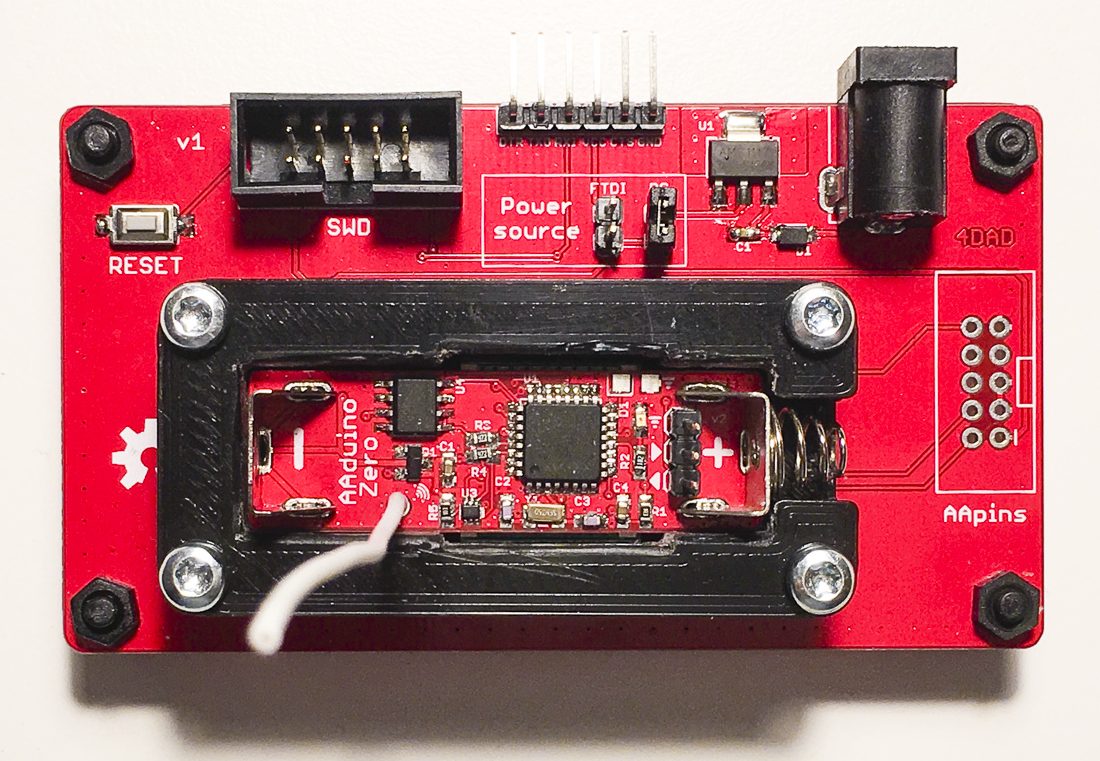
The Aarduino Zero uses the same big PTH battery terminals and follows the same pattern as the original design; the user sticks it in a battery holder for power and it uses an RFM69CW for wireless communication. But now the core is an STM32L052, a neat low power Cortex-M0+ with a little EEPROM onboard. [Johan] has also added a medium size serial flash to facilitate offline data logging or OTA firmware update. Plus there’s a slick new test fixture to go along with it all.

So how do you get one? Well… that’s the rub. It looks like when this was originally posted at the end of 2017 [Johan] was planning to launch a Crowd Supply campaign that hasn’t quite materialized yet. Until that launches the software sources for the Zero are available, and there are always the sources from the original Aarduino to check out.

Fallout Watch Build Triumphs In Adverse Conditions

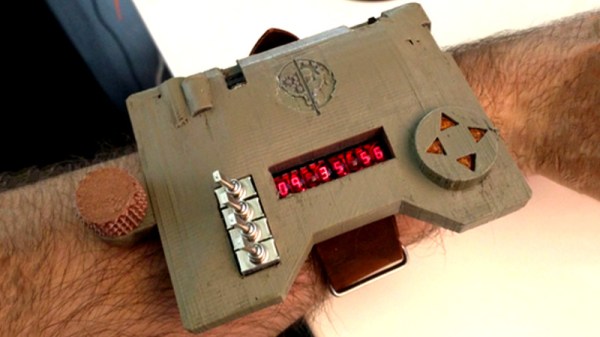
Is it a badge? Is it a watch? Well, it’s [Sarif’s] take on a wrist-mounted computer from the Fallout series, so you’re free to choose your own designation! We think the Brotherhood of Steel would be proud to have this piece of kit.

[Sarif] commenced the build after first getting their feet wet with the pipman, a watch inspired by Metro 2033 and Steins;;gate as much as Bethesda’s popular post-apocalyptic RPG. It features all the fruit – GPS, compass, a TV-B-Gone – and perhaps the coolest feature, long-since-deprecated bubble LED displays and flippy switches for that Altair-esque charm.

The build log is full of details, from the components used and the debugging battles involved in the journey. [Sarif] learned about using transistors, burning up a few along the way – some say setting the lab on fire is the quickest way to learn important lessons, anyway. On top of that, there were some software niggles but in the end, the watchputer made it to DEFCON 26 anyway!

Builds like this that start from limited experience and go deep into the trials and tribulations involved are an excellent way to learn about what goes into the average DIY electronics project, particularly when talking about embedded systems. And if you’re keen to check out the work of [Sarif’s] contemporaries, we’ve got a collection of all the awesome badges from DEFCON 26. Enjoy!

Greasing Robot Hands: Variable Friction Makes Robo-Mitts More Like Our Own

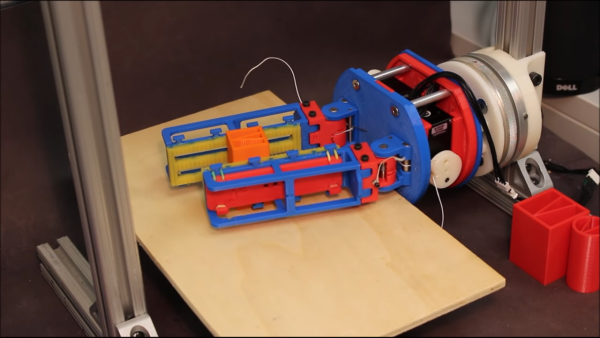
Unless you are in the fields of robotics or prosthetics, you likely take for granted the fine motor skills our hands have. Picking up and using a pen is no small feat for a robot which doesn’t have a dedicated pen-grabbing apparatus. Holding a mobile phone with the same gripper is equally daunting, not to mention moving that phone around once it has been grasped. Part of the wonder of our hands is the shape and texture which allows pens and phones to slide around at one moment, and hold fast the next moment. Yale’s Grab Lab has built a gripper which starts to solve that problem by changing the friction of the manipulators.

A spring-loaded set of slats with a low-friction surface allow a held object to move freely, but when more pressure is exerted by the robot, the slats retract and a high-friction surface contacts the object. This is similar to our fingers with their round surfaces. When we brush our hands over something lightly, they graze the surface but when we hold tight, our soft flesh meets the surface of the object and we can hold tightly. The Grab Lab is doing a great job demonstrating the solution and taking steps to more capable robots. All hail Skynet.

We have no shortage of gripper designs to choose from, including pneumatic silicone and one that conforms to an object’s surface, similar to our hands.

Continue reading “Greasing Robot Hands: Variable Friction Makes Robo-Mitts More Like Our Own”

ARM-Based NAS Is A Low Cost, Low Power Beauty

A NAS is always a handy addition to a home network, but they can be a little pricey. [Blake Burkhart] decided to create his own, prioritising budget and low power considerations, with a secondary objective to produce some router and IoT functionality on the side.

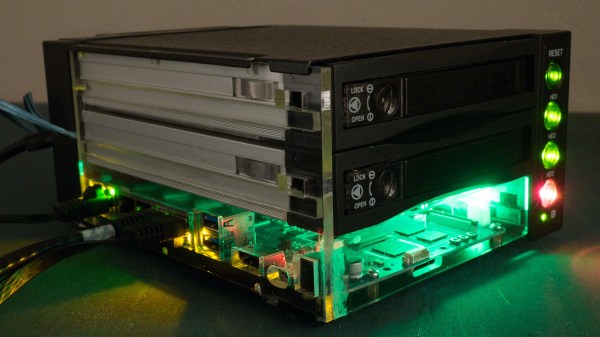
A Banana Pi R2 was a good choice to meet these requirements, being a router-based development board that also sports dual SATA connectors and gigabit Ethernet. [Blake] had some retrospective regrets about the performance of this particular SBC, but it does just fine when functioning purely as a NAS.

The enclosure for the device is a three bay hot-swap HDD module, with one of the bays gutted and used for the Banana Pi. It’s a simple idea, elegantly executed, which looks great. To access the ports of the Banana Pi, a custom acrylic side panel was laser cut, which also allowed LEDs to shine through – obligatory for any DIY server/computer build. When mounting this panel to the existing enclosure, [Blake] was reluctant to take his chances tapping the brittle acrylic, instead opting to melt the threads into the plastic with a pre-torched screw. We find that tapping acrylic is usually okay if you take it slow, but heat-tapping does sound fun.

The 12 V fan that came built into the hot-swap enclosure was too loud and awkwardly came in a non-standard size with a non-standard connector. What’s more, a buzzer alarm was triggered any time the fan was disconnected and 0 RPM was detected. [Blake]’s solution was to rewire the power pin of the connector to a 5 V rail; he found that running the fan at 5 V led to much quieter performance whilst keeping the HDDs sufficiently cool.

We find that when it comes to DIY network gear and routers, there are two approaches. Either create your own bespoke solution that perfectly fits your needs, like this perfect home router, or work around your current gear and build some tech to automatically reboot it for you.


FOSSCON 2018: Developing The FreedomBox

The modern Internet can be a dangerous place, especially for those who might not have the technical wherewithal to navigate its pitfalls. Whether it’s malware delivered to your browser through a “drive-by” or online services selling your data to the highest bidder, its gotten a lot harder over the last decade or so to use the Internet as an effective means of communication and information gathering without putting yourself at risk.

But those are just the passive threats that we all have to contend with. What if you’re being actively targeted? Perhaps your government has shut down access to the Internet, or the authorities are looking to prevent you from organizing peaceful protests. What if you’re personal information is worth enough to some entity that they’ll subpoena it from your service providers?

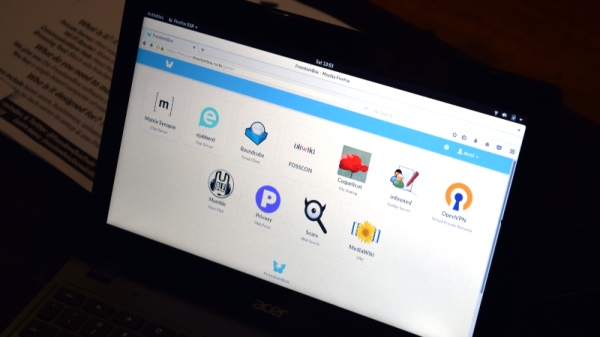
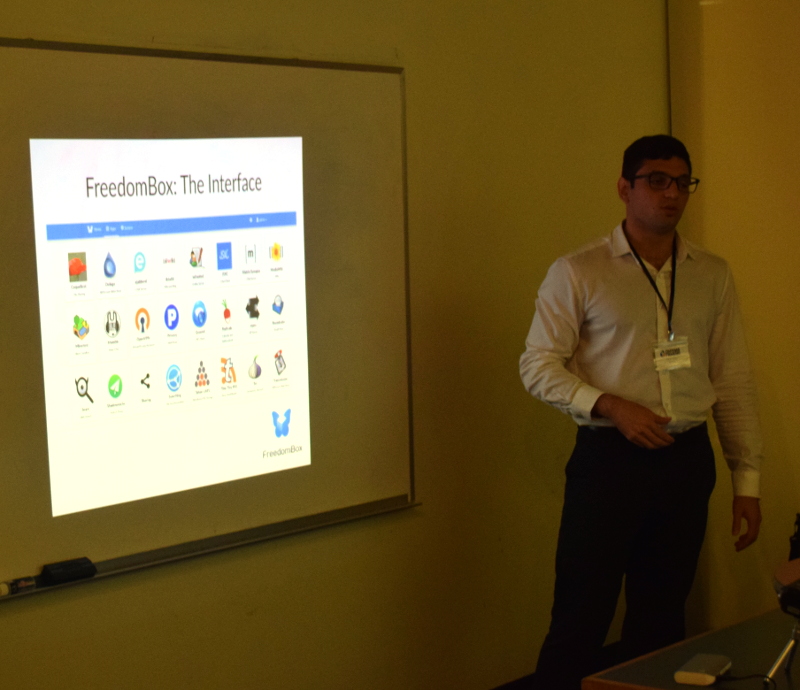
It’s precisely for these sort of situations that the FreedomBox was developed. As demonstrated by Danny Haidar at FOSSCON 2018 in Philadelphia, the FreedomBox promises to help anyone deploy a secure and anonymous Internet access point in minutes with minimal user interaction.

It’s a concept privacy advocates have been talking about for years, but with the relatively recent advent of low-cost ARM Linux boards, may finally be practical enough to go mainstream. While there’s still work to be done, the project is already being used to provide Internet gateways in rural India.

Continue reading “FOSSCON 2018: Developing The FreedomBox”

$99 Pinebook Gets KDE Neon Port

If you’re the kind of person who likes small and cheap Linux devices, you’re definitely alive in the perfect moment in history. It seems as if every few months we’ve got another tiny Linux board competing for our pocket change, all desperate to try to dethrone the Raspberry Pi which has already set the price bar exceptionally high (or low, as the case may be). We’ve even started to see these Linux boards work their way into appropriately cheap laptops, though so far none have really made that great of an impression.

But thanks to the efforts of Blue Systems and Pine64, the situation might be improving: they’ve worked together on a build of KDE Neon for the $99 Pinebook. The fact that they’ve gotten Plasma, KDE’s modern desktop environment, running on the rather mediocre hardware at all is an accomplishment by itself. But they’ve also set out tailor the entire system for the Pinebook, from the kernel and graphics drivers all the way up to Qt and Plasma tweaks.

In a blog post announcing the release candidate of the OS, Neon developer [Jonathan Riddell] says that these top-to-bottom improvements show that you can turn a super cheap Linux laptop into a practical computer if you’re willing to really get in there and optimize it. He also says the project has been something of a two-way street, in that improvements made for the Pinebook build have also been applied to upstream development.

The last time we looked at the Pinebook, we came away cautiously optimistic. It wasn’t great, but it was about as good as you could possibly expect given the price. If more developers are willing to go out on a limb and start optimizing their software for the device, it might become a very promising platform for low-cost mobile hacking.