This month the popular “Thomas the Tank Engine” toy celebrated its 70 anniversary. As a fun project, [tinkermax] wanted to bring this traditional toy into the age of IoT, while preserving its physical appearance and simple charm.
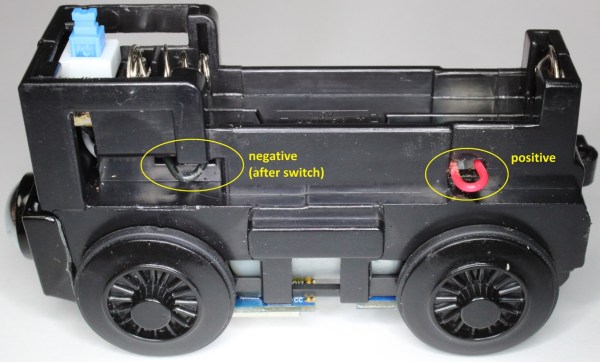
He used a model called the “Diesel” which seemed big enough to house the electronics, but proved otherwise once he inspected the innards. He needed to fit in an ESP8266 module, an accelerometer breakout, some discrete parts, a nifty analog multiplexer, and a 14500 3.7V LiPo. Once done, he was able to control its speed remotely over WiFi, with an auto “throttle-boost” that kicks in when the accelerometer senses that the train is going uphill, and has remote monitoring of battery state, engine load, inclination and track vibration – all in real-time using MQTT over WiFi. It’s quite a demonstration of the power of these super-cheap WiFi modules that are powering the current wave of IoT innovation.
The train motor works off a single 1.5V battery, so [tinkermax] tried a couple of boost converters to get the ESP-12 to work. But the modules were a tad bigger, and couldn’t provide the high peak current needed by the ESP-12. So he used a 14500 3.7V LiPo battery instead. A series diode drops the LiPo voltage to a circuit friendly 2.9V ~ 3.6V range. The ADXL345 accelerometer is used to measure “pitch” to detect going up and down a hill, “roll” to check for tilt or tip over and vibration to identify track defects. It communicates with the ESP-12 using a special Lite-SPI library that he wrote.
Two analog measurements are performed. One uses a resistor in series with the PWM driven motor to measure its current, with a low pass filter to smooth out PWM noise. The other is a resistor divider network used to monitor battery voltage. But the ESP-12 has just one ADC channel. Instead of adding another ADC module, [tinkermax] used a neat device – the FSA3157 – which allows two analog inputs to be channeled to a single output much like a SPDT switch. One PWM output is used to control motor speed and a second one to pulse a LED.
The sensor data is streamed 5 times a second over the MQTT protocol to a Raspberry Pi based MQTT broker. Finally, a JavaScript webpage receives the MQTT messages and plots the data graphically. One upgrade he would like to implement is speed measurement, to allow constant speed drive. If you have any ideas on how to extract that information from an accelerometer, chip in with your comments below. Check out his build log in the short video below. And if you’d like to see how all of this can be used in the real world, check this other video where [tinkermax]’s colleague gives a run down about a commercial enterprise IoT cloud platform hooked up to Thomas the Tank Engine.
Continue reading “IoT Enabled Thomas The Tank Engine” →