Vintage Meter Repair? It’s Easier With X-Rays

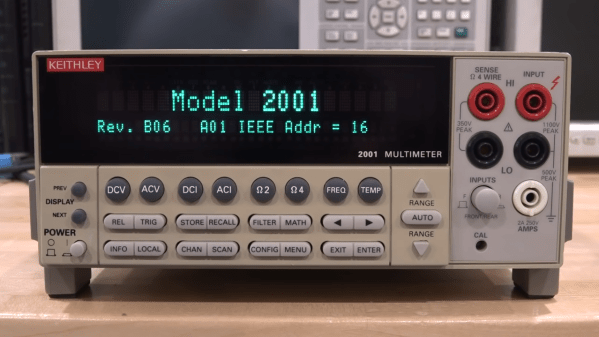
Here’s an interesting and detailed teardown and repair of a Keithley 2001 7.5 Digit multimeter that is positively dripping with detail. It’s also not every day that we get to see someone using x-ray imaging to evaluate the extent of PCB damage caused by failed electrolytic capacitors.

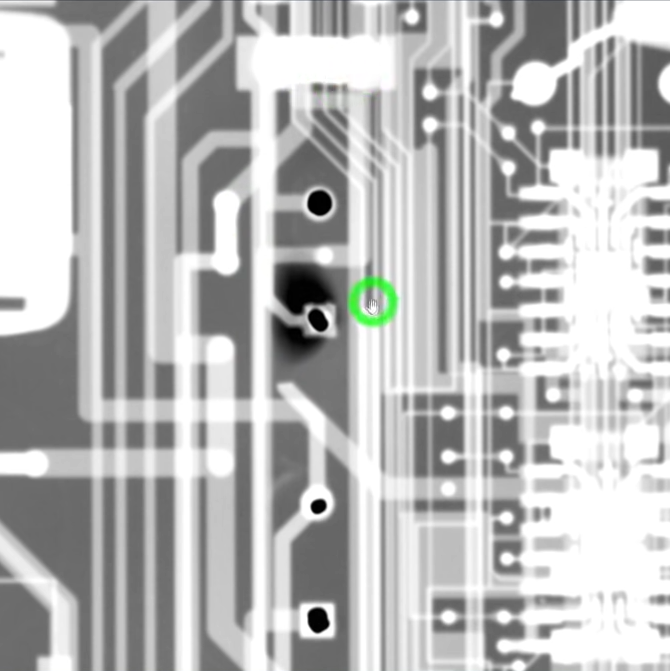
Dark area is evidence of damage in the multi-layer PCB.

Sadly, this particular model is especially subject to that exact vintage electronics issue: electrolytic capacitor failure and leakage. These failures can lead to destroyed traces, and this particular unit had a number of them (in addition to a few destroyed diodes, just for good measure.) That’s where the x-ray machine comes in handy, because some of the damage is hidden inside the multi-layer PCBs.

[Shahriar], perhaps best known as [The Signal Path], narrates the entire process of fixing up the high-quality benchtop multimeter in a video, embedded below (or you can skip directly to the x-ray machine being broken out.) [Shahriar] was able to repair the device, thanks in part to it being in relatively good shape, and having the right tools available. Older electronics are not always so cooperative; the older a device is, the more likely one is to run into physical and logical standards that no longer exist.

Continue reading “Vintage Meter Repair? It’s Easier With X-Rays”

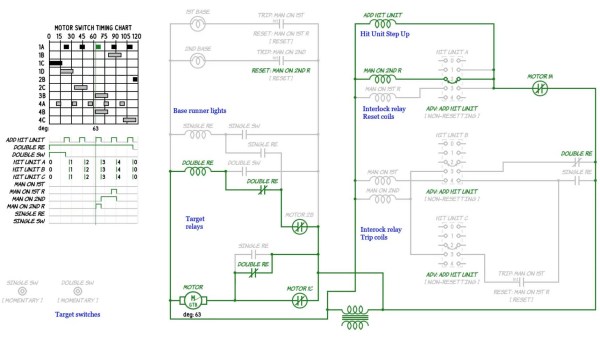
A screenshot of pinball schematics

Get A Grip On Troubleshooting Your Vintage Pinball Machine

Restoring vintage technology can be a tricky business, especially without the appropriate schematics and documentation. To this end [Mark] has spent the past twelve months building a comprehensive schematic editor and circuit simulator library for electromechanical pinball machines.

Rather than explore each and every table in excruciating detail, the emSim software aims to examine how specific circuits work, and how they are used as part of the gaming experience. The aim of the project is to aid in the diagnosis and repair of vintage electromechanical pinball machines, the types that rely on a dizzying array of switches, gears, motors and coils in their operation, operating like clockwork underneath the play field. While these older pinball machines typically use alternating current, the game logic (for the most part) is still binary, and can be effectively described with Boolean operators.

Like any machine with moving parts, these systems will eventually wear down and require servicing, a task which may not be in the wheelhouse for your casual pinball enthusiast. [Mark]’s hope is that his circuit simulations will allow just about anyone to repair these classic tables, and keep them around for future generations to explore and enjoy.

If tinkering with pinball innards isn’t for you, then make sure to check out our coverage of this awesome virtual pinball table.

Nixie clock from a frequency counter

A Nixie Clock, The Hard Way

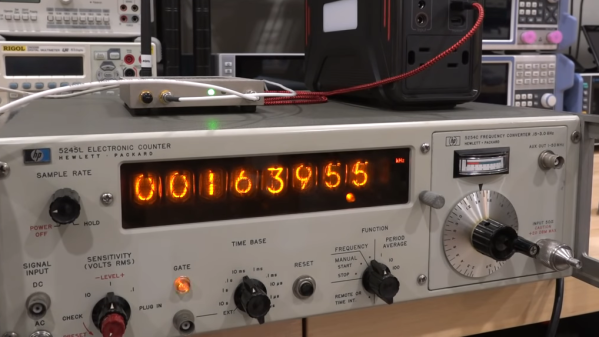
Notice: no vintage Hewlett Packard test equipment was harmed in the making of this overly complicated Nixie clock. In fact, if anything, the HP 5245L electronic counter came out better off than it went into the project.

HP 5245 hand-wired backplane
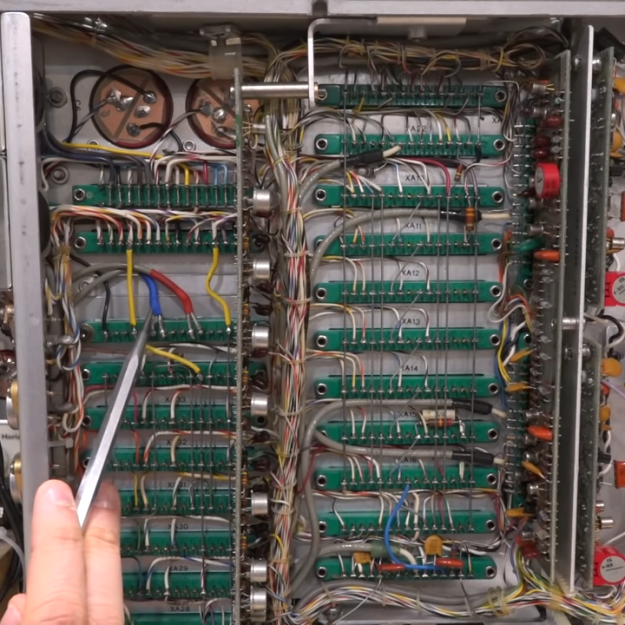
Beautiful hand-wired backplane in the HP 5245 counter.

We mention the fate of this instrument mainly because we’ve seen our fair share of cool-looking-old-thing-gutted-and-filled-with-Arduinos projects before, and while they can be interesting, there’s something deeply disturbing about losing another bit of our shared electronic heritage. To gut this device, which hails from the early 1960s and features some of the most beautiful point-to-point backplane wiring we’ve ever seen, would have been a tragedy, one that [Shahriar] wisely avoided.

After a bit of recapping and some power supply troubleshooting, the video below treats us to a tour of the Nixie-based beauty. It’s a wonderful piece, and still quite accurate after all these decades, although it did need a bit of calibration. Turning it into a clock non-destructively required adding a little bit of gear, though. Internally, [Shahriar] added a divide-by-ten card to allow the counter to use an external 10-MHz reference. Externally, an ERASynth++ programmable signal generator was used to send a signal to the counter from 0 Hz to 23,595.9 kHz, ramping up by 100 Hz every second.

The end result is the world’s most complicated 24-hour clock, which honestly wasn’t even the point of the build at all. It was to show off the glorious insides of the counter, introduce us to some cool new RF tools, and as always with [Shahriar]’s videos, to educate and inform. We’ve always enjoyed his wizardry, from his look into automotive radars to a million-dollar scope teardown, and this was another great project.

Continue reading “A Nixie Clock, The Hard Way”

An Emulator For OBP, The Spaceflight Computer From The 1960s

[David Given] frequently dives into retrocomputing, and we don’t just mean he refurbishes old computers. We mean things like creating a simulator and assembler for the OBP spaceflight computer, which was used in the OAO-3 Copernicus space telescope, pictured above. Far from being a niche and forgotten piece of technology, the On-Board Processor (OBP) was used in several spacecraft and succeeded by the Advanced On-board Processor (AOP), which in turn led to the NASA Standard Spaceflight Computer (NSSC-1), used in the Hubble Space Telescope. The OBP was also created entirely from NOR gates, which is pretty neat.

One thing [David] learned in the process is that while this vintage piece of design has its idiosyncrasies, in general, the architecture has many useful features and is pleasant to work with. It is a bit slow, however. It runs at a mere 250 kHz and many instructions take several cycles to complete.

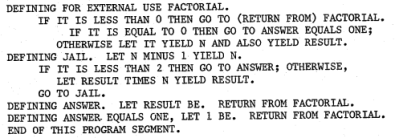
Sample of the natural-language-looking programming syntax for the assembler. (Example from page 68 of the instruction set manual for the OBP.)

One curious thing about the original assembler was documentation showing it was intended to be programmed in a natural-language-looking syntax, of which an example is shown here. To process this, the assembler simply mapped key phrases to specific assembly instructions. As [David] points out, this is an idea that seems to come and go (and indeed the OBP’s successor AOP makes no mention whatsoever of it, so clearly it “went”.) Since a programmer must adhere to a very rigid syntax and structure anyway to make anything work, one might as well just skip dealing with it and write assembly instructions directly, which at least have the benefit of being utterly unambiguous.

We’re not sure who’s up to this level of detail, but embedded below is a video of [David] coding the assembler and OBP emulator, just in case anyone has both an insatiable vintage thirst and a spare eight-and-a-half hours. If you’d prefer just the files, check out the project’s GitHub repository.

Continue reading “An Emulator For OBP, The Spaceflight Computer From The 1960s”

Bright Lightbulb Saves Old Radios

If you work on old equipment, you know that there’s always that tense moment when you first plug it in and turn it on. No matter how careful you have been, there’s some chance your garage sale find is going to go up in smoke. [BasinStreetDesign] built a little box that can help. On one side is a variac and the device you want to test goes into the other side.

In the middle? A lightbulb, a few switches, and a meter to monitor the current. The magic happens because the lightbulb will stay relatively cool and only light dimly if the device under test is drawing an appropriate amount of current. You match the bulb wattage with the approximate watts you expect the load to draw. If the device’s power is shorted to ground, though, the bulb will light brightly and this causes the lightbulb’s resistance to increase, thus helping to protect the device.

Continue reading “Bright Lightbulb Saves Old Radios”

POLF: Retro 3D Game Uses Only A Character Display

Got a retrocomputing itch? So does [David Given], and luckily for us all he indulged it by writing POLF: a first-person 3D game for the Commodore PET that uses only the system’s 40×25 text mode character display for visuals. It’s a fantastic achievement, considering that the 80s-era computer boasts 32 kB of memory and doesn’t even have a graphical display.

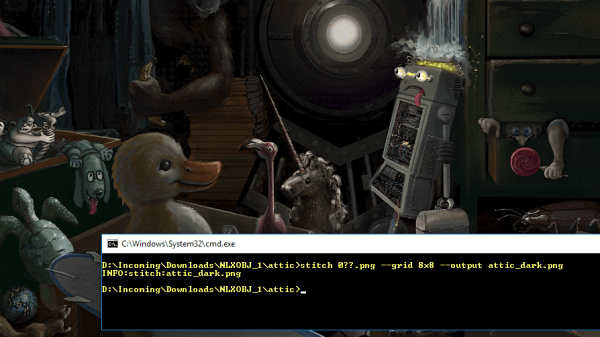
Each level has an 8×8 layout.

Each level in POLF is a small, maze-like room in which one’s goal is to play a sort of cross between billiards and golf, aiming to move the round “ball” object into the square “hole” object. The 3D view is rendered using raycasting, which is a way of efficiently drawing a workable 3D perspective using limited resources. Raycasting can only do so much, but as a method it works fantastically within its limitations, and there are useful tutorials out there that lay the process bare.

The GitHub repository for the project is here, and it should run on any 40-column screen PET with at least 16 kB of RAM. Watch it in action in the video, embedded below. (Hint: the little bar graphs under the compass headings at the bottom of the screen represent the player’s proximity to the ball and hole objects. )

Continue reading “POLF: Retro 3D Game Uses Only A Character Display”

Front view of vintage radio, with small screen inset into tuner.

Vintage Radio Gets Internet Upgrade

There’s nothing quite like vintage hardware, and the way it looks and works is something that can be worth celebrating. [Old Tech. New Spec] did that with his loving modification of a 1964 Dansette portable radio, bringing it into the modern era by giving it the ability to play Internet radio stations while keeping all the original controls and appearance. As he says, you’d hardly know it has been modified unless you turned it on.

Internet radio station logos scrolling across small LCD screen
A full color LCD behind a convex lens matches the radio’s aesthetic.

A real centerpiece of this conversion is that the inner part of the tuning dial has been replaced with a full color LCD display that shows, among other things, the logo of whatever Internet radio station is currently playing. The combination of LCD and convex lens looks fantastic, and blends beautifully into the aesthetic.

Inside the device is a Raspberry Pi, some simple Python scripts, and a Pirate Audio board. Together, they handle the job of audio streaming and output, displaying album art, and accepting inputs for playback controls. A large power bank ensures the result remains portable, and as usual with vintage hardware, there’s no worry about fitting everything inside. Watch it in action in the video embedded below. (And if the name of the audio board got you excited, but you’re disappointed to discover there’s no actual pirate broadcasting happening? Well, the Raspberry Pi can do that, too.)

Continue reading “Vintage Radio Gets Internet Upgrade”