The Hackaday Prize: Exoskeletons For The Masses

While medical facilities continue to improve worldwide, access to expensive treatments still eludes a vast amount of people. Especially when it comes to prosthetics, a lot of people won’t be able to afford something so personalized even though the need for assistive devices is extremely high. With that in mind, [Guillermo Herrera-Arcos] started working on ALICE, a robotic exoskeleton that is low-cost, easy to build, and as an added bonus, 100% Open Source.

ALICE’s creators envision that the exoskeleton will have applications in rehabilitation, human augmentation, and even gaming. Also, since it’s Open Source, it could also be used as a platform for STEM students to learn from. Currently, the team is testing electronics in the legs of the exoskeleton, but they have already come a long way with their control system and getting a workable prototype in place. Moving into the future, the creators, as well as anyone else who develops something on this platform, will always be improving it and building upon it thanks to the nature of Open Source hardware.

Laser Cut Enclosures From Eagle Files

Once a project is finished, it might still need a decent enclosure. While it’s possible to throw a freshly soldered PCB in a standard enclosure, or piece of Tupperware, or cardboard box, these options don’t have the fit and finish of something custom-made. If you have a laser cutter sitting around, it’s a simple matter to cut your own enclosure, but now that process is much easier thanks to [Ray]’s latest project.

Since [Ray] was already using Eagle to design his PCBs, it seemed like a short step to using the Eagle files to design the enclosure as well. The script runs from those files and creates everything necessary to send to the laser cutter for manufacturing. Right now, [Ray] points out that the assembly time for each enclosure can be high, and this method might not be suited for large numbers of enclosures. Additionally, some of the calculations still need to be done by hand, but there are plans to automate everything in the future.

For single projects, though, this script could cut a lot of time off of designing an enclosure and building it from scratch, and could also help improve aesthetics over other options like 3D printed enclosures. Of course, if you have a quality 3D printer around but no laser cutter, there are options for custom enclosures as well.

Starter Guide To Linux Forensics

The old saying is if your data isn’t backed up at least twice, it’s not backed up at all. For those not wise enough to heed this adage, there are a number of options available to you if you wish your data to be recovered. Assuming the drive itself is just corrupted somehow (maybe a malicious attack, maybe a user error) and not damaged beyond physical repair, the first step is to connect the drive to another computer. If that fails, it might be time to break out the computer forensics skills.

[Luis]’s guide is focused on Linux-specific drives and recovery tools, so this isn’t necessarily a general-purpose how-to. That being said, there is a lot of information in this guide such as how to mount the target drive’s partitions, how to set up various timelines, and which of the Linux system’s logs are important for the forensic analysis. This specific example in the guide also goes into detail about noticing which of the recent files had been accessed, what they might have done, and different approaches to piecing the mystery of this corrupted drive together.

[Luis] points out that the world of Linux forensics is much different from that of Windows, but for anyone looking to get started he suggests starting with a clean Linux install and going from there. There are many other avenues of digital forensics, as well; the field has as many avenues of exploration as there are different types of computers.

Keep Pedaling To Keep Playing

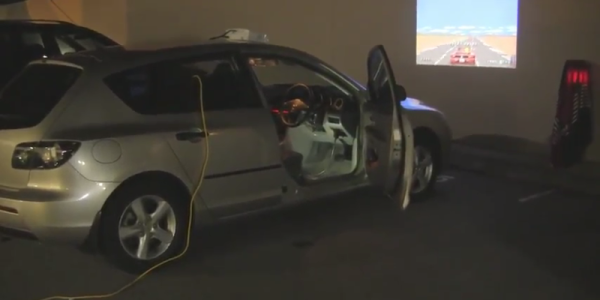
It’s been said that the best way to tackle the issue of childhood obesity would be to hook those children’s video game consoles up to a pedal-powered generator. Of course, this was said by [Alex], the creator of Cykill. Cykill interfaces an Xbox to an exercise bike, so to keep the video game going you’ll have to keep pedaling the bike.

While there is no generator involved in this project, it does mimic the effect of powering electronics from a one. The exercise bike has a set of communications wires, which are connected to a relay on the Xbox’s power plug. When the relay notices that the bike isn’t being pedaled enough, it automatically cuts power to the console. Of course, the risk of corrupting a hard drive is high with this method, but that only serves to increase the motivation to continue pedaling.

The project goes even further in order to eliminate temptation to bypass the bike. [Alex] super-glued the plug of the Xbox to the relay, making it extremely difficult to get around the exercise requirement. If you’re after usable energy instead of a daily workout, though, there are bikes out there that can power just about any piece of machinery you can imagine.

Garage Distance Sensor Kicks Tennis Ball To Curb

Those with small garages might be familiar with the method of hanging a tennis ball from a ceiling to make sure they don’t hit the back wall with their car. If the car isn’t in the garage, though, the tennis ball dangling from a string tends to get in the way. To alleviate this problem, [asaucet] created a distance sensor that can tell him when his car is the perfect distance from the garage wall.

At the heart of the distance sensor is an HC-SR04 ultrasonic rangefinder and a PIC16F88 microcontroller. [asaucet] uses a set of four LEDs to alert the driver how close they are to the garage wall. [asaucet] also goes into great detail about how to use an LCD with this microcontroller for setting up the project, and the amount of detail should be enough to get anyone started on a similar project.

While this isn’t a new idea, the details that [asaucet] goes into in setting up the microcontroller, using the distance sensor, and using an LCD are definitely worth looking into. Even without this exact application in mind, you’re sure to find some helpful information on the project page.

Continue reading “Garage Distance Sensor Kicks Tennis Ball To Curb”

Sailboat Throws Motor Overboard, Adds Sensor Array

For those not familiar with sailing, it might seem like an obsolete way to get around on the water. This isn’t 1492 anymore, and it’s pretty easy to go out and get a boat with a motor to get where you need to go. Sailboats, however, are still one of the most efficient ways to travel. There are essentially no fuel costs, and maintenance on them is often easier than on a boat with an engine. Not to mention the fun involved in flying a hull on a catamaran. Anyway, if you’re [gwilken], you can bring your sailboat even further into modern times by building your own sensor array for it.

The ultimate goal of this project was to get all gauges and sensors reporting data to an iPad, rather than to random gauge clusters around the ship. This includes environmental conditions, speed, and motor status (most larger sailboats have a motor for getting around the marina). A Raspberry Pi ties it all together, including a GPS antenna for monitoring location. [gwilken] also includes a WiFi antenna and a cell antenna for maintaining a network connection for reporting all of this information. With this connectivity, he can also control some functions of the boat as well.

[gwilken] made the decision to ditch the conventional gas motor for a more energy-efficient electric motor. This also has the perk of being essentially maintenance-free, and can even charge his battery in regen mode while his boat is under sail. The sailboat is now fully equipped for the 21st century, in a similar way to another boat’s gauge cluster that was recently featured.

MagSafe Power Bank From Scrap

Just a few short years ago, it was possible to find scrapped lithium batteries for free, or at least for very cheap. What most people at the time didn’t realize is that a battery with multiple cells might go bad because only one cell is bad, leaving the others ready for salvaging. Now it’s not a secret anymore, but if you can manage to get your hands on some there’s a lot of options for use. [ijsf] took a step further with this hack, taking a few cells from a Panasonic battery and wrangling them into a MagSafe-capable power bank for a Mac.

The real hack wasn’t scavenging batteries, however, it was getting the MagSafe to signal the computer to use power from the battery bank to run the computer only, and not to use any of that energy for charging the computer’s internal batteries. This is achieved by disabling the center MagSafe pin, which is the computer’s communication line to the power adapter. After that, the battery bank could be programmed to behave properly (a feat in itself for lithium batteries) and the power bank was successfully put into operation.

Not only was this hack a great guide for how to repurpose cells from a “dead” battery, it’s also an unparalleled quick reference for any work that might need a MagSafe connector. Of course, if you’re going to work with these chargers, make sure that you’re using one that isn’t a cheap clone.