Hackaday Prize 2023: Eye Tracking On A Budget

There is a lot to be learned from the experience of building something functional, and even better if doing so doesn’t break the bank. [Sergej Stoetzer]’s 20€ DIY-Eyetracker aims to be an educational process that covers everything from hardware to functional software in an accessible way.

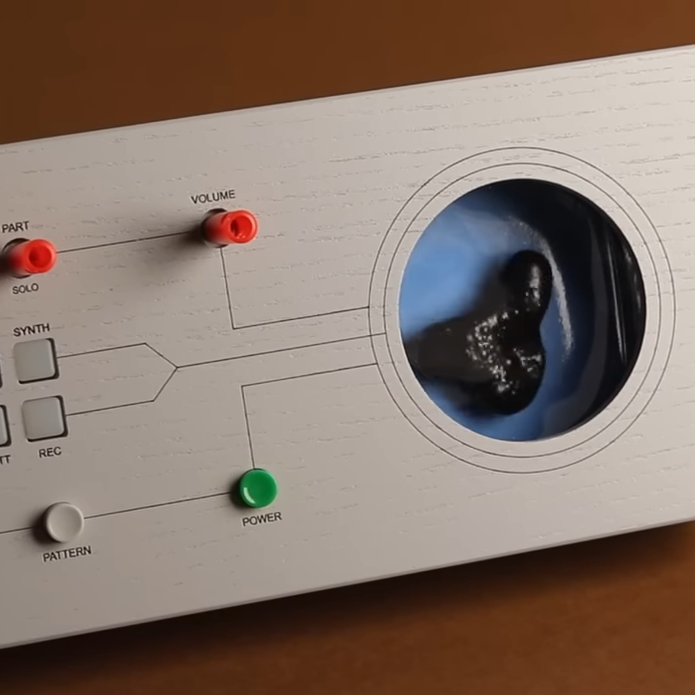
Hardware based on an economical USB endoscope, and can be used as-is or repackaged with IR illumination.

The eye tracker is based on an economical USB endoscope, which is a small camera optimized for up-close applications. By attaching the camera to a pair of common safety glasses so that it looks at one’s eye, some OpenCV and Python code can do simple tracking and interfacing with other projects.

Basic eye tracking — like determining whether a user is looking up, down, left, or right — can be all that’s needed depending on one’s application. That means that it’s possible to get something working with very little hardware and some easy-to-use OpenCV functions.

Even better performance can be had by adding IR illumination and repackaging the camera into a 3D printed enclosure. The pupil of the eye is an aperture in the iris that appears as a black circle, and that’s even more true under IR illumination which is invisible to the naked eye. If you’re curious about what’s inside those USB endoscope cameras and how to remove their IR filter, there are some good pictures of that process in this project.

The ability to get something prototyped quickly and working well enough to learn new things is a valuable skill, and that’s why re-engineering Education is one of the challenges in the 2023 Hackaday Prize.

Embed Hardware Into 3D Prints, But Not In The Way You’re Thinking

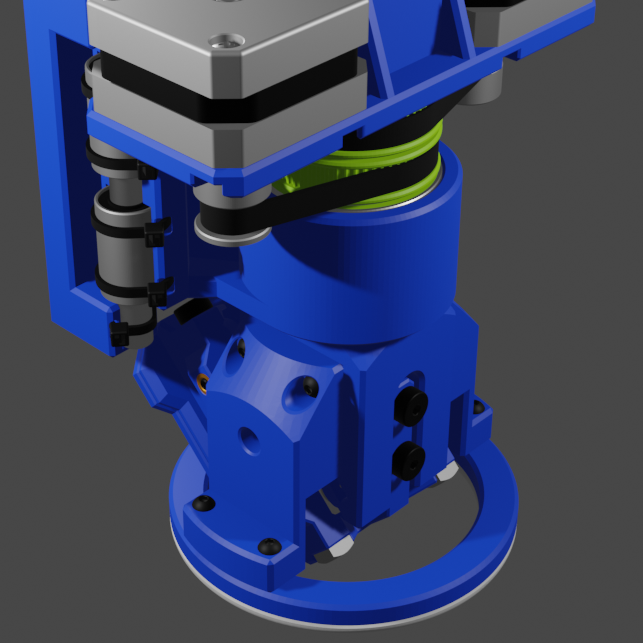
[Christopher Helmke] is doing fantastic work in DIY systems for handling small hardware like fasteners, and that includes robotic placement of hardware into 3D prints. Usually this means dropping nuts into parts in mid-print so that the hardware is captive, but that’s not really the story here.

The really inventive part we want to highlight is the concept of reducing packaging and labor. Instead of including a zip-lock bag of a few bolts, how about embedding the bolts into a void in the 3D print, covered with a little snip-out retainer? Skip ahead to 1:54 in the video to see exactly what we mean. It’s a pretty compelling concept that we hope sparks a few ideas in others.

As clever as that concept is, the rest of the video is also worth a watch because [Christopher] shows off a DIY system that sits on top of his 3D printer and takes care of robotically placing the hardware in mid-print. He talks all about the challenges of such a system. It’s not perfect (yet), but seeing it in action is very cool.

We’ve recently seen a lot of fascinating stuff when it comes to [Christopher Helmke]’s automated handling of fasteners and similar hardware. His system makes rapid and accurate dispensing of bolts look easy, and his work on using compressed air to zip pieces around seems effective.

Continue reading “Embed Hardware Into 3D Prints, But Not In The Way You’re Thinking”

Tactile Feedback In VR, No Cumbersome Gloves Or Motors Required

This clever research from the University of Chicago’s Human Computer Integration Lab demonstrates a fascinating way to let users “feel” objects in VR, without anything getting in the way of using one’s hands and fingers normally. Certainly, the picture here shows hands with a device attached to them, but look closely and you’ll see that it’s on the back of the hand only.

There’s hardware attached to the hands, yes, but only to the backs. Hands and fingers can be used entirely normally while receiving tactile feedback.

The unique device consists of a control box, wires, and some electrodes attached to different spots on the back of the hand and fingers. Carefully modulated electrical signals create tactile sensations on the front, despite originating from electrodes on the back. While this has clear applications for VR, the team thinks the concept could also have applications in rehabilitation, or prosthetics.

Continue reading “Tactile Feedback In VR, No Cumbersome Gloves Or Motors Required”

Insulin Pump Teardown Shows One Motor Does Many Jobs

Modern insulin pumps are self-contained devices that attach to a user’s skin via an adhesive patch, and are responsible for administering insulin as needed. Curious as to what was inside, [Ido Roseman] tore down an Omnipod Dash and took some pictures showing what was inside.

A single motor handles inserting the cannula into the skin, retracting the insertion needle, and administering insulin.

These devices do quite a few things. In addition to holding a reservoir of insulin, they automatically insert a small cannula (thin tube) through the skin after being attached, communicate wirelessly with a control system, and pump insulin through the cannula as needed. All in a sealed and waterproof device. They are also essentially disposable, so [Ido] was curious about what kind of engineering went into such a thing.

The teardown stops short of identifying exactly how all the mechanisms inside work, but [Ido] was able to learn a few interesting things. For example, all of the mechanical functions — inserting the cannula with the help of a needle (and retracting the needle afterwards) and pumping insulin — are all accomplished by one motor and some clever mechanical engineering.

The electronics consist of a PCB with an NXP EX2105F 32-bit Arm7 microcontroller, a second chip that is likely responsible for the wireless communications, three captive LR44 button cells, and hardly a passive component in sight.

The software and communications side of an insulin pump like this one has had its RF communications reverse-engineered with the help of an SDR, a task that took a lot more work than one might expect. Be sure to follow that link if you’re interested in what it can take to get to the bottom of mystery 433 MHz communications on a device that isn’t interested in sharing.

Very Slow Movie Player Avoids E-Ink Ghosting With Machine Learning

[mat kelcey] was so impressed and inspired by the concept of a very slow movie player (which is the playing of a movie at a slow rate on a kind of DIY photo frame) that he created his own with a high-resolution e-ink display. It shows high definition frames from Alien (1979) at a rate of about one frame every 200 seconds, but a surprising amount of work went into getting a color film intended to look good on a movie screen also look good when displayed on black & white e-ink.

The usual way to display images on a screen that is limited to black or white pixels is dithering, or manipulating relative densities of white and black to give the impression of a much richer image than one might otherwise expect. By itself, a dithering algorithm isn’t a cure-all and [mat] does an excellent job of explaining why, complete with loads of visual examples.

One consideration is the e-ink display itself. With these displays, changing the screen contents is where all the work happens, and it can be a visually imperfect process when it does. A very slow movie player aims to present each frame as cleanly as possible in an artful and stylish way, so rewriting the entire screen for every frame would mean uglier transitions, and that just wouldn’t do.

Delivering good dithering results despite sudden contrast shifts, and with fewest changed pixels.

So the overall challenge [mat] faced was twofold: how to dither a frame in a way that looked great, but also tried to minimize the number of pixels changed from the previous frame? All of a sudden, he had an interesting problem to solve and chose to solve it in an interesting way: training a GAN to generate the dithers, aiming to balance best image quality with minimal pixel change from the previous frame. The results do a great job of delivering quality visuals even when there are sharp changes in scene contrast to deal with. Curious about the code? Here’s the GitHub repository.

Here’s the original Very Slow Movie Player that so inspired [mat], and here’s a color version that helps make every frame a work of art. And as for dithering? It’s been around for ages, but that doesn’t mean there aren’t new problems to solve in that space. For example, making dithering look good in the game Return of the Obra Dinn required a custom algorithm.

Make Your ESP32 Talk Like It’s The 80s Again

80s-era electronic speech certainly has a certain retro appeal to it, but it can sometimes be a useful data output method since it can be implemented on very little hardware. [luc] demonstrates this with a talking thermometer project that requires no display and no special hardware to communicate temperatures to a user.

Back in the day, there were chips like the Votrax SC-01A that could play phonemes (distinct sounds that make up a language) on demand. These would be mixed and matched to create identifiable words, in that distinctly synthesized Speak & Spell manner that is so charming-slash-uncanny.

Software-only speech synthesis isn’t new, but it’s better now than it was in Atari’s day.

Nowadays, even hobbyist microcontrollers have more than enough processing power and memory to do a similar job entirely in software, which is exactly what [luc]’s talking thermometer project does. All this is done with the Talkie library, originally written for the Arduino and updated for the ESP32 and other microcontrollers. With it, one only needs headphones or a simple audio amplifier and speaker to output canned voice data from a project.

[luc] uses it to demonstrate how to communicate to a user in a hands-free manner without needing a display, and we also saw this output method in an electric unicycle which had a talking speedometer (judged to better allow the user to keep their eyes on the road, as well as minimizing the parts count.)

Would you like to listen to an authentic, somewhat-understandable 80s-era text-to-speech synthesizer? You’re in luck, because we can show you an authentic vintage MicroVox unit in action. Give it a listen, and compare it to a demo of the Talkie library in the video below.

Continue reading “Make Your ESP32 Talk Like It’s The 80s Again”

Testing Part Stiffness? No Need To Re-invent The Bending Rig

If one is serious about testing the stiffness of materials or parts, there’s nothing quite like doing your own tests. And thanks to [JanTec]’s 3-Point Bending Test rig, there’s no need to reinvent the wheel should one wish to do so.

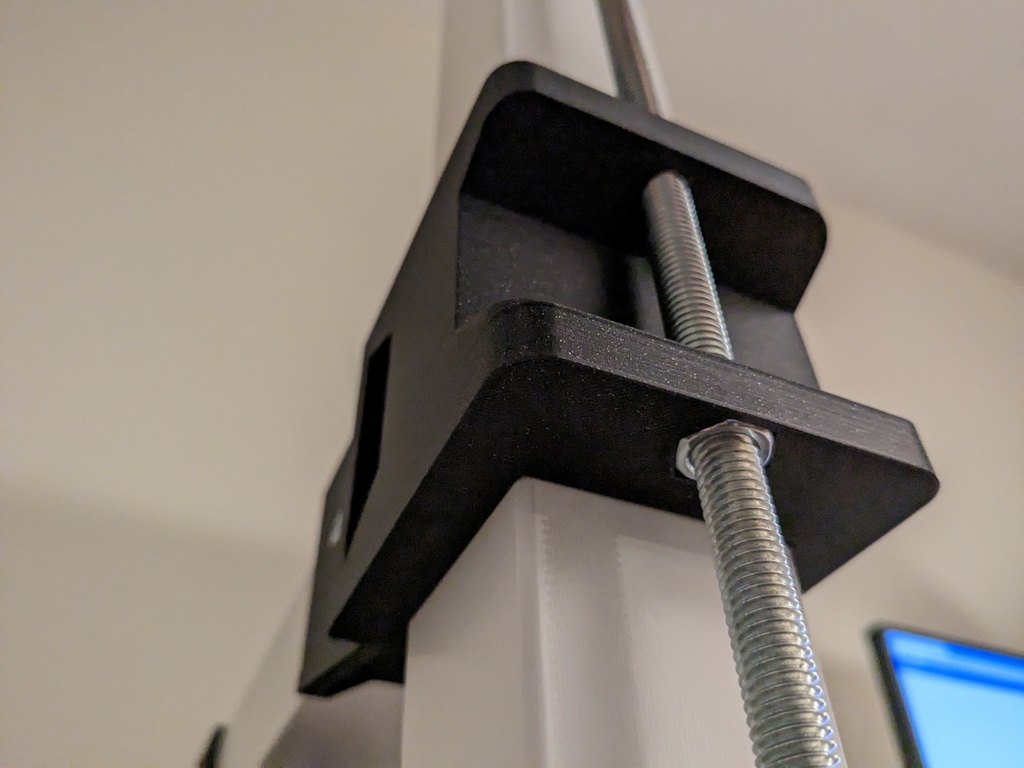
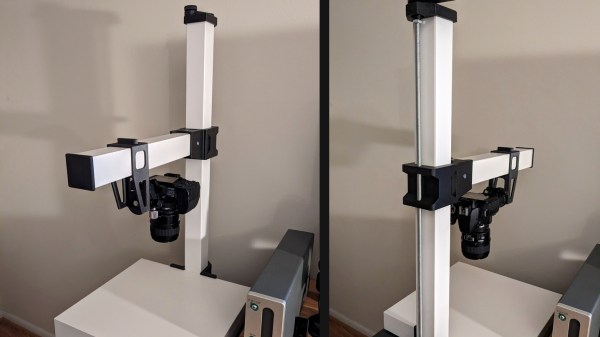
The dial caliper can be mounted to a fixed height, thanks to a section of 3030 T-slot extrusion.

Some simple hardware, a couple spare pieces of 3030 T-slot extrusion, a few 3D-printed parts, and a dial indicator all come together to create a handy rig that will let one get straight to measuring.

Here is how it works: stiffness of a material is measured by placing a sample between two points and applying a known force to the middle of the sample. This will cause the material to bend, and measuring how far a standardized sample deforms under a known amount of force (normally accomplished by a dial indicator) is how one can quantify a material’s stiffness.

When a material talks about its Young’s modulus (E) value, it’s talking about stiffness. A low Young’s modulus means a material is more elastic, a high value means the material is more stiff. (This shouldn’t be confused with strength or toughness, which are more about resistance to non-recoverable deformation, and resistance to fracture, respectively.)

Interested in results, but don’t want to get busy doing your own testing? Someone’s already been there and done that: here’s a great roundup of measurements of 3D-printed parts, using different filaments.