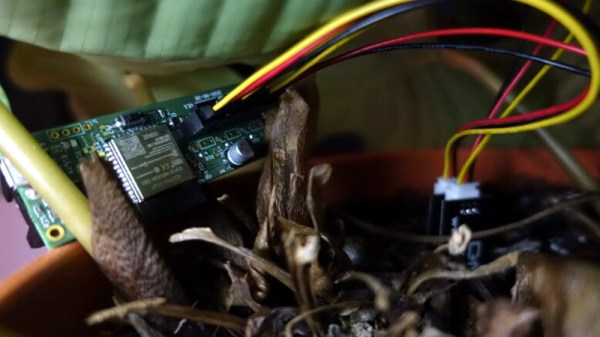
Soil moisture sensors are cheap and easy to interface with, to the point that combining one with an Arduino and blinking an LED when your potted plant is feeling a bit parched is a common beginners project. But what about on the long term? Outside of a simple proof of concept, what would it take to actually read the data from these sensors over the course of weeks or months?
The modern consumer is not overly concerned with their phone conversations being monitored. For one thing, Google and Amazon have done a tremendous job of conditioning them to believe that electronic gadgets listening to their every word isn’t just acceptable, but a near necessity in the 21st century. After all, if there was a better way to turn on the kitchen light than having a recording of your voice uploaded to Amazon so they can run it through their speech analysis software, somebody would have surely thought of it by now.
But perhaps more importantly, there’s a general understanding that the nature of telephony has changed to the point that few outside of three letter agencies can realistically intercept a phone call. Sure we’ve seen the occasional spoofed GSM network pop up at hacker cons, and there’s a troubling number of StingRays floating around out there, but it’s still a far cry from how things were back when folks still used phones that plugged into the wall. In those days, the neighborhood creep needed little more than a pair of wire strippers to listen in on your every word.
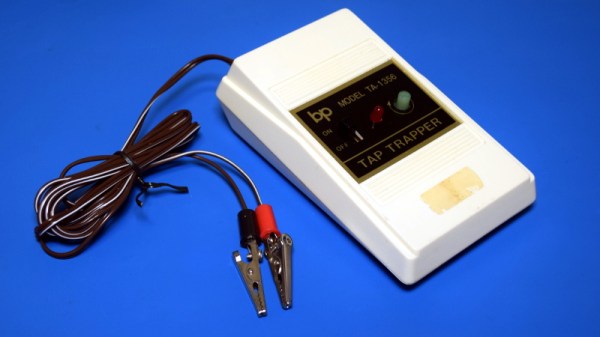
Which is precisely why products like the TA-1356 Tap Trapper were made. It was advertised as being able to scan your home’s phone line to alert you when somebody else might be listening in, whether it was a tape recorder spliced in on the pole or somebody in another room lifting the handset. You just had to clip it onto the phone distribution panel and feed it a fresh battery once and awhile.
If the red light came on, you’d know something had changed since the Tap Trapper was installed and calibrated. But how did this futuristic defender of communications privacy work? Let’s open it up and take a look.
It’s often said that any sufficiently advanced technology is indistinguishable from magic, and when a DIY device lets you light up fluorescent bulbs with a flick of the wrist, it’s certainly not hard to see why. The latest creation from [Jay Bowles], this high voltage wand is actually a Slayer Exciter coil that’s able to boost the output of a standard 9 V alkaline or rechargeable battery high enough to perform some of the wireless power tricks we usually associate with the more complex Tesla coil.
We really can’t overstate how simple it is to build one of these yourself. Sure you’ll still need to wind the coil, but if you can chuck the 1/2 inch acrylic tube into a electric drill you should be able to make short work of it. Once you’ve wound your secondary coil from 32 gauge magnet wire, you only need a couple turns of common doorbell wire to make up the primary.
Think there must be some complex electronics hiding in the handle? Far from it. All that’s hidden by that faux-leather wrapping is a transistor to do the high-speed switching, an LED functioning as both the power indicator and the circuit’s diode, and a resistor. [Jay] put it all together dead bug style, but you could do it on a scrap of perfboard if you’d like something a little more robust.
Being a big believer in STEM education, [Jay] says the wand was designed to be as kid-friendly as possible so he could gift it to his young niece and nephew. Inspiring the next generation is certainly something we respect around these parts, though we think there’s plenty of adults who wouldn’t have been disappointed if they unwrapped a gadget like this over the holidays.
It’s 2021, shouldn’t all of our devices be able to pull the power they need from the ether? [Sasa Karanovic] certainly thinks so, which is why he recently took it upon himself to add wireless charging capabilities to his desktop computer peripherals. The Qi transmitter and receiver modules are relatively cheap and easy to come by, the trick is in getting them installed.
The keyboard gets non-invasive Qi charging.
For the keyboard, [Sasa] took the path of least resistance. The receiver coil lives inside a little 3D printed box attached to the back, and power is routed through a hacked up right-angle USB cable. It’s a simple addition that doesn’t make any permanent changes to the keyboard; perfect for those who don’t want to risk toasting their gear.
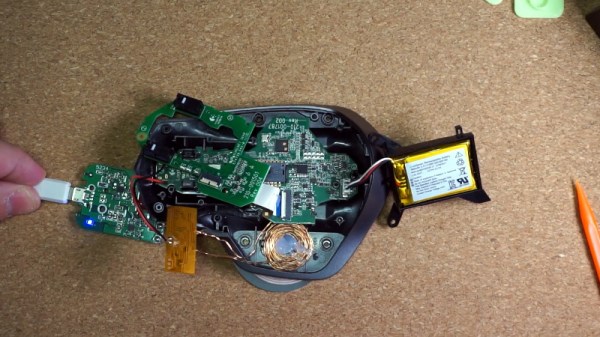
But that wasn’t really an option for the mouse. Obviously the Qi hardware would have to go on the inside, but at a glance it was clear there wasn’t enough room to mount the stock coil. So [Sasa] pulled the original coil apart and rewound it around a small 3D printed jig. This resulting coil was perfectly sized to fit inside the flat area on the left side of the mouse with no apparent degradation in charging ability. Wiring the module up to an unpopulated pad on the PCB allowed him to easily inject the 5 V output into the device’s existing charging circuitry.
If you’re familiar with vintage portable computers, you know about the GRiD Compass. Even if you’re not into computers of yesteryear, there’s a good chance you’ve seen a Compass or two without realizing it. From battling xenomorphs in Aliens to making the trip to orbit aboard the Space Shuttle, the trendsetting clamshell computer seemed to be everywhere in the 1980s. While far too expensive for the average consumer to afford back then, its no-compromise design and sleek looks helped lay the groundwork for today’s ubiquitous laptops.
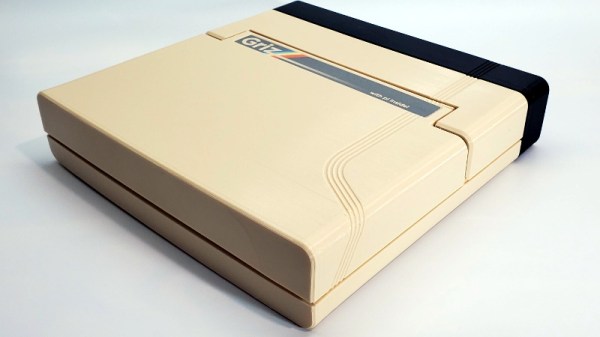
Getting your hands on a working GRiD Compass in 2021 isn’t a whole lot easier than it was in 1982, so [Mike] decided to do the next best thing and build his own. His GRIZ Sextant certainly isn’t a replica, but the family resemblance is strong enough to get the point across. The Raspberry Pi powered machine has a greatly reduced “trunk” section in the back as you might expect, but the overall layout is very similar. The Commodore 64 inspired color scheme is probably the biggest departure from the source material, but it’s hard to argue with the results.
It’s clear at a glance that a lot of thought was put into the external aesthetics of the Sextant, but a peek under the hood shows the internal details are equally impressive. [Mike] tells us he has a background in product design, and it shows. Rather than approaching this project as a one-off creation, he’s clearly taken great pains to ensure the design is as reproducible as possible.
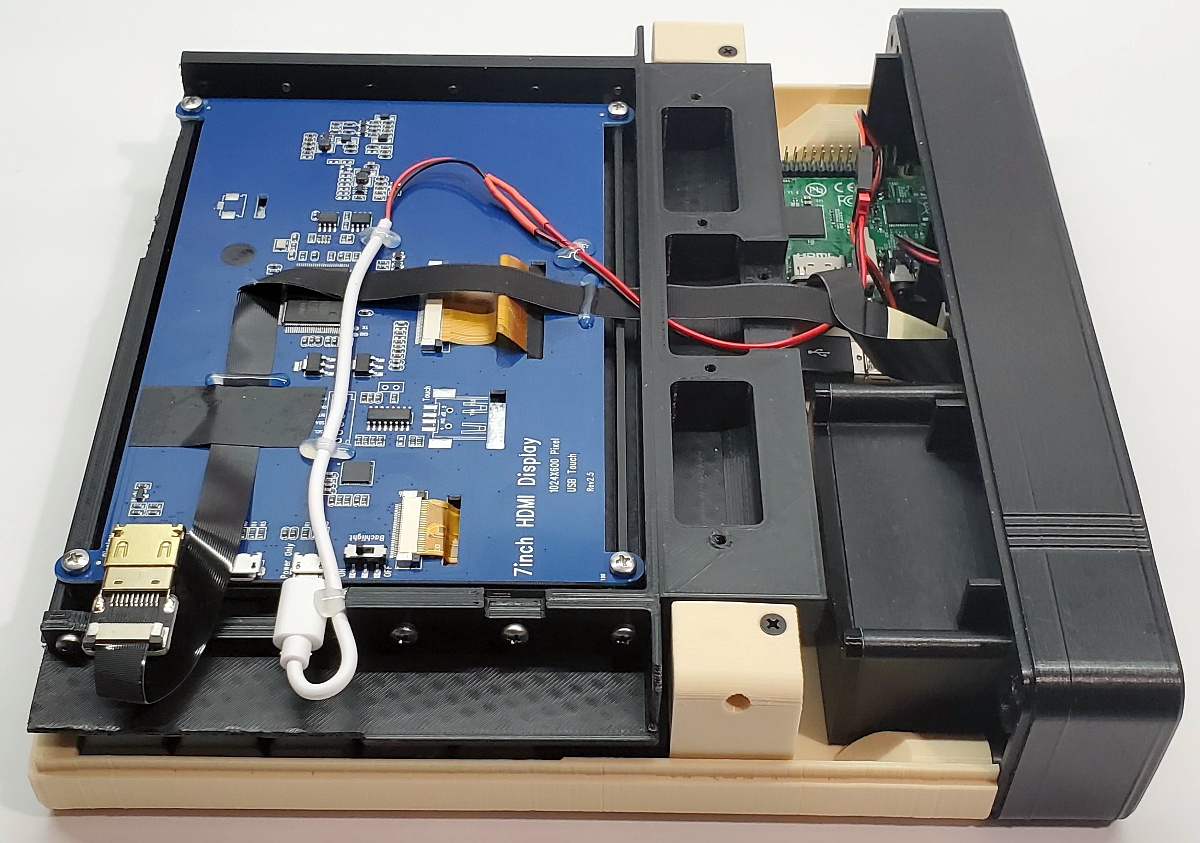
All of the individual components of the 3D printed frame and enclosure have been carefully designed so they’ll fit within the build volume of the average desktop machine. Electronic components are screwed, not glued, to the internal framework; making future repairs and maintenance much easier. When combined with the ample internal volume available, this modular approach should make adding custom hardware a relatively painless process as well.
So when will you be able to build a GRIZ Sextant of your own? Hopefully, very soon. [Mike] says he still needs to work some kinks out of the power supply and finalize how the speakers will get mounted into the case. Once those last tweaks are locked in, he plans to release all the STL files and a complete Bill of Materials. For those who want to get a sneak peek before they start warming up the extruder, he’s also started documenting the assembly of the Sextant on his YouTube channel. Continue reading “3D Printed Pi Laptop Honors The Iconic GRiD Compass”→
When [Kenneth Keiter] took apart his Starlink dish back in November, he did his best to explain the high-level functionality of the incredibly complex device in a video posted to his YouTube channel. It was a fascinating look at the equipment, but by his own admission, he wasn’t the right person to try and explain the nuances of how the phased array actually functioned. But he knew who could do the technology justice, which is why he shipped the dismembered dish over to [Shahriar Shahramian] of The Signal Path.
Don’t be surprised if you can’t quite wrap your head around his detailed analysis after your first viewing. You’ll probably have a few lingering questions after the second re-watch as well. But that’s OK, as [Shahriar] still has a few of his own. Even after cutting out a section of the dish and putting it under an X-ray, it’s still not completely clear how the SpaceX engineers managed to cram everything into such a tidy package. Though there seems to be no question that the $500 price for the early-access hardware is an absolute steal, all things considered.
The layered antenna works on multiple frequencies.
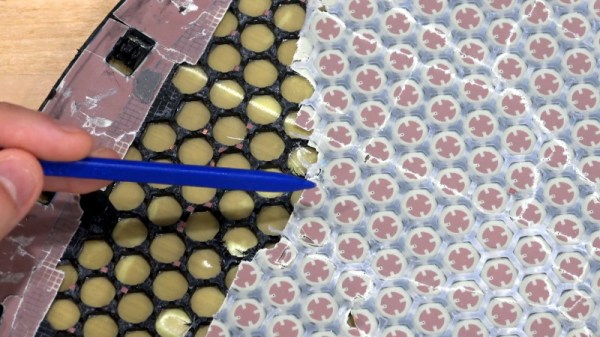
Most of the video is spent examining the stacked honeycomb construction of the phased antenna array, which as expected, holds a number of RF secrets if you know what to look for. Put simply, there’s no such thing as an insignificant detail to the trained eye. From the carefully sized injection molded spacer sheet that keeps the upper array a specific distance from the RF4-like radome, to the almost microscopic holes that have been bored through each floating patch to maintain equalized air pressure through the stack up, [Shahriar] picks up on fascinating details which might otherwise seem like arbitrary design decisions.
But a visual inspection will only get you so far. Eventually [Shahriar] has to cut out a slice of the PCB so he can fit it into the X-ray machine, but don’t feel too bad, the dish was long dead before he got his hands on it. While he hasn’t yet completed his full analysis, an initial examination indicates that each large IC and the eight chips surrounding it make up a 16 channel beam forming module. Each channel is further split into two RX and TX pairs, which provides the necessary right and left hand polarization. That said, he admits there’s some room for interpretation and that further work would be necessary before any hard conclusions could be made.
Between this RF analysis and the initial overview provided by [Kenneth], we’ve already learned a lot more about this device than many might have expected considering how rare and expensive the hardware is. While we admit it’s not immediately clear what kind of hijinks hardware hackers could get into once this device is fully understood, we’re certainly eager to find out.
It wasn’t so long ago that a desktop computer was just a beige box with another, heavier, beige box sitting next to it or maybe perched on top. They’re a bit more visually exciting these days, with even mass produced PCs now shipping with RGB lighting and clear side panels. But even so, few could really look at a modern desktop computer and call it objectively beautiful.
But [Oriol Ferrer Mesià] wonders if we couldn’t improve on things a bit. Over the last few months, he’s been experimenting with small 3D printed enclosures that reimagine the traditional desktop computer aesthetic. With their distinctively retro-futuristic style, they look like the kind of gadgets science magazines in the 1960s thought would be dotting kitchens, living rooms, and space stations by the year 2000. But unlike those fanciful creations, each one of these beauties is a fully functional computer.
A few of the designs are relatively conservative, and not entirely unlike some of the old “dumb terminals” of the 1970s. With a Raspberry Pi 4 and a tablet-sized screen, these diminutive terminals would be perfectly usable for light desktop work or some retro gaming.
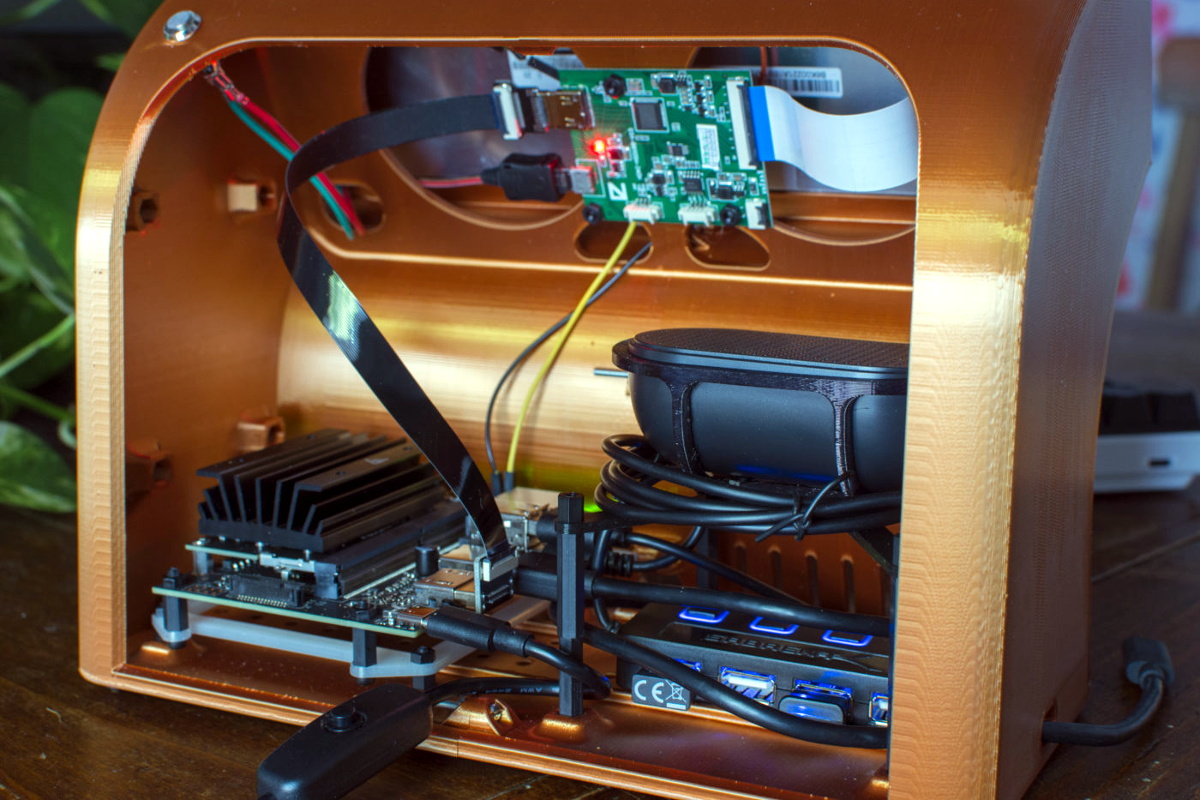
But we particularly like the ultra-widescreen design that [Oriol] has come up with. With a fairly unusual 4:1 aspect ratio LCD, the printed enclosure for this one was so large that it had to be done in two pieces on his Ender 3. To keep the 8″ 1920 x 480 panel well fed, this design uses a Jetson Nano 2GB which has considerably more graphical punch than other Linux SBCs of similar size and price.