The Prusa I3 MK3S And A Tale Of Two Sensors

When the Prusa i3 MK3 was released in 2017, it was marketed as being “bloody smart” thanks to the impressive number of sensors that had been packed into the printer. The update wasn’t really about improving print quality over the MK2, but rather to make the machine easier to use and more reliable. There was a system for resuming prints that had stopped during a power outage, a thermometer so the firmware could compensate against thermal drift in the inductive bed sensor, RPM detection on all of the cooling fans, and advanced Trinamic stepper drivers that could detect when the printer had slipped or gotten stuck.

The optical filament sensor of the Prusa i3 MK3.

But the most exciting upgrade of all was the new filament sensor. Using an optical encoder similar to what you’d find in a mouse, the Prusa i3 MK3 could detect when filament had been inserted into the extruder. This allowed the firmware to pause the print if the filament had run out, a feature that before this point was largely unheard of on consumer-grade desktop 3D printers. More than that, the optical encoder could also detect whether or not the filament was actually moving through the extruder.

In theory, this meant the MK3 could sense problems such as a jammed extruder or a tangle in the filament path that was keeping the spool from unrolling. Any other consumer 3D printer on the market would simply continue merrily along, not realizing that it wasn’t actually extruding any plastic. But the MK3 would be able to see that the filament had stalled and alert the user. The capabilities of the optical filament sensor represented a minor revolution in desktop 3D printing, and combined with the rest of the instrumentation in the MK3, promised to all but eradicate the heartbreak of failed prints.

Fast forward to February of 2019, and the announcement of the Prusa i3 MK3S. This relatively minor refresh of the printer collected up all the incremental tweaks that had been made during the production of the MK3, and didn’t really add any new features. Though it did delete one: the MK3S removed the optical encoder sensor used in the MK3, and with it the ability to sense filament movement. Users would have to decide if keeping the ability to detect clogs and tangles was worth giving up all of the other improvements offered by the update.

But why? What happened in those three years that made Prusa Research decide to abandon what promised to be a huge usability improvement for their flagship product? The answer is an interesting look at how even the cleverest of engineering solutions don’t always work as expected in the real-world.

Continue reading “The Prusa I3 MK3S And A Tale Of Two Sensors”

3D Printed Mini MacBook With A Raspberry Pi Heart

Do you like the sleek look of Apple’s laptops? Are you a fan of the Raspberry Pi? Have a particular affinity for hot glue and 3D printed plastic? Then you’re in luck, because this tiny “MacBook” built by serial miniaturizer [Michael Pick] features all of the above (and a good bit more) in one palm-sized package. (Video link, embedded below.)

Getting the LCD panel and Raspberry Pi 4 to fit into the slim 3D printed case took considerable coaxing. In the video after the break, you can see [Michael] strip off any unnecessary components that would stand in his way. The LCD panel had to lose its speakers and buttons, and the Pi has had its Ethernet and USB ports removed. While space was limited, he did manage to squeeze an illuminated resin-printed Apple logo into the lid of the laptop to help sell the overall look.

The bottom half of the machine has a number of really nice details, like the fan grill cut from metal hardware cloth and a functional “MagSafe” connector made from a magnetic USB cable. The keyboard PCB and membrane was liberated from a commercially available unit, all [Michael] needed to do was model in the openings for the keys. Since the keyboard already came with its own little trackpad, the lower one is just there for looks.

Speaking of which, to really drive home the Apple aesthetic, [Michael] made the bold move of covering up all the screws with body filler after assembly. It’s not a technique we’d necessarily recommend, but gluing it shut would probably have made it even harder to get back into down the line.

We’ve previously seen [Michael] create a miniature rendition of the iMac and an RGB LED equipped “gaming” computer using many of the same parts and techniques. He’ll have to start branching off into less common machines to replicate soon, which reminds us that we’re about due for another tiny Cray X-MP.

Continue reading “3D Printed Mini MacBook With A Raspberry Pi Heart”

Developing An Open Source Electronics Trainer

It’s a safe bet that most Hackaday reader’s interest in electronics started at a young age, and that their early forays into the world of hardware hacking likely involved some form of “playground” kit. As long as you didn’t lose any of the components, these kits promised the user that hundreds of possible projects were just a few jumper wires away. Extra points awarded for when you decide to toss away the manual and fly solo.

While there’s still no shortage of such products on the market, [Josh Kittle] felt the concept could do with a freshening up. His open hardware “Microcontroller Trainer” harkens back to those old multi-kits, but adds in the sort of high-tech gadgetry that makes the modern DIY world go round.

It’s still got the traditional layout: a center mounted breadboard surrounded by an array of LEDs, a handful of buttons, and a pair of potentiometers. But there’s also sockets for the Raspberry Pi, ESP8266, ESP32, and Arduino. Plus a few of their most popular friends to keep them company: a .96″ OLED, 2.4″ Touch TFT, and a BC05 Bluetooth module.

Originally [Josh] created this design to help clean up his own workspace, figuring he could just put his most used components on a single compact board. But as you might expect, others expressed interest in the concept. Now he’s producing them as kits, and even working his way towards a third hardware revision that adds features such as an integrated 18650 battery for portable use.

While electronics kits that have you build a functional device are a great way to learn the ropes, we’re always glad to see fresh takes on the classic electronic “playground” concept.

Official Teardown Gives Unexpected Look Into PS5

With Sony and Microsoft still a month away from the public release of their next-generation game consoles, you’d expect technical details of their respective systems to still be under a veil of secrecy. But both companies look to be taking things a bit differently this generation, as it becomes increasingly clear that modern consumers are interested in what makes their devices tick. Today, Sony really threw down the gauntlet by beating the tech media to the punch and posting their own in-depth teardown on the new PlayStation 5.

Unsurprisingly, the video after the break is almost entirely in Japanese. But even if you don’t know the language, there’s plenty of interesting details to be had. For one thing, the heatsink and fan that cools the PS5’s AMD CPU and GPU are collectively so massive that they appear to take up most of the console’s internal volume.

In fact, the heatsink itself is so large that the motherboard is actually mounted to it instead of the other way around. So if you want to take out the board, you have to unbolt it from the heatsink and remove it first. In the process you’ll expose the unique liquid metal thermal compound that Sony apparently developed specifically for this application. Good luck to you if any dust gets in that expensive-looking goop.

It’s also interesting to note that, unlike the previous two generations of Sony consoles, the PS5 has no discrete hard drive. Instead, onboard flash with a custom controller is used to provide 825 GB of storage for software. Hopefully Sony has put the requisite amount of R&D into their wear leveling, as a shot flash chip will mean a whole new motherboard. That said, gamers with extensive collections will be happy to see there appears to be an expansion bay where you can install your own M.2 drive.

Between this and the recent PS4 assembly line tour, it’s refreshing to see a company like Sony be a bit more transparent. After years of adversarial treatment from the tech giants, we’d almost forgotten that the customer is supposed to be king. Continue reading “Official Teardown Gives Unexpected Look Into PS5”

Aruna: An Open Source ROV For Affordable Research

Underwater exploration and research can be exceedingly dangerous, which is why remotely operated vehicles (ROVs) are so commonly used. Operators can remotely command these small submersibles to capture images or collect samples at depths which would otherwise be unreachable. Unfortunately, such technology comes at a considerable price.

Believing that the high cost of commercial ROVs is a hindrance to aquatic conservation efforts, [Noeël Moeskops] has been developing an open source modular ROV he calls Aruna. Constructed largely from off-the-shelf components and 3D-printed parts, the Aruna promises to be far more affordable than anything currently on the market. Hopefully cheap enough to allow local governments and even citizens to conduct their own underwater research and observations.

More than just the ROV itself, Aruna represents an entire system for developing modular underwater vehicles. Whether you decide to build the boilerplate ROV documented and tested by [Noeël], or implement individual components into your own design, the project is a valuable source of hardware and software information for anyone interested in DIY underwater robotics.

Continue reading “Aruna: An Open Source ROV For Affordable Research”

NVIDIA Announces $59 Jetson Nano 2GB, A Single Board Computer With Makers In Mind

NVIDIA kicked off their line of GPU-accelerated single board computers back in 2014 with the Jetson TK1, a $200 USD development system for those looking to get involved with the burgeoning world of so-called “edge computing”. It was designed to put high performance computing in a small and energy efficient enough package that it could be integrated directly into products, rather than connecting to a data center half-way across the world.

The TK1 was an impressive piece of hardware, but not something the hacker and maker community was necessarily interested in. For one thing, it was fairly expensive. But perhaps more importantly, it was clearly geared more towards industry types than consumers. We did see the occasional project using the TK1 and the subsequent TX1 and TX2 boards, but they were few and far between.

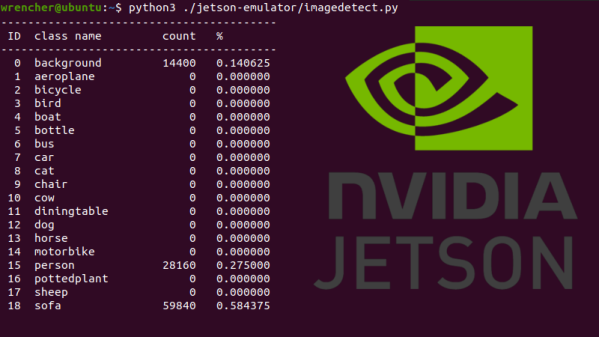
Then came the Jetson Nano. Its 128 core Maxwell CPU still packed plenty of power and was fully compatible with NVIDIA’s CUDA architecture, but its smaller size and $99 price tag made it far more attractive for hobbyists. According to the company’s own figures, the number of active Jetson developers has more than tripled since the Nano’s introduction in March of 2019. With the platform accessible to a larger and more diverse group of users, new and innovative applications for machine learning started pouring in.

Cutting the price of the entry level Jetson hardware in half was clearly a step in the right direction, but NVIDIA wanted to bring even more developers into the fray. So why not see if lightning can strike twice? Today they’ve officially announced that the new Jetson Nano 2GB will go on sale later this month for just $59. Let’s take a close look at this new iteration of the Nano to see what’s changed (and what hasn’t) from last year’s model.

Continue reading “NVIDIA Announces $59 Jetson Nano 2GB, A Single Board Computer With Makers In Mind”

Porting QMK To A Cheap Mechanical Keyboard

Over the last couple of years, we’ve seen an incredible number of DIY keyboard builds come our way. Some have had their switches nestled into laser-cut aluminum and others 3D printed plastic. They may be soldered together on a custom PCB, or meticulously hand-wired. But however they were built, they almost all shared one thing in common: they ran some variant of the open source QMK keyboard firmware.

But what if you just want to run an open firmware on the keyboard you picked up for $50 bucks on Amazon? That’s exactly where [Stephen Peery] found himself nine months ago with this DK63 gaming keyboard. Since so many of these small RGB LED mechanical keyboards are very similar to existing open source designs, he wondered what it would take to blow out the original firmware and replace it with a build of QMK.

While [Stephen] doesn’t have everything working 100% yet, he’s nearly reached the end of his epic reverse engineering journey. The first step was tearing apart the keyboard and identifying all the components it used, then pulling the original firmware out of the updater. From there, between Ghidra and Serial Wire Debug, he was able to figure out most of what the stock firmware was doing so he could replicate it in QMK.

According to his README, the RGB LEDs and Bluetooth functionality don’t currently work, but other than that it seems QMK is up and running. If you’re OK with those concessions, he has information on the page about flashing his build of QMK to the stock DK63 with the ST-Link V2 so you can give it a shot. Though you do so at your own risk; we wouldn’t recommend doing this on your only keyboard.

We’ve seen commercially manufactured keyboards running QMK before, but it usually involves completely replacing the original controller with new electronics. That [Stephen] got this all working on stock hardware so other owners can follow in his footsteps is really a considerable accomplishment.

[Thanks to Baldpower for the tip.]