High Voltage Protects Low Denominations

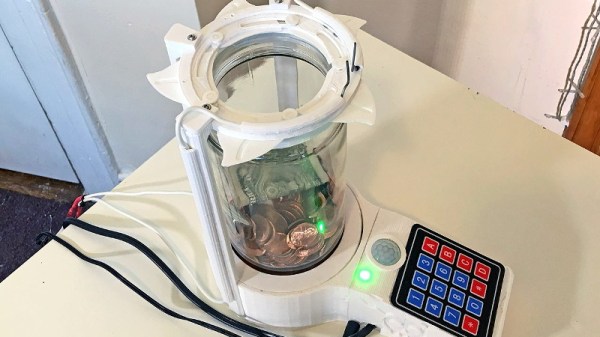
How do you keep people out of your change jar? If you didn’t say with a 3D printed iris mechanism and high-voltage spark gap, then clearly you aren’t [Vije Miller]. Which is probably for the best, as we’re not sure we actually want to live in a world where there are two of these things.

Regular Hackaday readers will know that [Vije] has a way of using electromechanical trickery to inject a bit of excitement, and occasionally a little danger, into even the most mundane aspects of life. His latest project is an automated change jar that uses a pinpad to authenticate users, while everyone else gets the business end of a spark gap if the PIR sensor detects them getting to close.
You can see a demonstration of the jar in the video after the break, where he shows the jar’s ability to stop…himself, from getting access to it. Hey, nobody said it was meant to keep out real intruders. Though we do think a similar gadget could be a fun way to keep the kids out of the cookie jar before dinner, though we’d strongly suggest deleting the high-voltage component from the project before deploying it with a gullet full of Keebler’s best.

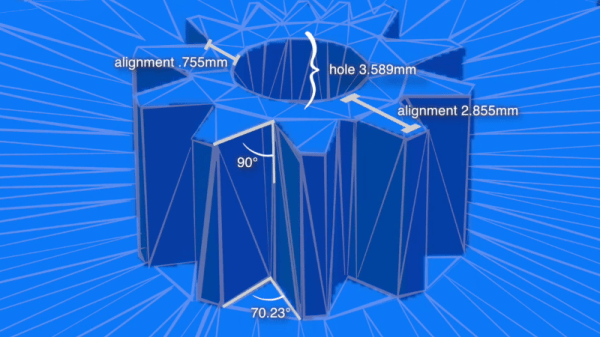
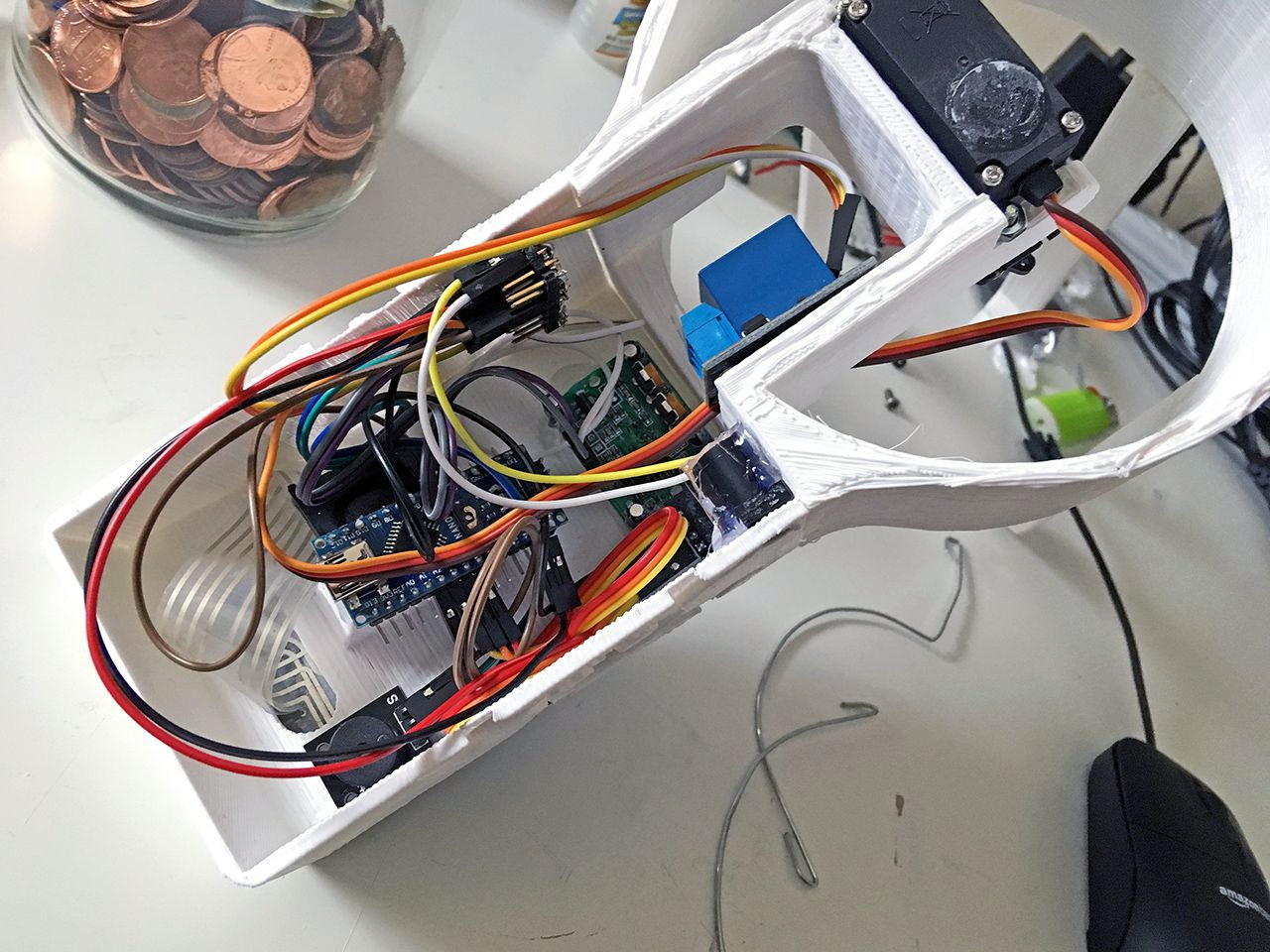
[Vije] was able to adapt a printable iris design he found on Thingiverse to fit over the mouth of the jar, and uses servos in the base to rotate the whole assembly around and open it up. The internal Arduino Nano handles reading from the pinpad, controlling the stepper, and of course firing up the spark generator for 1000 milliseconds each time the PIR sensor detects somebody trying to be cute. Just the sound of the arc should be enough to get somebody to reconsider the value of literal pocket change.

Some of the design elements used in this change jar’s high voltage components were influenced by the lessons learned when [Vije] was building his plasma-powered toilet air freshener. There’s a sentence we bet you never expected to read today.

Continue reading “High Voltage Protects Low Denominations”

PCIe Multiplier Expands Raspberry Pi 4 Possibilities

It probably goes without saying that hardware hackers were excited when the Raspberry Pi 4 was announced, but it wasn’t just because there was a new entry into everyone’s favorite line of Linux SBCs. The new Pi offered a number of compelling hardware upgrades, including an onboard PCI-Express interface. The only problem was that the PCIe interface was dedicated to the USB 3.0 controller; but that’s nothing a hot-air rework station couldn’t fix.

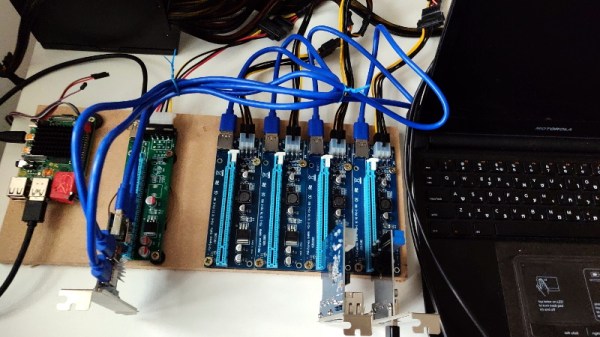
We’ve previously seen steady-handed hackers remove the USB 3.0 controller on the Pi 4 to connect various PCIe devices with somewhat mixed results, but [Colin Riley] has raised the bar by successfully getting a PCIe multiplier board working with the diminutive Linux computer. While there are still some software kinks to work out, the results are very promising and he already has  a few devices working.

Getting that first PCIe port added to the Pi 4 is already fairly well understood, so [Colin] just had to follow the example set by hackers such as [Tomasz Mloduchowski]. Sure enough, when he plugged the port multiplier board in (after a bit of what he refers to as “professional wiggling”), the appropriate entry showed up in lspci.

But there was a problem. While the port multiplier board was recognized by the kernel, nothing he plugged into it showed up. Checking the kernel logs, he found messages relating to bus conflicts, and one that seemed especially important: “devices behind bridge are unusable because [bus 02] cannot be assigned for them“. To make a long story short, it turns out that the Raspbian kernel is specifically configured to only allow a single PCI bus.

Fortunately, it’s an easy fix once you know what the problem is. Using the “Device Tree Compiler” tool, [Colin] was able to edit the Raspbian Device Tree file and change the PCI “bus-range” variable from <0x0 0x1> to <0x0 0xff>. From there, it was just a matter of plugging in different devices and seeing what works. Simple things such as USB controllers were no problem, but getting ARM Linux support for the NVIDIA GTX 1060 he tried will have to be a topic for another day.

[Thanks to Paulie for the tip.]

3D Printering: The Search For Better Search

There’s no question that a desktop 3D printer is at its most useful when it’s producing parts of your own design. After all, if you’ve got a machine that can produce physical objects to your exacting specifications, why not give it some? But even the most diligent CAD maven will occasionally defer to an existing design, as there’s no sense spending the time and effort creating their own model if a perfectly serviceable one is already available under an open source license.

But there’s a problem: finding these open source models is often more difficult than it should be. The fact of the matter is, the ecosystem for sharing 3D printable models is in a very sorry state. Thingiverse, the community’s de facto model repository, is antiquated and plagued with technical issues. Competitors such as Pinshape and YouMagine are certainly improvements on a technical level, but without the sheer number of models and designers that Thingiverse has, they’ve been unable to earn much mindshare. When people are looking to download 3D models, it stands to reason that the site with the most models will be the most popular.

It’s a situation that the community is going to have to address eventually. As it stands, it’s something of a minor miracle that Thingiverse still exists. Owned and operated by Makerbot, the company that once defined the desktop 3D printer but is today all but completely unknown in a market dominated by low-cost printers from the likes of Monoprice and Creality, it seems only a matter of time before the site finally goes dark. They say it’s unwise to put all of your eggs in one basket, and doubly so if the basket happens to be on fire.

So what will it take to get people to consider alternatives to Thingiverse before it’s too late? Obviously, snazzy modern web design isn’t enough to do it. Not if the underlying service operates on the same formula. To really make a dent in this space, you need a killer feature. Something that measurably improves the user experience of finding the 3D model you need in a sea of hundreds of thousands. You need to solve the search problem.

Continue reading “3D Printering: The Search For Better Search”

A Teeny Tiny 3D Printed Macro Extension Tube

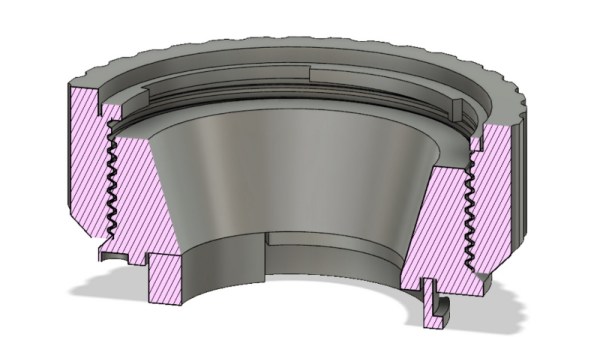
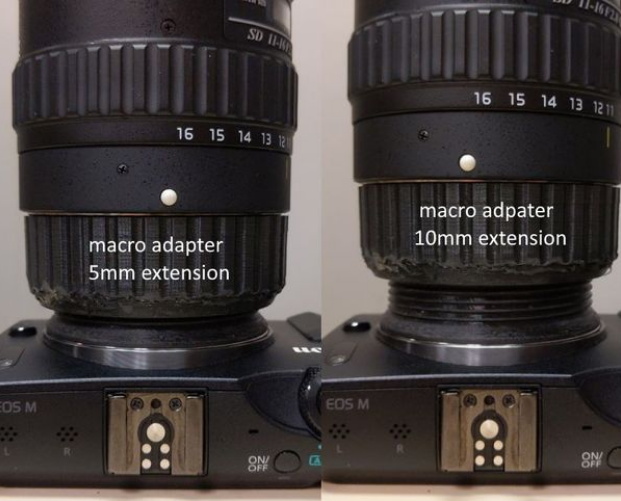
When you hear the term “extension tube”, you probably think of something fairly long, right? But when [Loudifier] needed an extension tube to do extreme close-ups with a wide-angle lens on a Canon EF-M camera, it needed to be small…really small. The final 3D printed extension provides an adjustable length between 0 and 10 millimeters.

But it’s not just an extension tube, that would be too easy. According to [Loudifier], the ideal extension distance would be somewhere around 3 mm, but unfortunately the mounting bayonet for an EF-M lens is a little over 5 mm. To get around this, the extension tube also adapts to an EF/EF-S lens, which has a shorter mount and allows bringing it in closer than would be physically possible under otherwise.

[Loudifier] says the addition of electrical connections between the camera and the lens (for functions like auto focus) would be ideal, but the logistics of pulling that off are a bit daunting. For now, the most reasonable upgrades on the horizon are the addition of some colored dots on the outside to help align the camera, adapter, and lens. As the STLs and Fusion design file are released under the Creative Commons, perhaps the community will even take on the challenge of adapting it to other lens types.

For the polar opposite of this project, check out the 300 mm long 3D printed extension tube we covered a few weeks back that inspired [Loudifier] to send this project our way.

Open Source Smart Smoker Brings The Heat (Slowly)

Conceptually, cooking on a grill is simple enough: just crank up the flames and leave the food on long enough for it to cook through, but not so long that it turns into an inedible ember. But when smoking, the goal is actually to prevent flames entirely; the food is cooked by the circulation of hot gasses generated by smoldering wood. If you want a well-cooked and flavorful meal, you’ll need the patience and dedication to manually keep the fuel and air balanced inside the smoker for hours on end.

Or in the case of the Smokey Mc Smokerson, you just let the electronics handle all the hard stuff while you go watch TV. Powered by the Raspberry Pi Zero and a custom control board, this open source smoker offers high-end capabilities on a DIY budget. Granted you’ll still need to add the fuel of your choice the old fashioned way, but with automatic air flow control and temperature monitoring, it greatly reduces the amount of fiddly work required to get that perfect smoke.

[HackersHub] has been working on Smokey Mc Smokerson for a few months now, and are getting very close to building the first complete prototype. The initial version of the software is complete, and the classy black PCBs have recently arrived. Some simulations have been performed to get an idea of how the smoke will circulate inside of the smoker itself, built from a 55 gallon drum, but technically the controller is a stand-alone device. If you’re willing to makes the tweaks necessary, the controller could certainly be retrofitted to  commercially available smoker instead.

Ultimately, this project boils down to tossing a bunch of temperature sensors at the problem. The software developed by [HackersHub] takes the data collected by the five MAX6675 thermocouples and uses it to determine when to inject more air into the chamber using a PWM-controlled fan at the bottom of the smoker. As an added bonus, all those temperature sensors give the user plenty of pretty data points to look at in the companion smartphone application.

We’ve actually seen a fair number of technologically-augmented grills over the years. From this automotive-inspired “turbocharged” beast to a robotic steak flipper built out of PVC pipes, we can confidently say that not all hackers are living on a diet of microwaved ramen.

The Ultimate Guide To Artisan USB Cables

If you’ve gone through the trouble of building your own customized mechanical keyboard, the last thing you want to do is plug it into your computer with some plebeian USB cable from the local electronics shop. Your productivity, nay livelihood, depends on all those 1s and 0s being reproduced with the crisp fidelity that’s only possible with a high-end USB cable. Anything less would be irresponsible.

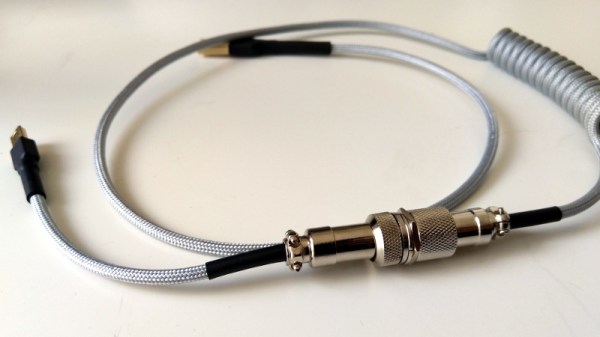
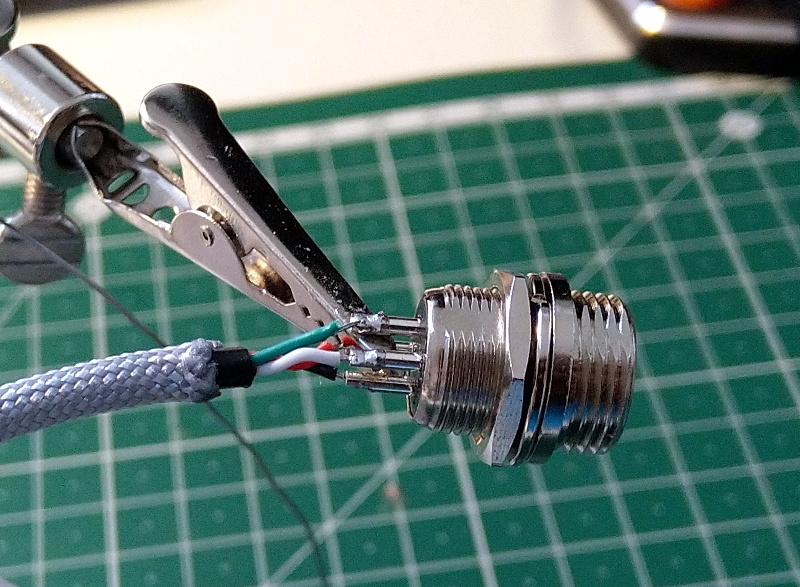
Or at least, that’s what the advertising on the back of the package would say if we tried to sell the custom USB cables built by [Josef Adamčík]. But alas, he’s decided to give away all the details for free so that anyone can build their own delightfully overengineered USB cables. Do you need a paracord USB cable with GX12 aviation connectors in the middle? Of course not. But you still want one, don’t you?

As [Josef] admits in his blog post, there’s nothing particularly special about what he’s doing here. If you can splice wires together, you can build your own bespoke USB cables. But what attracted us to his write-up was the phenomenal detail he goes into. Every step is clearly explained and includes a nice, well-lit, photo to illustrate what he’s doing. Honestly, when the documentation for soldering some USB connectors onto a wire looks this good, there’s no excuse why more substantial projects get little more than a few blurry shots.

Of course, even for those of us who are no stranger to the ways of the soldering iron, there’s likely a few ideas you can pull from this project. We particularly liked his tip for taping the USB connector to the workbench while soldering it rather than trying to get it to stay in a vise, and his method for adding a coil the cable with a wooden jig and a heat gun is definitely something to file away for future use.

Then again in an era where even the lowly-USB cable can potentially be a security threat, or simply not live up to published specifications, rolling your own might not be such a bad idea.

3D Printing May Be The Key To Practical Scramjets

The first scramjet, an airbreathing jet engine capable of pushing an aircraft beyond Mach 5, was successfully flown in the early 1990s. But while pretty much any other technology you could imagine has progressed by leaps and bounds in the nearly 30 years that have passed, the state-of-the-art in hypersonic scramjets hasn’t moved much. We still don’t have practical hypersonic aircraft, military or otherwise, and any missiles that travel at those sort of speeds are rocket powered.

NASA’s X-43 hit Mach 9.6 in 2004

This is somewhat surprising since, at least on paper, the operating principle of the scramjet is simplicity itself. Air rushing into the engine is compressed by the geometry of the inlet, fuel is added, the mixture is ignited, and the resulting flow of expanded gases leaves the engine faster than it entered. There aren’t even any moving parts inside of a scramjet, it’s little more than a carefully shaped tube with fuel injectors and ignitors in it.

Unfortunately, pulling it off in practice is quite a bit harder. Part of the problem is that a scramjet doesn’t actually start working until the air entering the engine’s inlet is moving at around Mach 4, which makes testing them difficult and expensive. It’s possible to do it in a specially designed wind tunnel, but practically speaking, it ends up being easier to mount the engine to the front of a conventional rocket and get it up to speed that way. The downside is that such flights are one-way tickets, and end with the test article crashing into the ocean once it runs out of fuel.

But the bigger problem is that the core concept is deceptively simple. It’s easy to say you’ll just squirt some jet fuel into the stream of compressed air and light it up, but when that air is moving at thousands of miles per hour, keeping it burning is no small feat. Because of this, the operation of a scramjet has often been likened to trying to light a match in a hurricane; the challenge isn’t in the task, but in the environment you’re trying to perform it in.

Now, both Aerojet Rocketdyne and Northrop Grumman think they may have found the solution: additive manufacturing. By 3D printing their scramjet engines, they can not only iterate through design revisions faster, but produce them far cheaper than they’ve been able to in the past. Even more importantly, it enables complex internal engine geometries that would have been more difficult to produce via traditional manufacturing.

Continue reading “3D Printing May Be The Key To Practical Scramjets”