Put Those IPad Displays To Work With This EDP Adapter

Regardless of how you might feel about Apple and the ecosystem they’ve cultured over the years, you’ve got to give them some credit in the hardware department. Their “Retina” displays are a perfect example; when they brought the 2,048 by 1,536 panel to the iPad 3, the technology instantly became the envy of every tablet owner. But what if you want to use one of these gorgeous screens outside of Apple’s walled garden?
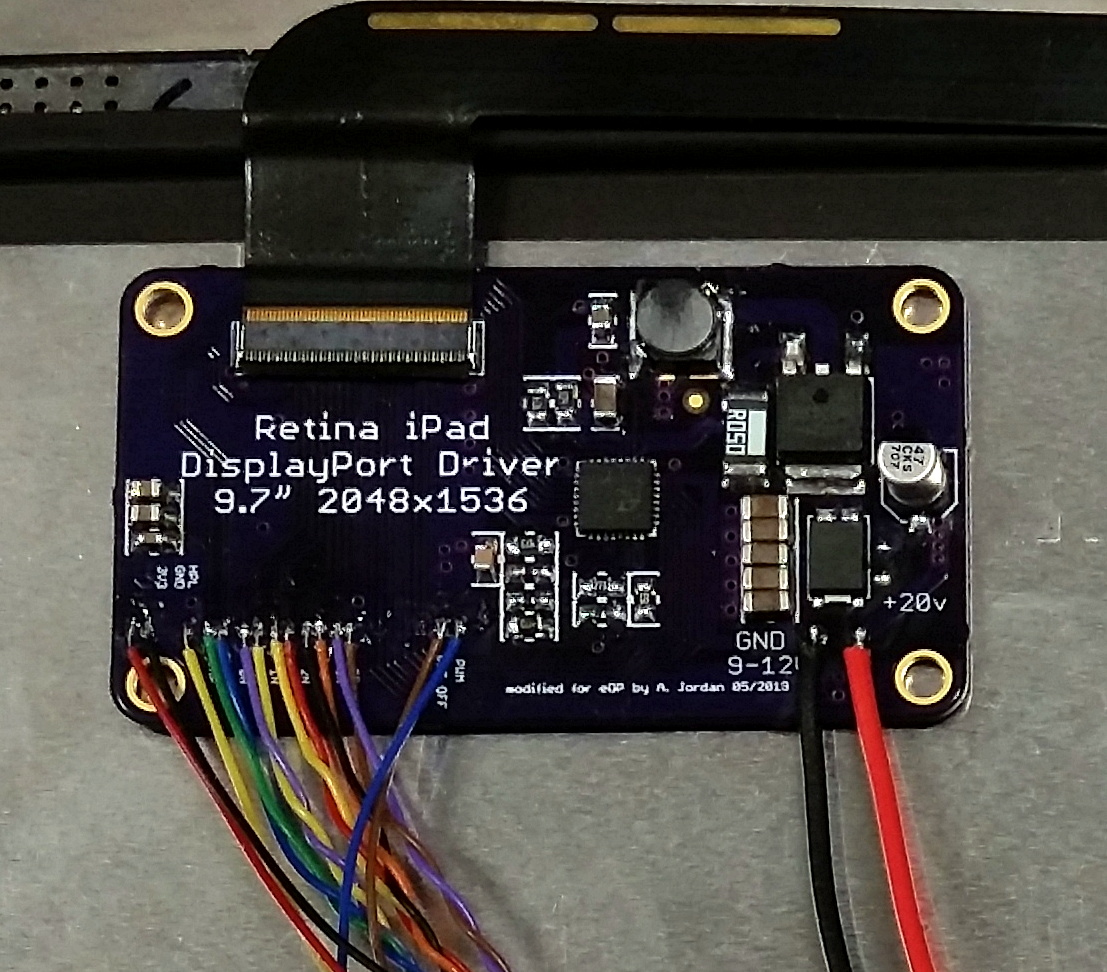
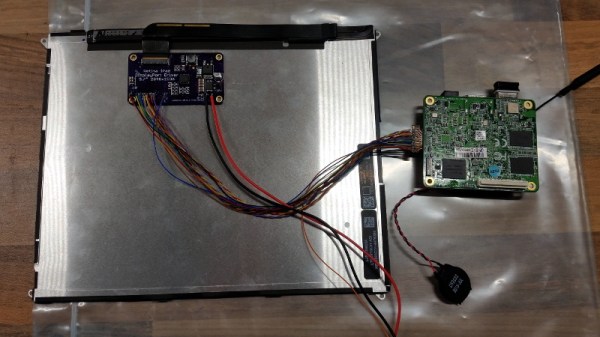
As it turns out, there are a number of options out there to use these screens on other devices, but [Arthur Jordan] wasn’t quite happy with any of them. So he did what any self respecting hacker would do, and built his own adapter for iPad 3 and 4 screens. Not that he did it completely in the dark; his design is based on the open source Adafruit Qualia driver, which in turn was based on research done by [Mike’s Mods]. A perfect example of the open source community at work.

The resulting board allows you to connect the Retina display from the iPad 3 or 4 to any device that features Embedded DisplayPort (eDP). Rather than put a dedicated port on his board, [Arthur] just left bare pads where you can solder up whatever interface method your particular gadget might use. In his case, he wanted to hook it up to an x86 UP Core SBC, so he even came up with a seperate adapter that breaks out that board’s diminutive display connector to something that can be soldered by hand.

So what’s different between the board [Arthur] developed and Adafruit’s Qualia? Primarily its been made smaller by deleting the DisplayPort connectors in favor of those bare pads, but he’s also dumped the backlight control hardware and 3.3V regulator that in his experience hasn’t been necessary with the eDP devices he’s worked with. So if space is a concern in your build, this version might be what you’re after.

We’ve seen other Retina display adapters in the past, and of course the iPad isn’t the only high-end device that’s had a screen good enough to reuse on its own. The lesson here is that if you put a must-have feature in your product, don’t be surprised when some hacker comes along and figures out how to liberate it for their own purposes.
Getting Hackers Excited About Cable Robots

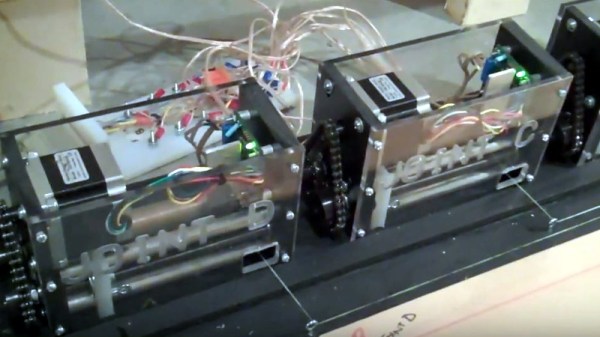
Ever since he looked into them as a way to water and care for his plants, [Tom] has been fascinated with cable robots. These high-flying gadgets can move in three dimensions over huge areas, provided you’ve got the ability to string up the aforementioned cables. But despite their flexibility, there hasn’t been a whole lot of hobbyist level development with these unique systems.

With his entry into the 2019 Hackaday Prize, [Tom] is hoping to change that. He’s learned a lot by building his own cable robots, and now wants to take it to the next level. Ideally with collaboration from the community, if he can find other hackers looking to outfit their homes or workshops with their own miniature sky cranes.

So what can you do with a cable robot? In the video after the break, [Tom] shows one of his creations dutifully transporting beer cans across the room and stacking them into a pyramid. Admittedly this isn’t a particularly useful capability (unless you run a bar, perhaps), but it does show the speed and dexterity of the system even when crossing large distances. If you’ve ever wanted to play the home edition of “Automate the Freight”, this one’s for you.

The system uses a trio of 36 volt stepper motors powered by a homebrew SLA7078 driver that [Tom] designed himself. Each stepper turns a geared-down spindle to which a strong cable is attached. With some clever routing around the workspace, careful orchestration of these small winches can be used to move the point where all the cables meet in 3D space. All that’s left is mounting your gadget of choice to this central point, and away you go.

We’ve seen the concept used commercially, but as far as hobbyist projects go, the most activity we’ve seen in this space would have to be the various room sized 3D printers that have popped up over the years. It would be interesting to see what kind of interesting projects the community could come up with if they had something with a little more muscle.

Continue reading “Getting Hackers Excited About Cable Robots”

High-Tech Alms Collection With The ESP32

In an ideal world, shop space, tools, and components would be free. But until we get to that Star Trek utopia, hackerspaces will have to rely on donations from the community to help stay afloat. While asking for money, at least you can have some fun with it if you design and build an Internet-connected donation box.

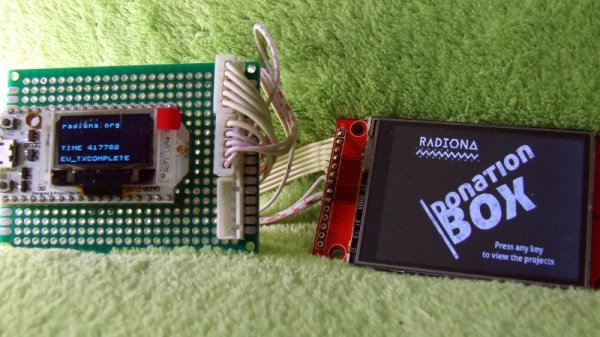
Or at least that’s how [Goran Mahovlic] handled it for the Radiona hackerspace in Zagreb, Croatia. Not content with just cutting a slit in the top of a shoe box, he came up with a physical donation system that’s not only more informative for those donating, but more organized for those collecting the funds.

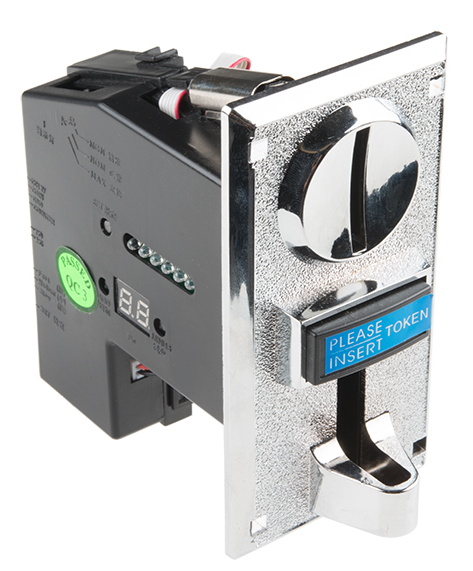
The key is a arcade-style programmable coin acceptor from SparkFun. When connected to a microcontroller, this allows the box to keep a running tally on how much money has been inserted. With the use of a RFM96 LoRa module, it can even report on the current haul while remaining mobile; perfect for when the hackerspace has events outside of their home base.

But counting quarters is hardly a task befitting a powerful microcontroller like the ESP32. So [Goran] gave the chip something to do in its spare time by adding a couple of buttons and an LCD. This allows the user to scroll through a list of various projects that are looking for donations, and decide which one they want to financially support. When the donation box counts how much money has been inserted, it records which project its been earmarked for.

Of course, if you’d rather the free market do its thing, we’ve seen this same coin acceptor used to build a locker-sized vending machine. Or if you’re feeling crafty, you could always try your hand at building one with cardboard.

Continue reading “High-Tech Alms Collection With The ESP32”

Hacking This Smart Bulb Is Almost Too Easy

The regular Hackaday reader no longer needs to be reminded about how popular the ESP8266 is; they see the evidence of that several times a day. But what might not be quite so obvious is that it isn’t just us hacker types that are in love with the inexpensive IoT microcontroller, it’s also popping up more and more frequently in commercial products.

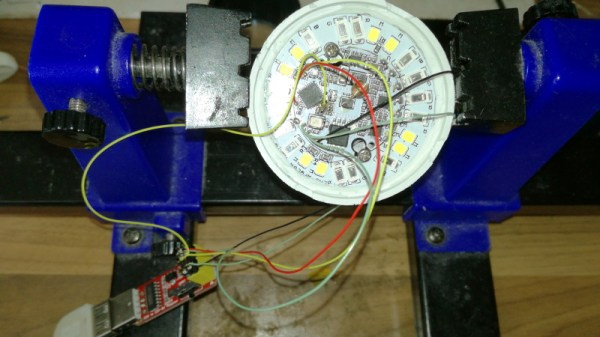
As [Majenko] demonstrates, one of those ESP-powered devices is the LOHAS Smart LED Bulb. Upon cracking one open, he found that these relatively low-cost bulbs are little more than a standard ESP8266 chip and a couple of LED drivers. He wanted to see how hard it would be to get his own code running on the bulb, and by the looks of it, it took longer to get the thing open then it did to load it up with a custom firmware.

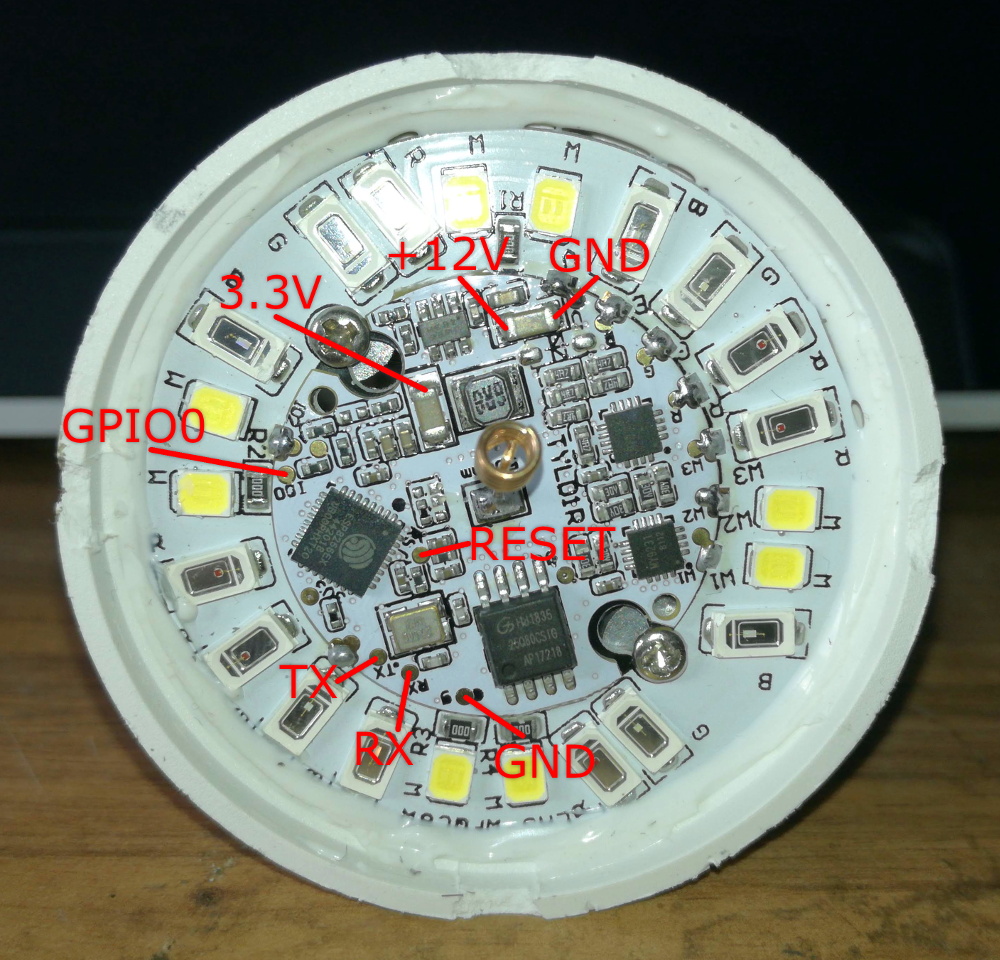
The bulb’s PCB features the aforementioned ESP8266, a 1MB 25Q80 flash chip, and MY9231 LED drivers. Whoever put the board together was nice enough to label the RX, TX, and GPIO test points, though [Majenko] notes that what’s labeled as 3.3 V appears dead. With a ESP-01 programmer wired up to the board and the appropriate board settings (which he provides), you can use the Arduino IDE to upload whatever you like to it.

Running “Hello World” on a smart bulb is fun and all, but what about kicking on those LEDs? [Majenko] found a library that works with the MY9231 drivers, and it didn’t take long to figure out which of the ESP’s pins were used to communicate with them. All in all, he said it was far easier than he expected.

You’ll probably want to put this bulb back into service after reprogramming, so [Majenko] advises caution when cracking open the shell. There are clips holding on the diffuser which he assures us are going to break no matter what you do, plus some silicone adhesive. He suggests super glue to hold it together when you’re done programming it, and using an OTA firmware so you don’t need to get back in there.

In the past we’ve shown how some hackers are rolling their own smart bulb hardware, but with cheap commercial offerings that are so easily hackable, it frankly doesn’t seem worth the effort. On the other hand, an influx of cheap ESP-powered bulbs isn’t all good news.

Raspberry Pi Cyberdeck Inspired By Rare MSX

When we see these cyberdeck builds, the goal is usually to just make something retro-futuristic enough to do William Gibson proud. There’s really no set formula, but offset screens coupled with large keyboards and a vague adherence to 1980s design language seem to be the most important tenets.

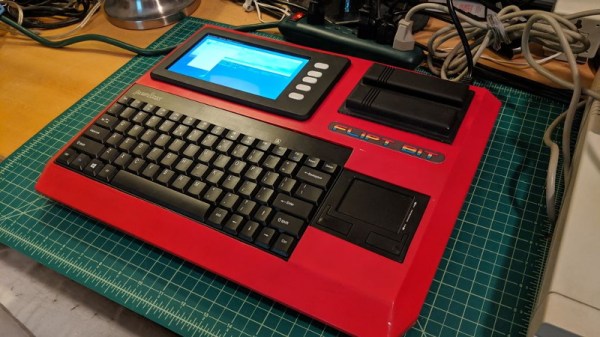
Granted the recent build by [lewisb42] still leans heavily on those common tropes, but at least there’s a clear lineage: his Raspberry Pi retro all-in-one is styled after a particularly rare bright red variant of the MSX that Sony released in Japan. Known as the HIT-BIT HB-101, some aficionados consider the circa-1984 machine to be the peak of MSX styling. Since getting his hands on a real one to retrofit wasn’t really an option, he had no choice but to attempt recreating some of the computer’s unique design elements from scratch.

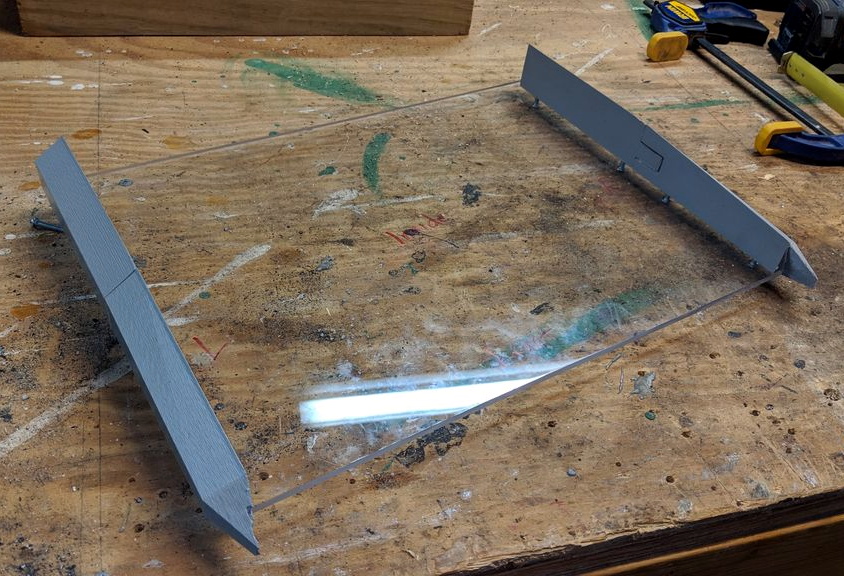
The faceted sides were 3D printed in pieces, glued together, and then attached to a 1/4″ thick backplate made out of polycarbonate. For the “nose” piece under the keyboard, [lewisb42] actually used a piece of wood cut at the appropriate angles with a table saw. The top surface of the computer, which he calls the FLIPT-BIT, is actually made of individual pieces of foamed PVC sheet.

If all this sounds like a big jigsaw puzzle, that’s because it basically is. To smooth out the incongruous surfaces, he used a combination of wood putty, body filler, spot putty, and more time sanding then we’d care to think about. For the 3D printed surface details such as the screen bezel and faux cartridge slots, he used a coat of Smooth-On’s XTC-3D and yet more sanding. While [lewisb42] says the overall finish isn’t quite as good as he hoped, we think the overall look is fantastic considering the combination of construction techniques hiding under that glossy red paint job.

As for the electronics, there’s really no surprises there. The FLIPT-BIT uses a keyboard and touchpad from Perixx, a seven inch TFT display, and of course the Raspberry Pi 3. The display runs at 12 V so [lewisb42] used a combination of a generic laptop-style power supply and a 5 V step-down converter to keep everyone happy. While it doesn’t currently have a battery, it seems like there’s more than enough room inside the case to add one if he ever wants to go mobile.

If this build doesn’t properly scratch your Neuromancer itch, never fear. Just take a look at this decidedly less friendly-looking build that even includes a VR headset for properly jacking yourself into the matrix.

New Space Abort Systems Go Back To The Future

Throughout the history of America’s human spaceflight program, there’s been an alternating pattern in regards to abort systems. From Alan Shepard’s first flight in 1961 on, every Mercury capsule was equipped with a Launch Escape System (LES) tower that could pull the spacecraft away from a malfunctioning rocket. But by the first operational flight of the Gemini program in 1965, the LES tower had been deleted in favor of ejection seats. Just three years later, the LES tower returned for the first manned flight of the Apollo program.

Mercury LES Tower

With the Space Shuttle, things got more complicated. There was no safe way to separate the Orbiter from the rest of the stack, so when Columbia made its first test flight in 1981, NASA returned again to ejection seats, this time pulled from an SR-71 Blackbird. But once flight tests were complete, the ejector seats were removed; leaving Columbia and all subsequent Orbiters without any form of LES. At the time, NASA believed the Space Shuttle was so reliable that there was no need for an emergency escape system.

It took the loss of Challenger and her crew in 1986 to prove NASA had made a grave error in judgment, but by then, it was too late. Changes were made to the Shuttle in the wake of the accident investigation, but escape during powered flight was still impossible. While a LES would not have saved the crew of Columbia in 2003, another seven lives lost aboard the fundamentally flawed Orbiter played a large part in President George W. Bush’s decision to begin winding down the Shuttle program.

In the post-Shuttle era, NASA has made it clear that maintaining abort capability from liftoff to orbital insertion is a critical requirement. Their own Orion spacecraft has this ability, and they demand the same from commercial partners such as SpaceX and Boeing. But while all three vehicles are absolutely bristling with high-tech wizardry, their abort systems are not far removed from what we were using in the 1960’s.

Let’s take a look at the Launch Escape Systems for America’s next three capsules, and see where historical experience helped guide the design of these state-of-the-art spacecraft.

Continue reading “New Space Abort Systems Go Back To The Future”

Homekit Compatible Sonoff Firmware Without A Bridge

Generally speaking, home automation isn’t as cheap or as easy as most people would like. There are too many incompatible protocols, and more often than not, getting everything talking requires you to begrudgingly sign up for some “cloud” service that you didn’t ask for. If you’re an Apple aficionado, there can be even more hoops to jump through; getting your unsupported smart home devices working with that Cupertino designed ecosystem often involves running your own HomeKit bridge.

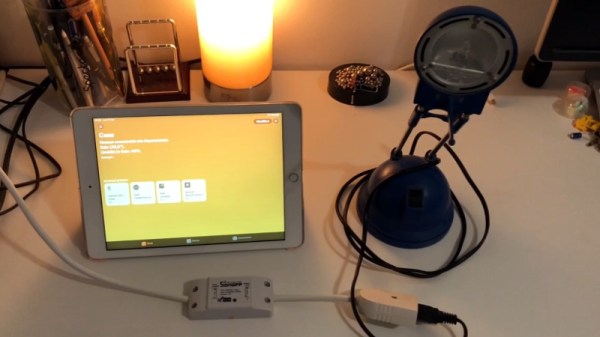
To try and simplify things, [Michele Gruppioni] has developed a firmware for the ubiquitous Sonoff WIFI Smart Switch that allows it to speak native HomeKit. No more using a Raspberry Pi to act as a mediator between your fancy Apple hardware and that stack of $4 Sonoff’s from AliExpress, they can now talk to each other directly. In the video after the break you can see that the iPad identifies the switch as unofficial device, but since it’s compliant with the HomeKit API, that doesn’t prevent them from talking to each other.

Not only will this MIT licensed firmware get your Sonoff Basic, Sonoff Slampher, or Sonoff S26 talking with your Apple gadgets, but it also provides a web interface and REST API so it retains compatibility with whatever else you might be running in your home automation setup. So while the more pedestrian users of your system might be turning the porch light on with their iPhones, you can still fire it up with a Bash script as nature intended.

Of course, if you don’t mind adding a Raspberry Pi bridge to the growing collection of devices on your network, we’ve got plenty of other HomeKit-enabled projects for you to take a look at.

Continue reading “Homekit Compatible Sonoff Firmware Without A Bridge”