Making The Case For Slackware In 2018

If you started using GNU/Linux in the last 10 years or so, there’s a very good chance your first distribution was Ubuntu. But despite what you may have heard on some of the elitist Linux message boards and communities out there, there’s nothing wrong with that. The most important thing is simply that you’re using Free and Open Source Software (FOSS). The how and why is less critical, and in the end really boils down to personal preference. If you would rather take the “easy” route, who is anyone else to judge?

Having said that, such options have not always been available. When I first started using Linux full time, the big news was that the kernel was about to get support for USB Mass Storage devices. I don’t mean like a particular Mass Storage device either, I mean the actual concept of it. Before that point, USB on Linux was mainly just used for mice and keyboards. So while I might not be able to claim the same Linux Greybeard status as the folks who installed via floppies on an i386, it’s safe to say I missed the era of “easy” Linux by a wide margin.

But I don’t envy those who made the switch under slightly rosier circumstances. Quite the opposite. I believe my understanding of the core Unix/Linux philosophy is much stronger because I had to “tough it” through the early days. When pursuits such as mastering your init system and compiling a vanilla kernel from source weren’t considered nerdy extravagance but necessary aspects of running a reliable system.

So what should you do if you’re looking for the “classic” Linux experience? Where automatic configuration is a dirty word, and every aspect of your system can be manipulated with nothing more exotic than a text editor? It just so happens there is a distribution of Linux that has largely gone unchanged for the last couple of decades: Slackware. Let’s take a look at its origins, and what I think is a very bright future.
Continue reading “Making The Case For Slackware In 2018”

3D Printed Battery Pack Keeps Old Drill Spinning

The greatest enemy of proprietary hardware and components is time. Eventually, that little adapter cable or oddball battery pack isn’t going to be available anymore, and you’re stuck with a device that you can’t use. That’s precisely what happened to [Larry G] when the now antiquated 7.2V NiCd batteries used by his cordless drill became too hard to track down. The drill was still in great shape and worked fine, but he couldn’t power the thing. Rather than toss a working tool, he decided to 3D print his own battery pack.

The 3D modeling on the battery pack is impeccable

He could have just swapped new cells into his old pack, but if you’re going to go through all that trouble, why not improve on things a little? Rather than the NiCd batteries used by the original pack, this new pack is designed around readily available AA NiMH batteries. For the light repairs and craft work he usually gets himself into, he figures these batteries should be fine. Plus he already had them on hand, and as we all know, that’s half the battle when putting a project together.

Interestingly, the original battery pack was wired in such a way that it provided two voltages. In older tools such as this one, this would be used for rudimentary speed control. Depending on which speed setting the drill is on, it would either connect to 4 or 6 cells in the original pack. [Larry] didn’t want to get involved with the extra wiring and never used the dual speeds anyway, so his pack only offers the maximum speed setting. Though he does mention that it may be possible to do PWM speed control in the battery itself via a 555 timer if he feels like revisiting the project.

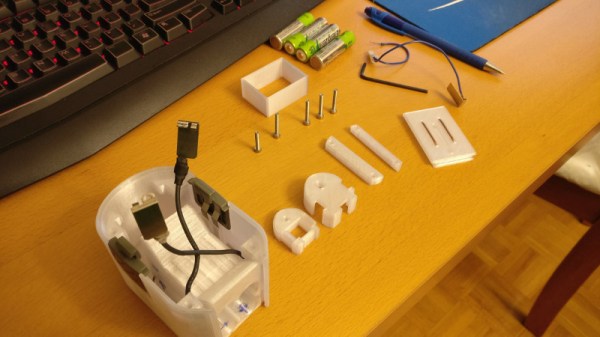
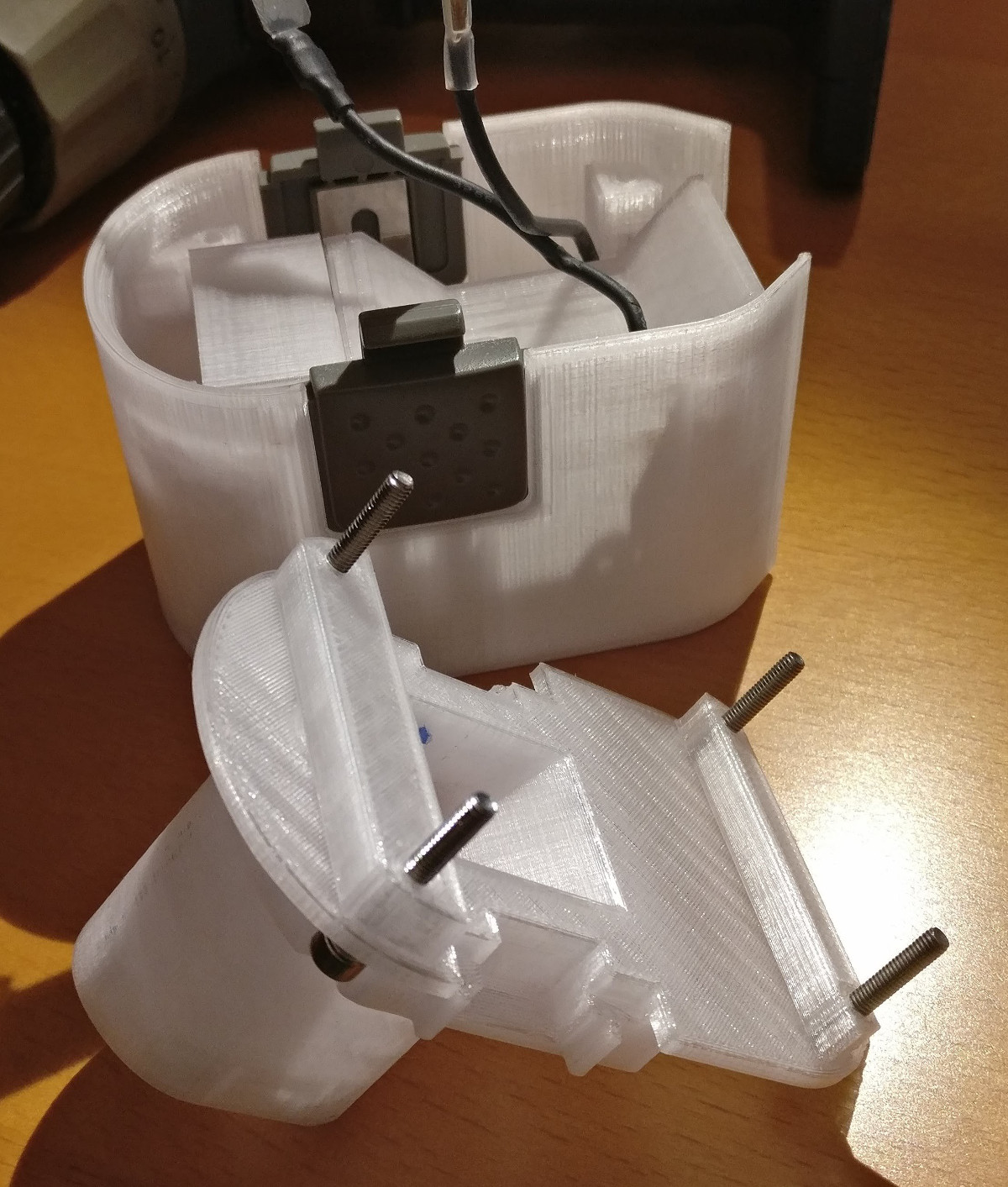
[Larry] tells us the pack itself was rendered completely from scratch, using only the original battery pack and trial-and-error to get the fit perfect. He reused the side-mounted release buttons to save time, but otherwise everything is 3D printed in PETG for its strength and chemical resistance.


This is an entry in Hackaday’s

Repairs You Can Print contest

The twenty best projects will receive $100 in Tindie credit, and for the best projects by a Student or Organization, we’ve got two brand-new Prusa i3 MK3 printers. With a printer like that, you’ll be breaking stuff around the house just to have an excuse to make replacement parts.

Smaller And Smarter: The Electron Rocket Takes Flight

On January 21st, 2018 at 1:43 GMT, Rocket Lab’s Electron rocket lifted off from New Zealand’s Mahia Peninsula. Roughly eight minutes later ground control received confirmation that the vehicle entered into a good orbit, followed shortly by the successful deployment of the payload. On only their second attempt, Rocket Lab had become the latest private company to put a payload into orbit. An impressive accomplishment, but even more so when you realize that the Electron is like no other rocket that’s ever flown before.

Not that you could tell from the outside. If anything, the external appearance of the Electron might be called boring. Perhaps even derivative, if you’re feeling less generous. It has the same fin-less blunted cylinder shape of most modern rockets, a wholly sensible (if visually unexciting) design. The vehicle’s nine first stage engines would have been noteworthy 15 years ago, but today only serve to draw comparisons with SpaceX’s wildly successful Falcon 9.

But while the Electron’s outward appearance is about as unassuming as they come, under that jet-black outer skin is some of the most revolutionary rocket technology seen since the V-2 first proved practical liquid fueled rockets were possible. As impressive as its been watching SpaceX teach a rocket to fly backwards and land on its tail, their core technology is still largely the same as what took humanity to the Moon in the 1960’s.

Vehicles that fundimentally change the established rules of spaceflight are, as you might expect, fairly rare. They often have a tendency to go up in a ball of flames; figuratively if not always literally. Now that the Electron has reached space and delivered its first payload, there’s no longer a question if the technology is viable or not. But whether anyone but Rocket Lab will embrace all the changes introduced with Electron may end up getting decided by the free market.

Continue reading “Smaller And Smarter: The Electron Rocket Takes Flight”

Arcade Style Computer Hotkeys

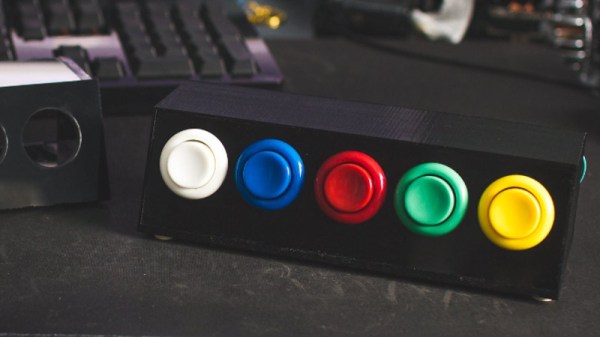
Prolific maker [Sean Hodgins] has taken the wraps off of his latest one-day build, and as usual, it takes the kind of spare parts most people reading Hackaday will have in their parts bins and turns it into something fun and useful. This time around, he takes a bunch of spare arcade-style buttons he had from a previous project and combines them with an Adafruit Trinket (SAMD21 flavor) to make a USB input device for his computer.

[Sean] uses 1/4 inch acrylic to make the case, though he does mention that it could just as easily be 3D printed. But using the acrylic is easy and gives a nice glossy look to the final hardware. With a saw and a drill press you can make some very professional cases out of acrylic, which goes to show that you don’t necessarily need to have a high end 3D printer to create great looking enclosures.

As explained in the video, the Adafruit Trinket is not strictly necessary for this build, it’s just what [Sean] had lying around. Any microcontroller that can present itself to the operating system as a USB Human Interface Device (HID) will work fine for a project like this.

Software wise, a modified Arduino demo program is used to equate the states of the digital pins to pre-defined key combinations to be sent to the computer. In this simple example the key combinations are hard-coded into the Trinket’s source code, but a future enhancement could be adding a method of setting up new key combinations with a configuration tool.

We’ve covered our fair share of non-traditional USB input devices, all operating on largely the same principle. As it turns out, hackers have quite a pension for making oddball input devices.

Continue reading “Arcade Style Computer Hotkeys”

Cramming A Pi Zero Into A Cheap Handheld Game

At this point, we’ve seen the Raspberry Pi jammed into what amounts to every retro game system, handheld or otherwise, that was ever released. While they’re always fun builds, invariably somebody will come along who is upset that the original hardware had to be gutted to create it. It seems as if with each post, a classic gaming aficionado out there has his or her heart broken just a bit more. Will no one put an end to the senseless slaughter of Game Boys?

As it so happens, not all hardware modders are such unconscionable brutes. [Starfire] recently sent his latest creation into the tip line, and it’s designed specifically to address the classic gaming massacre in which Hackaday has so shamefully been a collaborator.  His build sacrifices a portable Genesis built by AtGames, and turns it into a Raspberry Pi Zero portable running RetroPie.

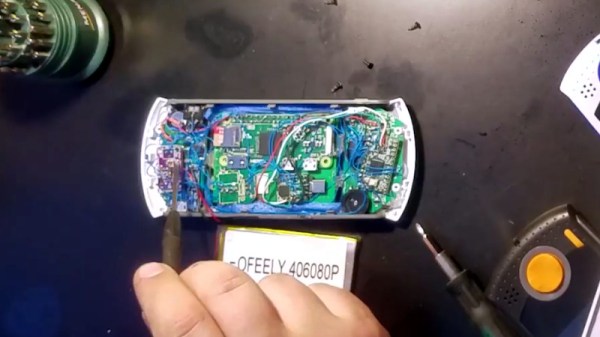
Opening up the back panel of his portable Pi shows an incredible amount of hardware smashed into the tiny package. Beyond the obvious Pi Zero, there’s a iUniker 2.8-inch LCD, a 2,200 mAh battery, a two-port USB hub, a Teensy microcontroller, a USB sound card, an audio amplifier, a LiPo charging module, and a boost converter. [Starfire] measured peak power consumption to be 500 mA, which should give about a 3.5 hour run time on the 2,200 mAh battery.

This is all the more impressive when you realize the original AtGames PCB is still in the system, albeit with the center cut out for the Pi’s LCD to fit in. Rather than having to figure out a new way to handle input, [Starfire] simply connected the existing inputs to the digital pins on the Teensy and used some code to convert that into USB HID for the Pi. A few case modifications were necessary, namely the removal of the battery compartment from the back panel and covering up the original SD card slot and ports; but otherwise the finished product looks completely stock.

If you don’t mind tearing into a real Game Boy to make your portable Pi, you can check out a few of the stand out examples which we’ve covered here in the past.

Continue reading “Cramming A Pi Zero Into A Cheap Handheld Game”

Twitter RNG Is Powered By Memes

Twitter is kind of a crazy place. World leaders doing verbal battle, hashtags that rise and fall along with the social climate, and a never ending barrage of cat pictures all make for a tumultuous stream of consciousness that runs 24/7. What exactly we’re supposed to do with this information is still up to debate, as Twitter has yet to turn it into a profitable service after over a decade of operation. Still, it’s a grand experiment that offers a rare glimpse into the human hive-mind for anyone brave enough to dive in.

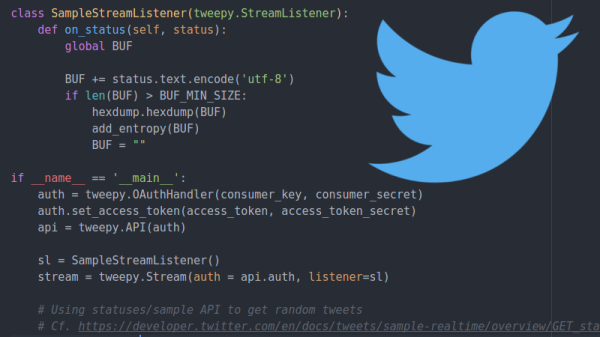
One such explorer is a security researcher who goes by the handle [x0rz]. He’s recently unveiled an experimental new piece of software that grabs Tweets and uses them as a “noise” to mix in with the Linux urandom entropy pool. The end result is a relatively unpredictable and difficult to influence source of random data. While he cautions his software is merely a proof of concept and not meant for high security applications, it’s certainly an interesting approach to introducing humanity-derived chaos into the normally orderly world of your computer’s operating system.

Noise sampling before and after being merged with urandom

This hack is made possible by the fact that Twitter offers a “sample” function in their API, which effectively throws a randomized collection of Tweets at anyone who requests it. There are some caveats here, such as the fact that if multiple clients request a sample at the same time they will both receive the same Tweets. It’s also worth mentioning that some characters are unusually likely to make an appearance due to the nature of Twitter (emoticons, octothorps pound signs, etc), but generally speaking it’s not a terrible way to get some chaotic data on demand.

On its own, [x0rz] found this data to be a good but not great source of entropy. After pulling a 500KB sample, he found it had an entropy of 6.5519 bits per byte (random would be 8). While the Tweets weren’t great on their own, combining the data with the kernel’s entropy pool at /dev/urandom provided something that looked a lot less predictable.

The greatest weakness of using Twitter as a source of entropy is, of course, the nature of Twitter itself. A sufficiently popular hashtag on the rise might be just enough to sink your entropy. It’s even possible (though admittedly unlikely) that enough Twitter spam bots could ruin the sample. But if you’re at the point where you think hinging your entropy pool on a digital fire hose of memes and cat pictures is sufficient, you’re probably not securing any national secrets anyway.

(Editor’s note: The way the Linux entropy pool mixes it together, additional sources can only help, assuming they can’t see the current state of your entropy pool, which Twitter cats most certainly can’t. See article below. Also, this is hilarious.)

We’ve covered some fantastic examples of true random number generators here at Hackaday, and if you’re looking for a good primer for the Kingdom of the Chaotic, check out the piece by our own [Elliot Williams].

Asgard: The Open Source Air Data Computer

We get a lot of awesome projects sent our way via the tip line. Well, mainly it seems like we get spam, but the emails that aren’t trying to sell us something are invariably awesome. Even so, it’s not often we get a tip that contains the magic phrase “determine Mach number” in its list of features. So to say we were interested in the Asgard Air Data Computer (ADC) is something of an understatement.

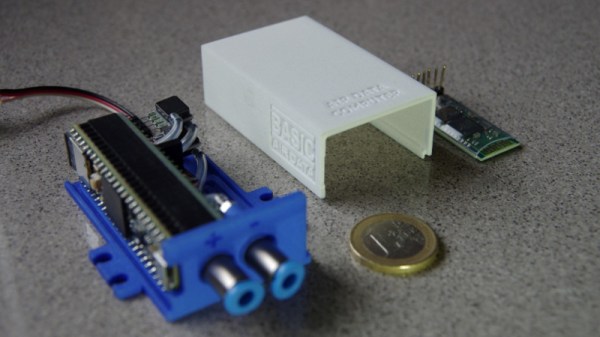
Now we’ll admit right up front: we aren’t 100% sure who the target audience for the Asgard is, but it certainly looks impressive. Team member [Erik] wrote into tip line with information about this very impressive project, which is able to perform a number of measurements on incoming air, such as true speed, viscosity, and temperature. The team says it has applications ranging from HVAC to measuring the performance of bicycles. We don’t know who’s going so fast on their bike that they need to measure air speed, but of course the hacker community never ceases to amaze us.

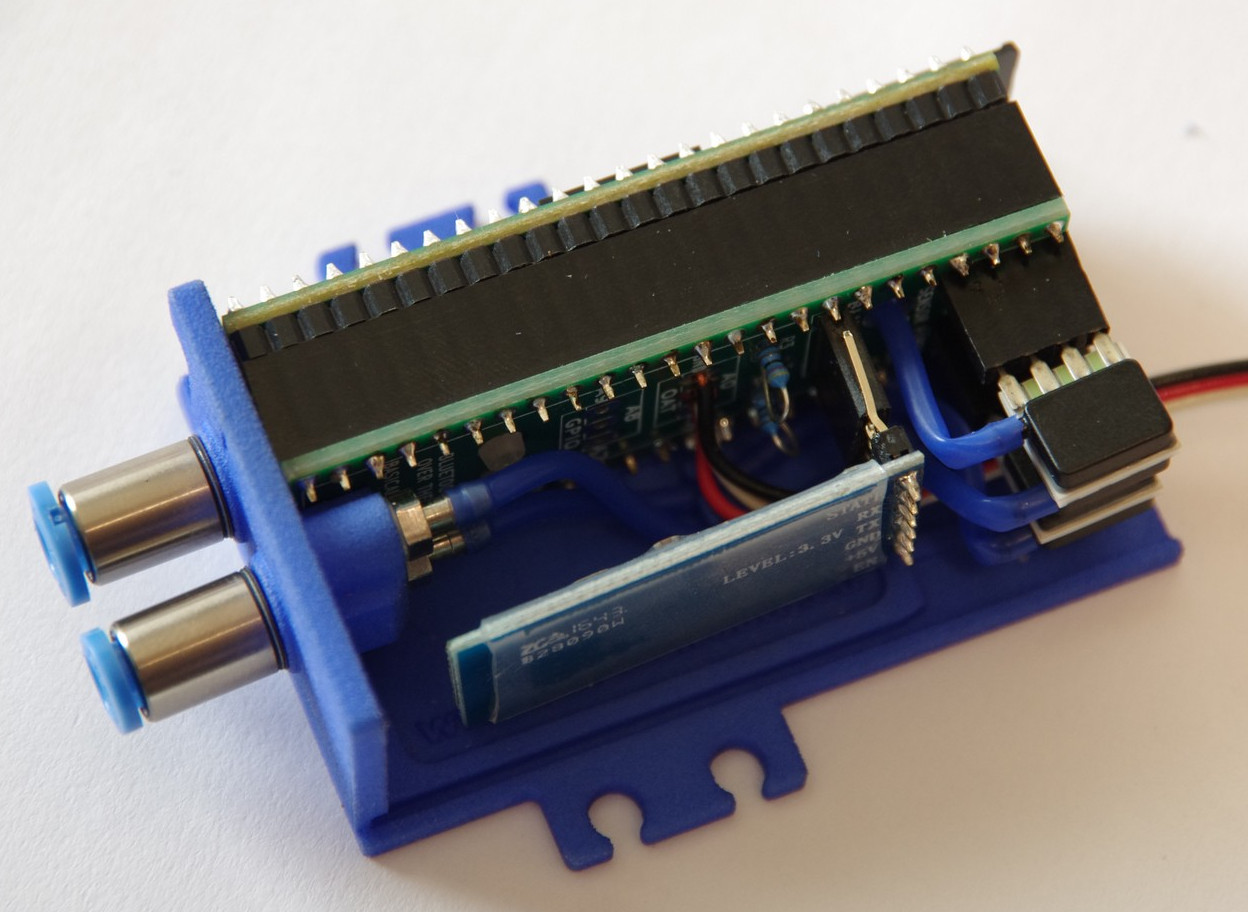
Even if you don’t have a jet fighter that could benefit from a high performance ADC such as Asgard, you have to be impressed by the incredible work the team has done not only designing and building it, but documenting it. From the impeccably designed 3D printed case to the stacked PCB internals, every aspect of Asgard screams professional hardware.

Data collected from Asgard can be stored on the internal micro SD if the device is to be used in stand-alone mode, or you can connect to it over USB or Bluetooth thanks to the HC-05 module. The team has even put together some scripts to merge the Asgard’s generated air data with GPS position information.

We’re all for putting high quality sensors in the hand’s of the community and seeing what they can come up with. The spirit and build quality of this project reminds us of the impressive work [Radu Motisan] has been doing with his distributed air quality sensors.

Continue reading “Asgard: The Open Source Air Data Computer”