The Latest Linux – On A Floppy In A 486!

If you have ever studied the early history  of the GNU/Linux operating system in its many forms, you’ll have read that [Linus Torvalds] developed his first kernel for his Intel 386-based computer. Though the 386 architecture is now ancient, the current Linux kernel can still be compiled for it and many distributions still maintain an i386 branch to provide broad compatibility for later machines able to run i386 code. But what if you were to take a current Linux kernel and stick it on a floppy in a machine from the early 1990s, with meagre RAM? [Fozztex] did just that, with not a 386 but a 486, sporting what would have been an impressive for the time 36MB of RAM. You can watch it in action in the video below the break.

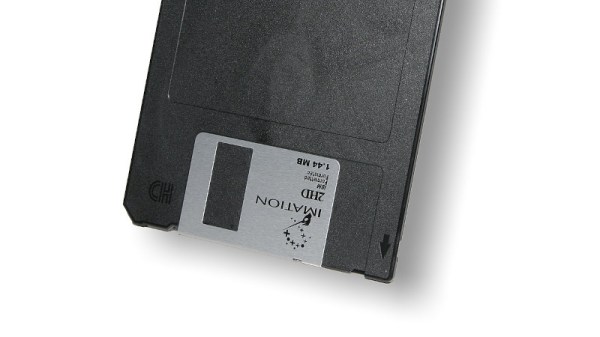
A recent Linux kernel is rarely if ever compiled for something as small as a floppy disk, so getting one to boot from such ancient media appeared to be a challenge. It was possible though with the tinyconfig make option, and after finding a small enough root filesystem courtesy of Aboriginal Linux, a bootable floppy was created. It’s not entirely useful and its sole purpose was to see whether Linux could see a large hard drive on the 486, but it’s still a version 5.6 Linux kernel booting from floppy on an ancient computer. Never complain that your Raspberry Pi Zero is slow again, we’ve come a long way!
Continue reading “The Latest Linux – On A Floppy In A 486!”

Gaming In Different Languages

One of the perks of using older hardware is its comparative simplicity and extensive documentation. After years or decades of users programming on a platform, the amount of knowledge available for it can become extensive. This is certainly the case with the 6502 microprocessor, used in old Apple computers and some video game systems from the ’80s. The extensive amount of resources available make it a prime candidate in exploring various programming languages, and their advantages and disadvantage.

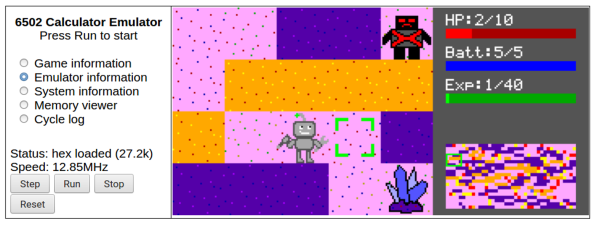
This project looks into those differences using a robot game, which has been programmed four different ways in three languages. [Joey] created the game in Python first and then began to port it to the 65C02, a CMOS variant of the 6502. The first iteration is its assembly language, and then a second iteration with optimized assembly code. From there, he ports it to C and then finally to Forth. Each version of the game is available to play in a browser using an emulator to run the 6502 hardware.

Since the games run in the browser, other tools are available to examine the way the game runs in each language. Registers can be viewed in real time, as well as the values stored in the memory. It’s an interesting look at an old piece of hardware and of its inner workings. For an even deeper dive into the 6502, it’s possible to build a working computer on breadboards using one.

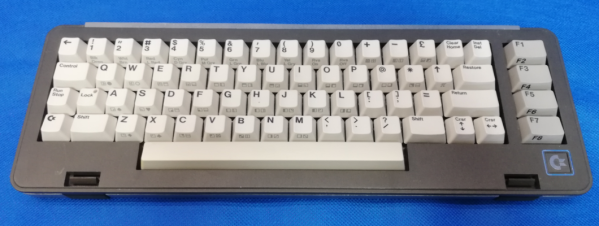
Commodore SX-64 Keyboard Upgraded From Trash To Treasure

Released in 1984, the Commodore SX-64 Executive Computer was one of the first portable luggable color computers. It cost twice as much as a Commodore 64, had a tiny 5″ diagonal screen, and couldn’t actually support both 5¼” drives as advertised. On the upside, people say it had a slightly better keyboard than its classic cousin.

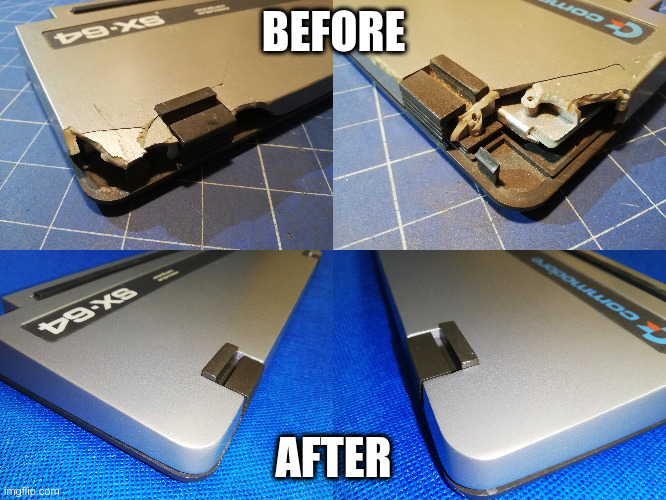
[Drygol] agreed to restore the keyboard from a friend’s Commodore SX-64 sight-unseen, and boy was this thing in bad shape. Most people would probably consider the condition a shame and write it off as a lost cause, since two of the corners were missing most of their plastic. But [Drygol] isn’t most people. [Drygol] had mad restoration skills to begin with, and this project honed them to a razor’s edge.

Plenty of the other vintage computer restorations [Drygol] has done required plastic welding, which uses heat or a lot of friction to smooth over cracks. Some of those have not stood the test of time, so he’s now in the habit of stabilizing cracks with brass mesh before filling them with fiberglass putty.

The best part is how [Drygol] managed to rebuild the corners using the same methods, soldering the brass mesh at the 90° joins, and reinforcing them with thick copper wire before beginning the painstaking putty/sand/putty process. The use of blank copper clad boards as straight edges and thickness gauges is genius.

There’s a whole lot to learn here, and the adventure beings with something that probably keeps a lot of people from trying stuff like this in the first place: how do you safely remove the badges?

You’re right, plastic welding is awesome. There even used to be a toy plastic welder. But there’s no need to troll the electronic auction bay to give it a try — just use a cheap soldering iron.

Reproduction 1960s Computer Trainer Really Pushes Our Buttons

If you were selling computers in the early 1960s you faced a few problems, chief among them was convincing people to buy the fantastically expensive machines. But you also needed to develop an engineering force to build and maintain said machines. And in a world where most of the electrical engineers had cut their teeth on analog circuits built with vacuum tubes, that was no easy feat.

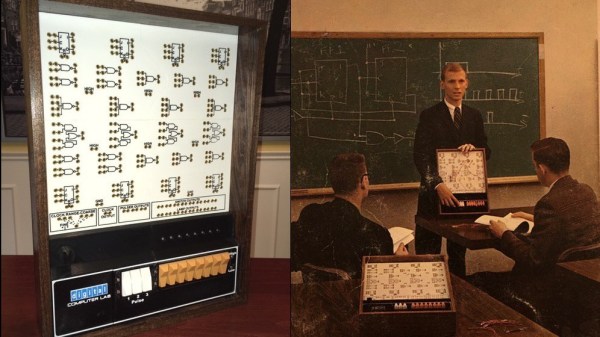
To ease the transition and develop some talent, Digital Equipment Corporation went all out with devices like the DEC H-500 Computer Lab, which retrocomputing wizard [Michael Gardi] is currently building a reproduction of. DEC’s idea was to provide a selection of logic gates, flip flops, and other elements of digital electronics that could be hooked together into more complicated circuits. We can practically see the young engineers in their white short-sleeve shirts and skinny ties laboring over the H-500 in a lab somewhere.

[Mike] is fortunate enough to have have access to an original H-500, but he wants anyone to be able to build one. His project page and the Instructables post go into great detail on how he made everything from the front panel to the banana plug jacks; almost everything in the build aside from the wood frame is custom 3D printed to mimic the original as much as possible. But the pièce de résistance is those delicious, butterscotch-colored DEC rocker switches. Taking some cues from custom switches he had previously built, he used reed switches and magnets to outfit the 3D printed rockers and make them look and feel like the originals. We can’t wait for the full PDP build.

Hats off to [Mike] for another stunning reproduction from the early years of the computer age. Be sure to check out his MiniVac 601 trainer, the Digi-Comp 1 mechanical computer, and the paperclip computer. If you’d like to pick [Mike’s] brain about this or any of his other incredible projects, he’ll be joining us for a Hack Chat in August.

Thanks to [Granzeier] for the tip!

Boot-To-BASIC Box Packs A Killer Graphics Engine

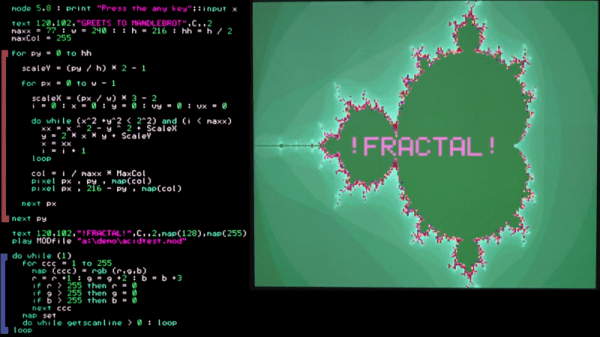
In the early days of the home computer era, many machines would natively boot into a BASIC interpreter. This was a great way to teach programming to the masses. However on most platforms the graphics routines were incredibly slow, and this greatly limited what could be achieved. In 2020 such limitations are a thing of the past, with the Color Maximite 2. (Video, embedded below.)

The Color Maximite 2 is a computer based around the STM32H743IIT6 microcontroller, packing a Cortex-M7 32-bit RISC core with the Chrom-ART graphics accelerator. Running at 480MHz it’s got plenty of grunt, allowing it to deliver vibrant graphics to the screen reminiscent of the very best of the 16-bit console era. The Maximite 2 combines this chip alongside a BASIC interpreter complete with efficient graphics routines. This allows for the development of games with fast and smooth movement, with plenty of huge sprites and detailed backgrounds.

[cTrix] does a great job of demonstrating the machine, designed by [Geoff Graham] and [Peter Mather]. Putting the computer through its paces with a series of demos, it shows off the impressive visual and audio capabilities of the hardware. It serves as an excellent spiritual successor to BlitzBASIC from back in the Amiga days. Particularly enjoyable is seeing a BASIC interpreter that adds syntax highlighting – making parsing the code far easier on the eyes!

We’d love to see this become an off-the-shelf kit, as it’s clear the platform has a lot to offer the retro hobbyist. It’s certainly come a long way from the original Maximite of nearly a decade ago. Video after the break.

Continue reading “Boot-To-BASIC Box Packs A Killer Graphics Engine”

Vintage Keyboard Gets The QMK Treatment

While nobody could deny that computing technology has some a long way in the last few decades, there are many out there who believe peak keyboard was sometime before the turn of the new millennium. They prefer the look, feel, and especially the sounds, of those classic keyboards to what passes for an input device these days. So much so that it’s not uncommon to see one of these old mammoths get freshened up and pushed into service with a modern computer.

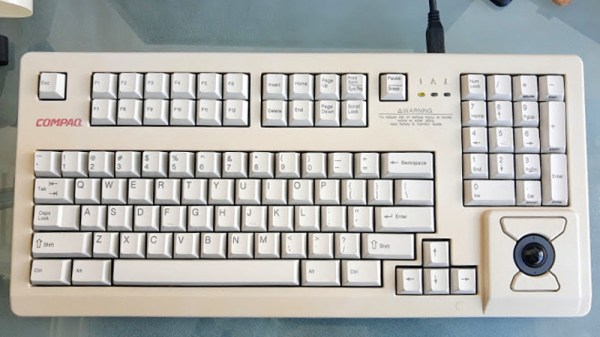
Which is exactly what [Juan Pablo Kutianski] has done with his Compaq MX-11800. This keyboard, which is actually a branded version of the Cherry G80-11800, really stands out in a crowd. With an integrated trackball and a two-row arrangement for the function keys, it’s not hard to see why he’d want to show it off. But while the hardware itself was solid, the features and capabilities of this old school keyboard left something to be desired.

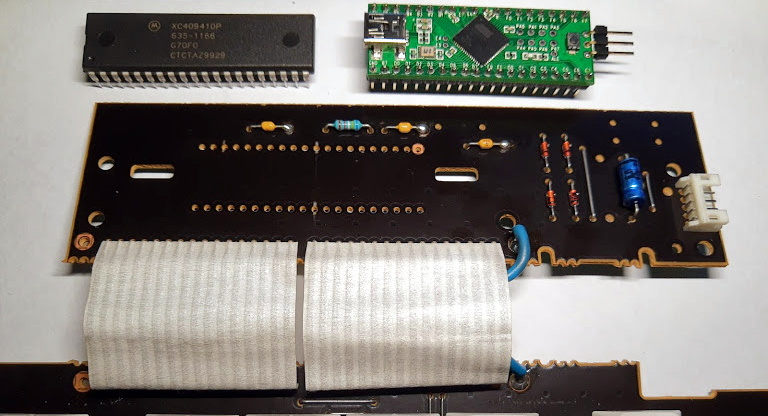
The solution was to replace the keyboard’s original electronics with a Teensy++2.0 running the popular QMK firmware. This not only made the keyboard USB, but allowed [Juan] to tweak things such as the trackball sensitivity and add in support for layers and macros. All of which can be managed through VIA, a graphical configuration tool for QMK.

As we’ve seen in so many projects, the combination of QMK running on the Teensy is a powerful tool for getting the most out of your keyboard. Whether breathing new life into a vintage piece of hardware or creating something truly custom like our very own [Kristina Panos] recently did, it’s definitely something to keep in mind if you’re considering any keyboard hacking.

Why You (Probably) Won’t Be Building A Replica Amiga Anytime Soon

Early in 2019, it  became apparent that the retro-industrial complex had reached new highs of innovation and productivity. It was now possible to create entirely new Commdore 64s from scratch, thanks to the combined efforts of a series of disparate projects. It seems as if the best selling computer of all time may indeed live forever.

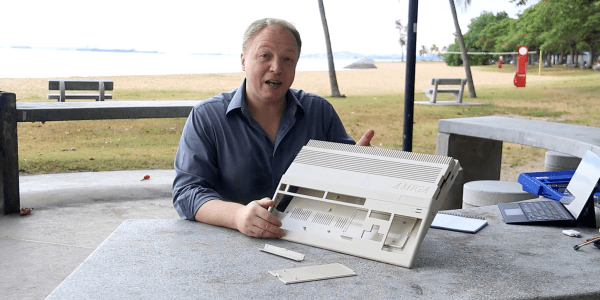
Naturally, this raises questions as to the C64’s proud successor, the Amiga. Due to a variety of reasons, it’s less likely we’ll see scratch-build Amiga 500s popping out of the woodwork anytime soon. Let’s look at what it would take, and maybe, just maybe, in a few years you’ll be firing up Lotus II (or, ideally, Jaguar XJ220: The Game) on your brand new rig running Workbench 1.3. Continue reading “Why You (Probably) Won’t Be Building A Replica Amiga Anytime Soon”