Apollo 11 Trig Was Brief

In this day and age where a megabyte of memory isn’t a big deal, it is hard to recall when you had to conserve every byte of memory. If you are a student of such things, you might enjoy an annotated view of the Apollo 11 DSKY sine and cosine routines. Want to guess how many lines of code that takes? Try 35 for both.

Figuring out how it works takes a little knowledge of how the DSKY works and the number formats involved. Luckily, the site has a feature where you can click on the instructions and see comments and questions from other reviewers.

Continue reading “Apollo 11 Trig Was Brief”

Run Your Favorite 8-bit Games On An ESP32

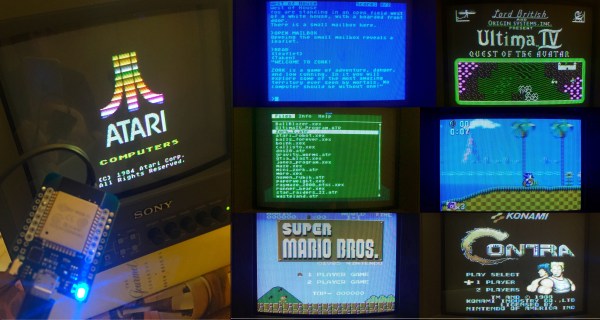
Here at Hackaday HQ we’re no strangers to vintage game emulation. New versions of old consoles and arcade cabinets frequently make excellent fodder for clever hacks to cram as much functionality as possible into tiny modern microcontrollers. We’ve covered [rossumur]’s hacks before, but the ESP_8-bit is a milestone in comprehensive capability. This time, he’s topped himself.

There isn’t much the ESP 8-bit won’t do. It can emulate three popular consoles, complete with ROM selection menus (with menu bloops). Don’t worry about building a controller, just connect any old (HID compliant) Bluetooth Classic keyboard or WiiMote you have at hand. Or if that doesn’t do it, a selection of IR devices ranging from joysticks from the Atari Flashback 4 to Apple TV remotes are compatible. Connect analog audio and composite video and the device is ready to go.

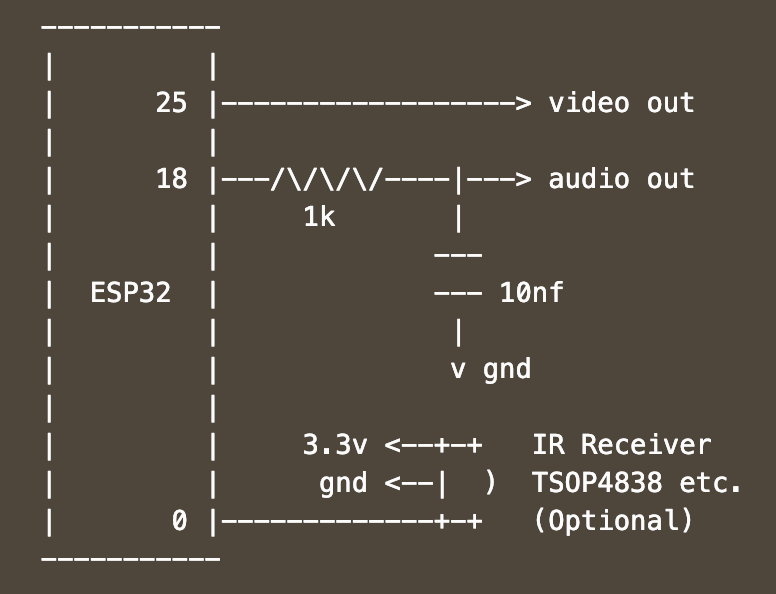
The system provides this impressive capability with an absolute minimum of components. Often a schematic is too complex to fit into a short post, but we’ll reproduce this one here to give you a sense for what we’re talking about. Come back when you’ve refreshed your Art of Electronics and have a complete understanding of the hardware at work. We never cease to be amazed at the amount of capability available in modern “hobbyist” components. With such a short BOM this thing can be put together by anyone with an ESP-32-anything.

There’s one more hack worth noting; the clever way [rossumur] gets full color NTSC composite video from a very busy microcontroller. They note that NTSC can be finicky and requires an extremely stable high speed reference clock as a foundation. [rossumur] discovered that the ESP-32 includes a PLL designed for audio work (the “APLL”) which conveniently supports fractional components, allowing it to be trimmed to within an inch of the desired frequency. The full description is included in the GitHub page for the project and includes detailed background of various efforts to get color NTSC video (including the names of a couple hackers you might recognize from these pages).

Continue reading “Run Your Favorite 8-bit Games On An ESP32”

Smart Home Meets Dumb Terminal

Most smart home products are designed to be controlled from a mobile device, which makes sense since that’s what the average consumer spends most of their day poking around on these days. But you aren’t the average consumer, are you? If you’re looking for a somewhat more tactile experience, then why not put your smart home dashboard on a vintage serial terminal as [Daniel Karpantschof] did?

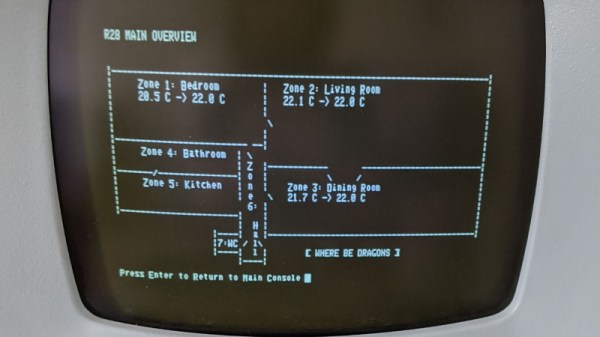
So how do you get the latest and greatest in home automation talking to a serial terminal built before the Internet as we know it? With Python, of course. [Daniel] has some code running on a Linux server that’s actually taking to his various smart home gadgets, which then spits out a simple ASCII user interface that his circa 1976 ADM-3A terminal can handle; complete with a floor plan view of the house that shows the temperature in different rooms.

Naturally, that’s only half the battle. You still need to get that interface onto the terminal. For that, [Daniel] is using the “Simulant Retro WiFi Modem” that we’ve covered in the past. An ESP8266 connects to the network and shuffles data over to the target device over serial. It’s all transparent to the terminal itself, so this project could be reproduced with whatever vintage machine holds a special place in your heart.

How Did They Get Sampled Sounds From An SN76489 8-bit Sound Chip?

If you were lucky and had well-off parents in the early 1980s, your home computer had a sound chip on board and could make music. There were a variety of chips on the market that combined in some form the tone generators and noise sources of a synthesiser, but without the digital-to-analogue converters of later sound chips designed for sampled audio. They gave birth to chiptune music, but that was all they were made to do. The essence of a hack lies in making something perform in a way it was never intended to, and some game developers for the Acorn BBC Micro had its SN76489 producing sampled audio when it should never have been possible. How did they do it? It’s a topic [Chris Evans] has investigated thoroughly, and his write-up makes for a fascinating explanation.

So, how can a set of audio tone generators be turned into a sampled audio player, and how can it be done when the CPU is a relatively puny 6502? There’s no processor bandwidth for clever Fourier transform tricks, and 1980s tech isn’t set up for high data bandwidths. The answer lies in making best use of the controls the chip does offer, namely frequency and volume of a tone. A single cycle of a tone can be given a volume, and thus can be treated as a single sample of an unintended DAC. By using a tone frequency well above the audio range a suitable sample frequency can be found, and thus an audio stream can be played. The write-up has links to some examples in an emulator, and while they’re hardly hi-fi they’re better than you might expect for the hardware involved. Still, even at that they don’t approach this amazing 48kHz playback on a Commodore 64.

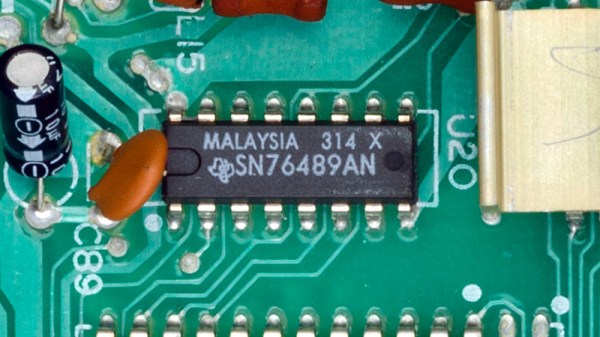
Header: SN76489, on a Colecovision console motherboard. Evan-Amos / Public domain.

A Pocket Retro Computer Anyone Can Build

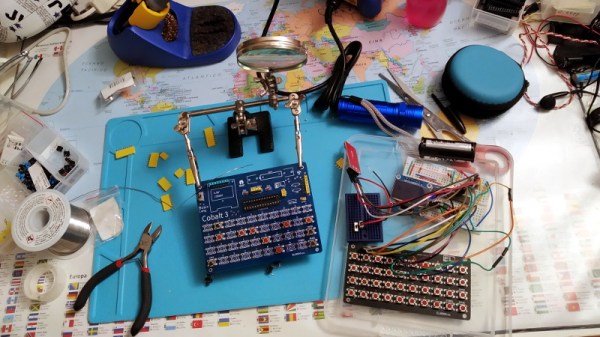
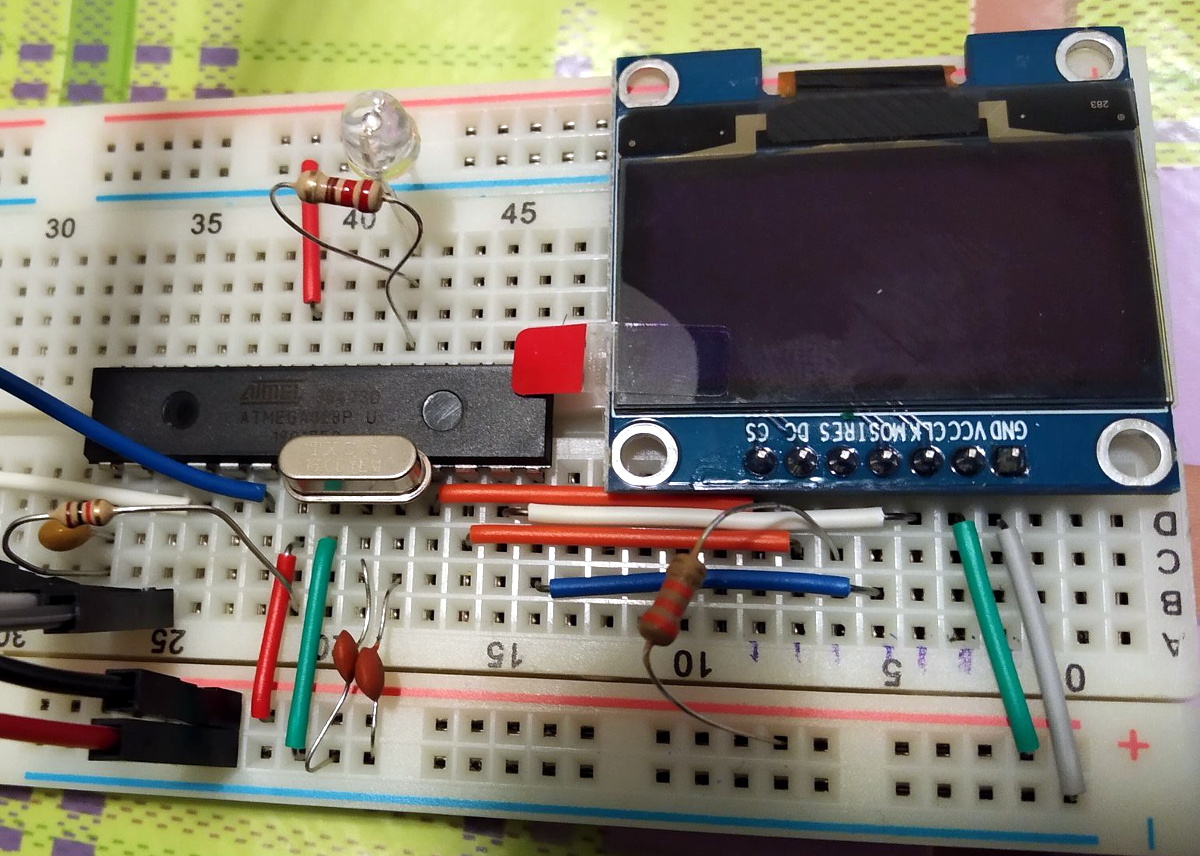
Not satisfied with any of the DIY retro computer kits on the market, [Leonardo Leoni] decided to make his own. Built using only the finest through-hole technology and powered by the ATmega328 microcontroller, his diminutive 8-bit computer is easy to build and even easier to develop for. Whether you’re looking to hone your BASIC skills or play some Zork on the bus, this little computer looks like a great project for anyone who has a soft spot for computing’s simpler days.
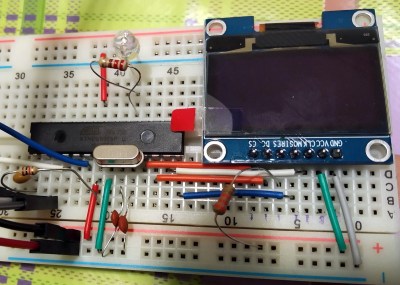
All things considered, using this tiny machine looks like it would be relatively pleasant. [Leonardo] is using a common SH1106 OLED display, and there’s a full QWERTY keyboard (with number row) done up with tactile momentary buttons. There’s very few passive components involved in the build, which is sure to be appealing to new players; especially after they’ve finished soldering all those switches to the board.

On the software side, [Leonardo] says he leaned heavily on open source projects to get his machine up and running. Beyond the hardware drivers for things like the display, he specifically calls out the Tiny Basic and Tiny Lisp Computer projects for their code. If small-scale programming isn’t your style, the machine is compatible with the Arduino IDE so you can easily throw something else on it. If you’ve ever dreamed of a QWERTY Arduboy, this might be your chance.

From the way [Leonardo] describes the computer, which he calls the Cobalt 3, we get the impression a commercial kit might be in the cards. We hope the community shows enough interest to make it happen. After all, not everyone was able to make it to Hackaday Belgrade 2018 to get their own pocket retro computer.


Easy Internet For Retro Computers With The PiModem

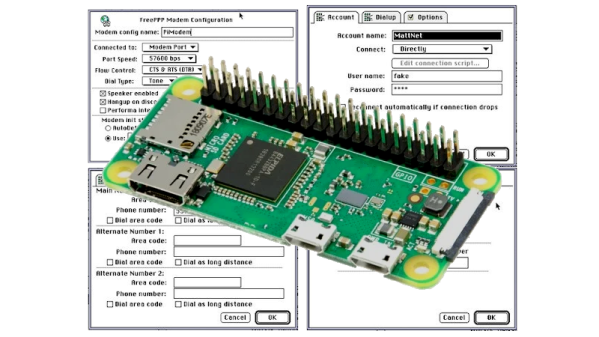
Retro computers are great, but what really makes a computer special is how many other computers it can talk to. It’s all about the network! Often, getting these vintage rigs online requires a significant investment in dusty old network cards from eBay and hunting down long-corrupted driver discs to lace everything together. A more modern alternative is to use something like PiModem to do the job instead.

PiModem consists of using a Raspberry Pi Zero W to emulate a serial modem, providing older systems with a link to the outside world. This involves setting up the Pi to use its hardware serial port to communicate with the computer in question. A level shifter is usually required, as well as a small hack to enable hardware flow control where necessary. It’s then a simple matter of using tcpser and pppd so you can talk to telnet BBSs and the wider Internet at large.

It’s a tidy hack that makes getting an old machine online much cheaper and easier than using hardware of the era. We’ve seen similar work before, too!

Building A 3270 Terminal Controller

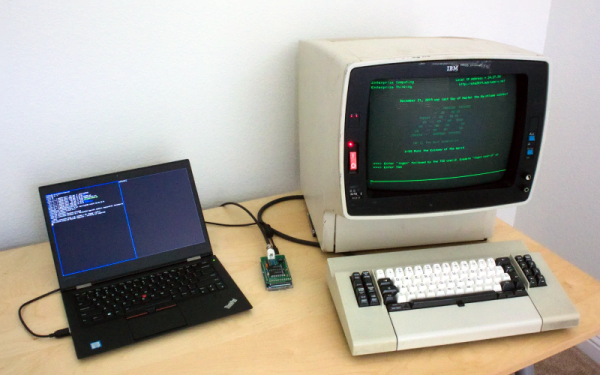
We like to talk about how most of our computers today would have been mainframes a scant 40 or 50 years ago. Because of that, many people who want to run IBM mainframes such as the IBM 360 or 370 use the Hercules emulator to run the big iron on their PCs. However, mainframe IBM computers used an odd style of terminal and emulating it on a PC isn’t always as satisfying. At least, that’s what [lowobservable] thought, so he decided to get a 3270 terminal working with Hercules.

Back in the bad old days of computing, there were two main styles of terminals. Some companies, for example DEC, essentially used terminals as a “glass teletype.” That is, the screen was an analog of a roll of paper — more or less — and the keyboard immediately sent things to the remote system. However, companies like IBM and HP favored a different approach. Their terminals dealt with screens full of data. The terminal was smart enough to let you fill in forms, edit text on the screen, and then you’d send the entire screen in one gulp. Both systems had pros and cons, but — as you might expect — the screen-oriented terminals were more complex.

Continue reading “Building A 3270 Terminal Controller”