How To Control Your Instruments From A Computer: It’s Easier Than You Think

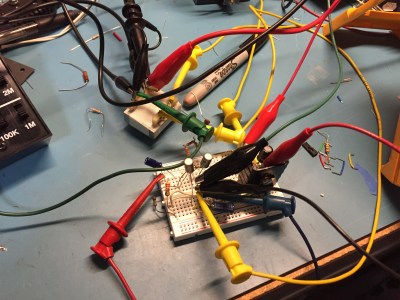
There was a time when instruments sporting a GPIB connector (General Purpose Interface Bus) for computer control on their back panels were expensive and exotic devices, unlikely to be found on the bench of a hardware hacker. Your employer or university would have had them, but you’d have been more likely to own an all-analogue bench that would have been familiar to your parents’ generation.

A GPIB/IEEE488 plug. Alkamid [CC BY-SA 3.], via Wikimedia Commons
A GPIB/IEEE488 plug. Alkamid [CC BY-SA 3.], via Wikimedia Commons.
The affordable instruments in front of you today may not have a physical GPIB port, but the chances are they will have a USB port or even Ethernet over which you can exert the same control. The manufacturer will provide some software to allow you to use it, but if it doesn’t cost anything you’ll be lucky if it is either any good, or available for a platform other than Microsoft Windows.

So there you are, with an instrument that speaks a fully documented protocol through a physical interface you have plenty of spare sockets for, but if you’re a Linux user and especially if you don’t have an x86 processor, you’re a bit out of luck on the software front. Surely there must be a way to make your computer talk to it!

Let’s give it a try — I’ll be using a Linux machine and a popular brand of oscilloscope but the technique is widely applicable.

Continue reading “How To Control Your Instruments From A Computer: It’s Easier Than You Think”

Medium Over Message: A CD-ROM Multimedia Bubble Survivor’s Tale

Sometimes in the never-ending progression of technology, people take wrong turns. They pursue dead-ends they believe represent a bright future, often in spite of obvious indications to the contrary. IBM doggedly insisting Micro Channel Architecture was the future of PC hardware, for example, or Nokia’s seeming inability to recognise that the mobile phone experience had changed for ever when the first iPhones and Android devices appeared.

Every once in a while, that collective delusion grips an entire industry. All the players in a particular market nail their colours to a technology, seemingly without heed to what seems with hindsight to have been a completely obvious threat from the alternative that sidelined them. It is a tale of personal experience that prompts this line of thought, for the industry that tempted me away from hardware to a career in electronic publishing in the early 1990s was CD-ROM multimedia.

Continue reading “Medium Over Message: A CD-ROM Multimedia Bubble Survivor’s Tale”

The Little Mechanism That Made Precise Time-keeping Possible

There are few things to which we pay as much attention as the passage of time. We don’t want to be late for work, or a date. Even more importantly, we don’t want to age and die. Good time keeping is an all important human activity, and we started to worry about it as soon as we abandoned our hunter-gatherer lifestyle and agriculture and commerce emerged.

By de:Benutzer:Flyout - own work, http://de.wikipedia.org/wiki/Bild:Kerzenuhr.jpg, CC BY-SA 3.0, https://commons.wikimedia.org/w/index.php?curid=1783765
A candle clock

Measuring time needs two things: a repetitive process to mark equal increments of time, and a way of tracking and displaying the result. The first timekeeping devices relied of course on the movement of the sun. Ancient Egyptians, around 3500 BC, built obelisks that, by casting a shadow on the ground at different positions, gave an approximate idea of the time. Next came the use of some medium that was consumed at a regular pace: candle, incense, water and sand clocks are examples. A great advancement came with the advent of the mechanical clock, and here is where the escapement mechanism appears.

Continue reading “The Little Mechanism That Made Precise Time-keeping Possible”

Path To Craftsmanship: Don’t Buy Awful Safety Gear

A while back I tried to make a case for good safety disciple as a habit that, when proactively pursued, can actually increase the quality of your work as a side effect. In those comments and in other comments since then I’ve noticed that some people really hate safety gear. Now some of them hated them for a philosophical reason, “Ma granpap didn’t need ’em, an’ I don’t neither”, or ,”Safety gear be contributin’ to the wuss’ness of the modern personage an’ the decline o’ society.” However, others really just found them terribly uncomfortable and restricting.

In this regard I can help a little. I’ve spent thousands of terrible long hours in safety gear working in the chemical industry. I was also fortunate to have a company who frequently searched for the best safety equipment as part of their regular program. I got to try out a lot.

Continue reading “Path To Craftsmanship: Don’t Buy Awful Safety Gear”

Retrotechtacular: The Golden Book Of Chemistry Experiments

Back in “the old days” (that is, when I was a kid), kids led lives of danger and excitement. We rode bikes with no protective gear. We stayed out roaming the streets after dark without adult supervision. We had toy guns that looked like real ones. Dentists gave us mercury to play with. We also blew things up and did other dangerous science experiments.

If you want a taste of what that was like, you might enjoy The Golden Book of Chemistry Experiments. The book, first published in 1960, offers to show you how to set up a home laboratory and provides 200 experiments. The colorfully illustrated book shows you how to do some basic lab work as well as offering some science history and terminology.

Want to make oxygen? There’s several methods on page 27. Page 28 covers making hydrogen. To test the hydrogen for purity, the suggest you collect a test tube full, invert it, and stick a match up to the tube. If the hydrogen is pure it will burn with a pop noise. If air is mixed it, it will explode. Yeah, that sound safe to us.

Continue reading “Retrotechtacular: The Golden Book Of Chemistry Experiments”

Creating A PCB In Everything: Protel Autotrax

Protel Autotrax is a PCB design tool first released for DOS in the mid-80s. Consider this a look at the history of PCB design software. I’m not recommending anyone actually use Protel Autotrax —  better tools with better support exist. But it’s important to know where we came from to understand the EDA tools available now. I’m rolling up my sleeves (about 30 years worth of rolling) and building our standardized test PCB with the tool. Beyond this, I suggest viewing EEVblog #747, where [Dave] digs into one of his old project, Borland Pascal, and Protel Autotrax.

This is the continuation of a series of articles demonstrating how to Create A PCB In Everything. In this series, we take a standard reference circuit and PCB layout — a simple ATtiny85 board — and build it with different PCB design tools. We’ve already covered Eagle in this series. We learned Fritzing is a joke for PCB design, although it is quite good for making breadboard graphics of circuits. Each of these tutorials serves as a very quick introduction to a specific PCB design tool. Overall, this series provides for a comparison between different PCB design tools. Let’s dig into Protel Autotrax.

A short history of Protel, Altium, and Autotrax

The company we know as Altium today was, for the first fifteen years of its existence, known as Protel. Back in the day, PCB design on a computer required a dedicated workstation, a lot of hardware, light pens, and everything was extraordinarily expensive. Protel was a reaction to this and the first product, Autotrax, was a DOS-based program that brought PCB design to the PC. A freeware version of Autotrax is still available on the Altium website and can be run from inside a DOS virtual machine or DOSBox.

Interestingly, Protel Autotrax is not the only PCB design software named Autotrax. A company called DEX 2020 has also has a PCB design software called AutoTRAX. This is weird, confusing, and I can’t figure out how this doesn’t violate a trademark. If anyone has any insight to what the Protel / Altium legal department was doing a few decades ago, your wisdom is welcome in the comments.

Continue reading “Creating A PCB In Everything: Protel Autotrax”

My Life In The Connector Zoo

“The great thing about standards is that there are so many to choose from.” Truer words were never spoken, and this goes double for the hobbyist world of hardware hacking. It seems that every module, every company, and every individual hacker has a favorite way of putting the same pins in a row.

We have an entire drawer full of adapters that just go from one pinout to another, or one programmer to many different target boards. We’ll be the first to admit that it’s often our own darn fault — we decided to swap the reset and ground lines because it was convenient for one design, and now we have two adapters. But imagine a world where there was only a handful of distinct pinouts — that drawer would be only half full and many projects would simply snap together. “You may say I’m a dreamer…”

This article is about connectors and standards. We’ll try not to whine and complain, although we will editorialize. We’re going to work through some of the design tradeoffs and requirements, and maybe you’ll even find that there’s already a standard pinout that’s “close enough” for your next project. And if you’ve got a frequently used pinout or use case that we’ve missed, we encourage you to share the connector pinouts in the comments, along with its pros and cons. Let’s see if we can’t make sense of this mess.

Continue reading “My Life In The Connector Zoo”